Once your product of type Service is created, Chariow lets you access a full control panel to manage your orders, secure your exchanges, and customize your commercial offer.
To edit or customize an existing service:
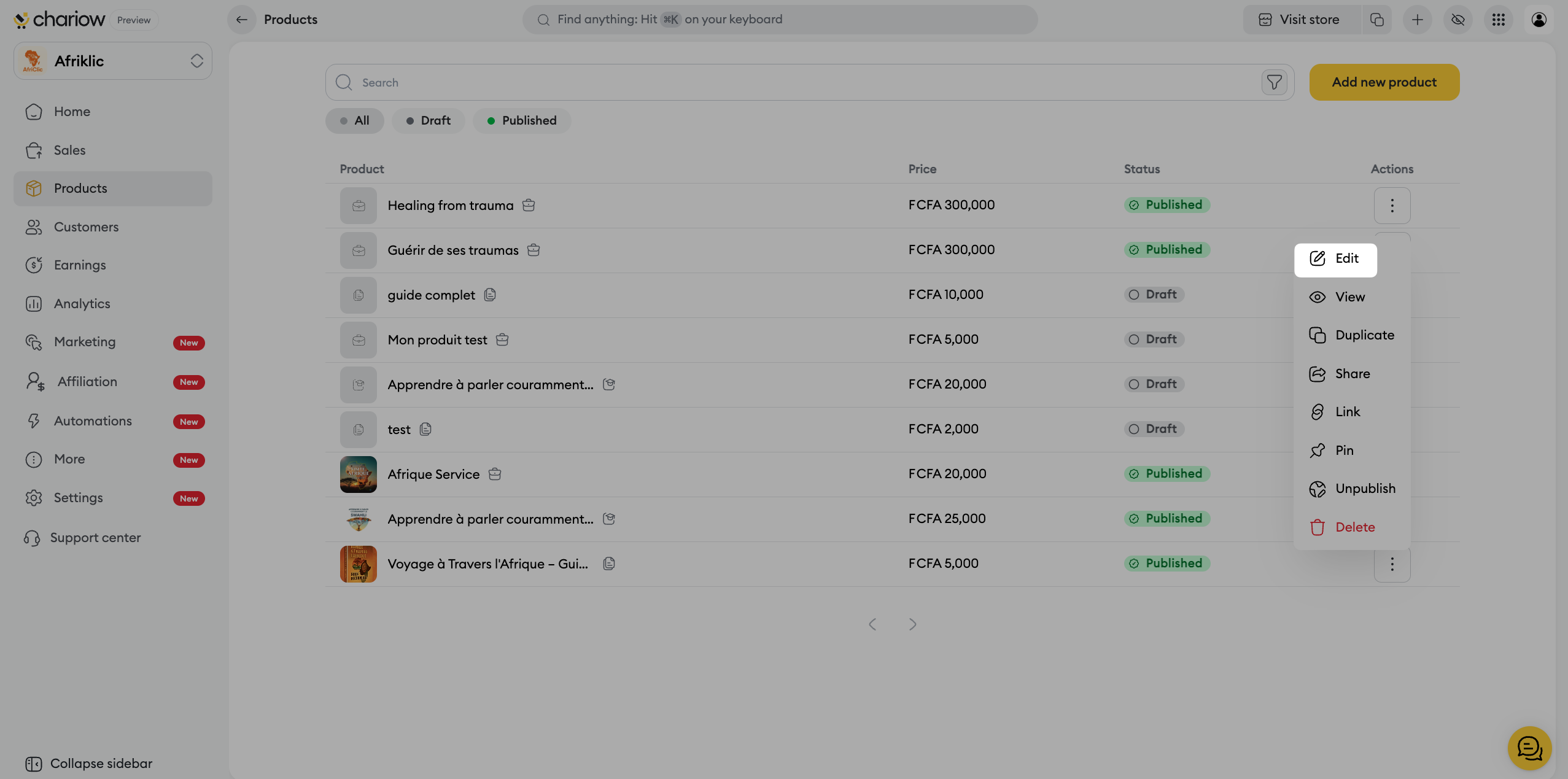
Go to the Products tab in the left side menu.
Click on the three action dots (⋮) to the right of your service and select Edit.
This central tab brings together the identity and post-purchase management settings of your service.
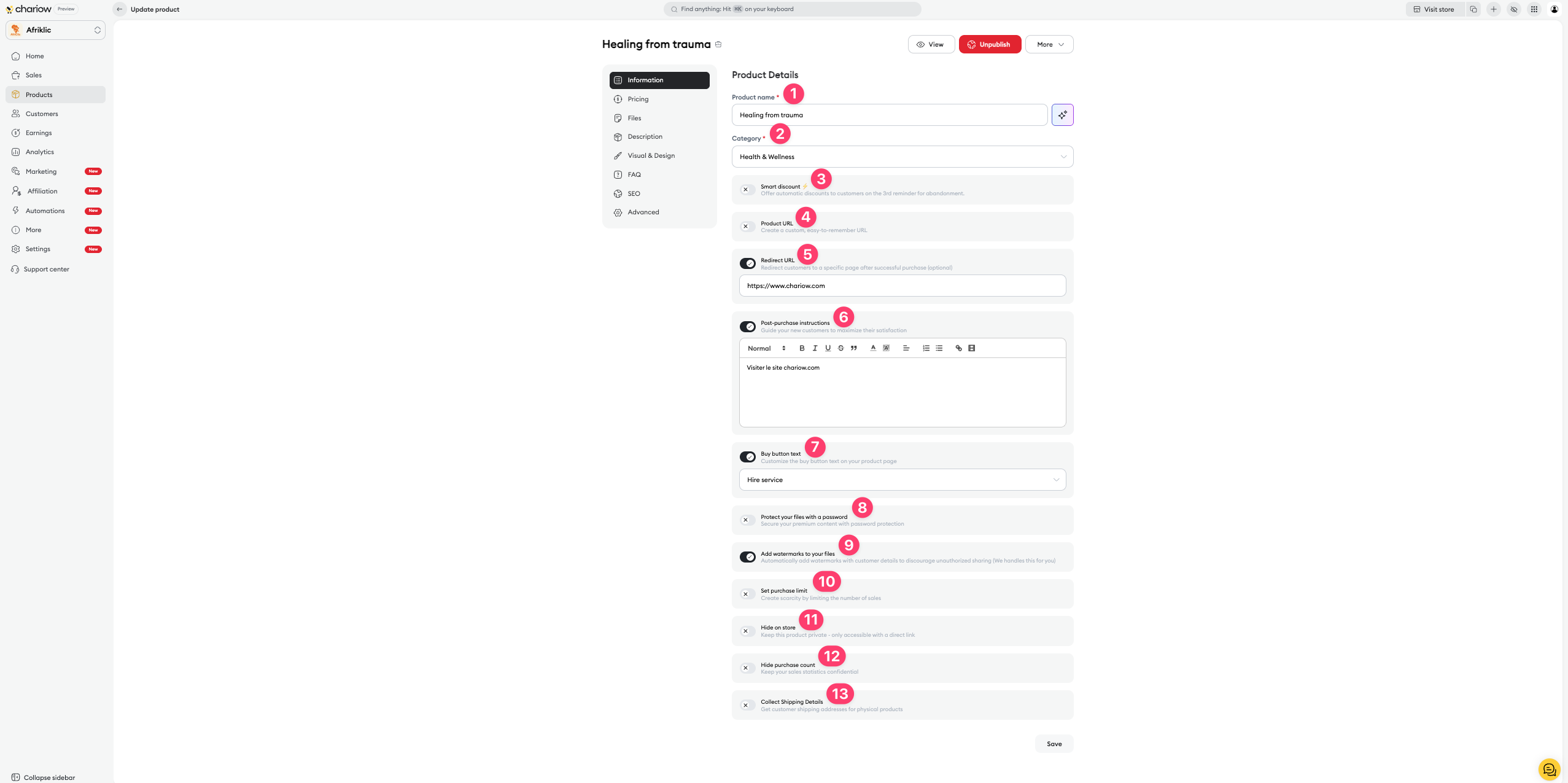
Name and Category (1 & 2) : You can change your service title and its theme anytime to adapt it to your shop.
Custom URL (4) : Create a unique, easy-to-remember link to promote your service.
Purchase button text (7) : Customize the call to action on your product page (e.g.: "Hire the service").
Automatic discount (3) : Offer an automatic discount to customers on the 3rd abandoned cart reminder.
Redirect URL (5) : Redirect your customers to a specific page (e.g.: a booking calendar or a form) right after their successful purchase.
Post-purchase instructions (6) : Guide your new customers with clear instructions (steps to follow, documents to provide) to maximize their satisfaction from the start.
Security (8 & 9) : Protect access to your documents with a password or enable automatic watermarks on your files to discourage unauthorized sharing.
Purchase limit (10) : Manage your workload by limiting the number of orders allowed for this service.
Hiding (11 & 12) : Keep the service private (only accessible via direct link) or hide your sales stats.
Address collection (13) : Turn on this option if your service requires physically sending materials or documents.
Chariow lets you offer different service levels for the same offer:
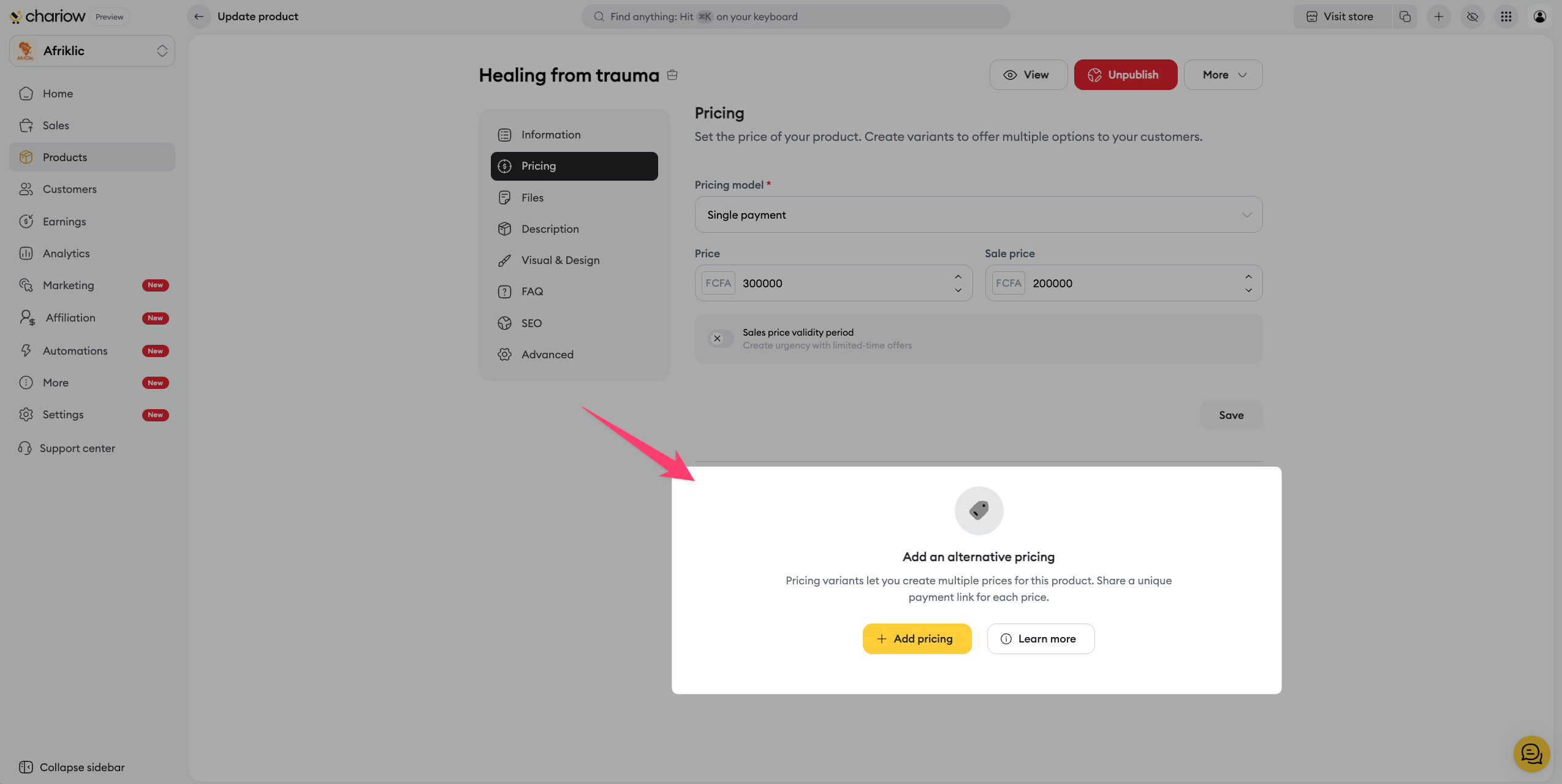
Price variants : Create several price points (e.g.: "Standard Audit" vs "Premium Audit with follow-up").
Promotions : Manage your strikethrough prices to highlight your limited offers.
➜ Consult the guide: Create and manage price variants
Use the side menu to build your clients’ trust:
Frequently Asked Questions (FAQ) : Anticipate your customers' doubts by adding a FAQ section dedicated to your working method.
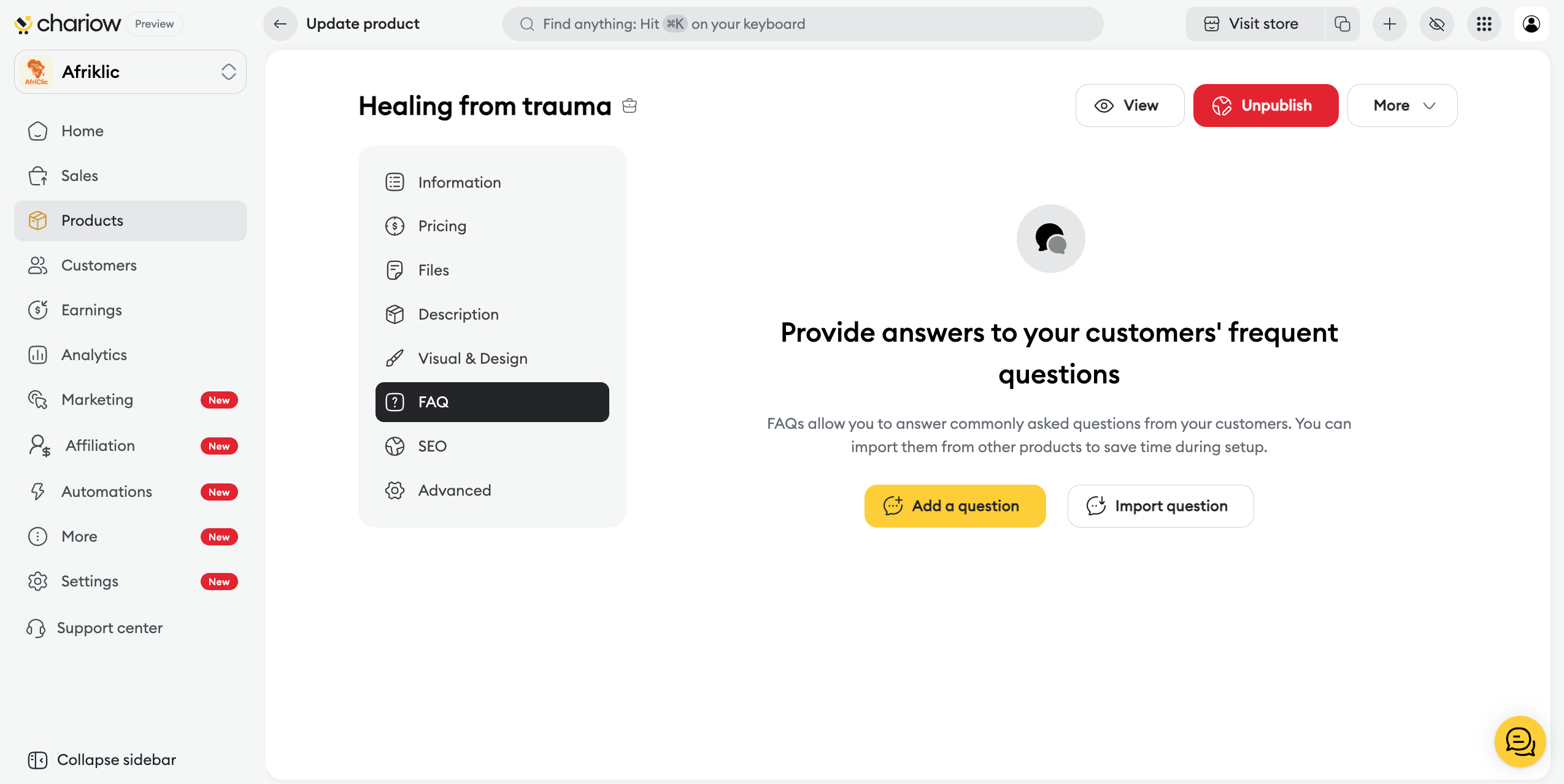
➜ Check out the guide: Set up your product FAQ
SEO: Optimize metadata to improve your visibility on search engines.
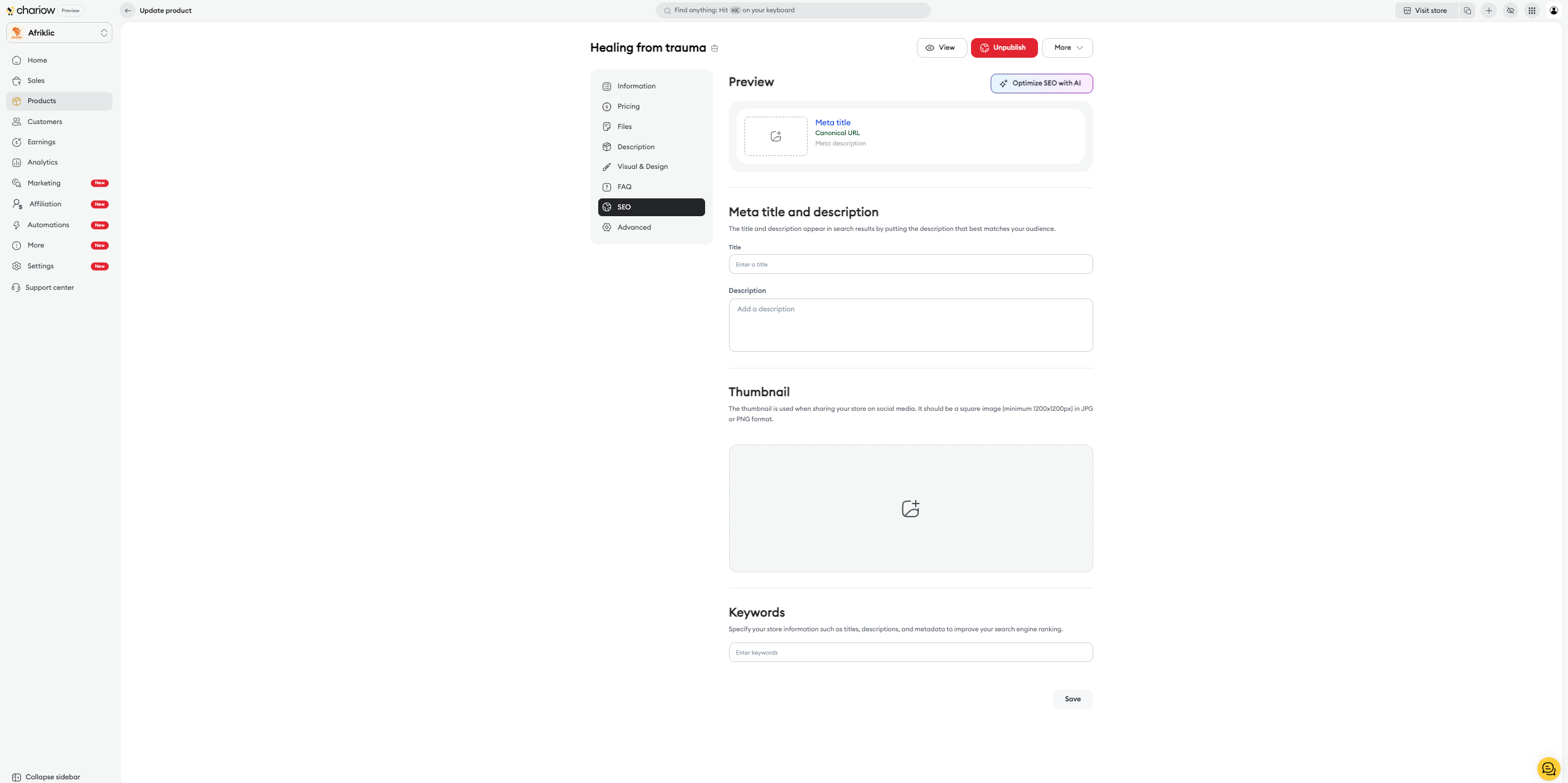
➜ Check out the guide: Optimize your product SEO
Custom fields: Collect essential information (social account, goals, website) directly when the order is placed so you can start working right away.
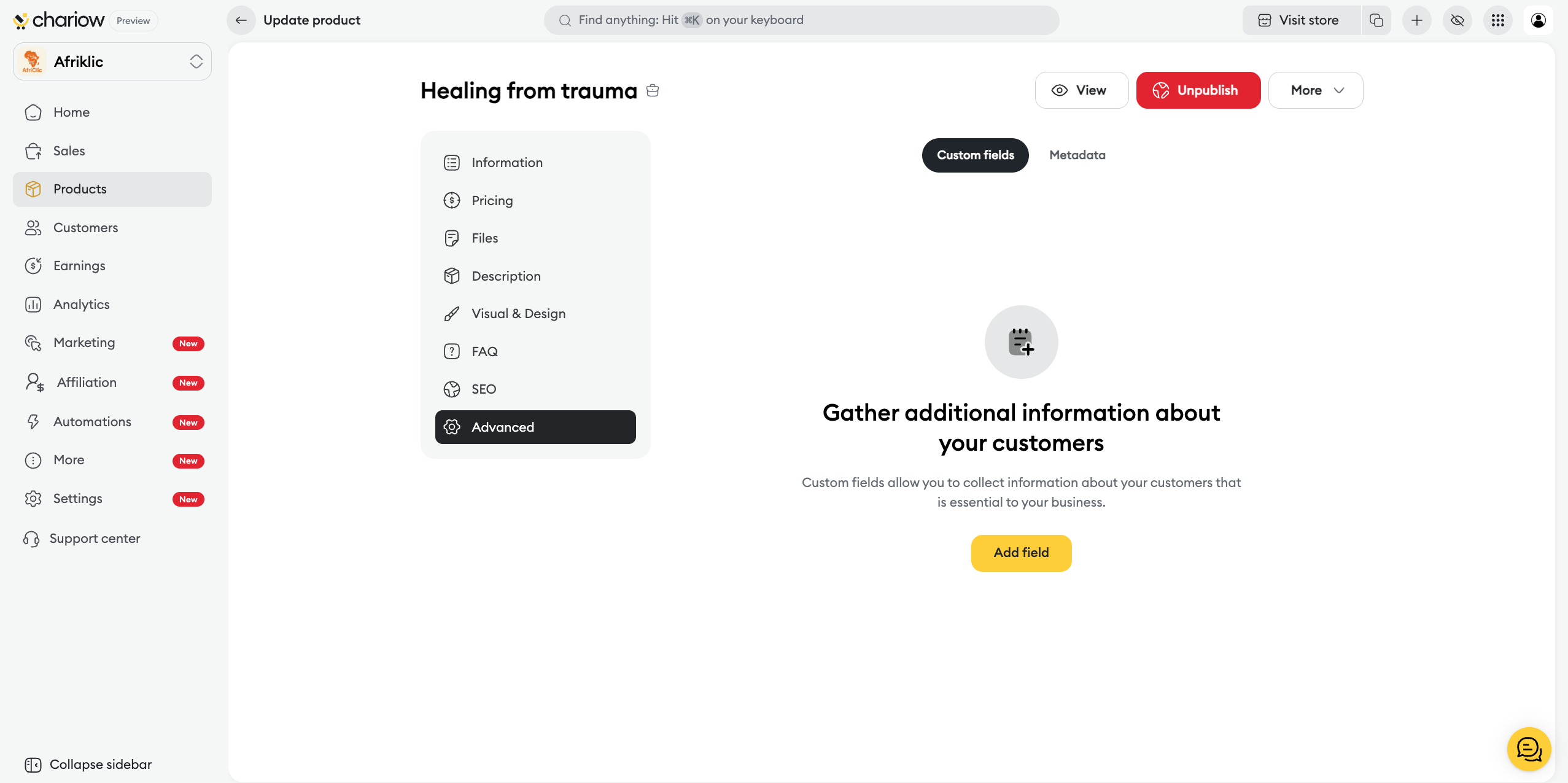
➜ Check out the guide: Use custom fields

Need help? Contact our support via chat or at [email protected]

