SEO (Search Engine Optimization) is essential for your products to show up in search results like Google. Chariow lets you precisely customize how your product is presented to algorithms and future buyers.
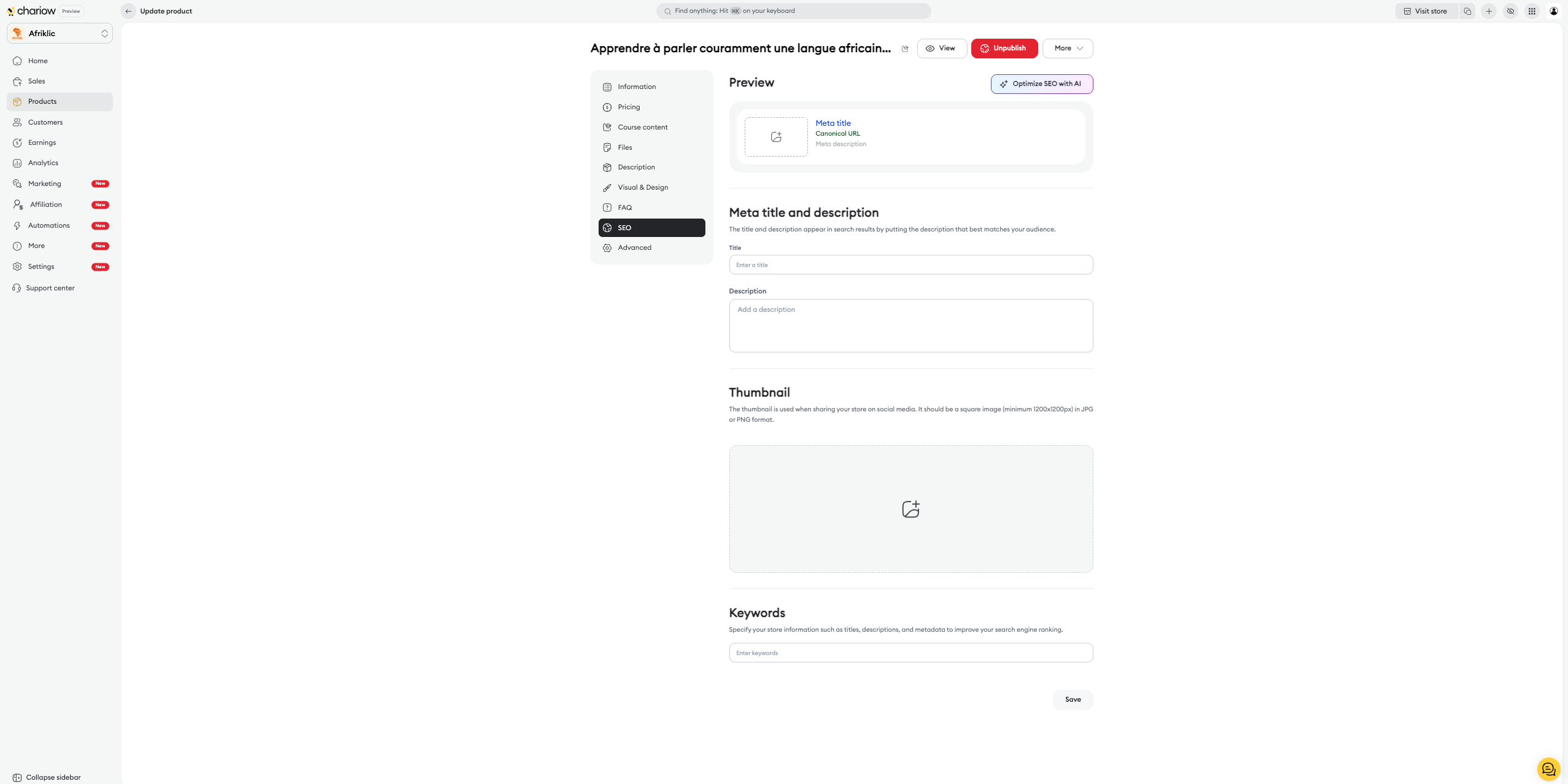
Go to the Products section in your side menu.
Select the product you want to optimize.
In the product editing menu, click on the SEO tab located in the left column.
Once you're in the SEO tab, you need to fill in the elements that will appear directly in the search results:
Title : Add a catchy title that includes your main keywords. This is the blue link that users click on.
Description : Write a short and punchy meta description that encourages people to click. It should sum up the added value of your product.
Keywords : Specify the search terms you want your product to rank for.
Chariow offers a "Optimize SEO with AI" button at the top of the page. Click it to automatically generate title and description suggestions based on your product content.
The Thumbnail section lets you upload a specific image that will be shown when your product link is shared on social media or appears in image search results.

At the top of the page, the Preview section shows you exactly what your link will look like on Google. It dynamically displays your Title, the canonical URL, and your meta description as you edit them.
Once you're done with your optimizations, click the Save button at the bottom right to update your product's metadata.
Need help? Contact our support via chat or at [email protected]

