Collecting additional essential information about your customers, like a Telegram ID, a WhatsApp number or specific logistical details, is a real strategic asset. This data lets you process orders better and offer a personalized shopping experience.
To set up the collection of specific data, follow these steps:
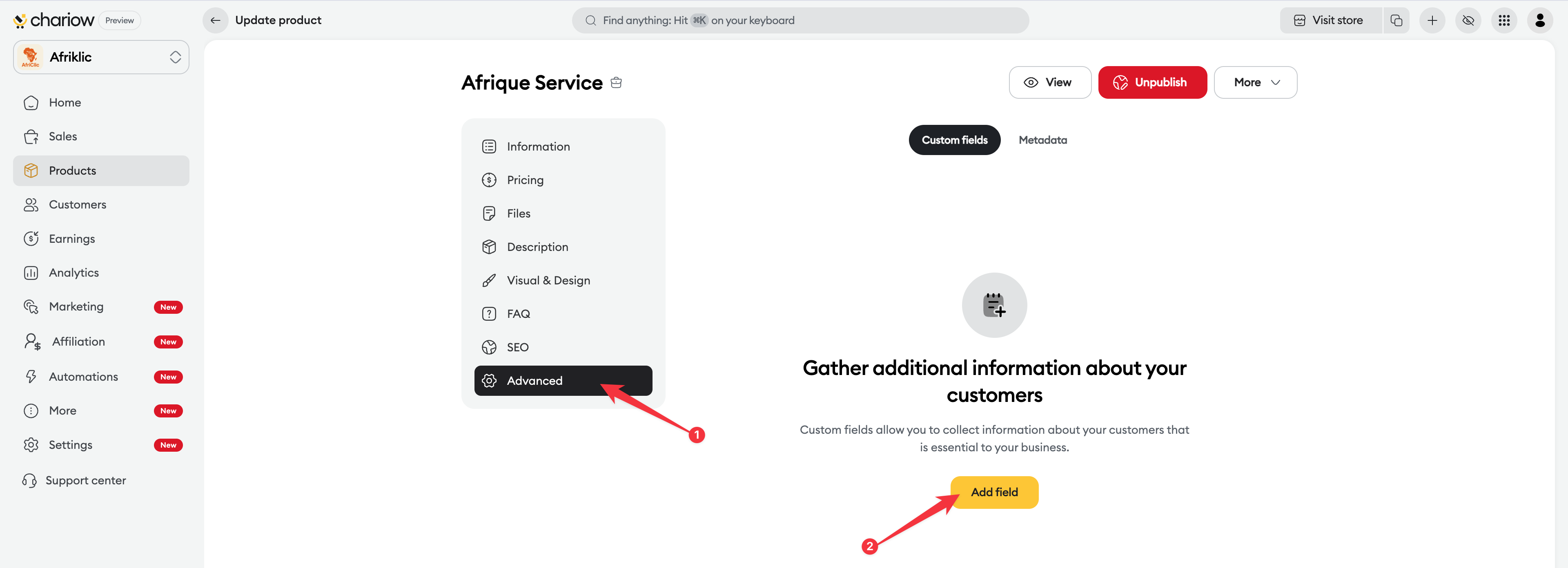
Access to configuration : On your product edit page, click on the Advanced tab in the left sidebar.
Field selection : Make sure you're in the Custom fields subsection and click on the yellow Add a field button.
Field setup : A pop-up window appears to define the characteristics of your new field:
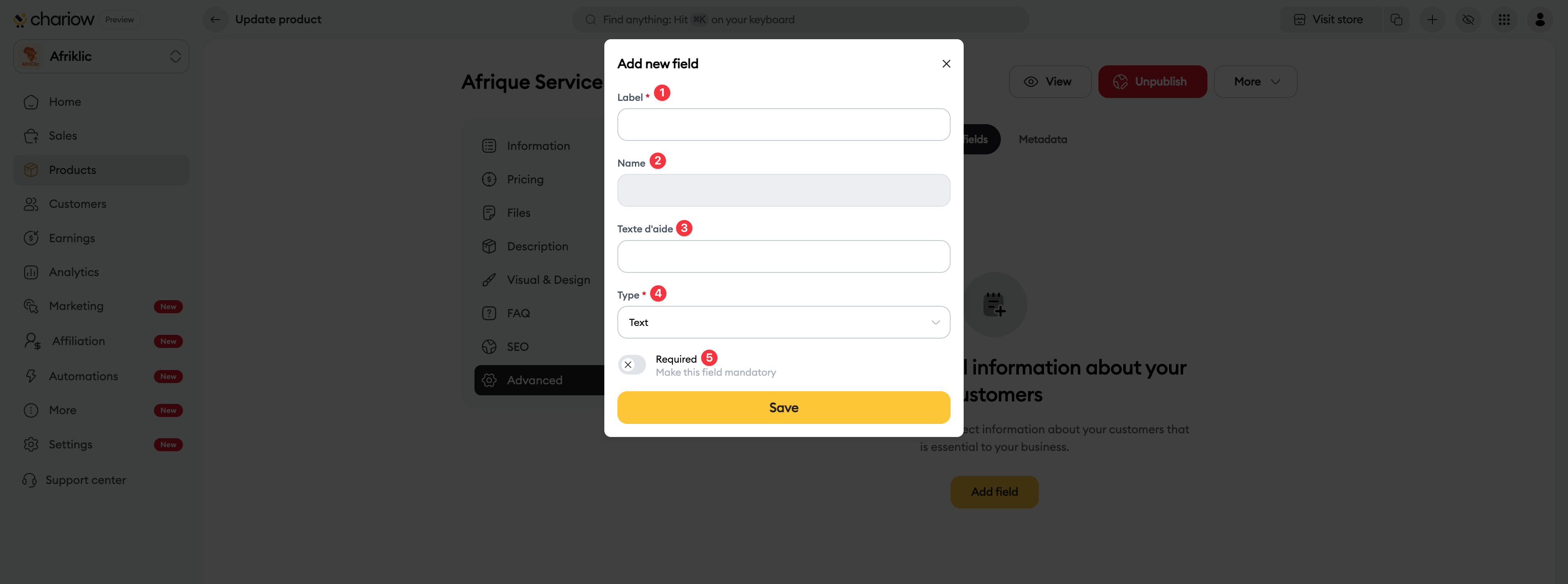
Label (1) : Enter the title the customer will see on the page (Example: Your Telegram ID).
Name (2) : This technical name is generated automatically for the database.
Help text (3) : (Optional) Add a short instruction to guide the customer (Example: Enter your username without the @).
Type (4) : Choose the expected answer format (Text, Number, URL, etc.).
Required (5) : Turn on this switch if the information is essential to complete the order.
Save : Click on Save to apply the change.


Need help? Contact our support via chat or at [email protected]

