Once your license-type product is created, Chariow gives you a full control panel to manage the distribution, security, and branding of your keys.
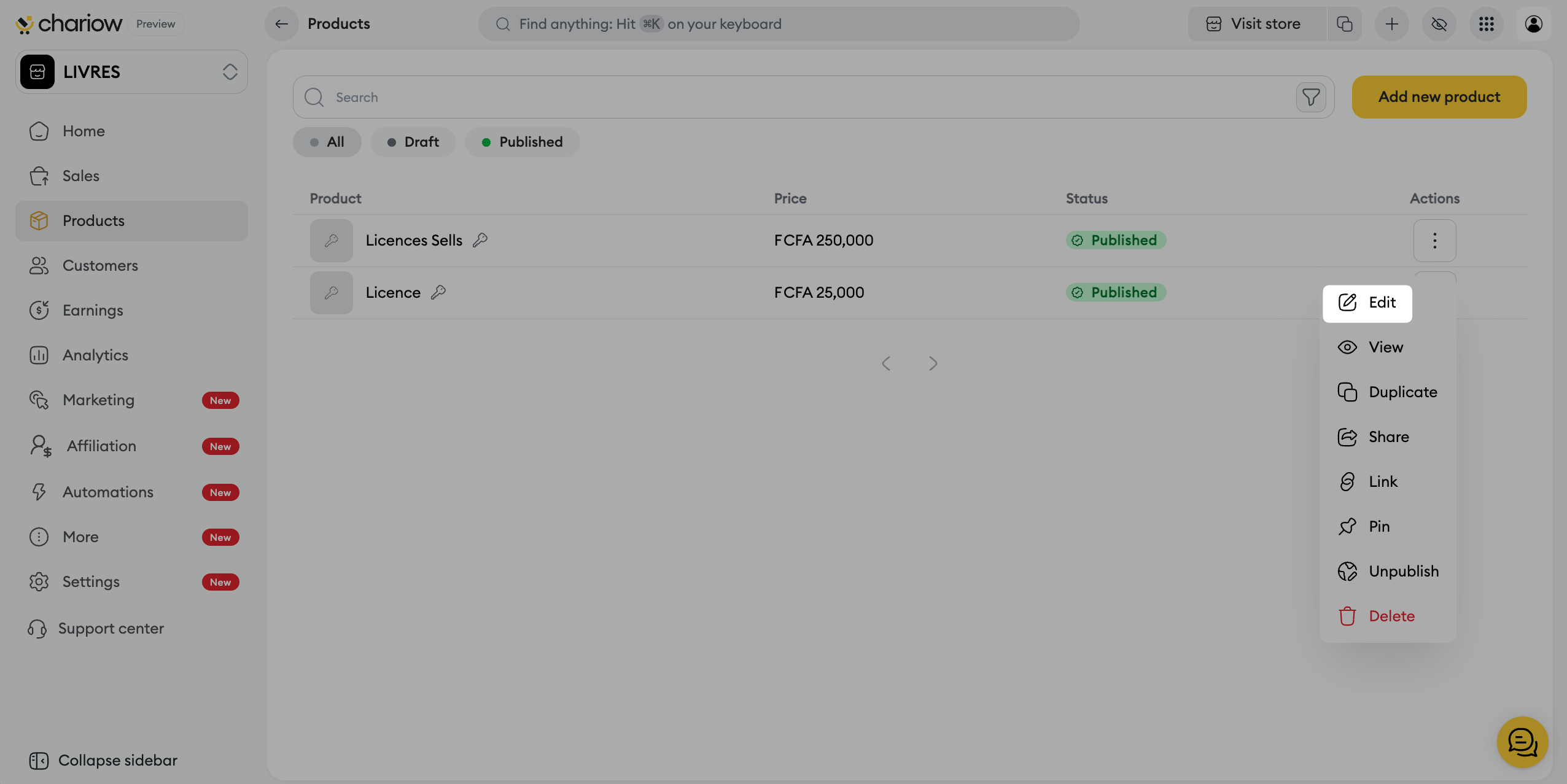
To edit or customize an existing license:
Go to the Products tab in the side menu.
Click on the three action dots (⋮) to the right of your product and select Edit.
This central tab brings together the identity and protection settings of your offer.
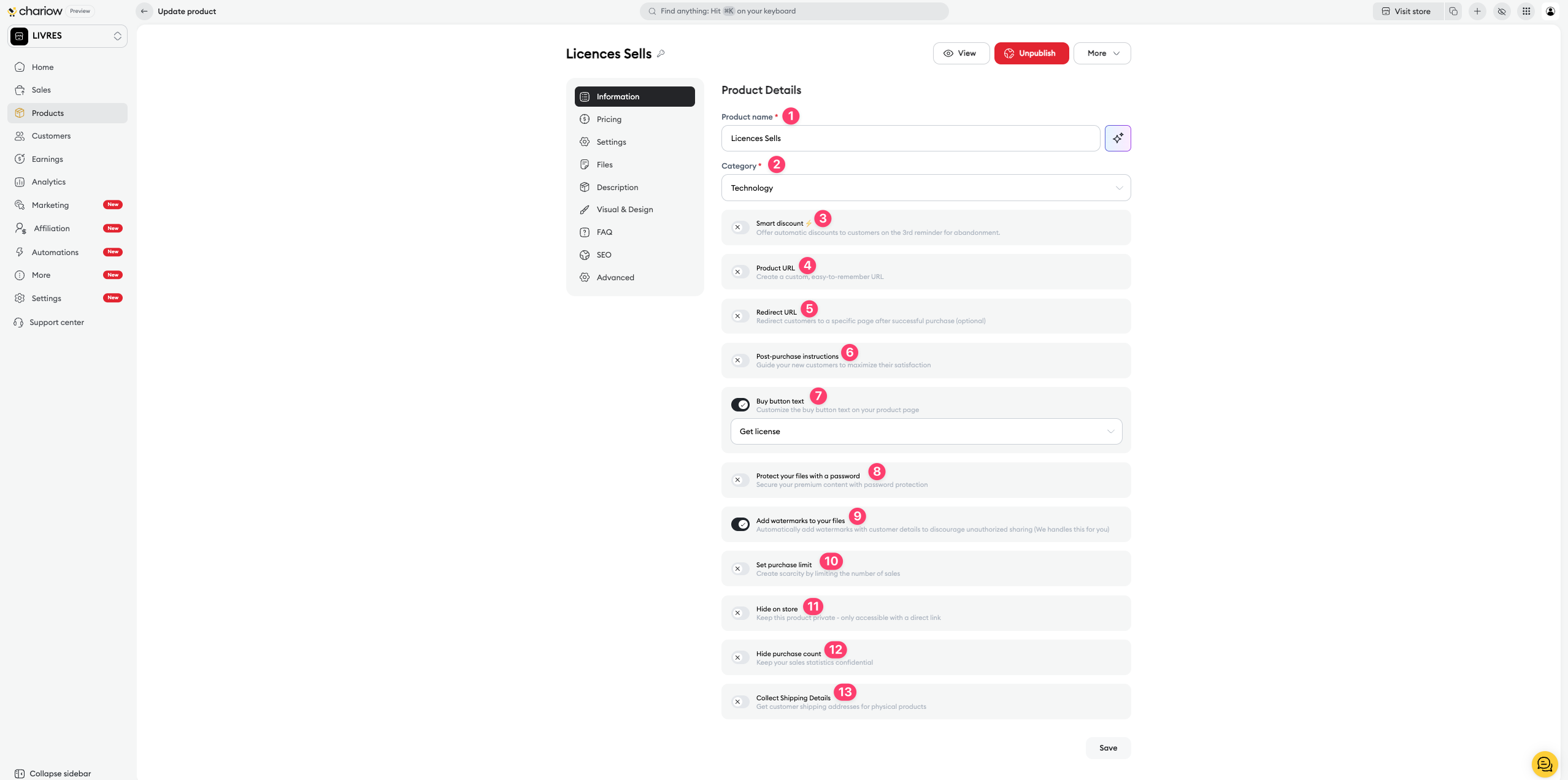
Product identity (1 & 2): Edit the name and category of your license at any time.
Automatic discount (3): Turn on an automatic discount sent to customers on the 3rd abandoned cart reminder.
URL and Redirection (4 & 5): Customize your product link and set a specific page to redirect your customers to after a successful purchase.
Post-purchase instructions (6): Write clear instructions that will appear right after payment to guide the user in activating their key.
Purchase button text (7): Customize the call to action on your sales page (e.g.: "Get the license").
Security (8 & 9): Protect access to your files with a password or turn on automatic watermarks with the customer’s details to discourage unauthorized sharing.
Limits and Visibility (10, 11 & 12): Set a sales limit (scarcity effect), hide the product from the public store (access via direct link only), or hide your sales stats.
Shipping (13): Turn on collection of shipping addresses if your license is tied to sending a physical product.
Chariow lets you offer several purchase options for the same product:
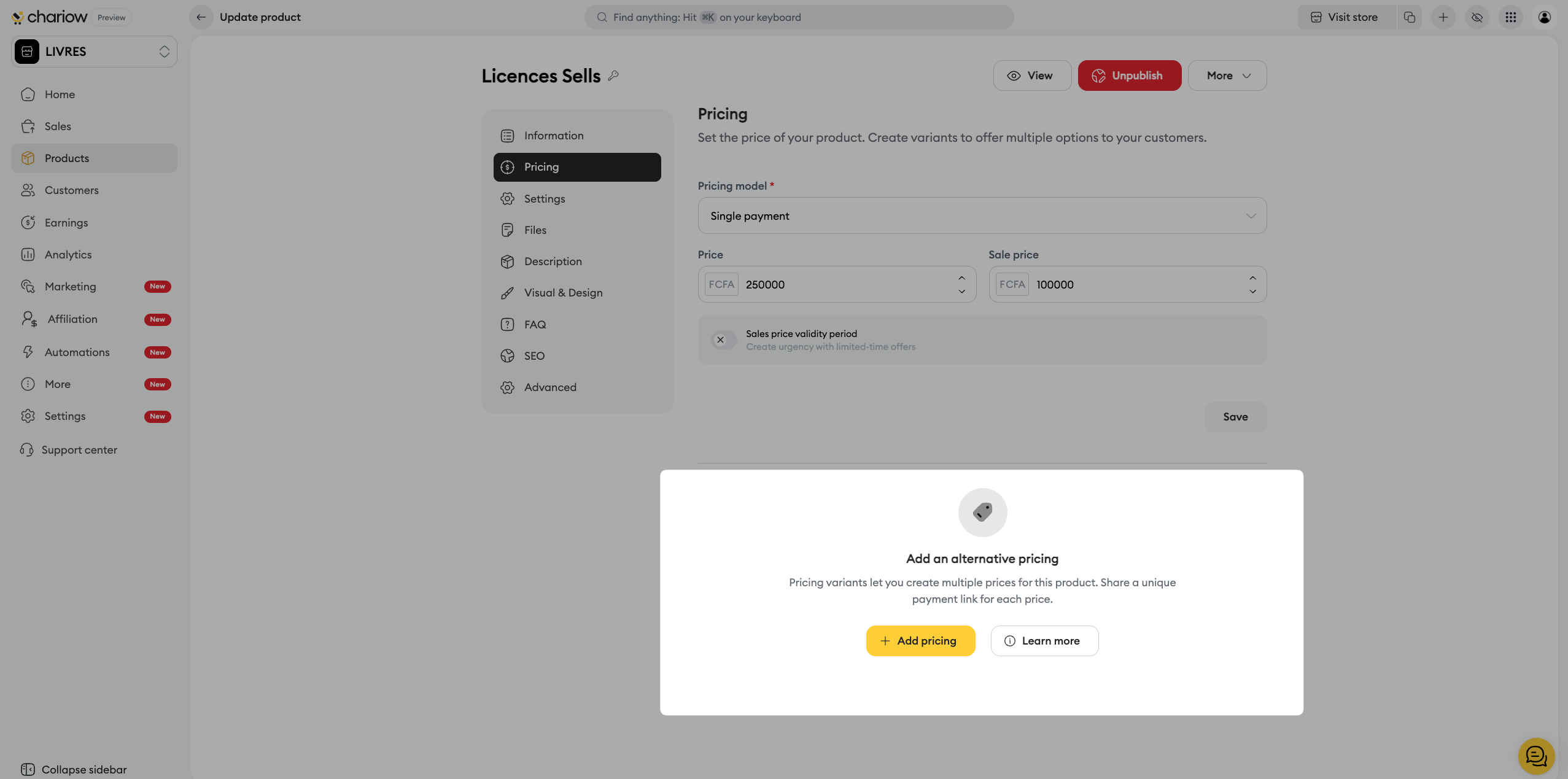
Add a variant: Create different pricing tiers for your license.
Example use case : You can offer a "Standard License" (1 activation) and a "Business License" (10 activations) with different prices.
Managing options : For each variant, you can set a name, a specific price, and a promotional price.
➜ Consult the guide: Create and manage price variants
This is where you manage how your keys are distributed.
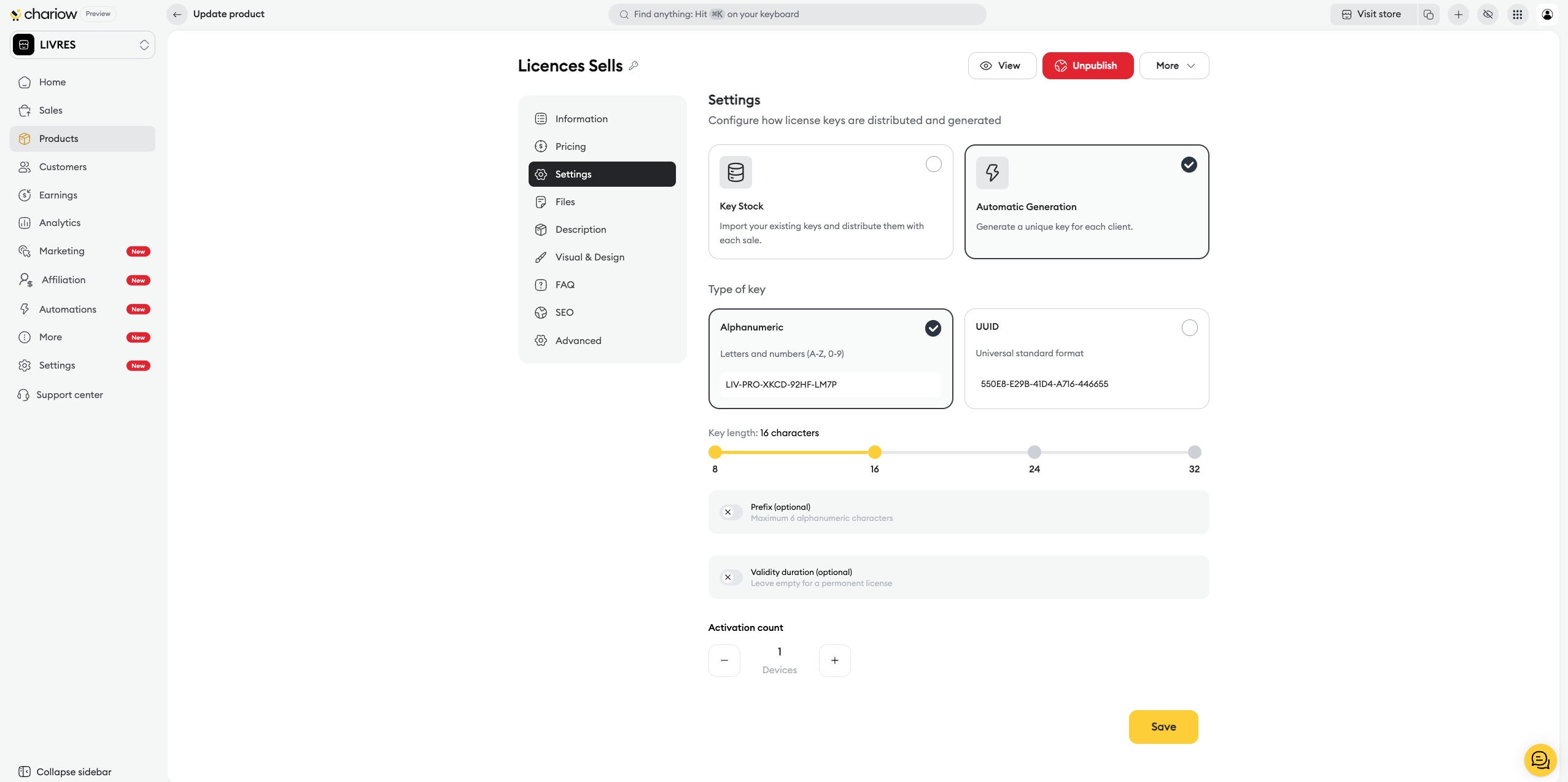
Distribution mode: Switch between Key stock (manual import) and Automatic generation by Chariow.
Key format: Set up the type (Alphanumeric or UUID), the length, the prefix, as well as the number of activations allowed per key.
Use the side menu to fine-tune your offer:
Frequently Asked Questions (FAQ) : Answer technical questions before purchase.
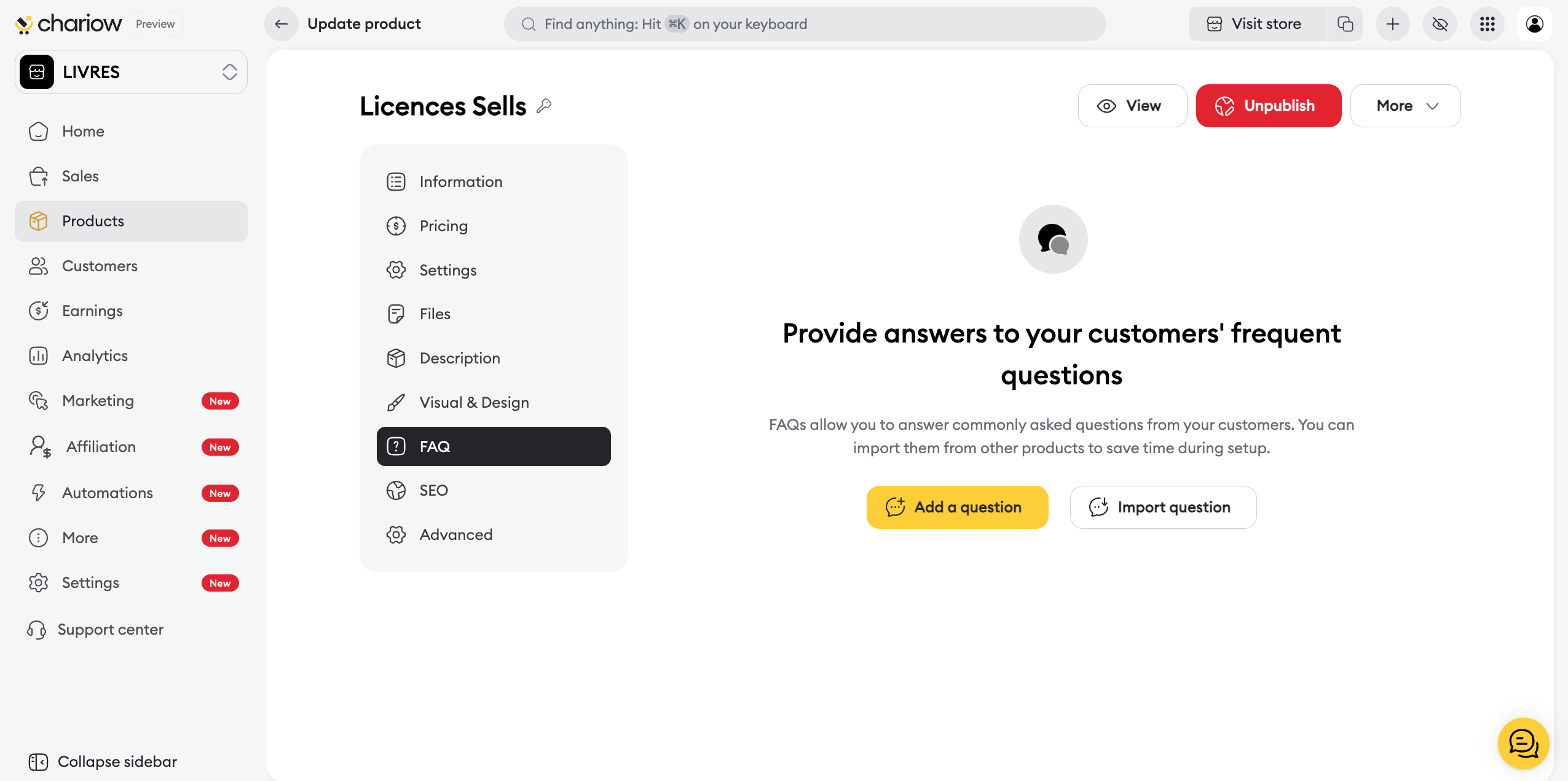
➜ Check out the guide: Set up your product FAQ
SEO: Optimize the title and description for search engines.
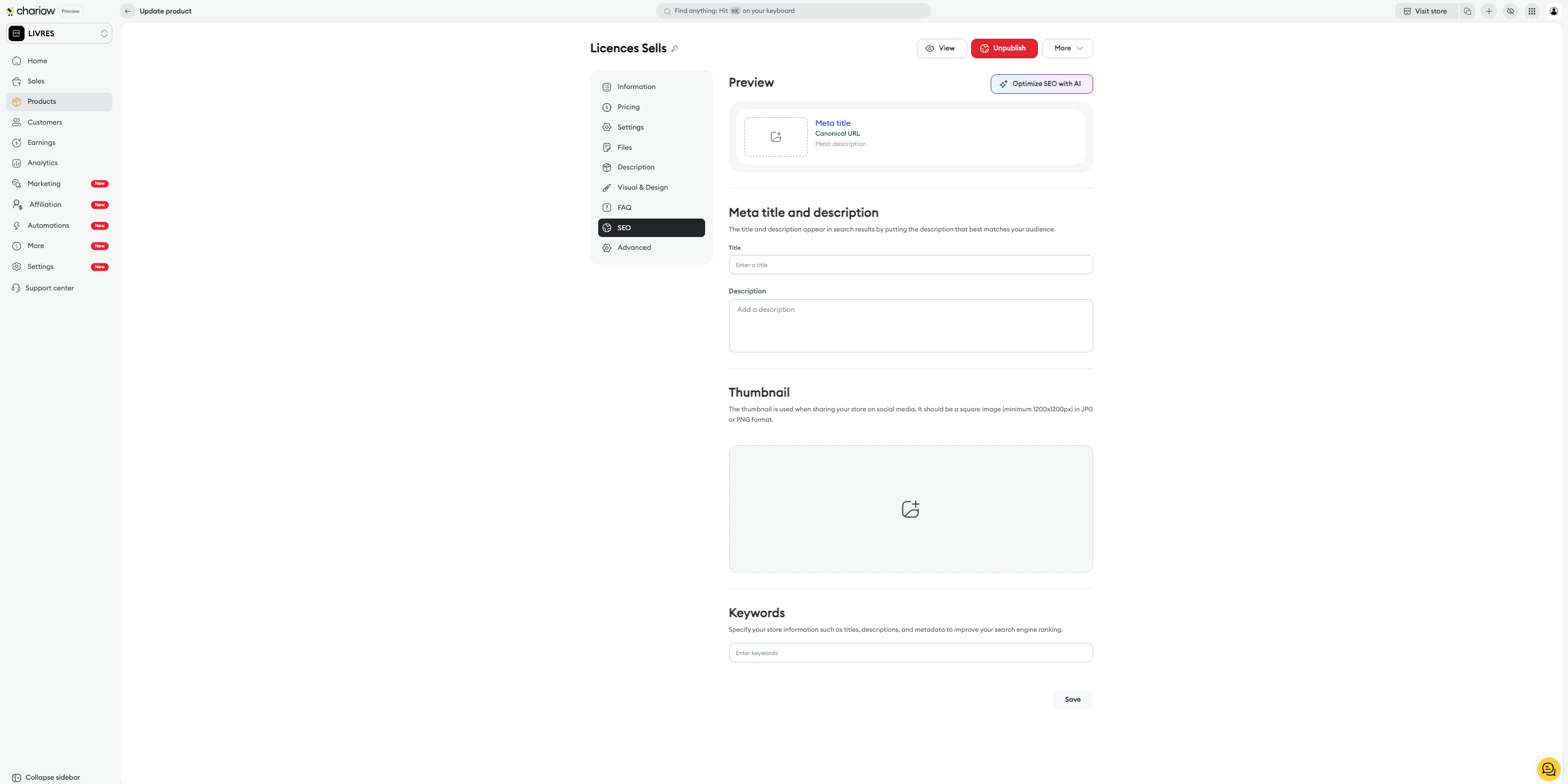
➜ Check out the guide: Optimize your product SEO
Custom fields : Collect specific customer data during checkout.
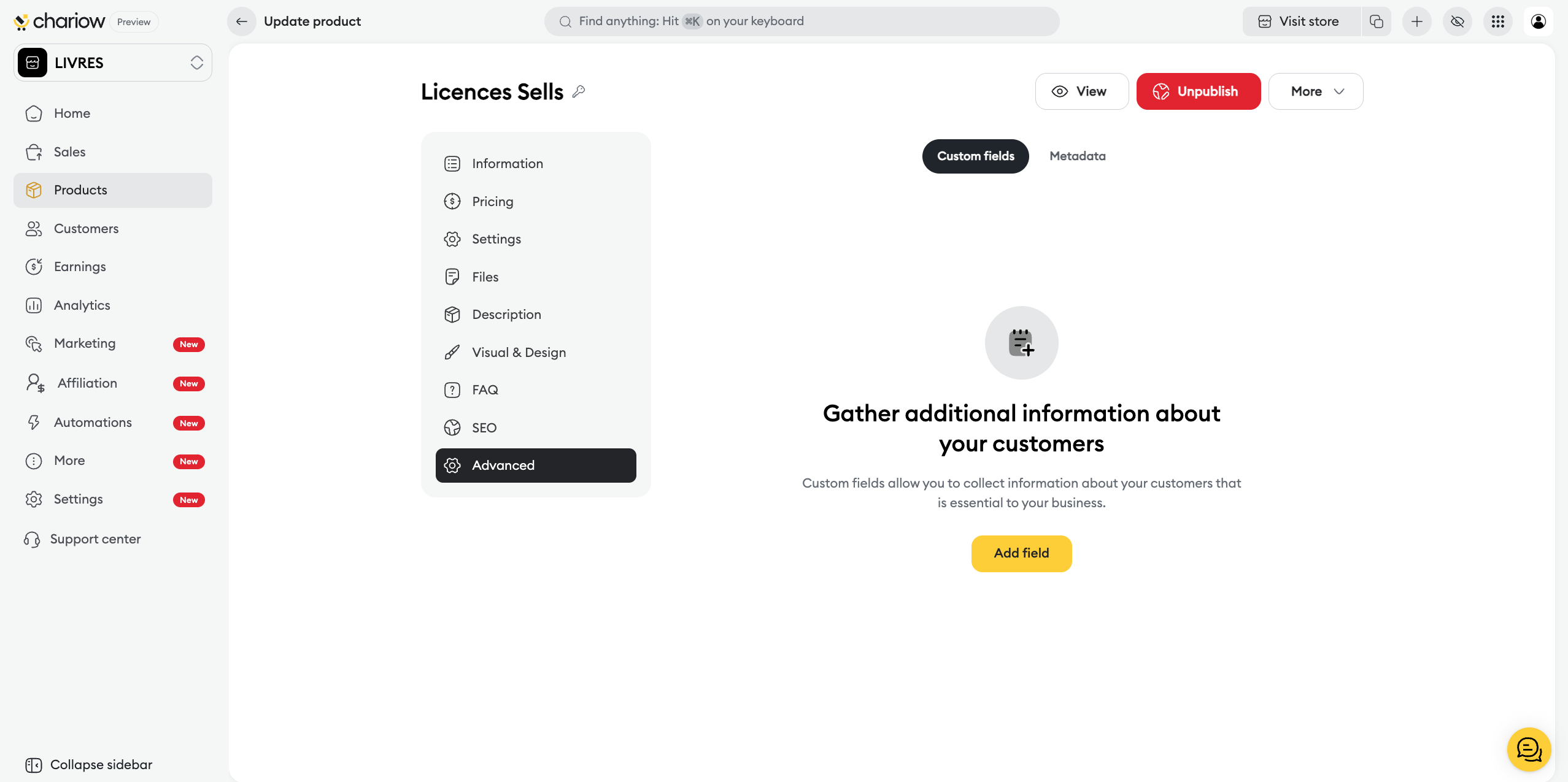
➜ Check out the guide: Use custom fields

Need help? Contact our support via chat or at [email protected]

