The product type Bundles is designed for creators who want to combine several existing offers into a single commercial offer. By offering a discount on the grouped purchase, you encourage your customers to spend more while still saving money.
This format is a powerful lever to maximize the value of every order:
Combine multiple products: group trainings, files or licenses into a single offer.
Automatic discount: easily apply an overall discount on the total value of the bundle.
Visible discount: clearly show the savings to encourage purchase.
Grouped delivery: your customers get access to all the content in the pack right after the payment is confirmed.
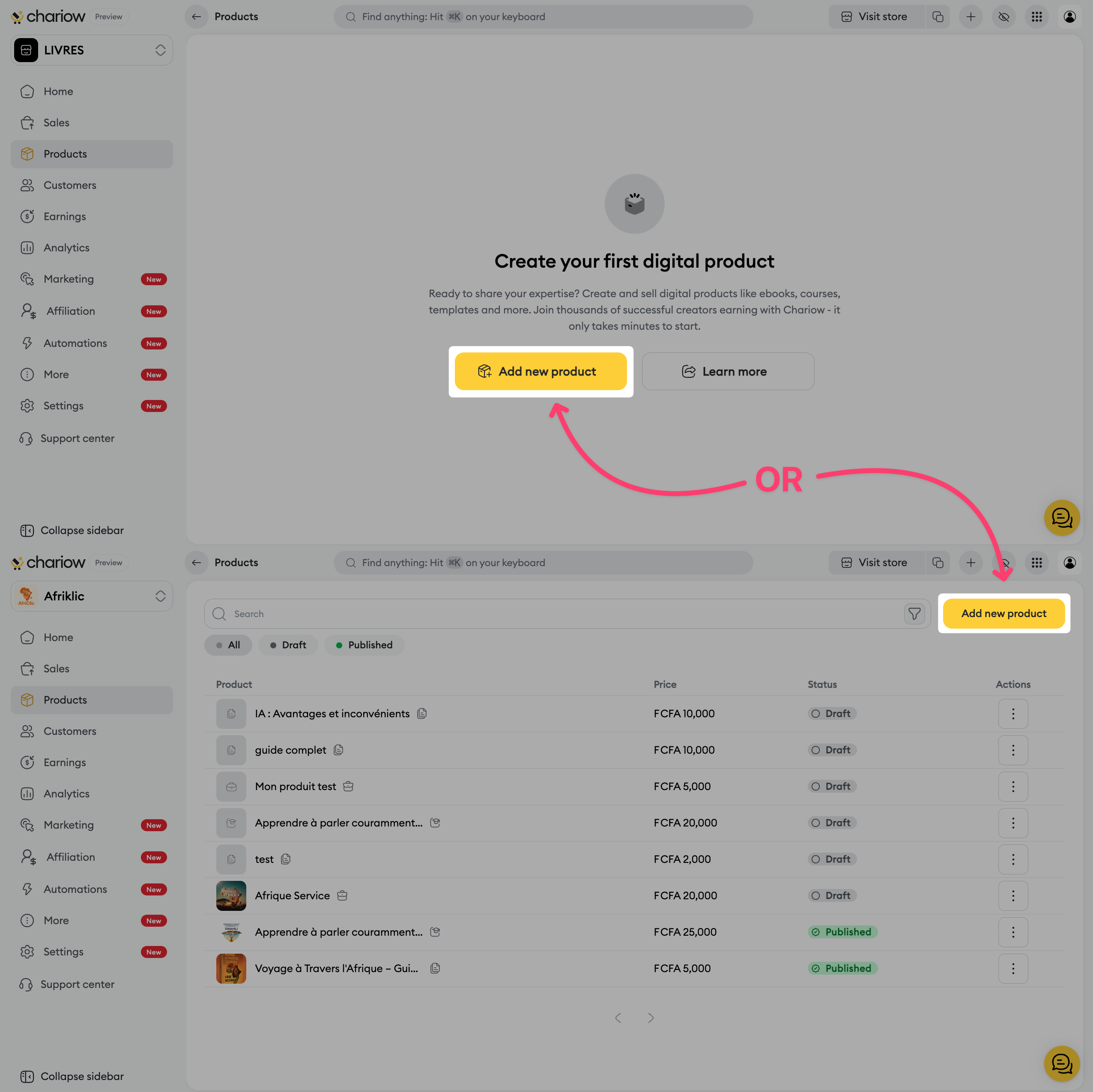
Go to the Products tab in the left sidebar menu.
Click the button to create a new product.
On the selection page, choose the Bundles card.
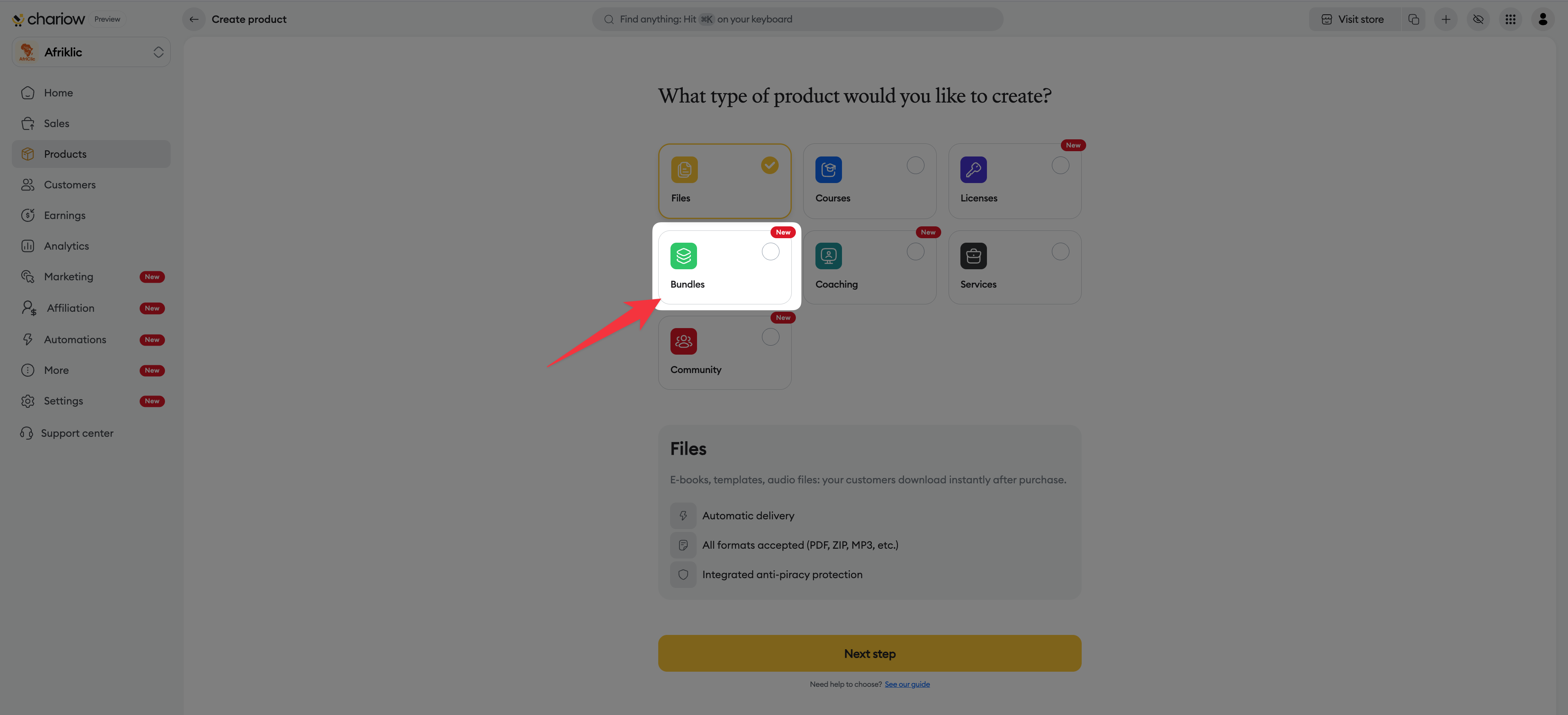
Click the yellow Continue button.
Set the identity of your bundle offer:
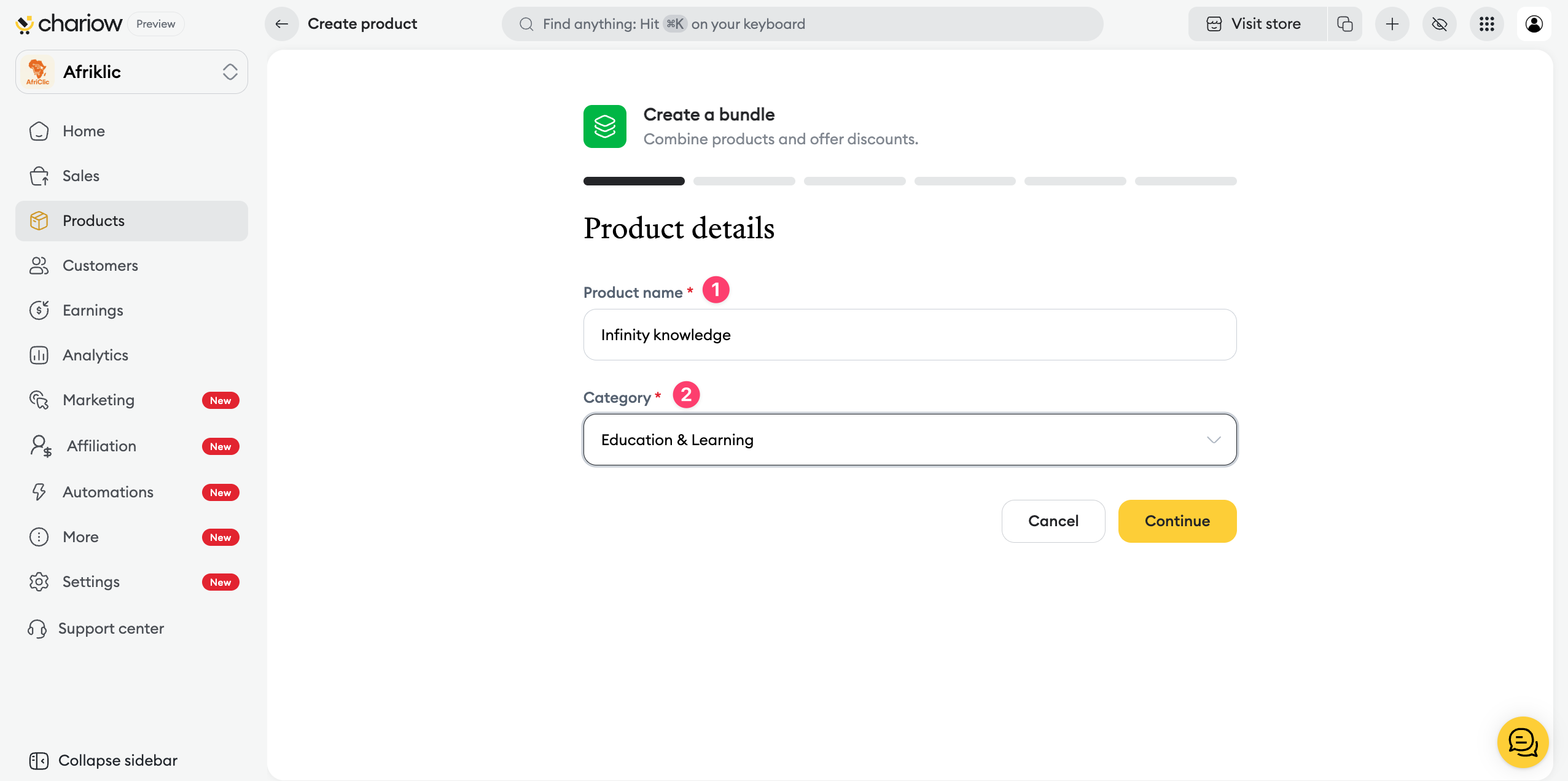
Product name : enter a clear title (e.g.: Complete Digital Marketing Pack 2025).
Category : choose the matching theme to classify your pack on your store.
This is where you build your bundle:
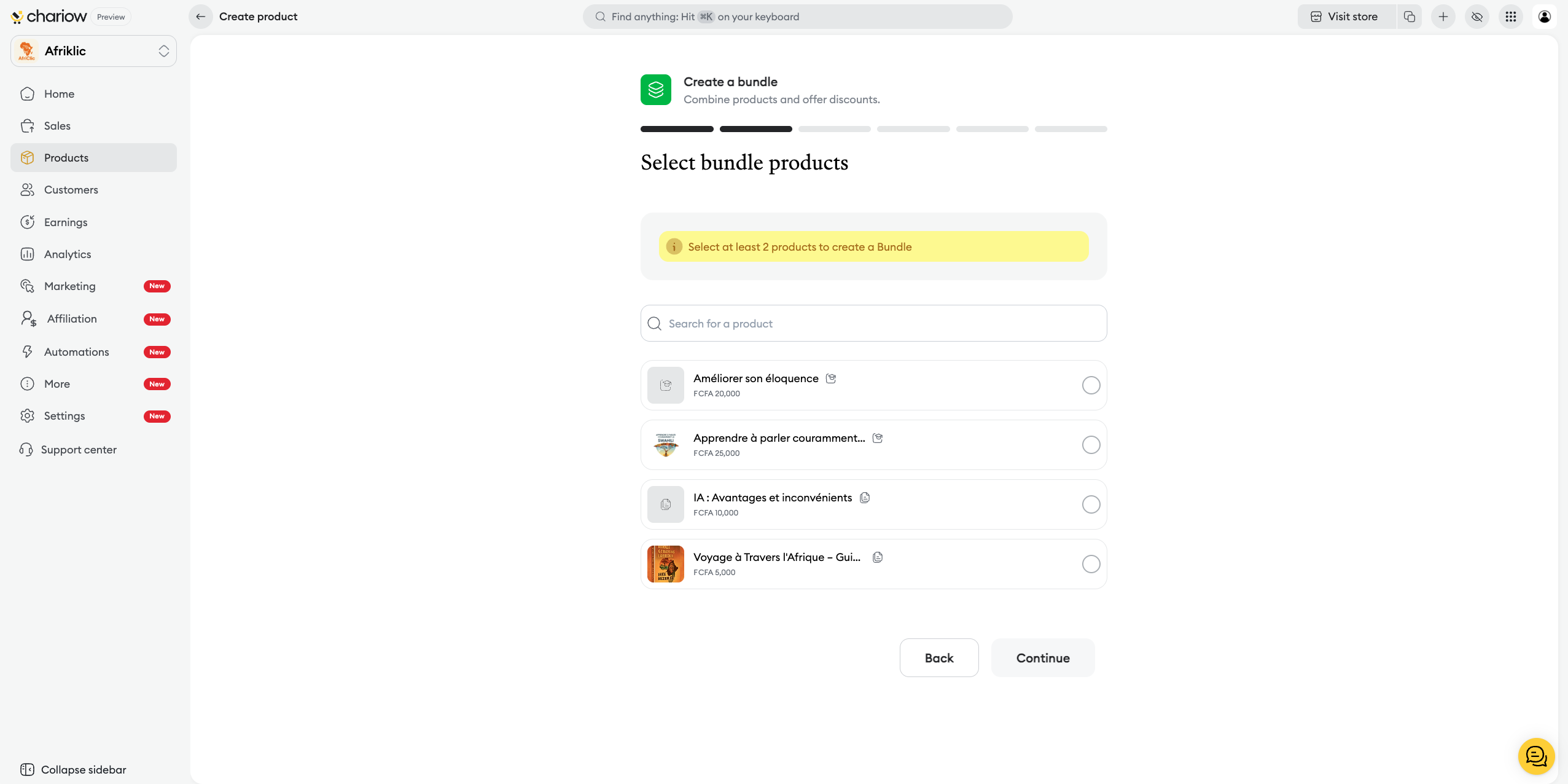
Use the search bar to find your existing products.
Click on the products to add them to the pack.
The interface shows in real time the number of selected products and the Total value (sum of the individual prices).
Chariow offers you two methods to set your selling price:
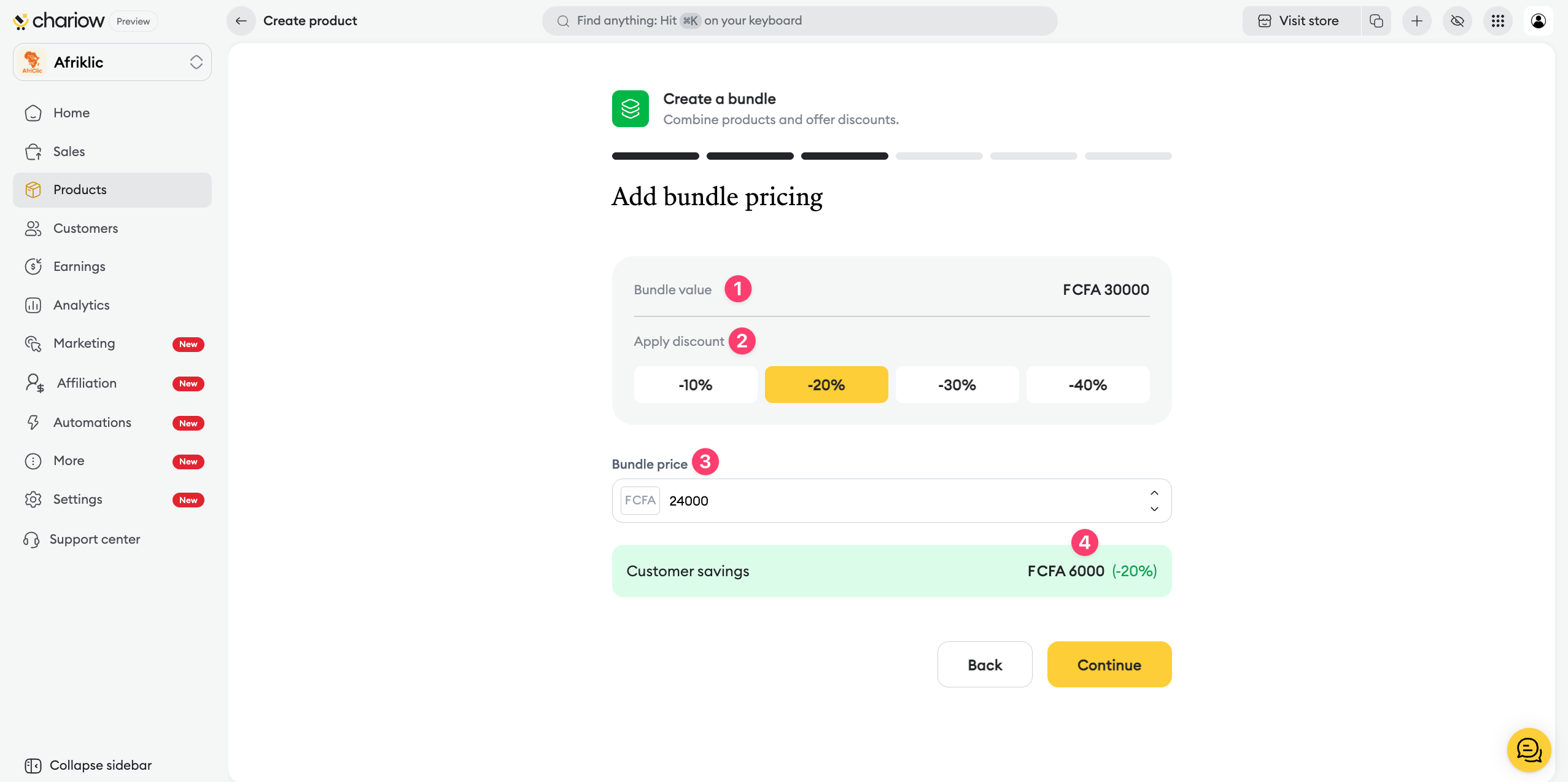
Bundle value: the total price before discount is shown again.
Apply a discount: select a quick percentage (-10%, -20%, -30%, -40%) to automatically calculate the new price.
Bundle price: you can also manually enter the final price you want. The system will automatically calculate and display the corresponding discount percentage.
Customer savings: a green banner shows the exact amount your customer saves.
Show the benefits of this pack to your future customers:
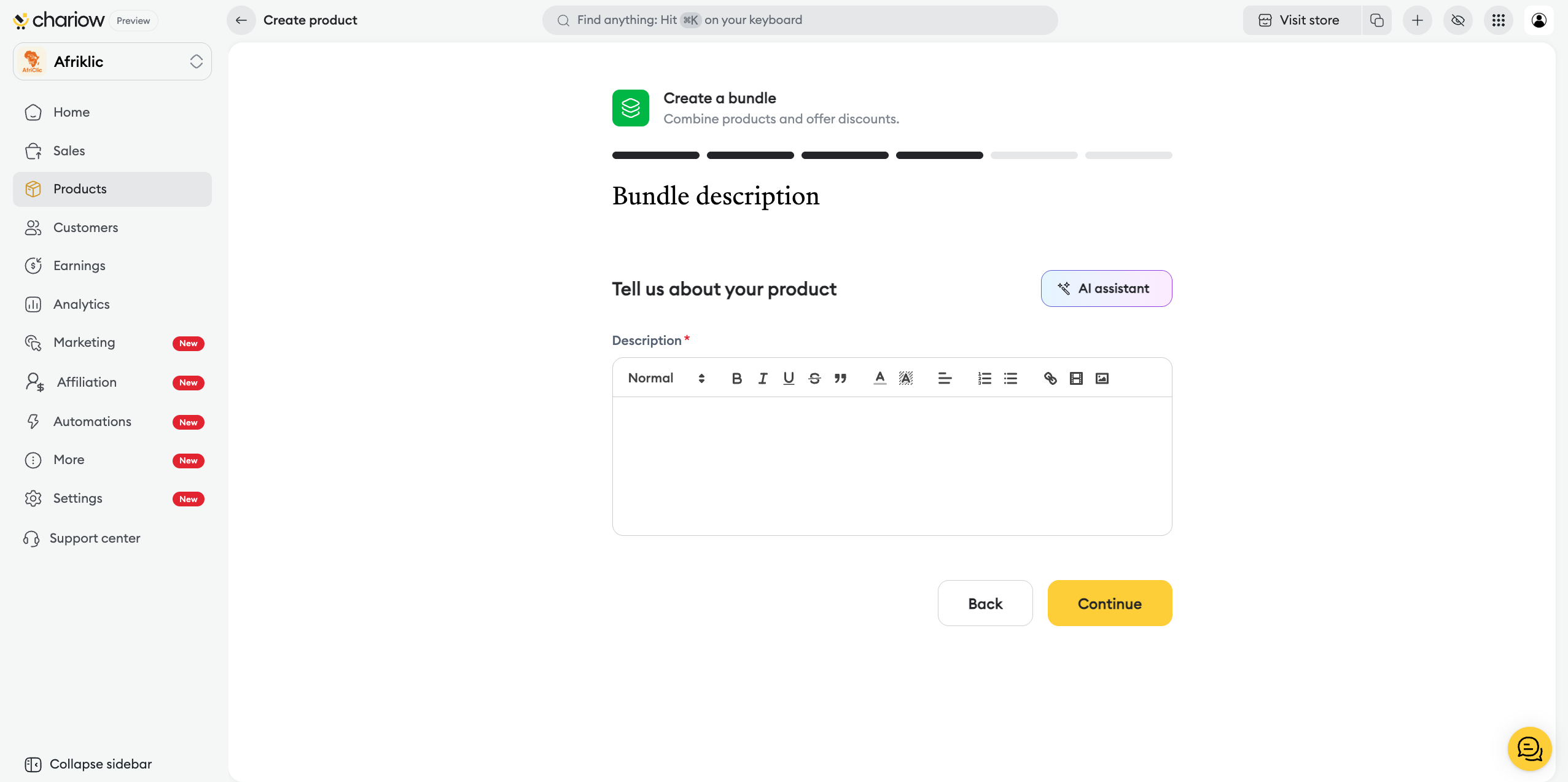
Writing: detail the content of each included product and the overall value of the offer.
AI assistant: use artificial intelligence to generate a persuasive description.
The visual aspect is key to turning your visitors into buyers. This is where you give your bundle its visual identity:
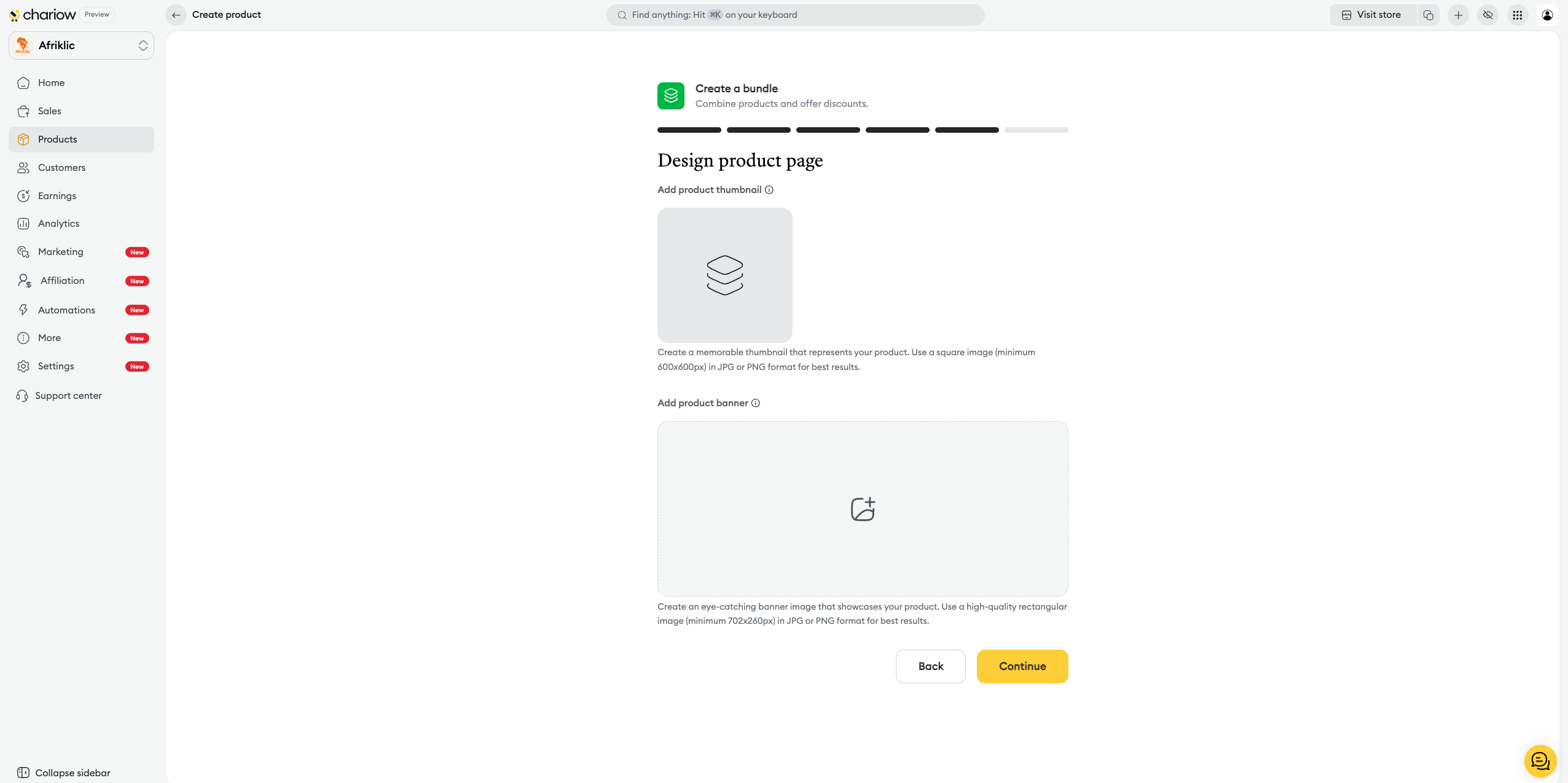
Thumbnail: add a square image (JPG or PNG format, minimum 600x600px) that will serve as the cover for your bundle.
Banner: upload a high-quality rectangular image (minimum 702x260px) to dress up the top of your sales page.
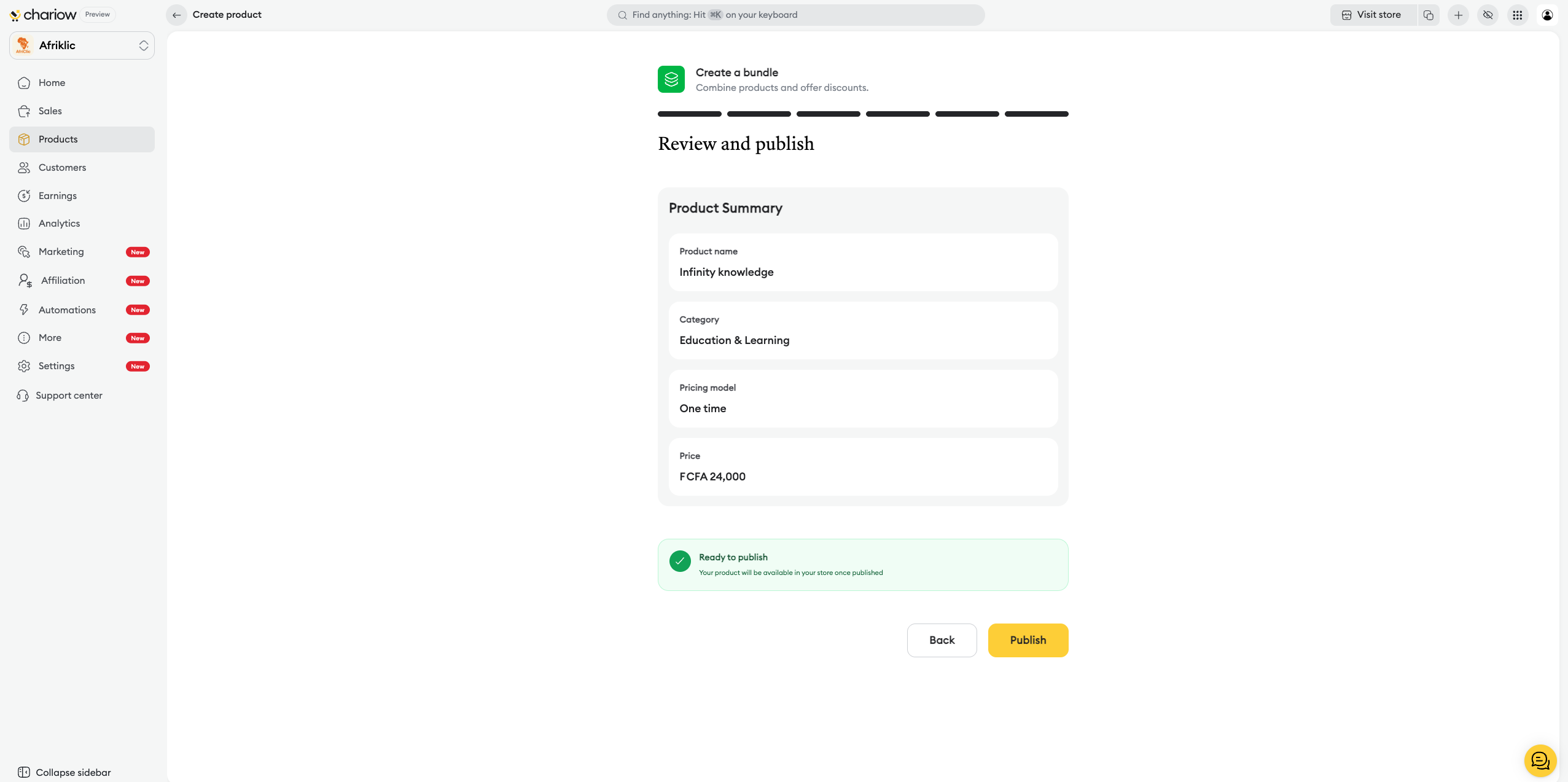
Before the final publication, Chariow shows you a recap to maximize your chances of success:
Product summary: double-check one last time the key info like the name, category, and the bundle’s final price.
AI analysis: the system shows personalized recommendations for your visuals, your SEO, yur FAQ, or your pricing strategy.
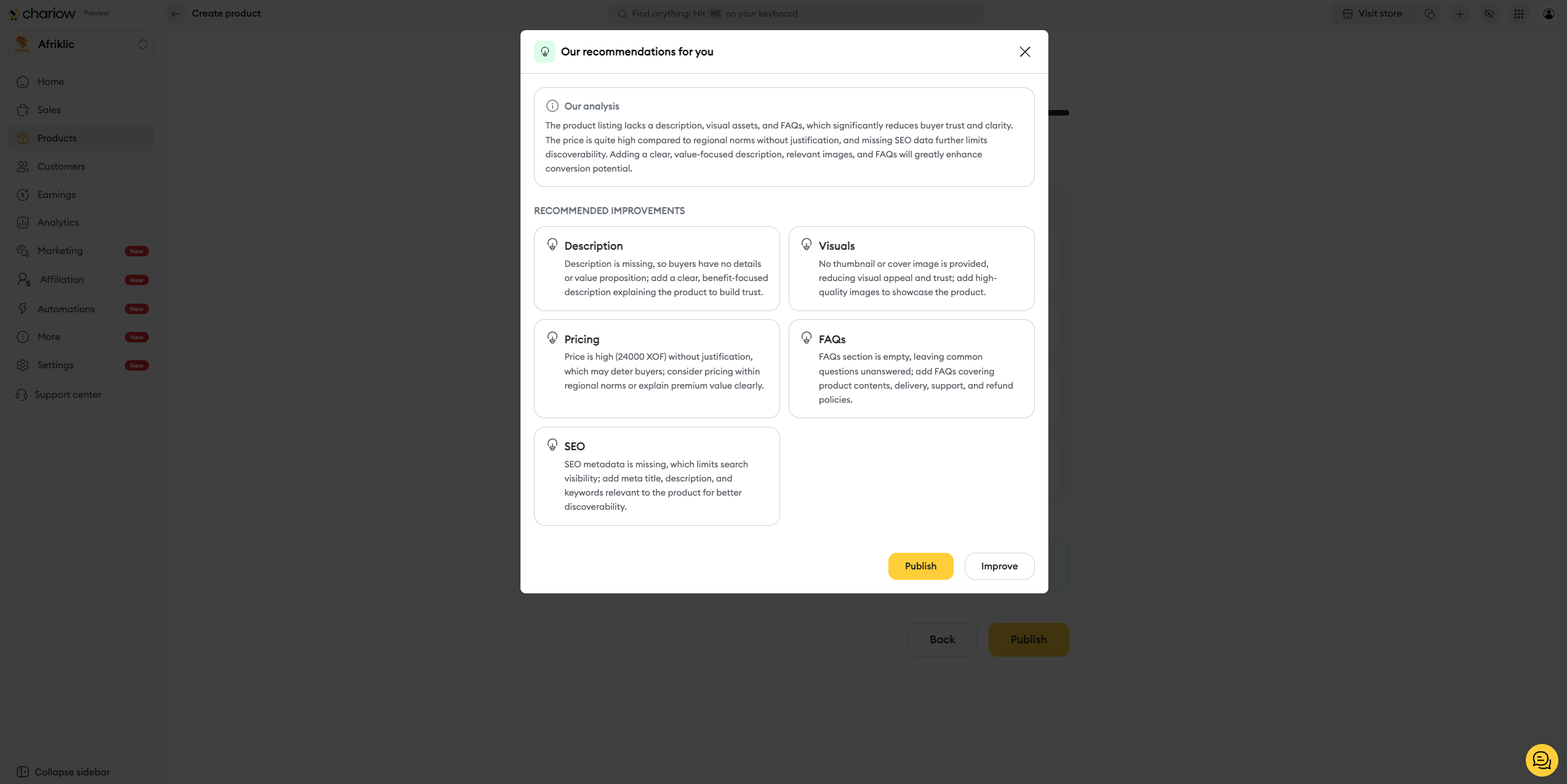
Final action: click on Improve to follow the AI’s tips, or on Publish anyway to make the bundle available right away.
Once your bundle is published, you can change the included products, the price, or the category at any time via the Actions (⋮) > Edit menu.
To learn how to further customize the appearance of your bundle, check out our dedicated guide:
➜ Custom configuration options for bundles
Need help? Contact our support via chat or at [email protected]

