The product type Service is designed for creators offering custom services or on-demand work that requires direct communication or personalized work, like an audit, coaching, or design. Unlike digital products, delivery here means completing your service after the order is placed.
This format is the ideal solution to sell your time and expertise:
Custom services : Perfect for services that require on-demand work based on your defined offer.
Secure payment : Ensure a reliable transaction as soon as the client places the order.
Simplified communication : Set up a structured communication channel with your clients to successfully complete the service.
Reviews and ratings : Collect feedback to boost your credibility.
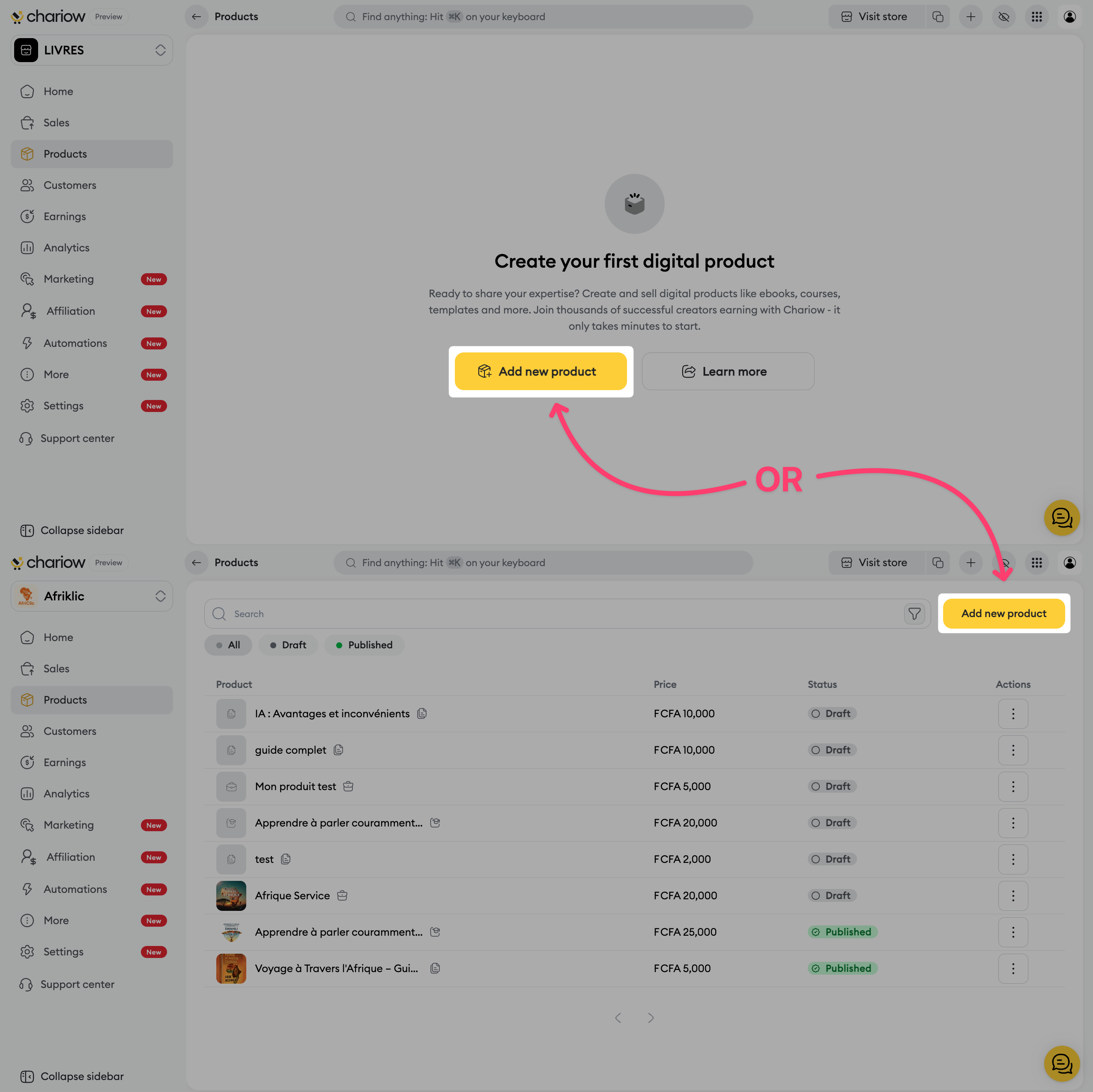
Go to the "Products" tab located in your left side menu.
Click the button to create a new product.
On the selection page, choose the "Service" card.
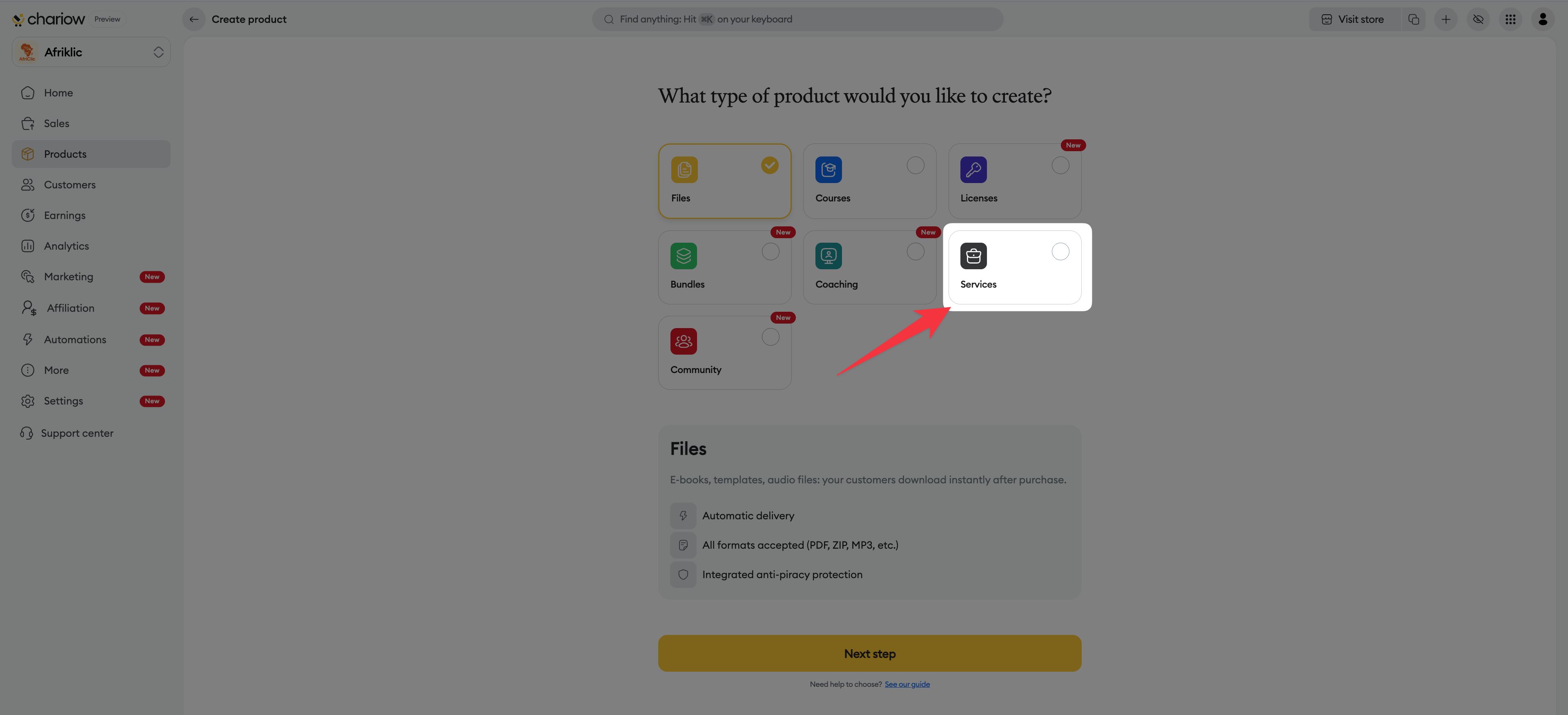
Click the "Continue" button.
Define the identity of your service:
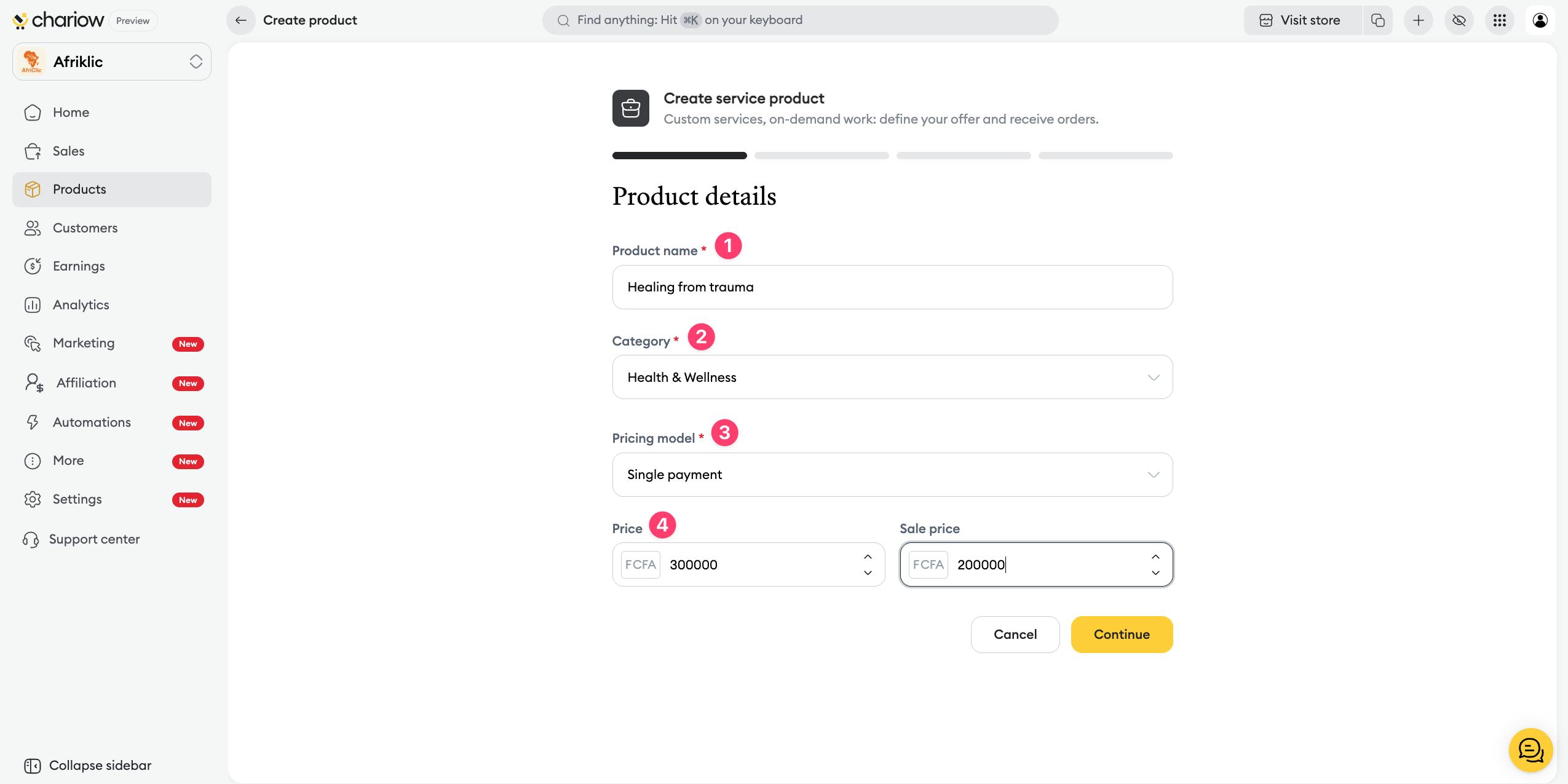
Product name : Enter a clear title (e.g.: Development coaching).
Category : Choose the matching topic (e.g.: Personal development) to categorize this product in your store.
Pricing model : Select the billing mode (e.g.: One‑time payment).
Price : Enter the amount of your service and use the Promotional price field if you want to show a discount.
Use this section to explain in detail what’s included in your offer:
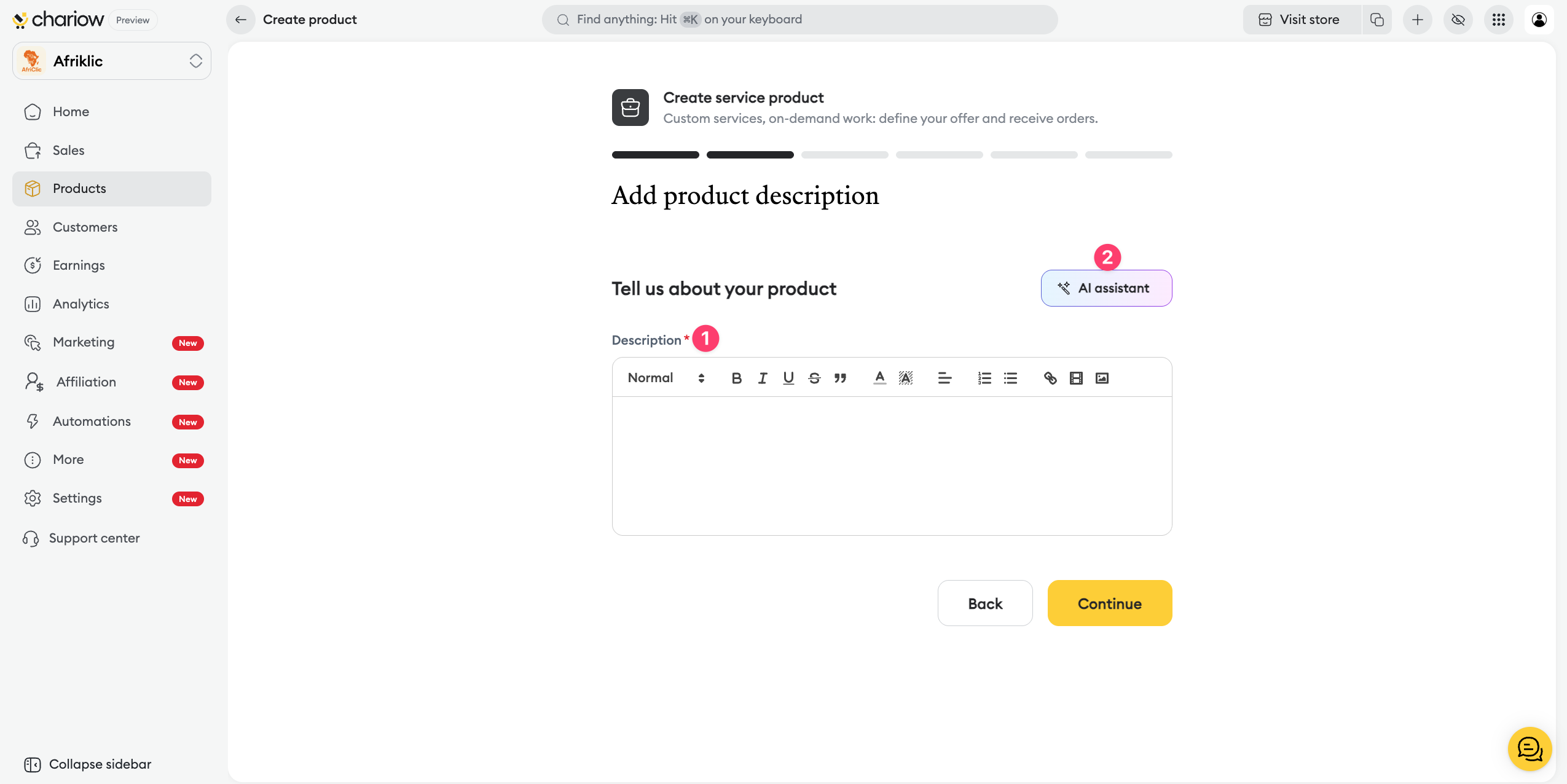
Writing : Explain your method, the expected results, and how the service will unfold in the editor.
AI assistant : You can ask the artificial intelligence to help you structure an effective sales pitch.
Take care of the appearance of your service page to build trust:
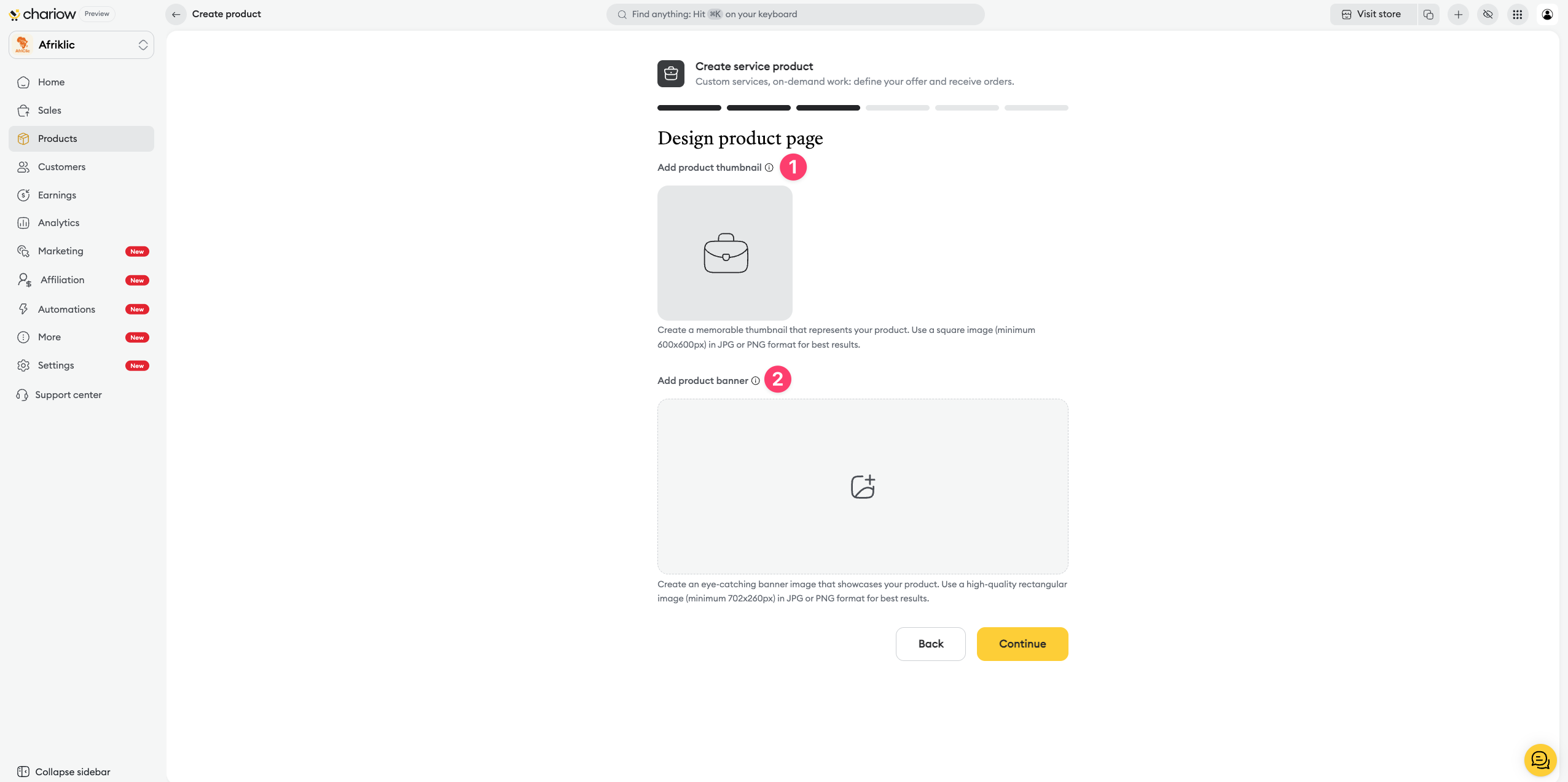
Thumbnail: Add a square image (minimum 600x600px) that will represent your service.
Banner: Upload a high-quality rectangular image (minimum 702x260px) to dress up the top of your sales page.
Set up how you’ll interact with the customer after their order:
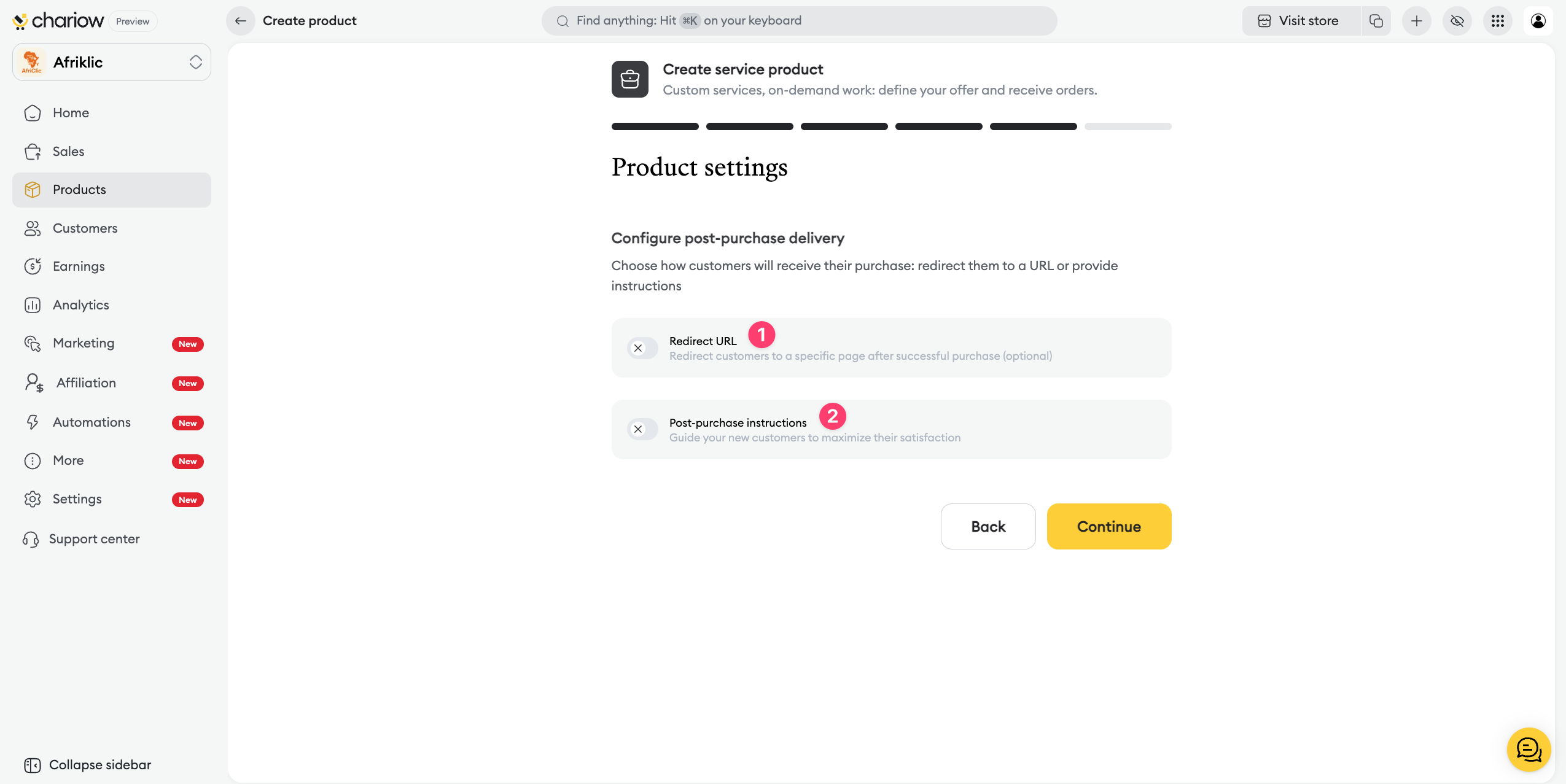
Redirect URL: Optionally redirect your customers to a specific page (e.g. a booking calendar) after a successful purchase.
Post-purchase instructions: Guide your new customers by giving clear instructions to maximize their satisfaction right from the start.
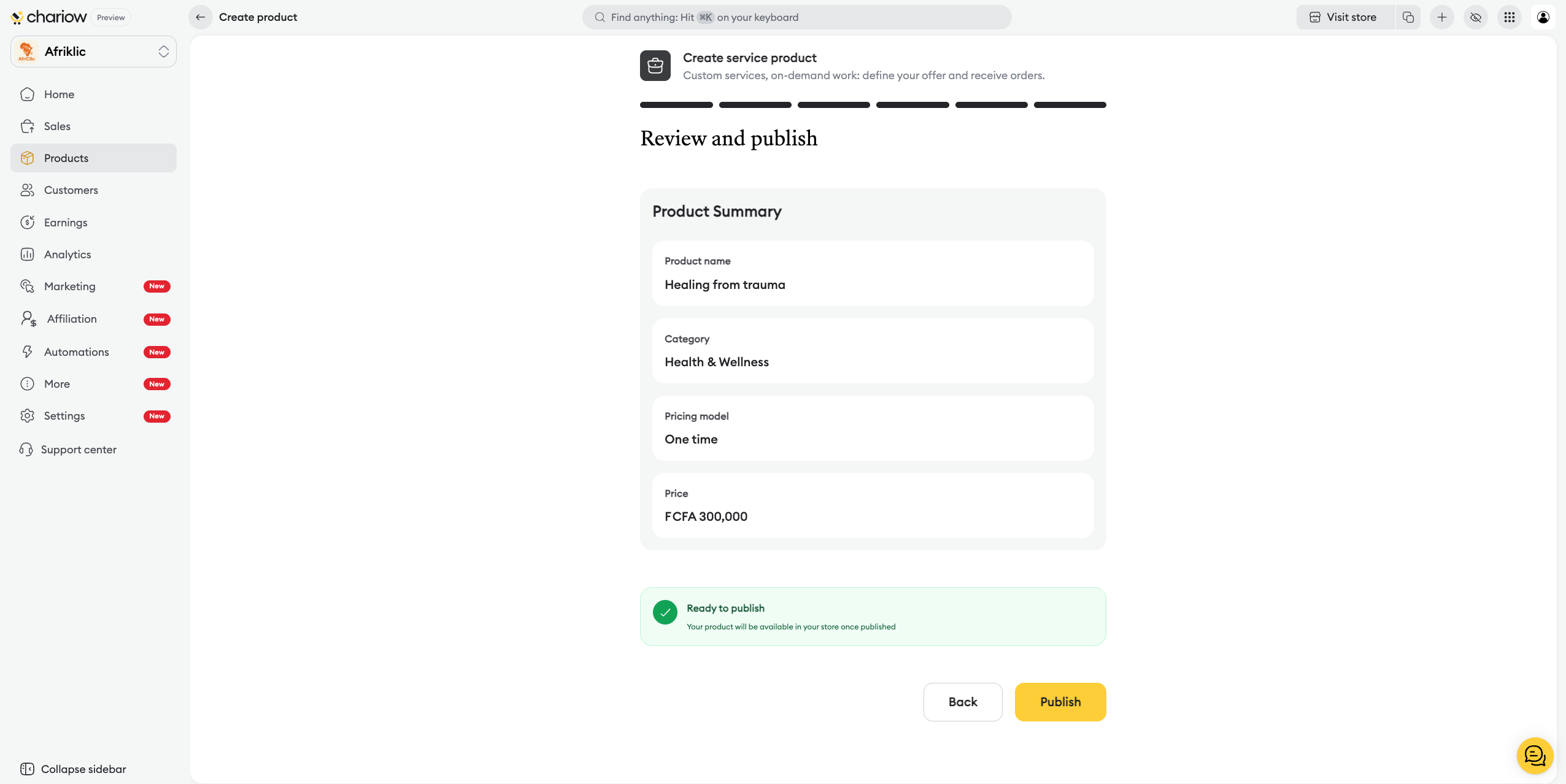
Before going live, Chariow shows you a recap to boost your chances of success:
Product summary : Double-check the key information one last time, like the name, category, pricing model, and price.
AI analysis : The system shows personalized recommendations about your description, visuals, SEO, or missing FAQ to help boost your conversion rate.
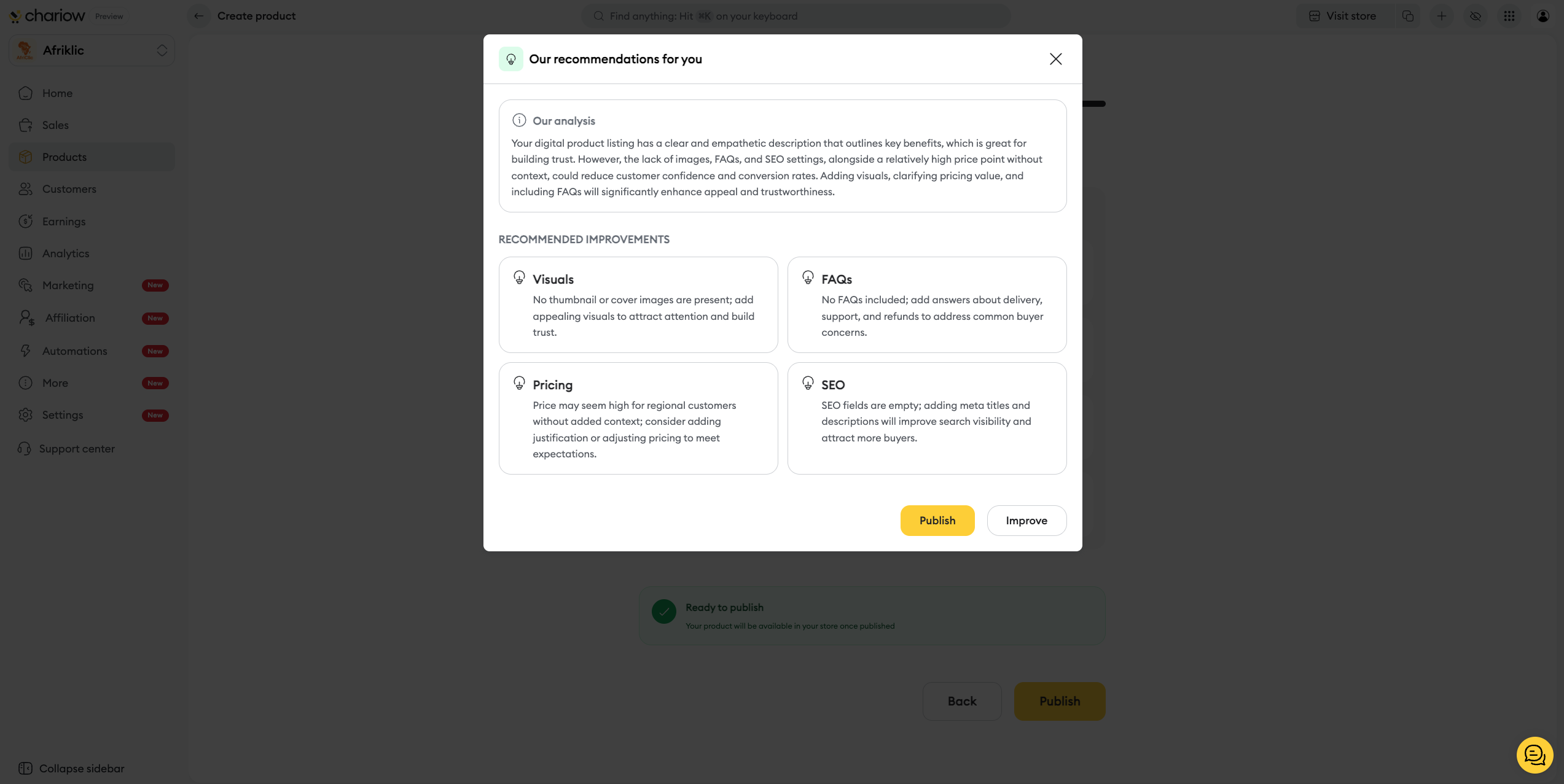
Final action : Click Improve to follow the AI’s suggestions, or Publish anyway to make the service available right away.
Once your service is published, you can go back and edit the information you entered anytime via the Actions (⋮) > Edit menu. For services, using Custom fields is especially recommended so you can collect the information you need before starting the work.
To find out how to further customize your offer after it’s created, check out our dedicated guide:
➜ Custom service configuration options

Need help? Contact our support via chat or at [email protected]

