The product type Licences is designed for creators who want to sell activation keys or software access, automatically generated by the platform or imported from a personal stock.
This format offers automated and secure management of your digital keys:
Automatic generation: Chariow can create unique keys for every sale.
Stock management: Import your own existing keys to distribute them.
Full control: Limit the number of activations per licence and set an expiration period.
Real-time tracking: Monitor the activation status for your customers.
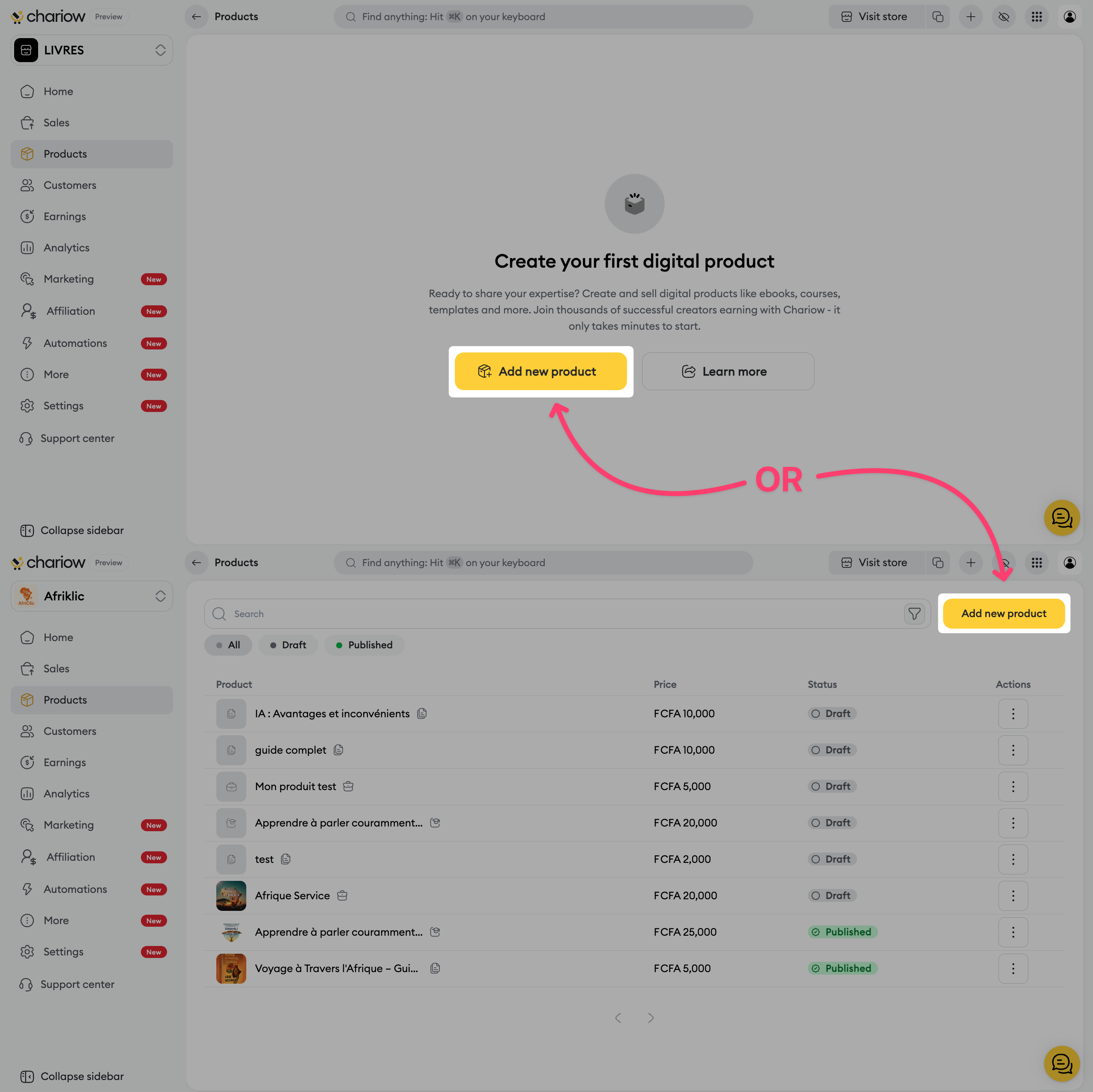
Go to the Products tab in the side menu.
Click the Add product button.
Select the Licenses card.
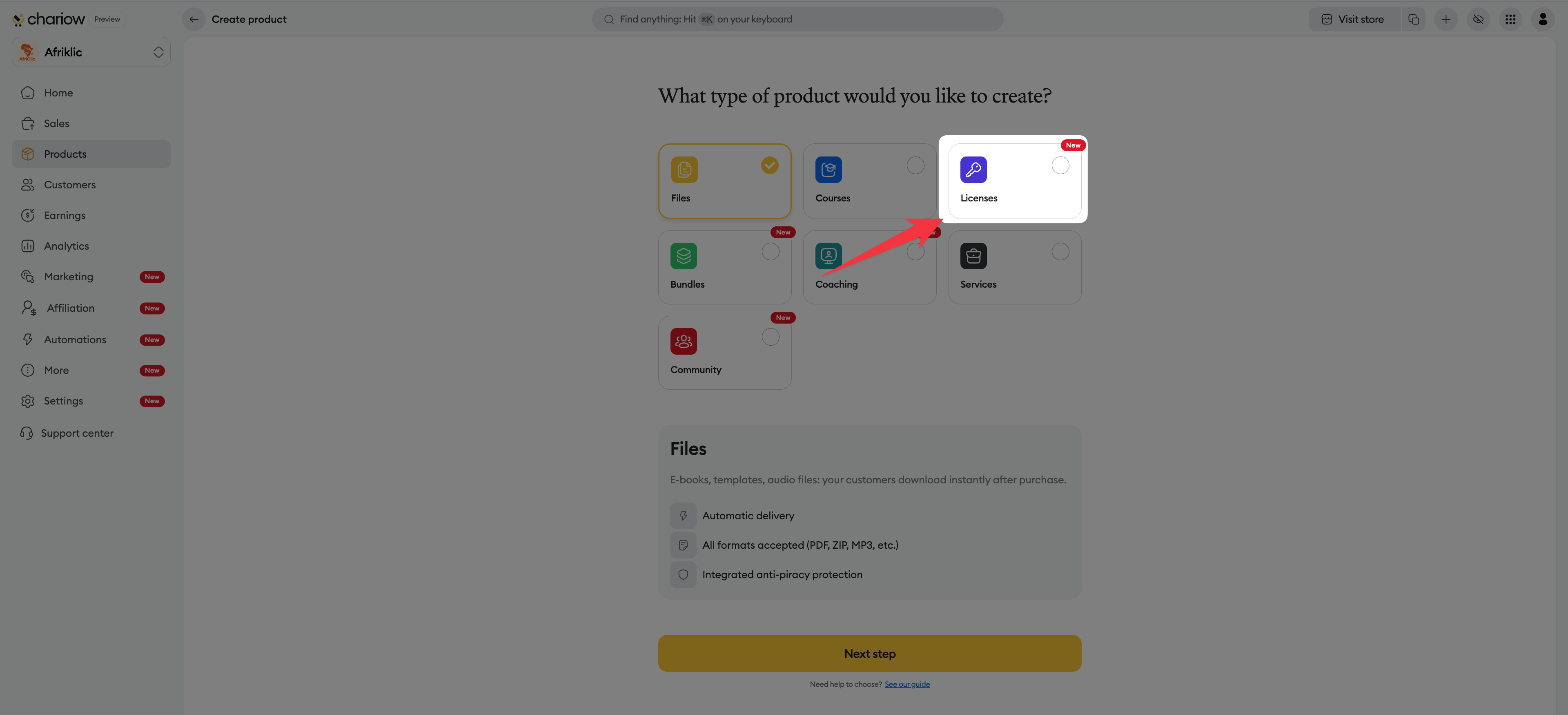
Click Continue.
Set your license product’s identity:
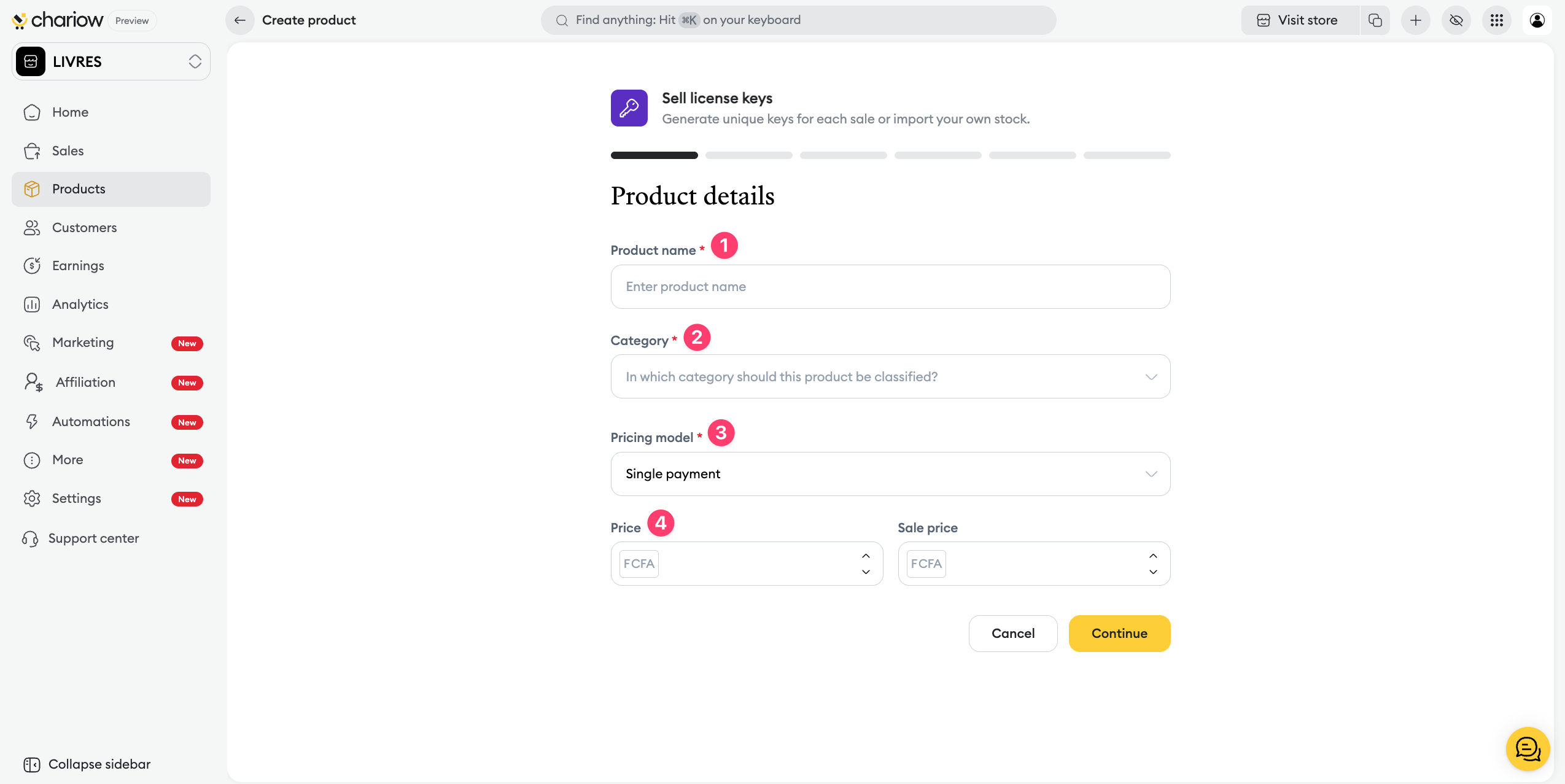
Product name : Enter a clear title (e.g.: Activation key Software X).
Category : Put your product in the right topic.
Pricing model : Select One-time payment, free or pay what you want.
Price : Enter the sale amount and any promotional price.
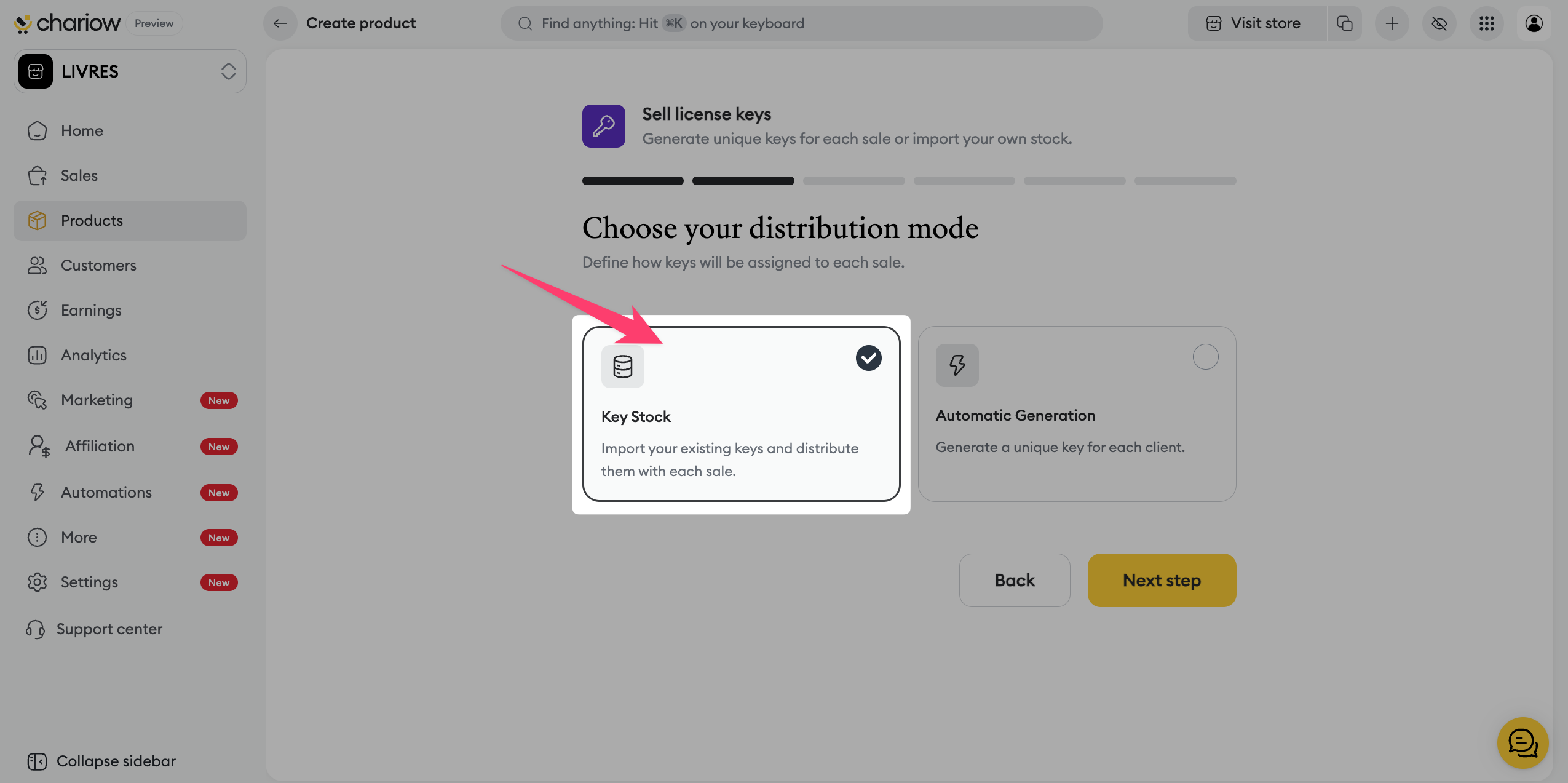
Choose how your keys will be assigned to each sale:
Automatic generation : Chariow creates the keys for you based on your criteria.
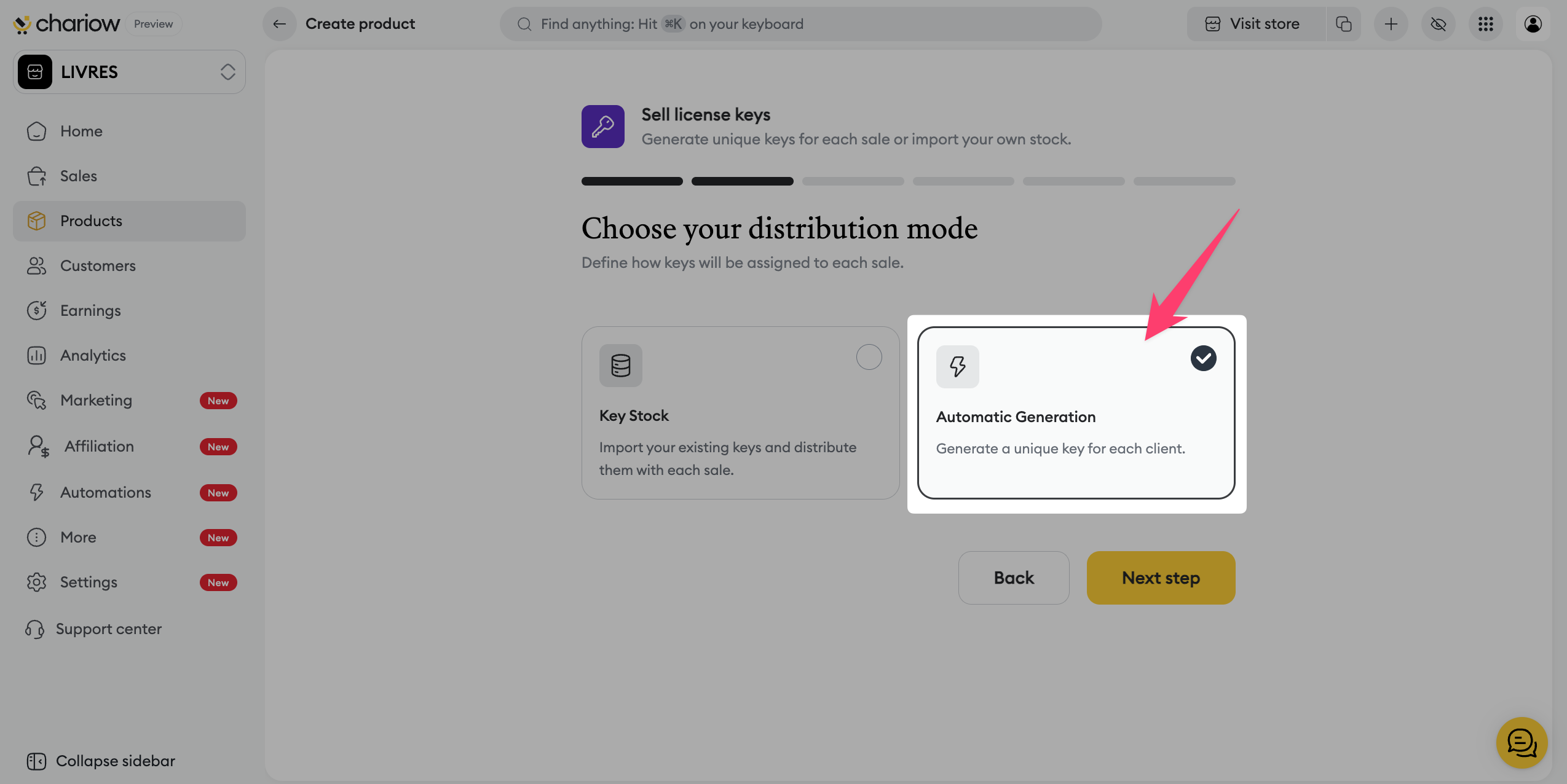
Key stock : You import your own pre-existing codes (manually one by one or via a .txt or .csv file) to distribute them automatically.
If you chose "Automatic generation", customize the key format according to the type you want:
Alphanumeric type
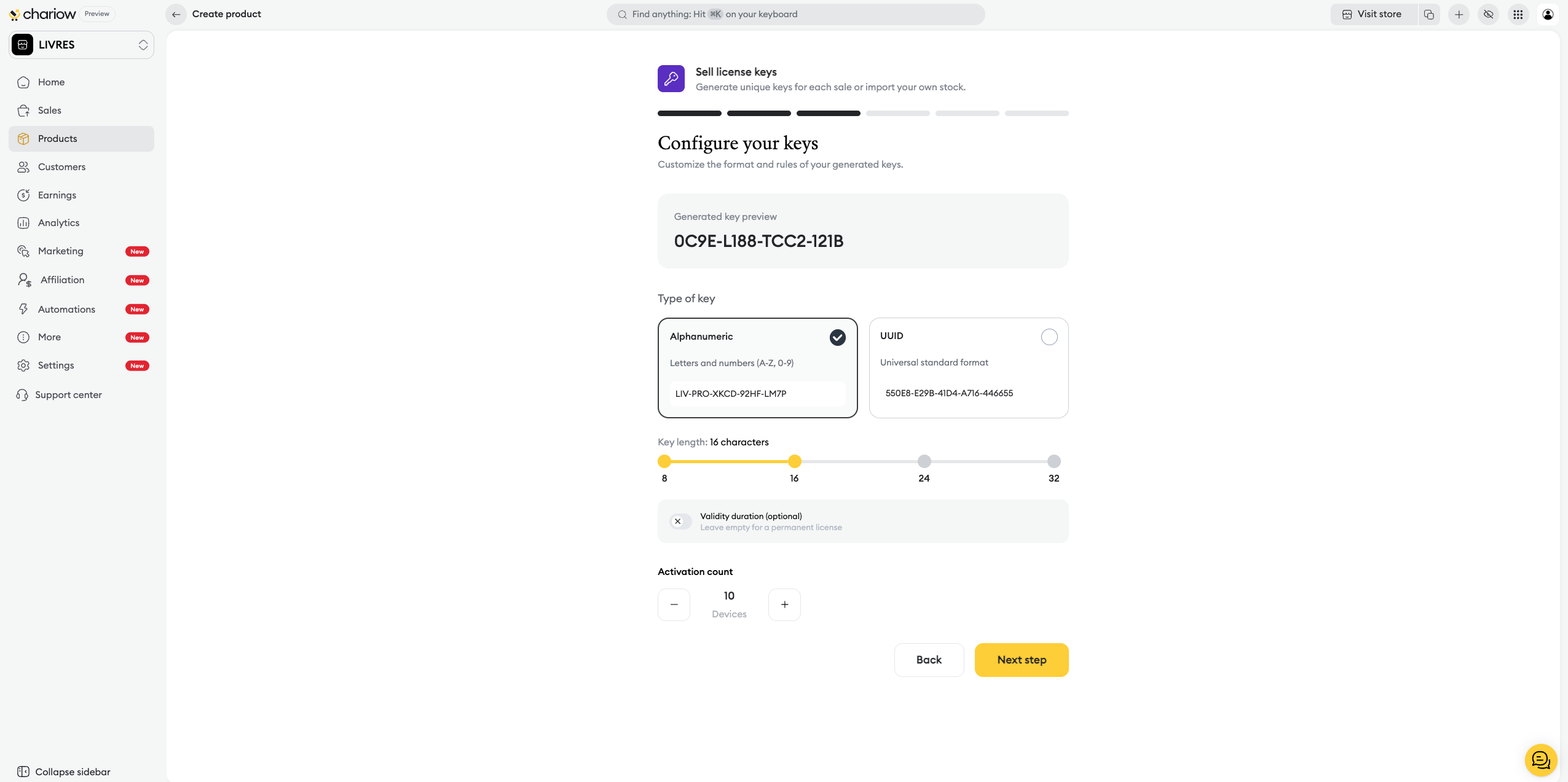
Adjust the length (between 8 and 32 characters) and add a prefix (optional) at the beginning of each key.
UUID type
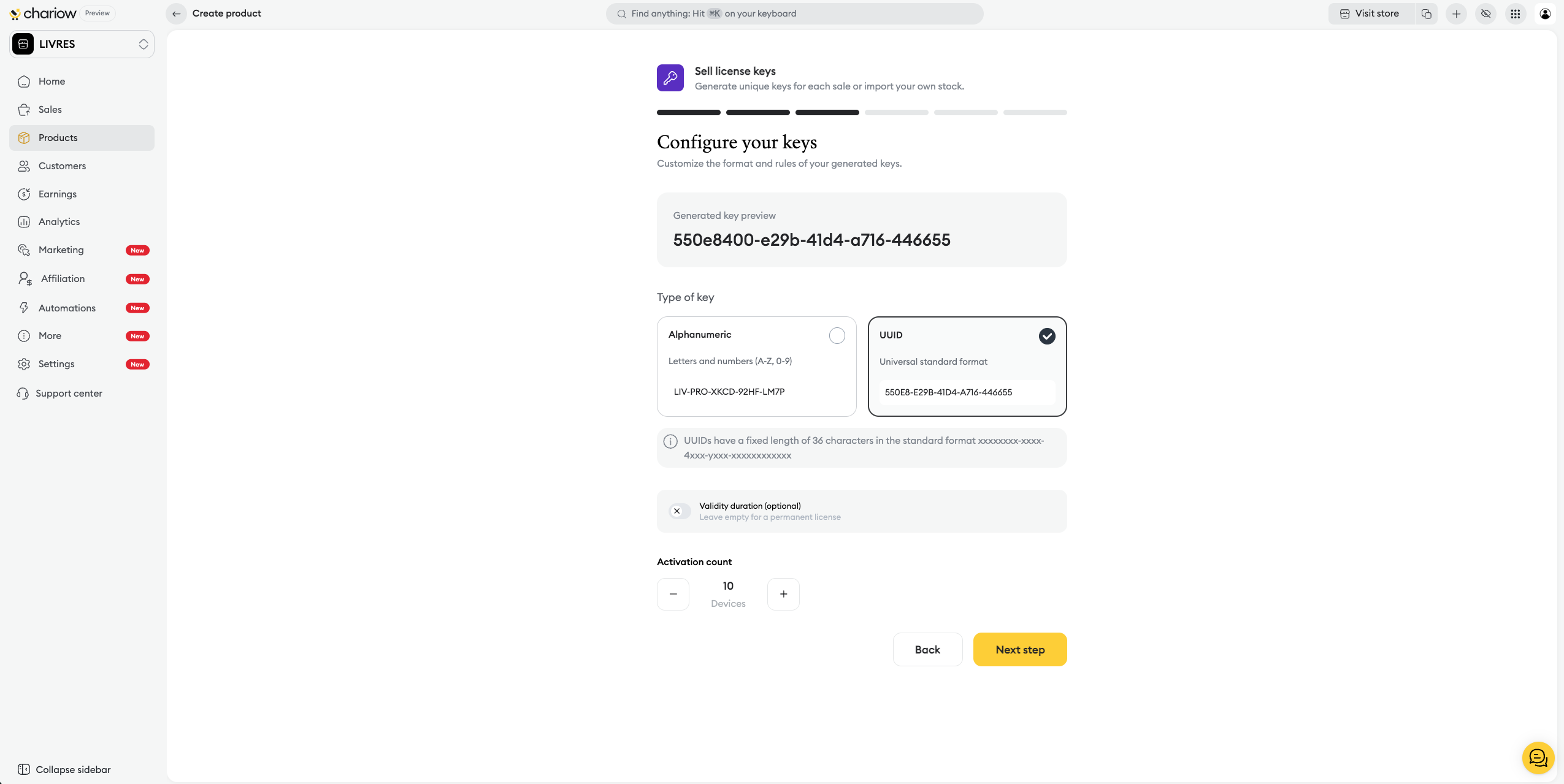
Generate keys in the standard format of 36 characters.
Activation rules: Specify the validity period or leave empty for a permanent license. Specify the maximum number of activations allowed per key (e.g. 10 devices).
If you chose "Key stock", import your existing keys for automatic distribution:
Manual entry: Add your keys one by one.
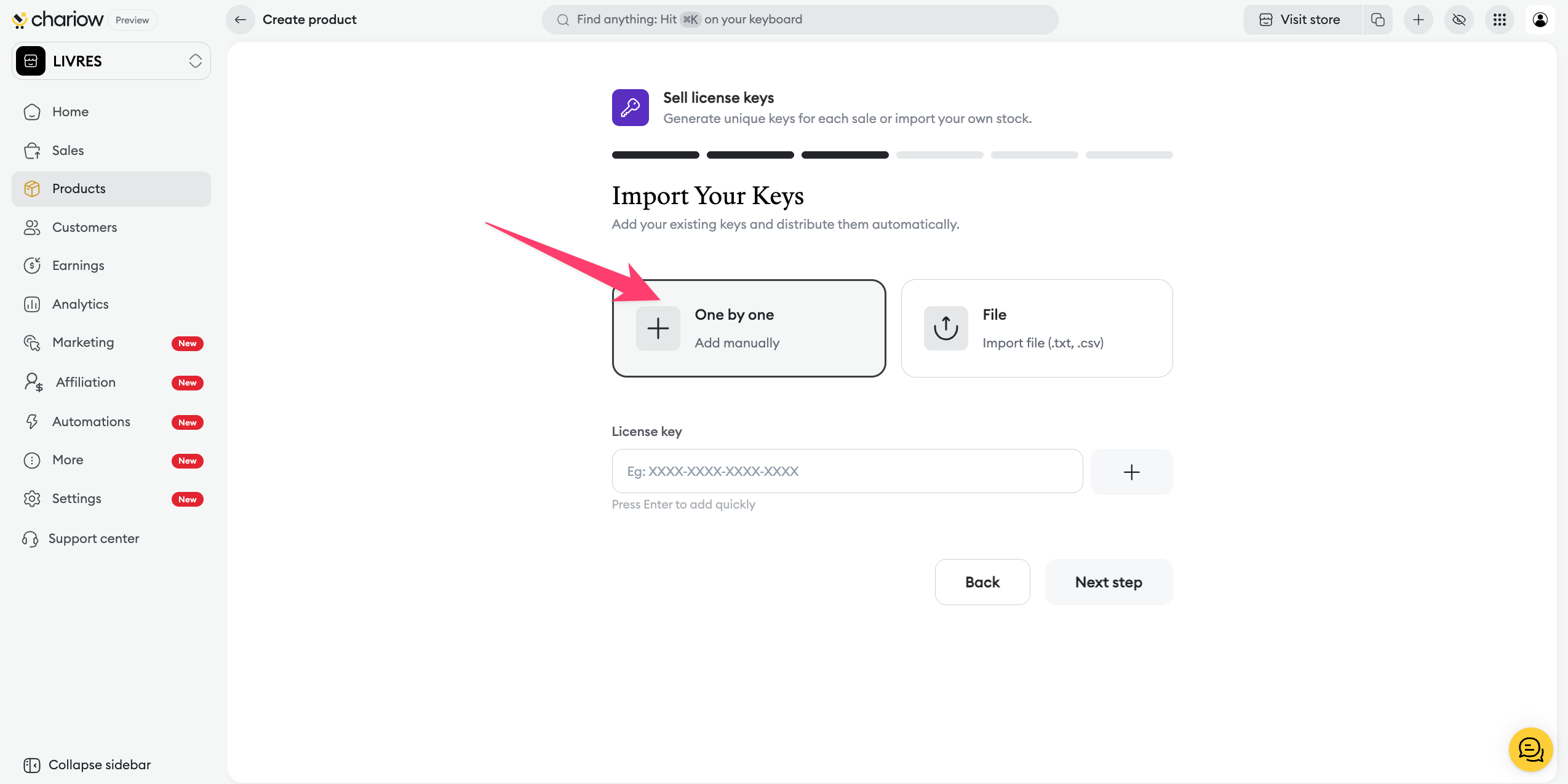
Bulk import: Import a .txt or .csv file containing one key per line.
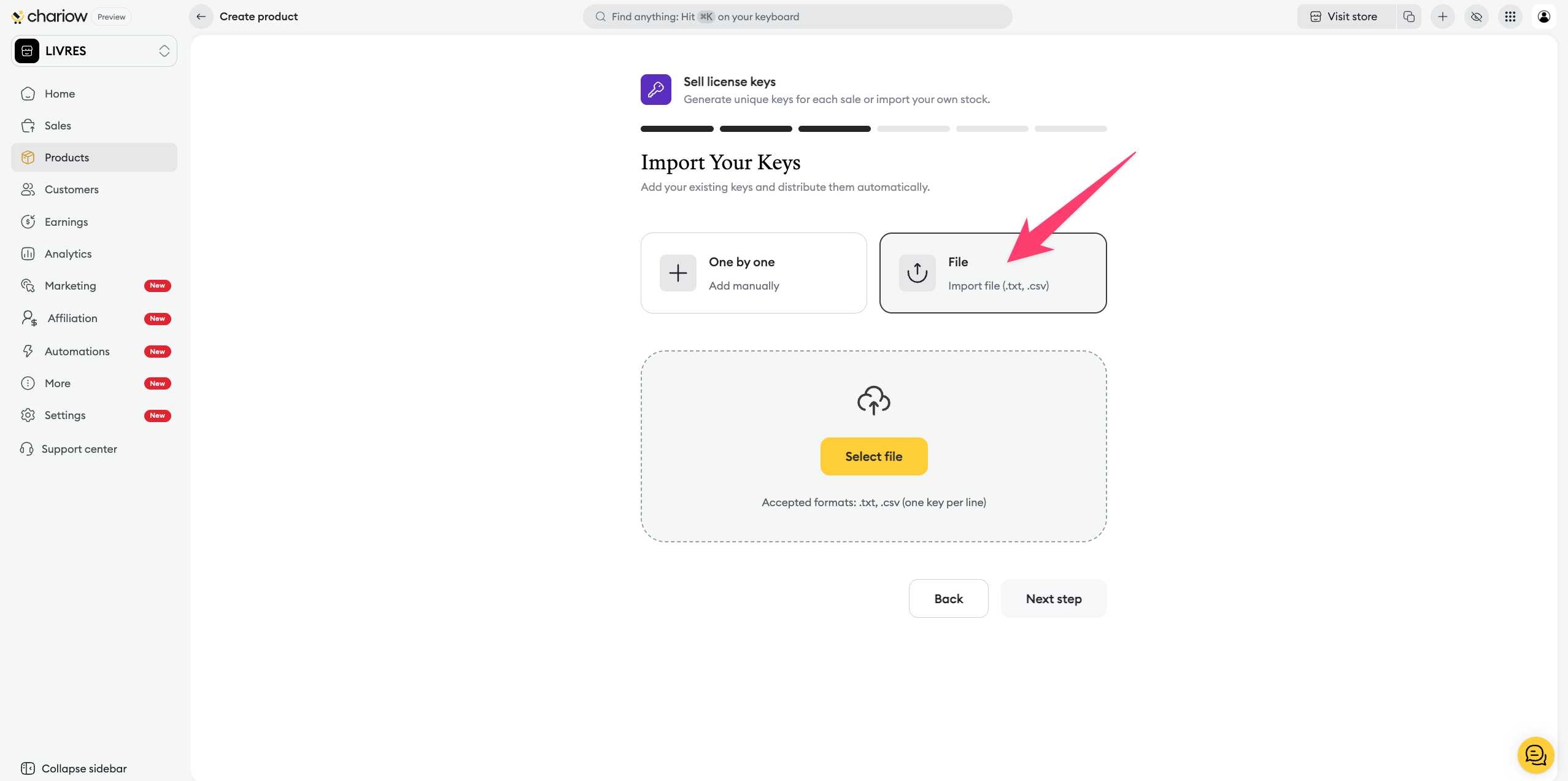
Number of activations: Specify how many devices or users are allowed per license.
Show the technical features and the benefits of your license:
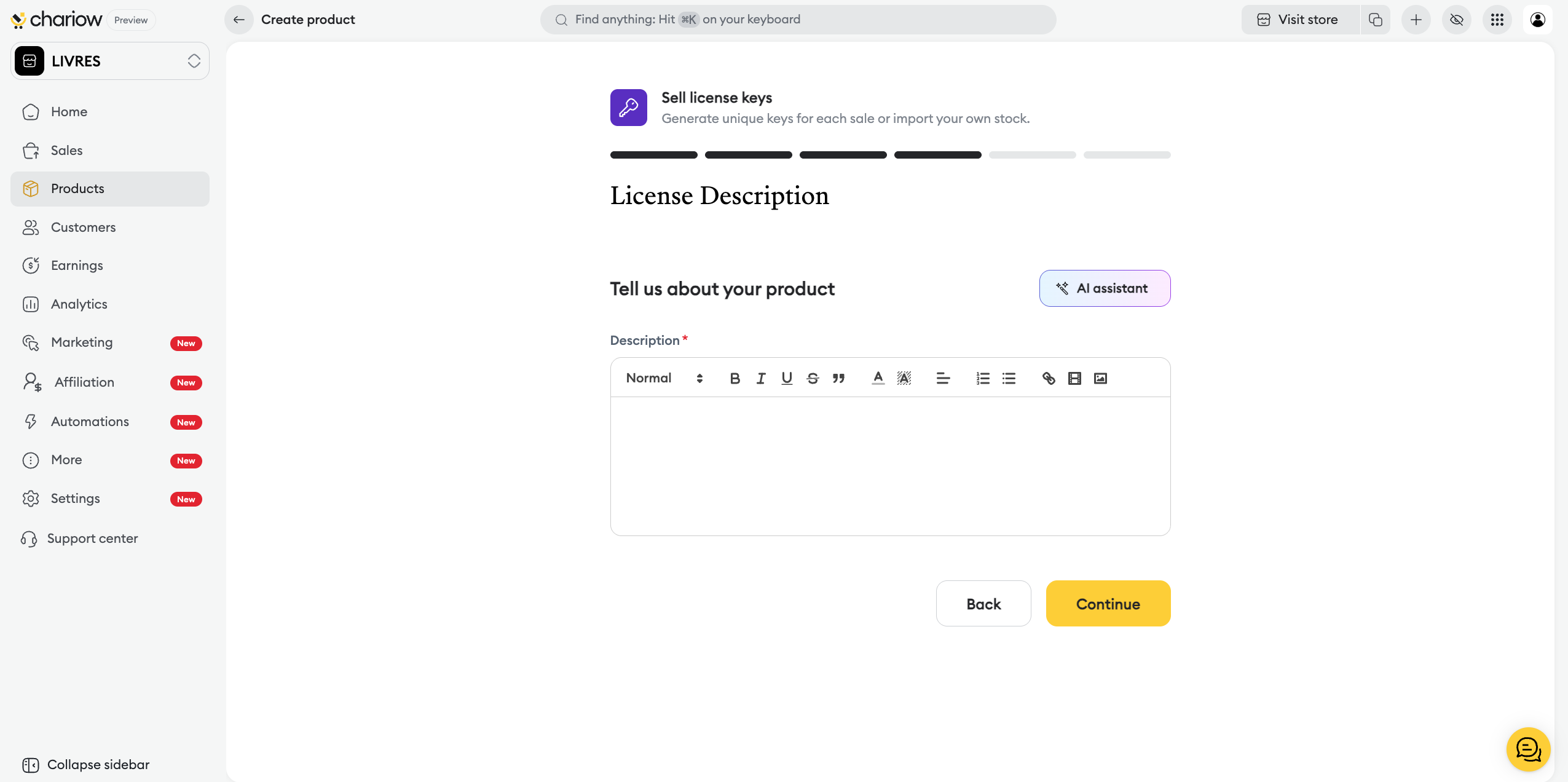
Writing : Detail the content in the rich editor.
AI assistant : Use artificial intelligence to optimize your sales copy.
Take care of the look of your sales page:
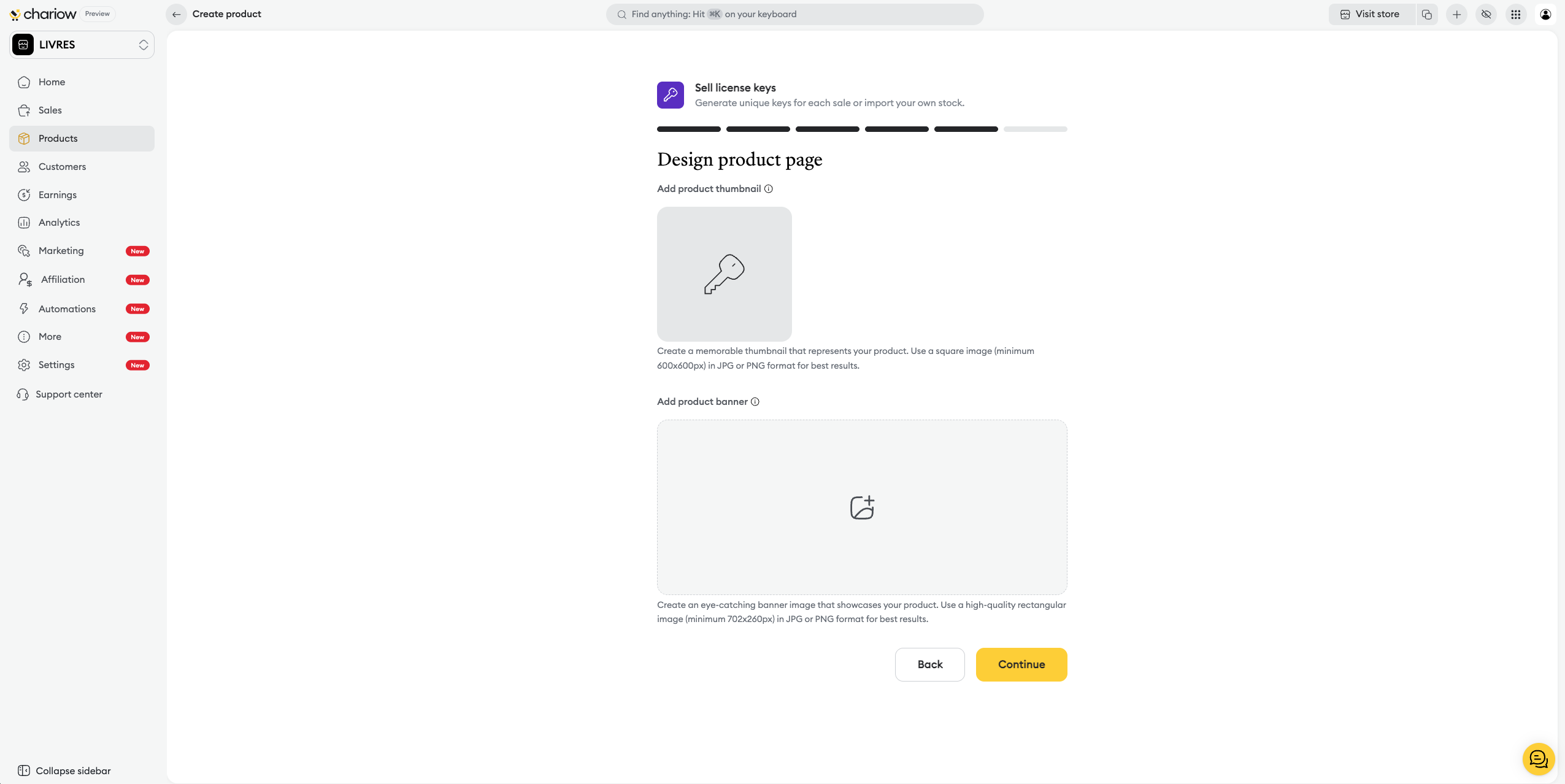
Thumbnail : Add a square image (min. 600x600px).
Banner : Upload a rectangular image (min. 702x260px) to style your page.
Before the final publication, Chariow gives you a recap to maximize your chances of success:
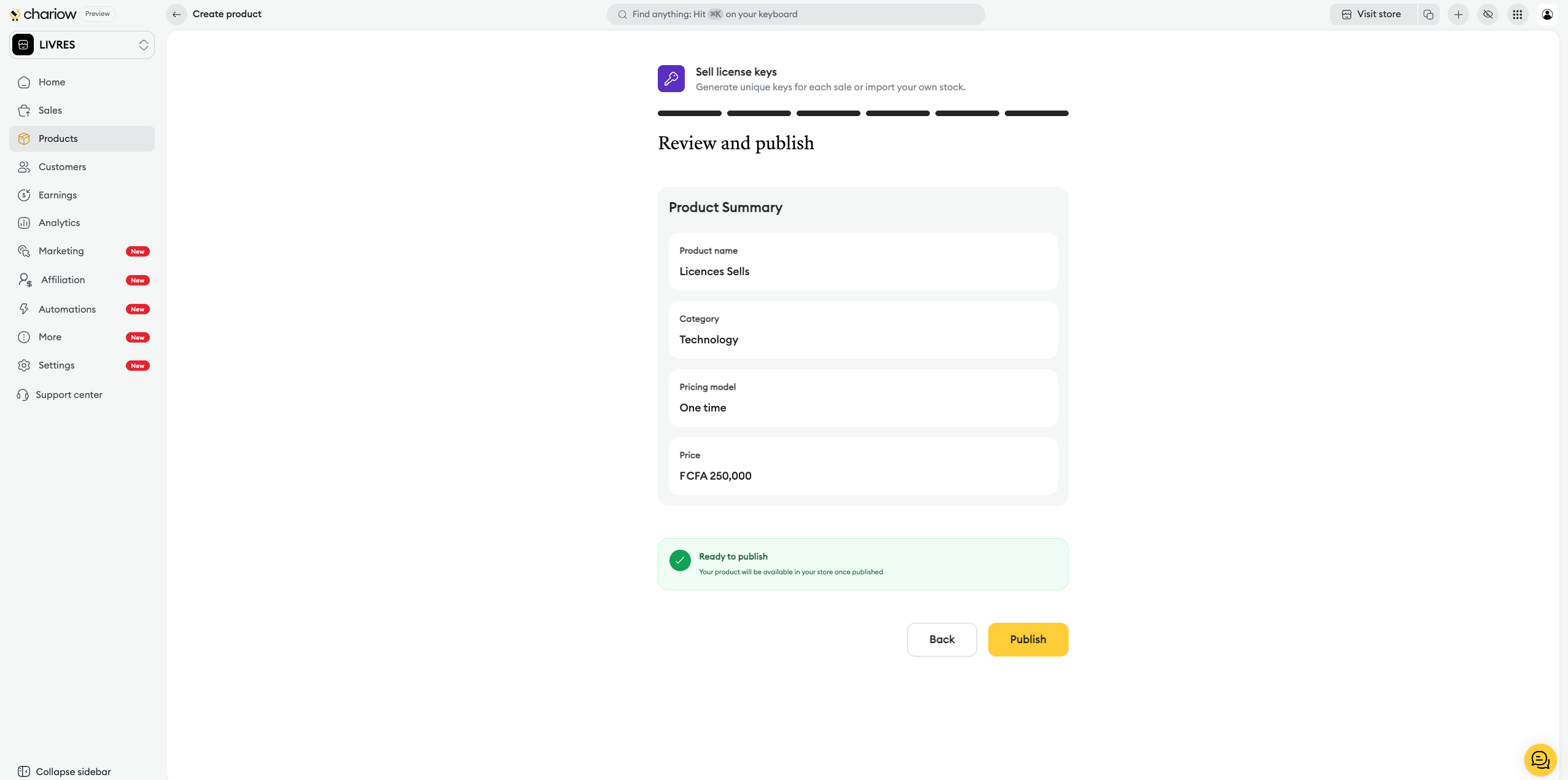
Product summary: Double-check the key information one last time (name, category, price).
AI analysis: The system displays personalized recommendations on your visuals, your SEO, your FAQ, or your pricing strategy.
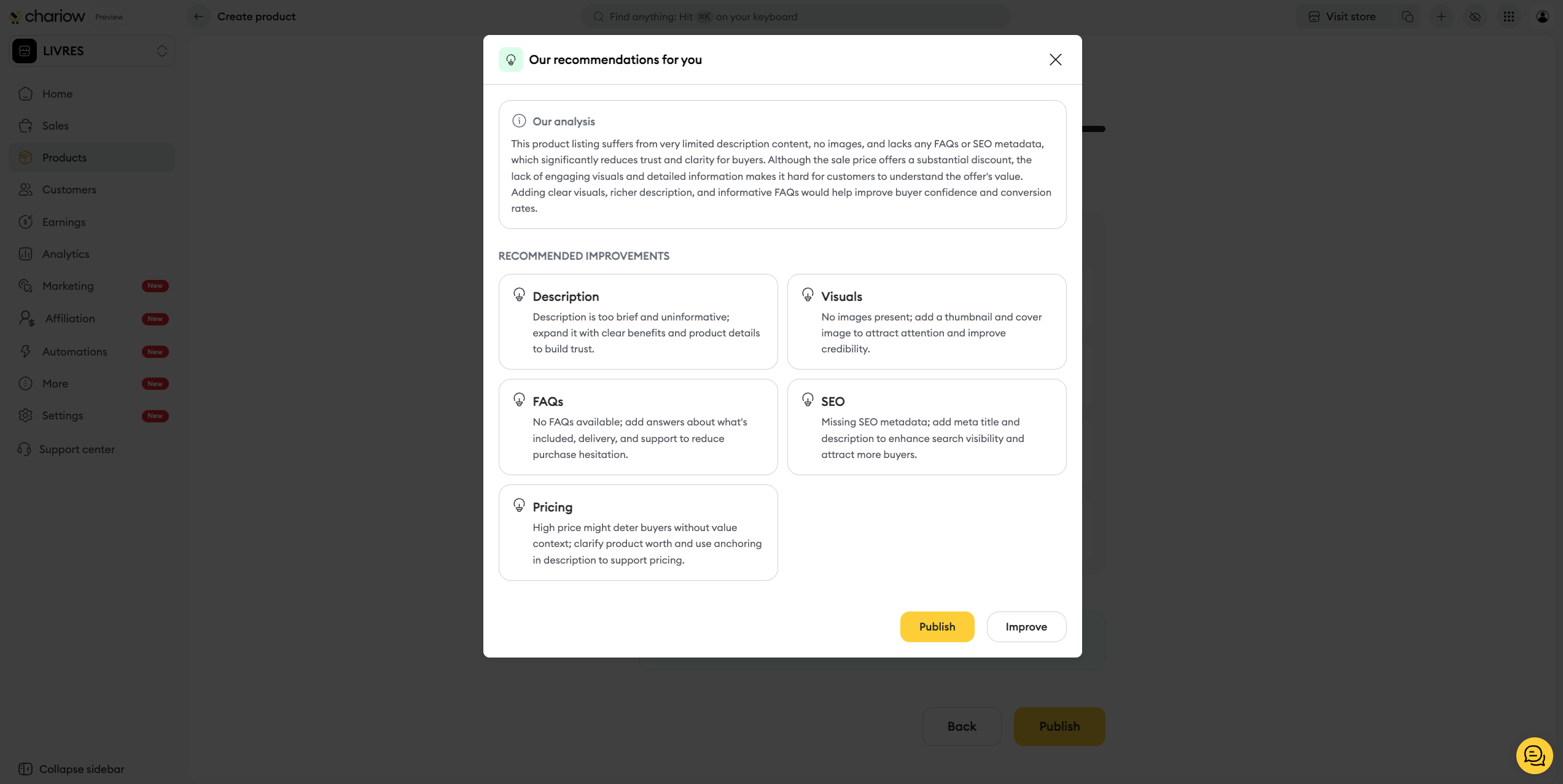
Final action: Click on Improve to follow the AI’s advice, or on Publish to make the product available immediately.
After publishing, you can access the full settings panel by clicking on the three action dots (⋮) next to your product, then on Edit.
To learn how to customize your offer even more, check out our dedicated guide:
➜ Configuration and customization of licenses on Chariow

Need help? Contact our support via chat or at [email protected]

