To set up a tailor-made offer for your best ambassadors, follow these instructions:
In the side menu, click on "Affiliation" then select the "Partenariats" section.
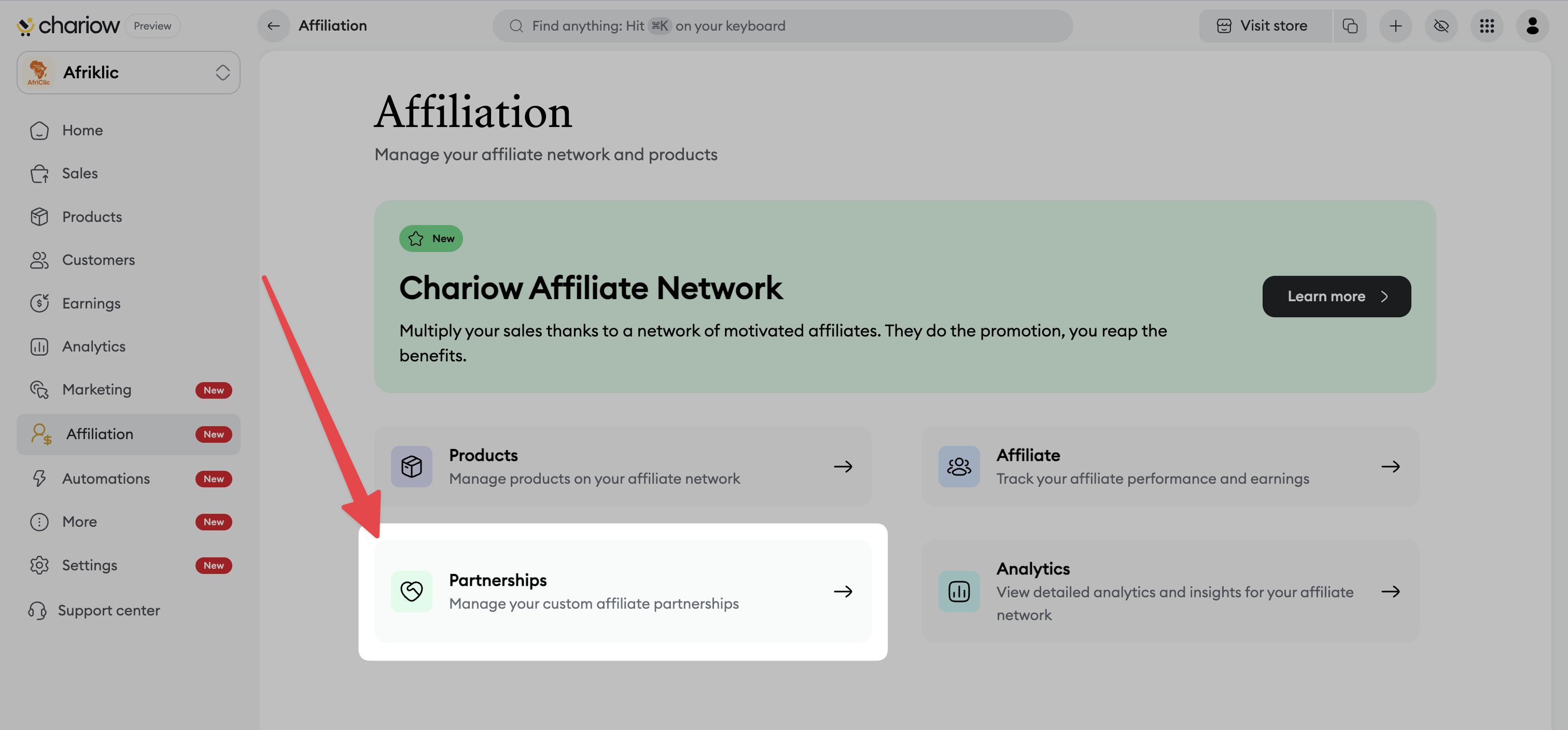
Read the "Good to know" info:
Any partnership change immediately notifies the affiliates concerned.
Changes take effect immediately.
Affiliates receive automatic notifications when a partnership is created, edited, or deactivated.
Next, click the "Créer un partenariat" button.
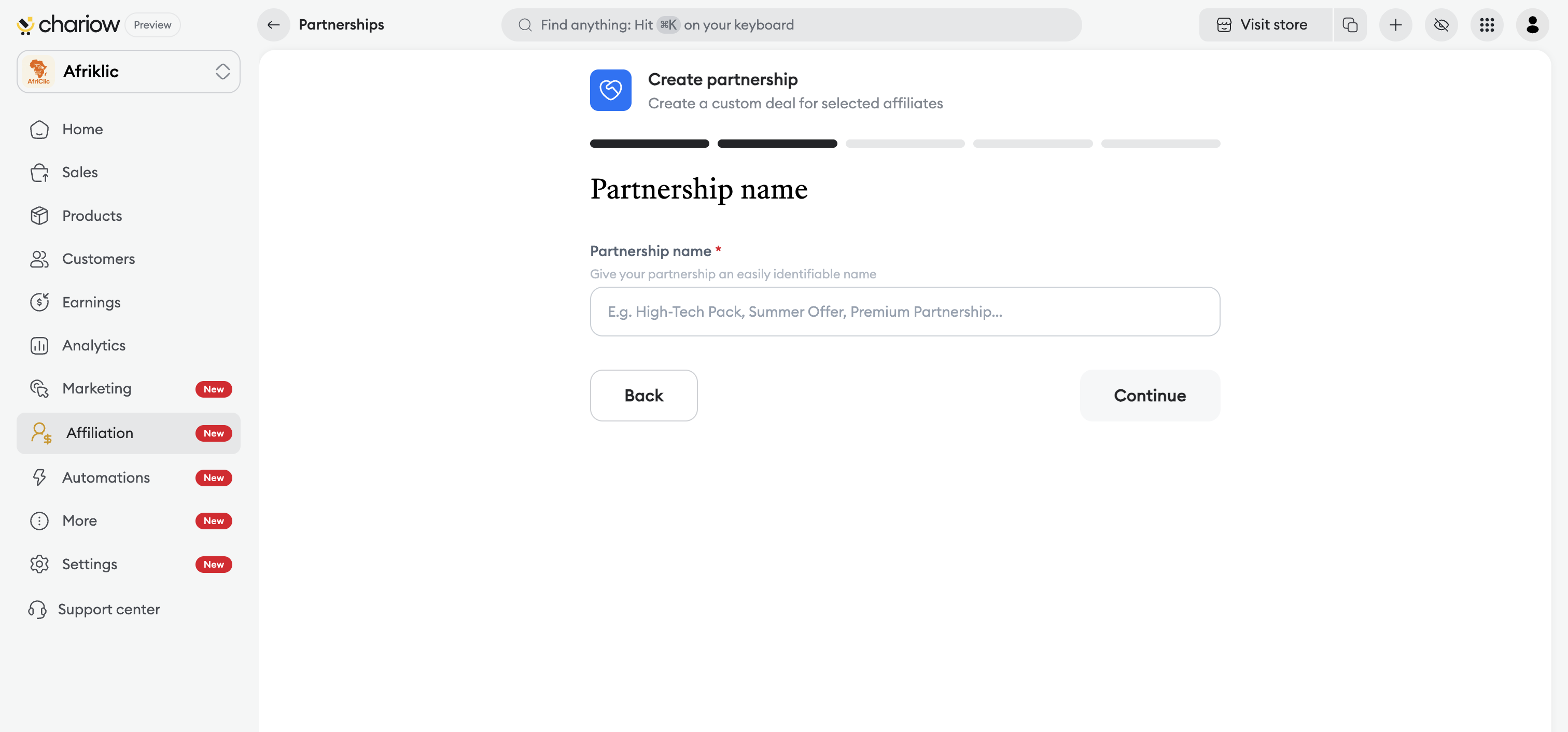
Partnership name: Give your offer an easy-to-recognize name (e.g.: Partenariat Premium, Offre Été) and click "Continuer".
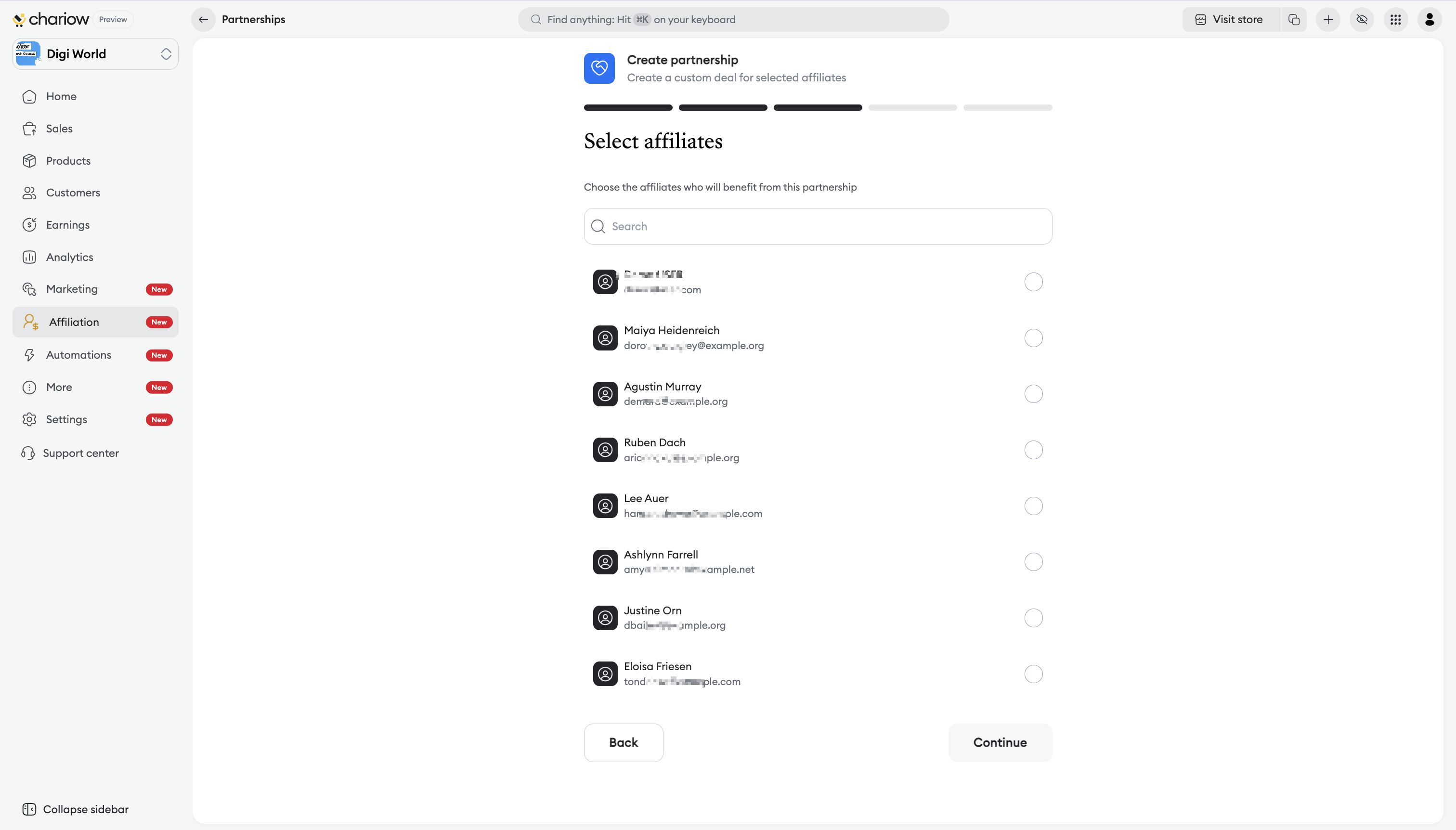
Select affiliates: Choose from your list the partners who will benefit from this specific offer, then click "Continuer".
Select products: Tick the products from your catalog that you want to include in this partnership and click "Continuer".
Set the commission: Enter the custom commission percentage the affiliate will receive for each sale generated as part of this partnership.
Availability: Choose between "Durée illimitée" (until manually deactivated) or a "Période définie" for a temporary campaign.
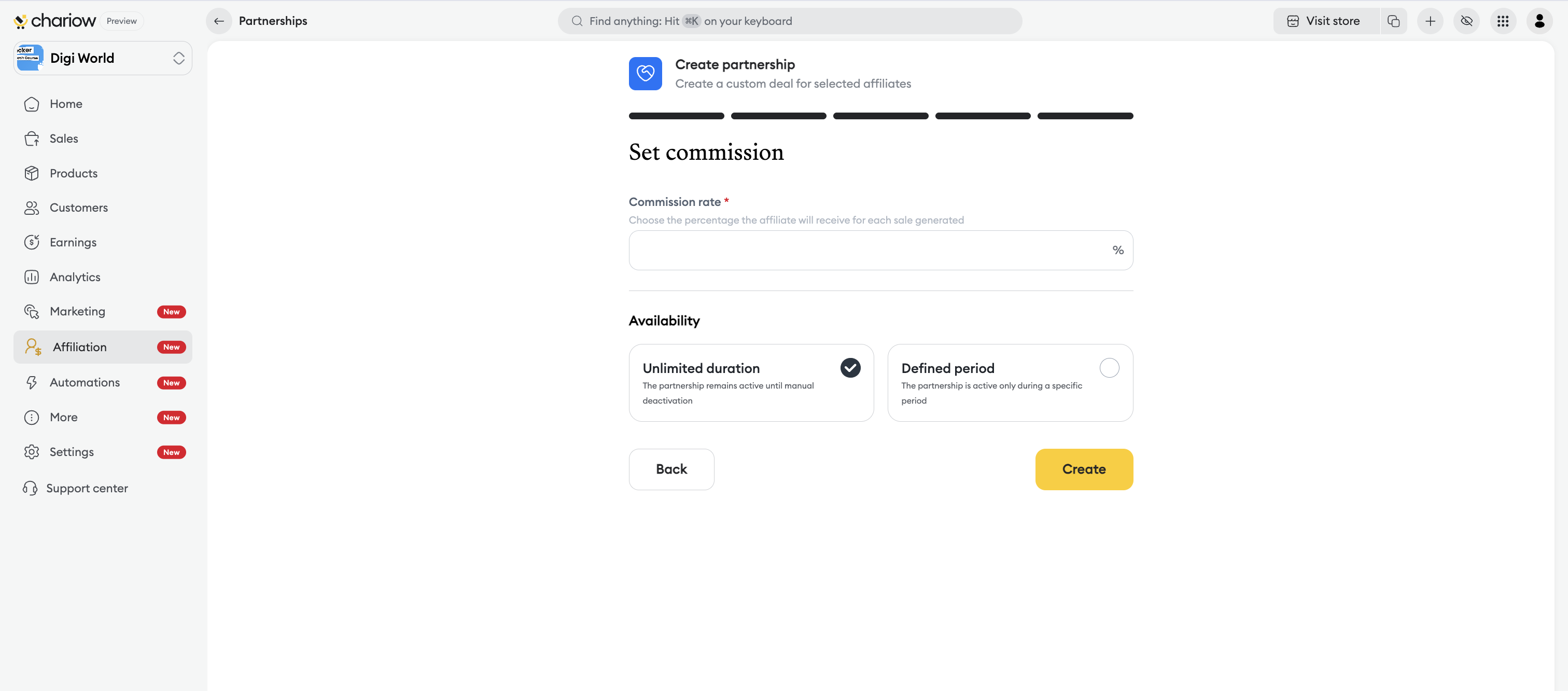
Click "Create" to activate the offer.
Once created, your partnerships are grouped together in a central dashboard for optimal tracking:
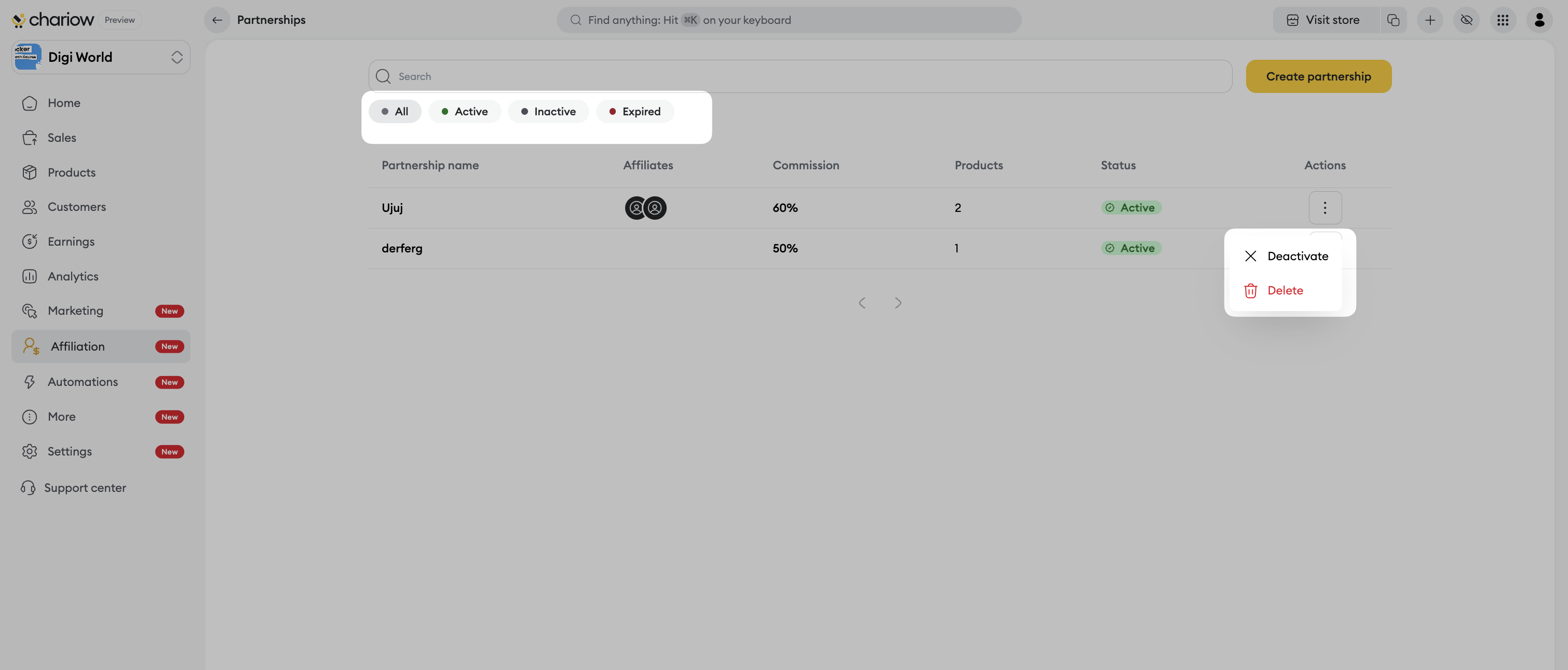
Tracking statuses: Use the filters to sort your offers by status: "All", "Active", "Inactive" or "Expired".
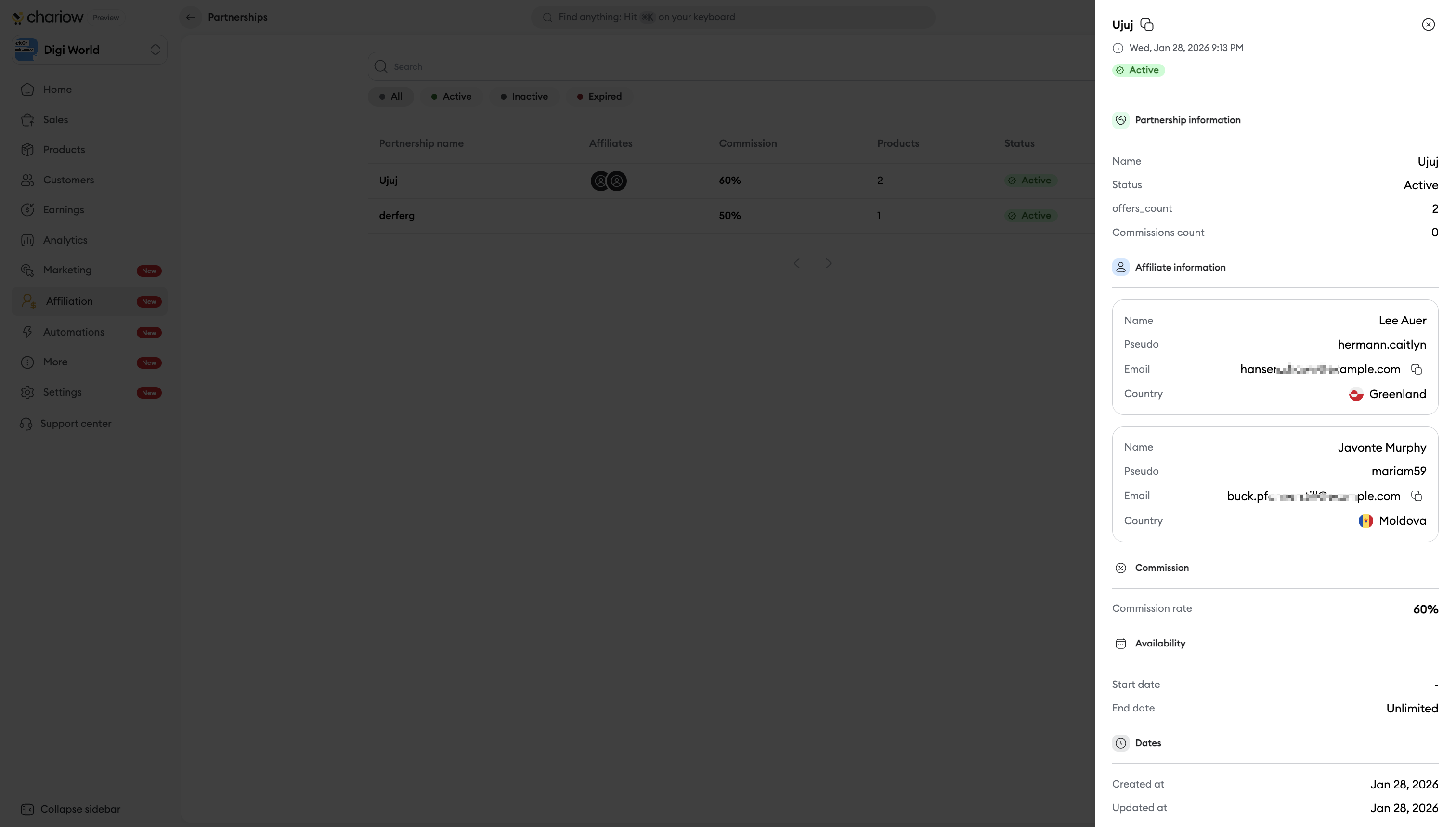
Partnership details: By clicking on a partnership, a side panel opens to show the key information:
The name and current status.
The detailed list of participating affiliates with their usernames, emails and countries.
The applied commission rate and the offer start date.
Quick actions: From the menu (three dots) to the right of each row, you can "Deactivate" an offer temporarily or "Delete" it permanently from the network.
Reward loyalty: Use partnerships to offer higher commission rates to your top-performing affiliates to keep them engaged.
Flash campaigns: Use the "Fixed period" option to create a sense of urgency for product launches or seasonal events.
Need help? Contact our support via chat or at [email protected].

