The product type Files on Chariow is specifically designed for creators who want to sell digital resources delivered instantly after purchase. This creation flow is optimized to ensure a smooth experience for both the seller and the buyer, while keeping your digital content secure.
This format is the ideal solution for distributing any type of dematerialized content that requires immediate access.
Automatic delivery: your customers can download their files instantly as soon as the payment is confirmed.
Flexible formats: the platform accepts all standard formats such as PDF, ZIP, MP3, and many more.
Built-in security: your content benefits from anti-piracy protection directly built into the creation flow.
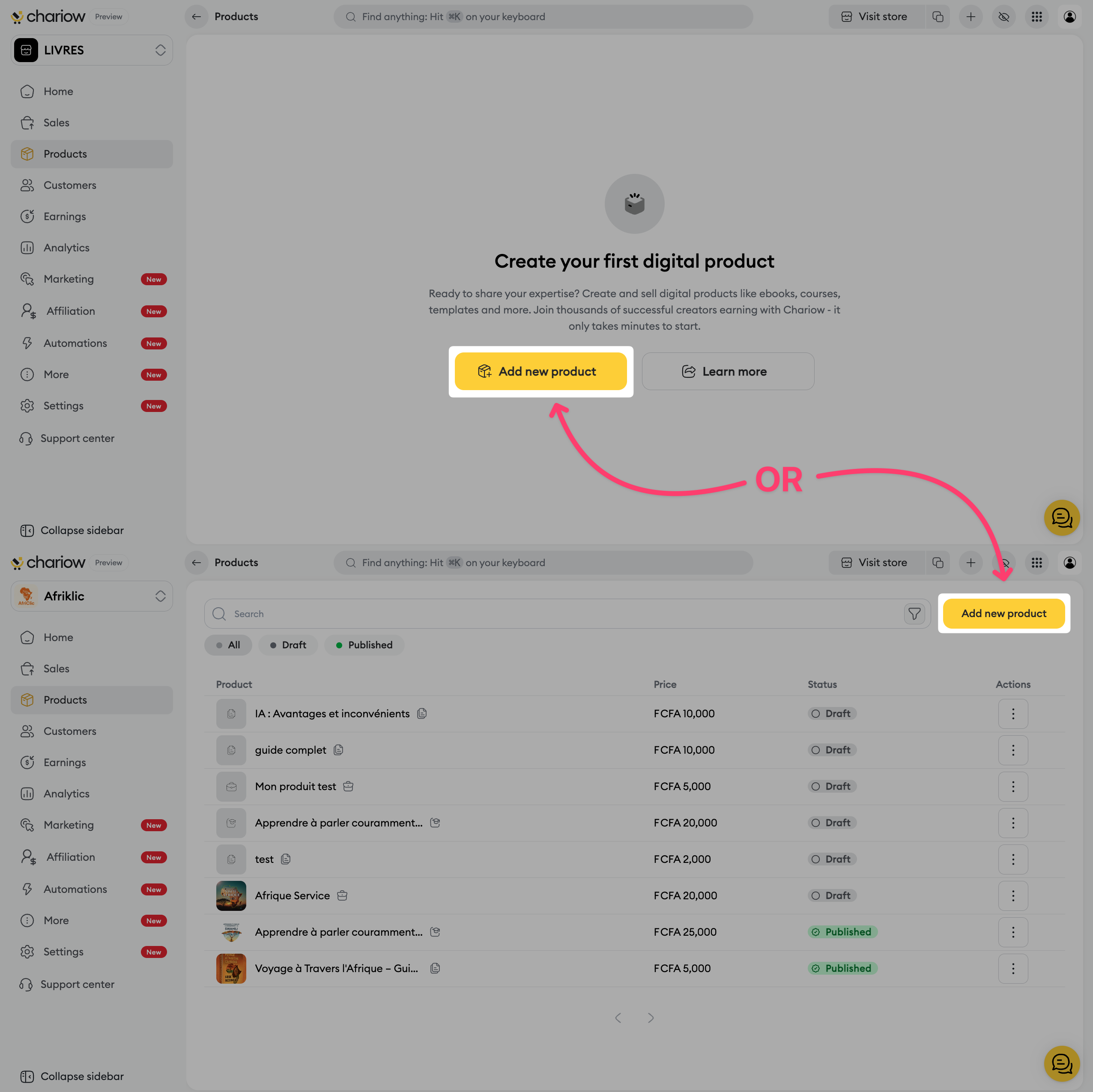
Go to the "Products" tab located in your left side menu.
Click the button to create a new product.
On the selection page, choose the "Files" card.
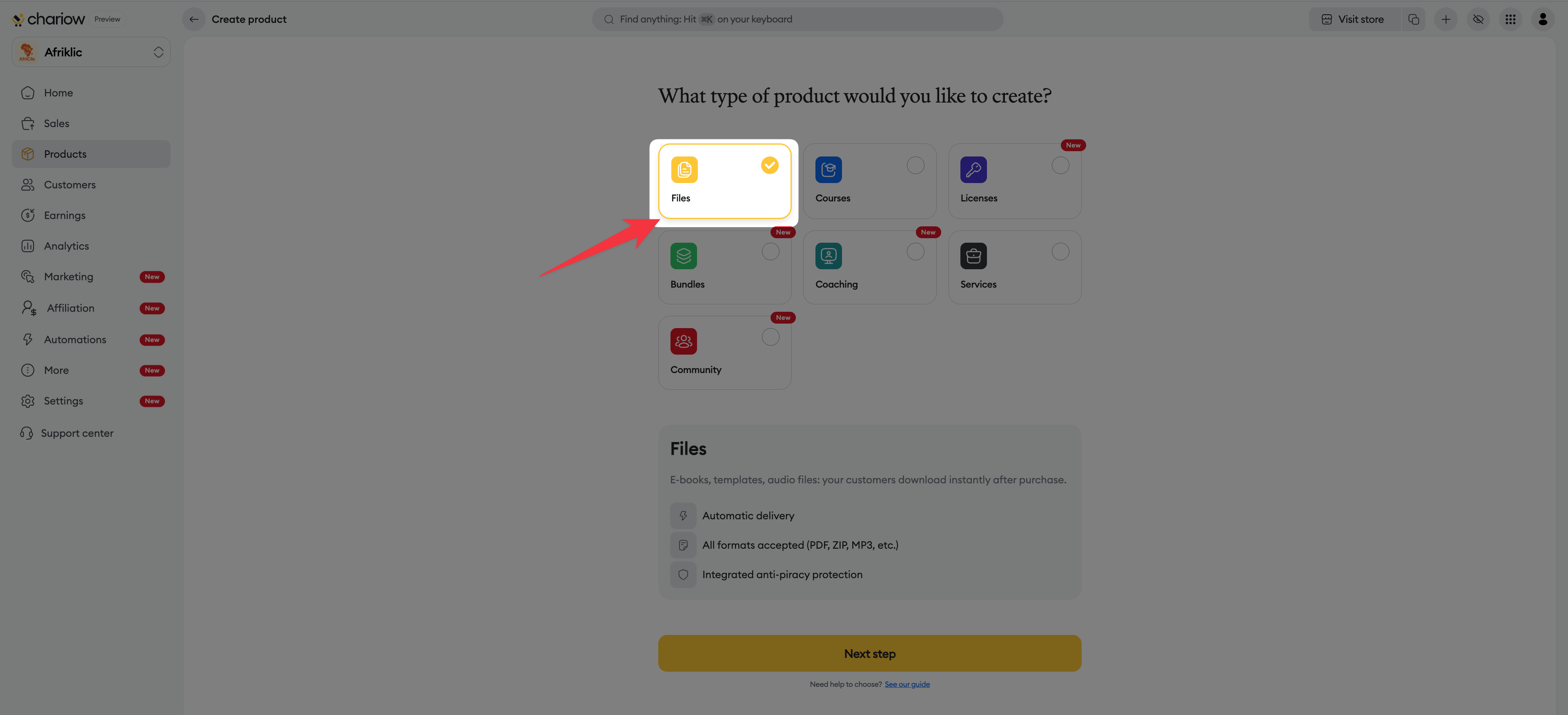
Click the "Continue" button.
This screen lets you define the commercial identity of your file:
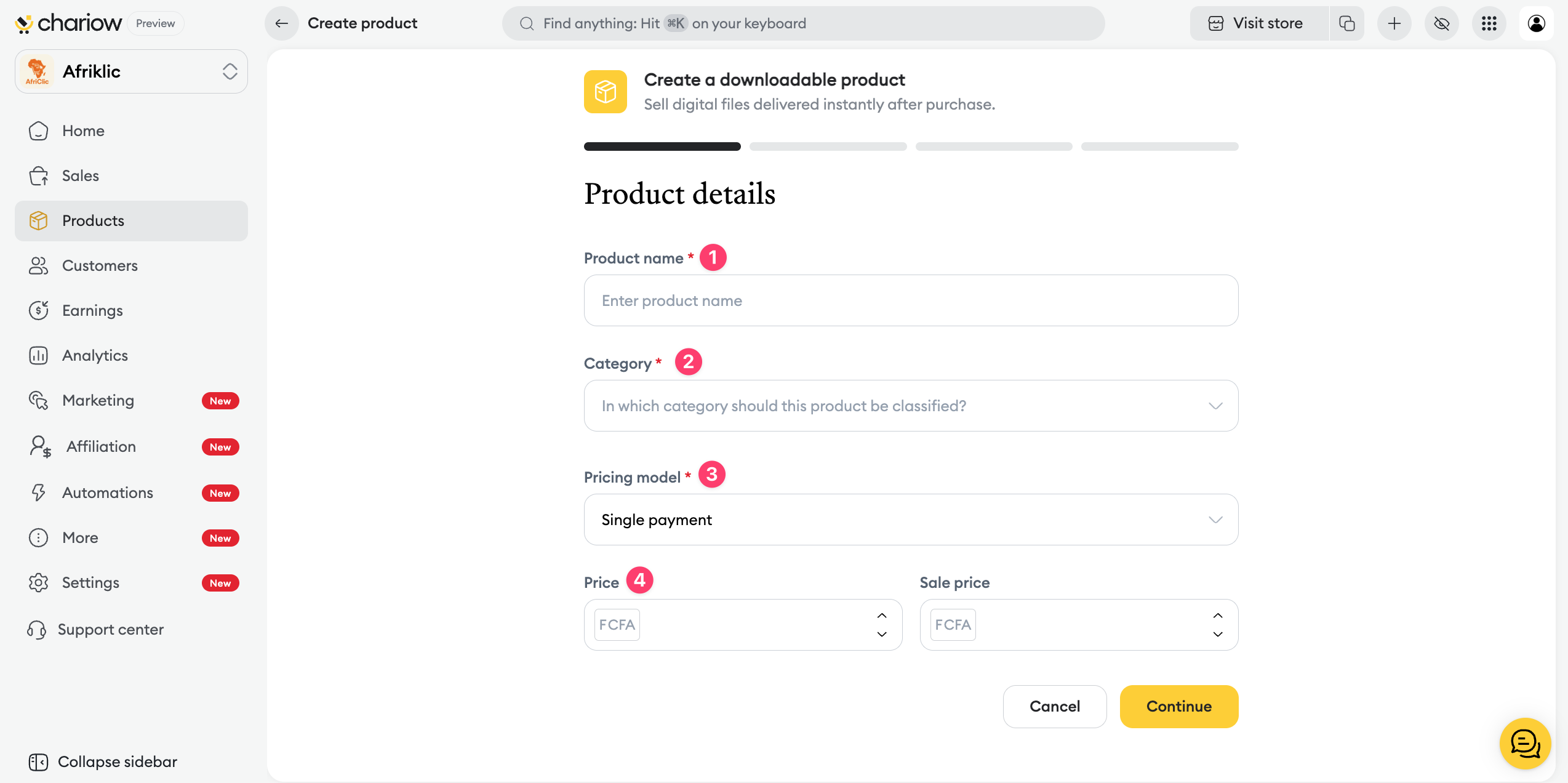
Product name: enter a clear title for your product (e.g.: Complete Facebook Ads Guide 2025).
Category: put your product in the right topic to make browsing your store easier.
Pricing model: choose your selling method (one‑time payment, free, or pay what you want).
Price: enter the sale amount and use the "Discounted price" field if you want to show a discount.
Use this section to explain the value of your product to your future customers:
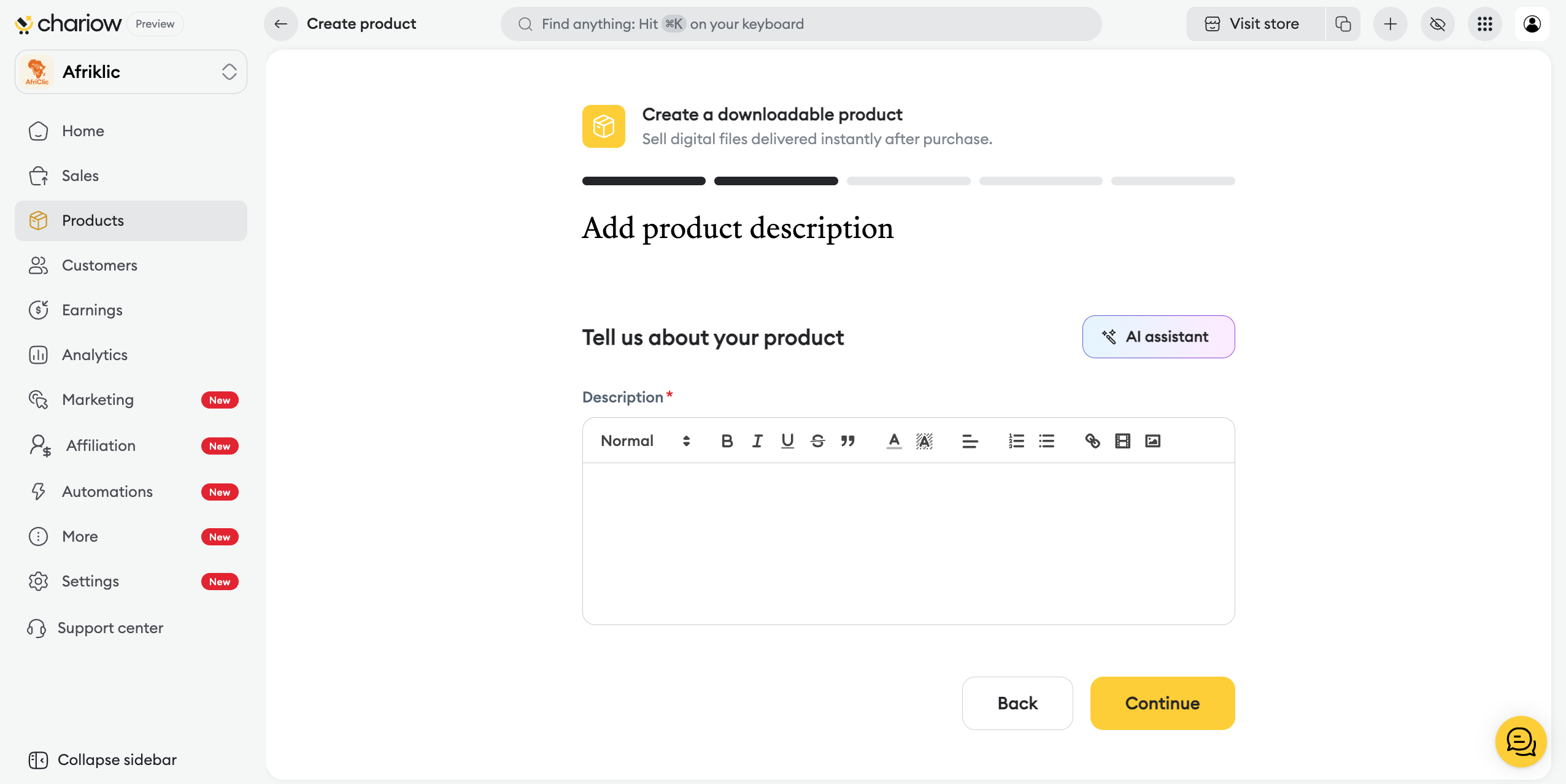
Writing: spell out the benefits of your resource in the editor.
AI assistant: you can ask artificial intelligence to help you generate an effective sales text.
The visual aspect is essential to turn your visitors into buyers. This is where you give your offer a graphic identity:
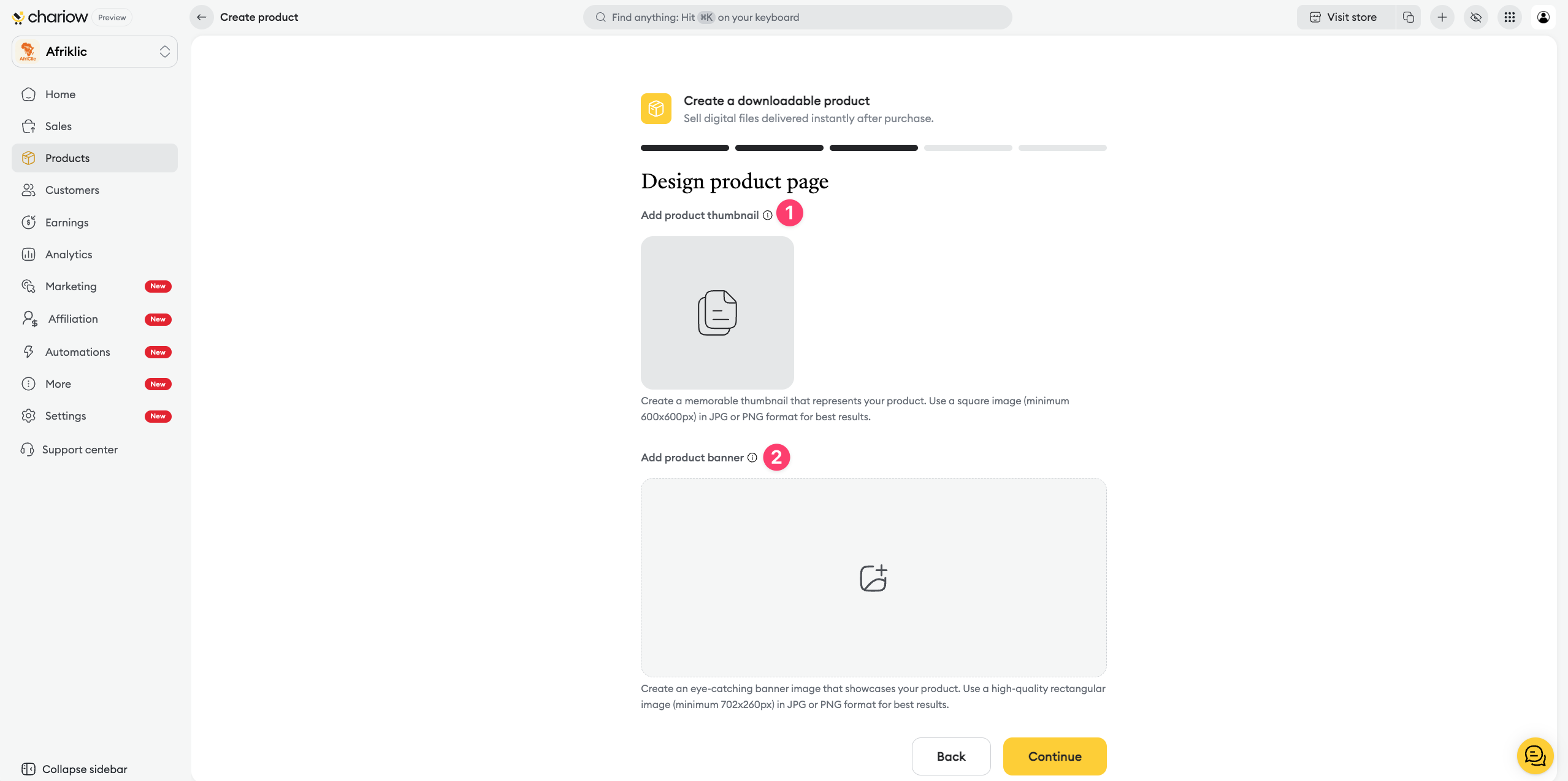
Thumbnail – add a square image (JPG or PNG format, minimum 600x600px) that will serve as the cover for your product.
Banner – upload a high-quality rectangular image (minimum 702x260px) to dress up the top of your sales page.
This is the crucial step where you upload the final digital file:
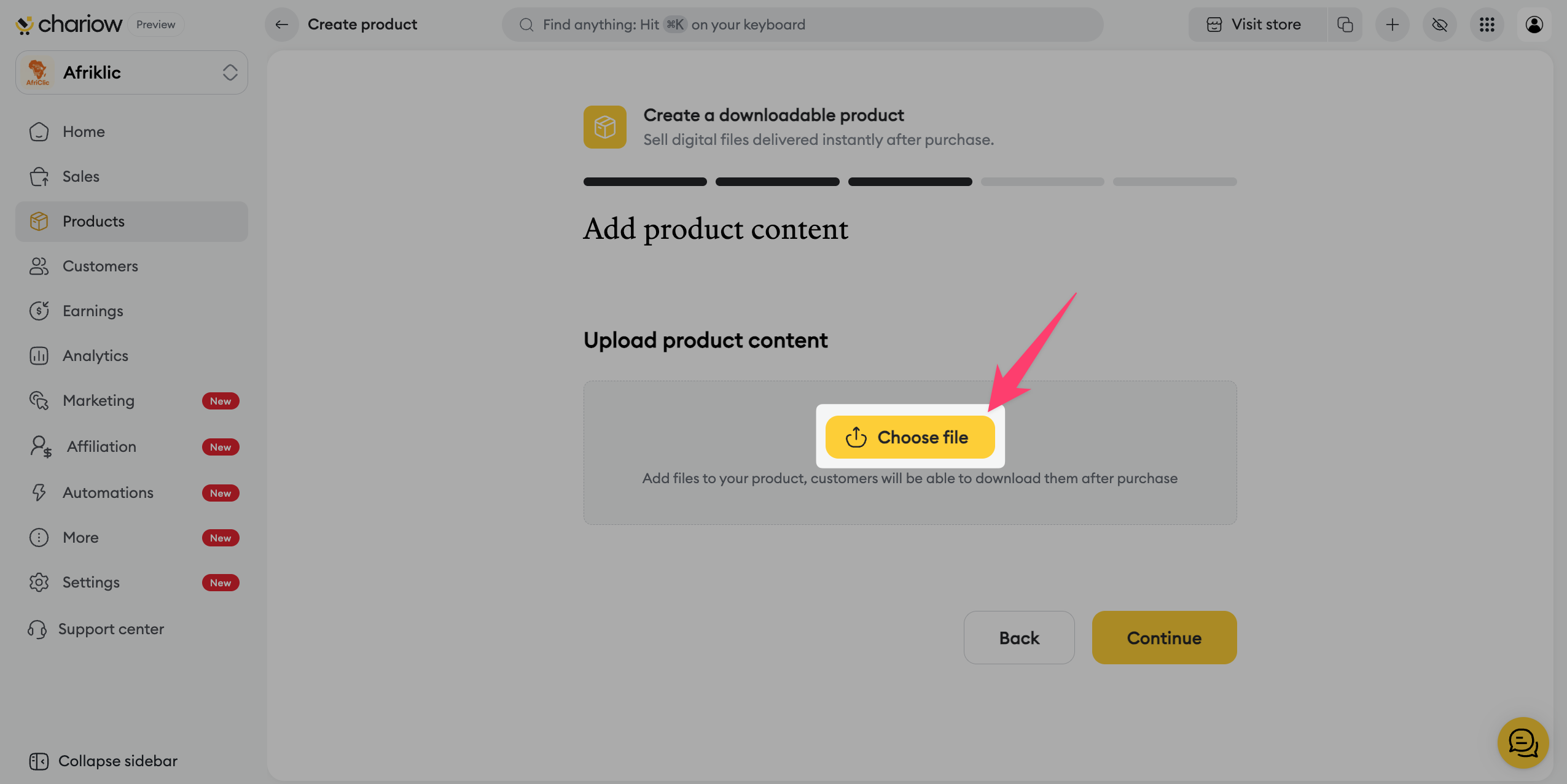
Download – click on "Choose a file" to upload the resource your customers will receive after their purchase.
Format and size – make sure your file doesn’t exceed the size limit allowed by your plan so your customers can download it smoothly.

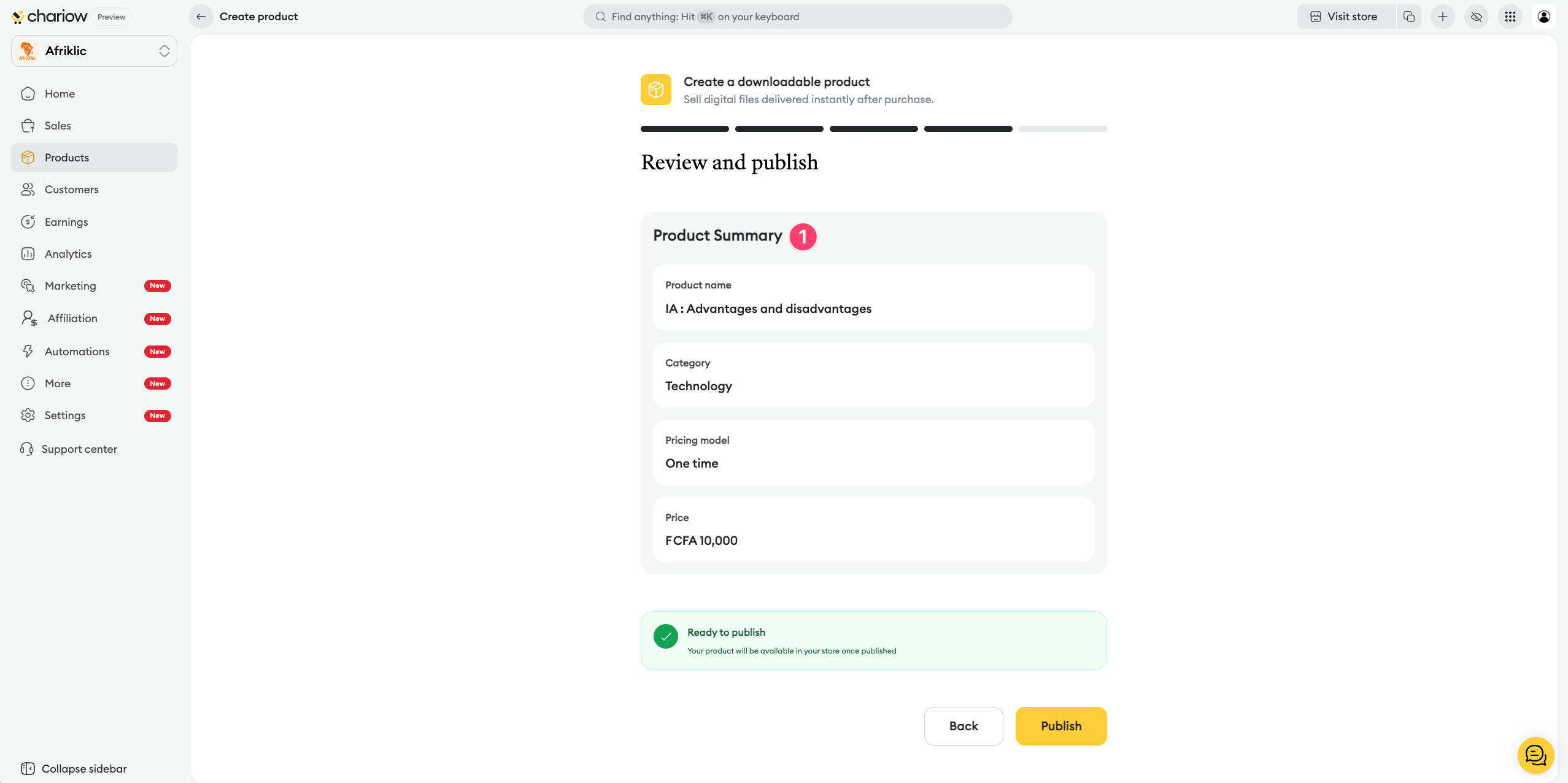
Before the final publication, Chariow analyzes your setup to maximize your chances of success:
Product summary: validate key information such as the name, category, and price.
AI analysis: the system shows personalized recommendations about your visuals, your SEO, your FAQ, or your pricing strategy.
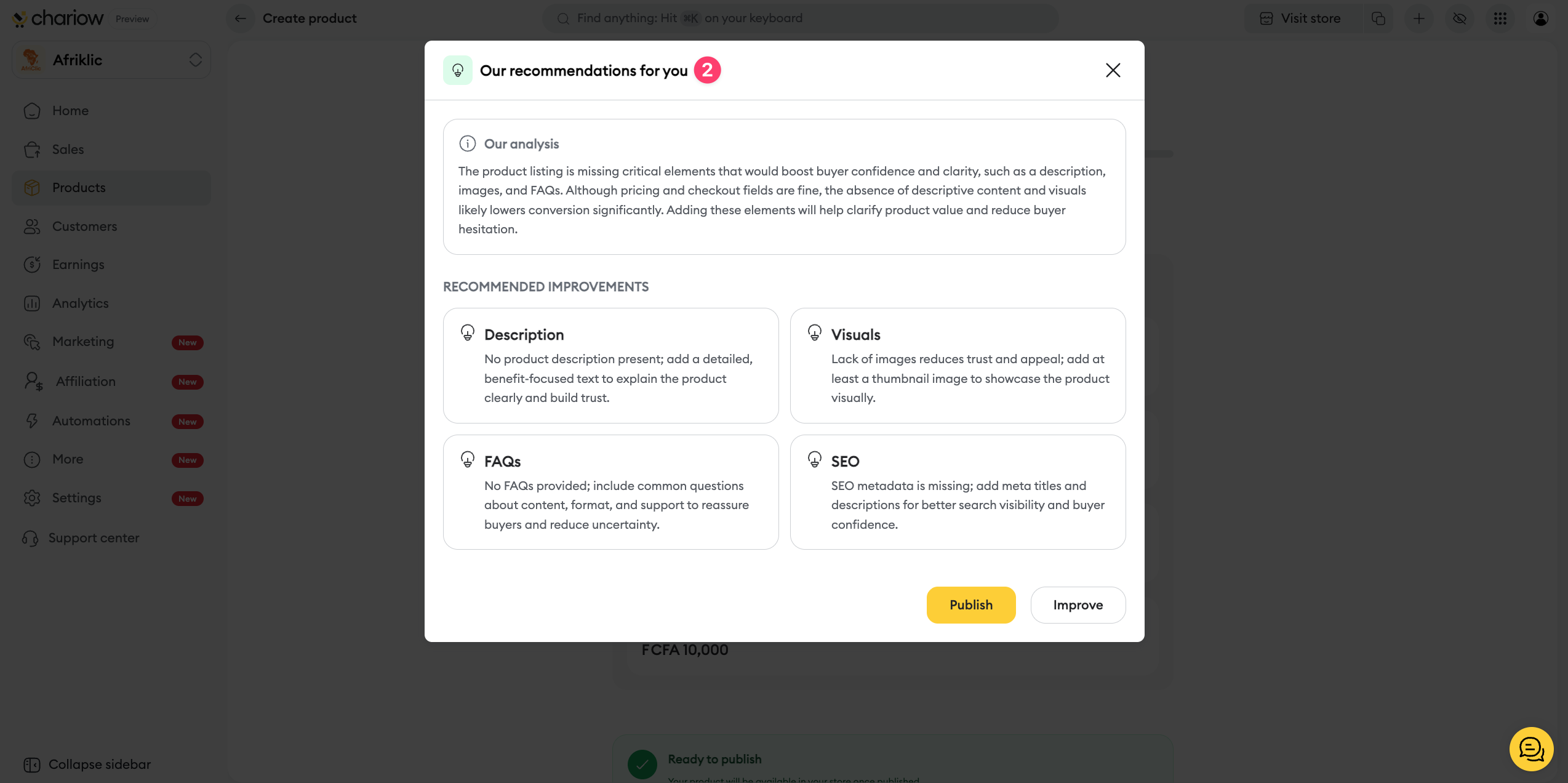
Immediate action: if you want to take the AI feedback into account right away, click on "Improve". Otherwise, click on "Publish" to put the product online immediately.
Once your product is published, you can go back and edit the information you entered (price, visuals, description, etc.).
To find out how to further customize your offer with specific options (password protection, purchase limit, etc.), check out our dedicated guide:
➜ Custom configuration options for downloadable products.
Need help? Contact our support via chat or at [email protected]

