Link sharing is the most direct way to generate sales. Whether it’s via your social networks, a newsletter, or a private discussion, Chariow lets you send your prospects exactly where you want: to the product page or straight to the payment page.
You have three ways to access quick sharing options (direct links and social networks):
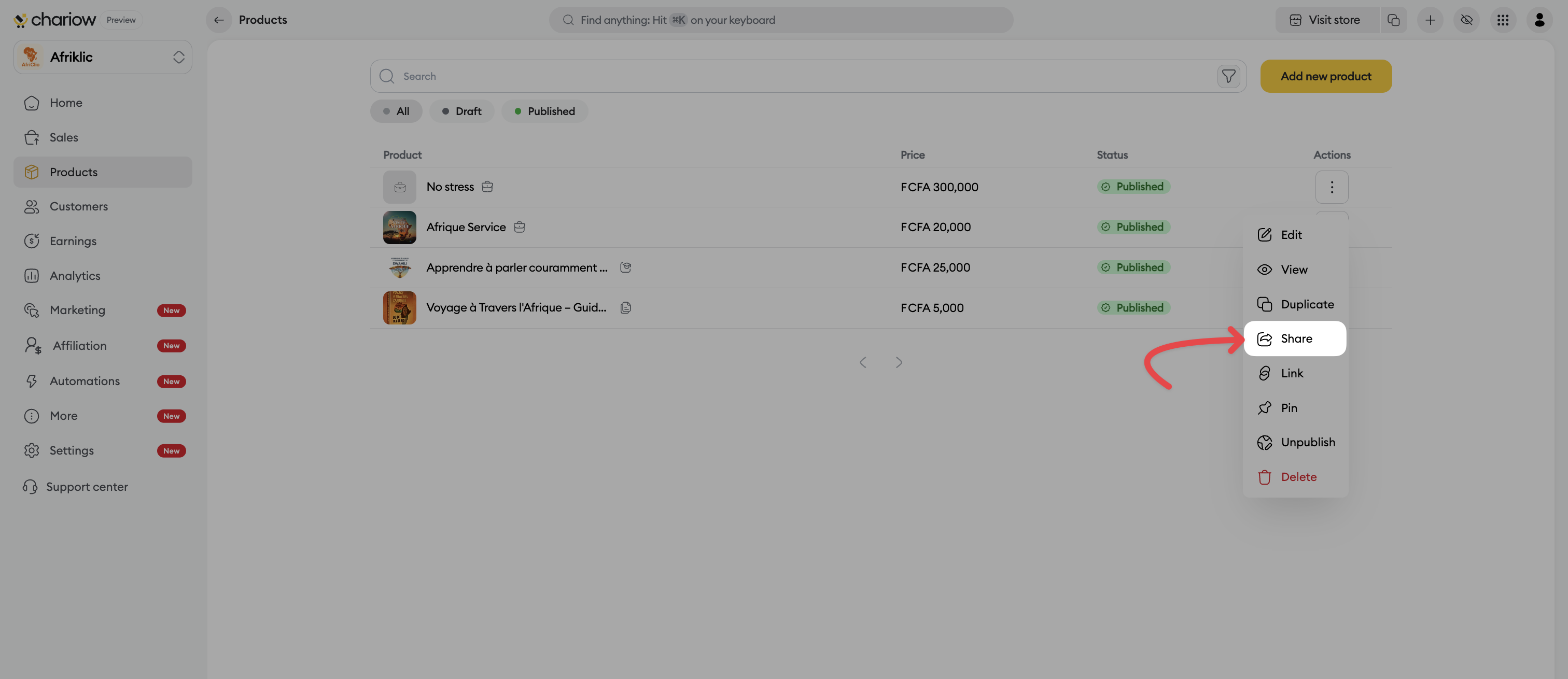
Access the menu: In your product list, click on the three vertical dots (⋮) at the end of the line of the product in question.
Selection: Choose the Share option in the context menu.
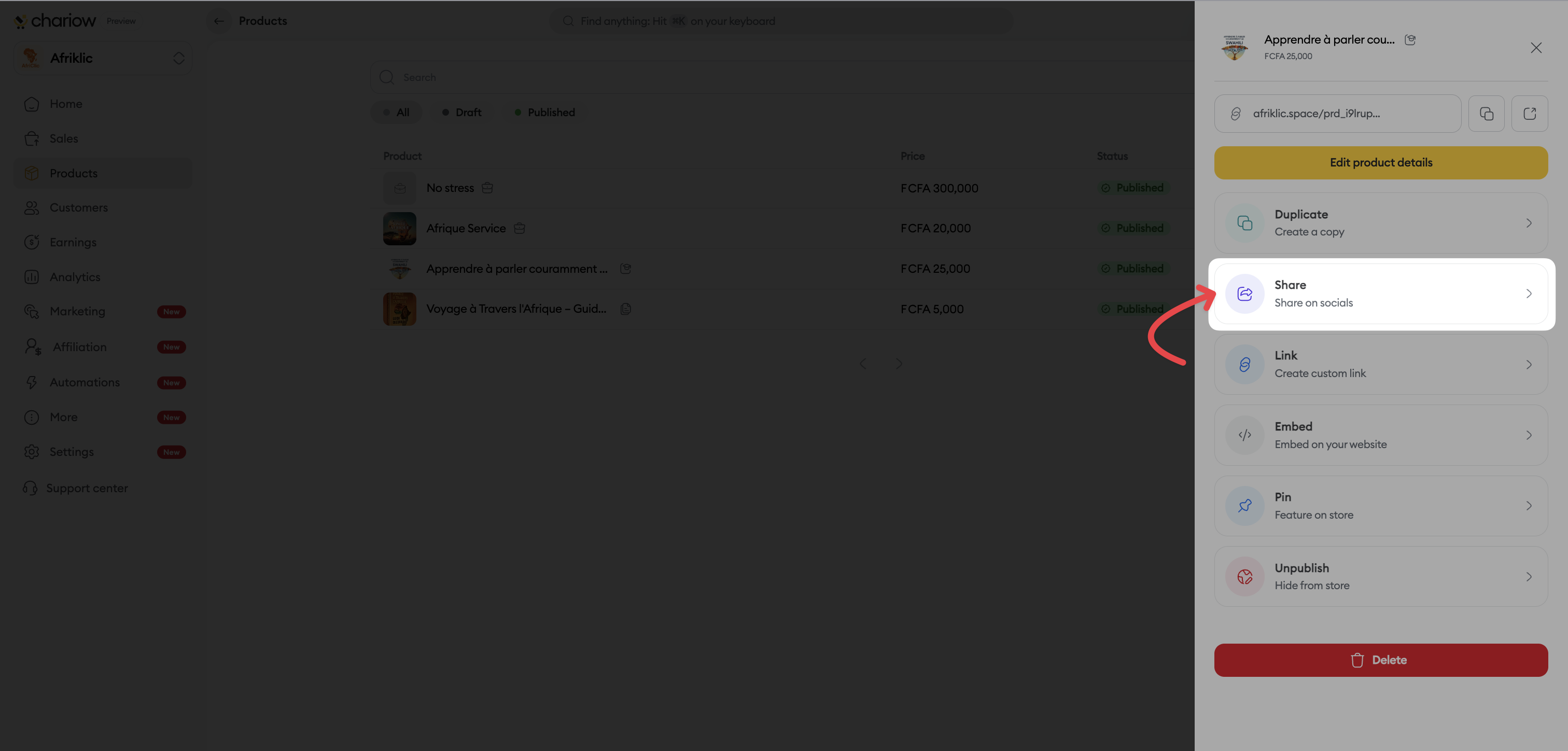
Opening the panel : Click on the product to open its detail panel on the right.
Start : Click the Share button.
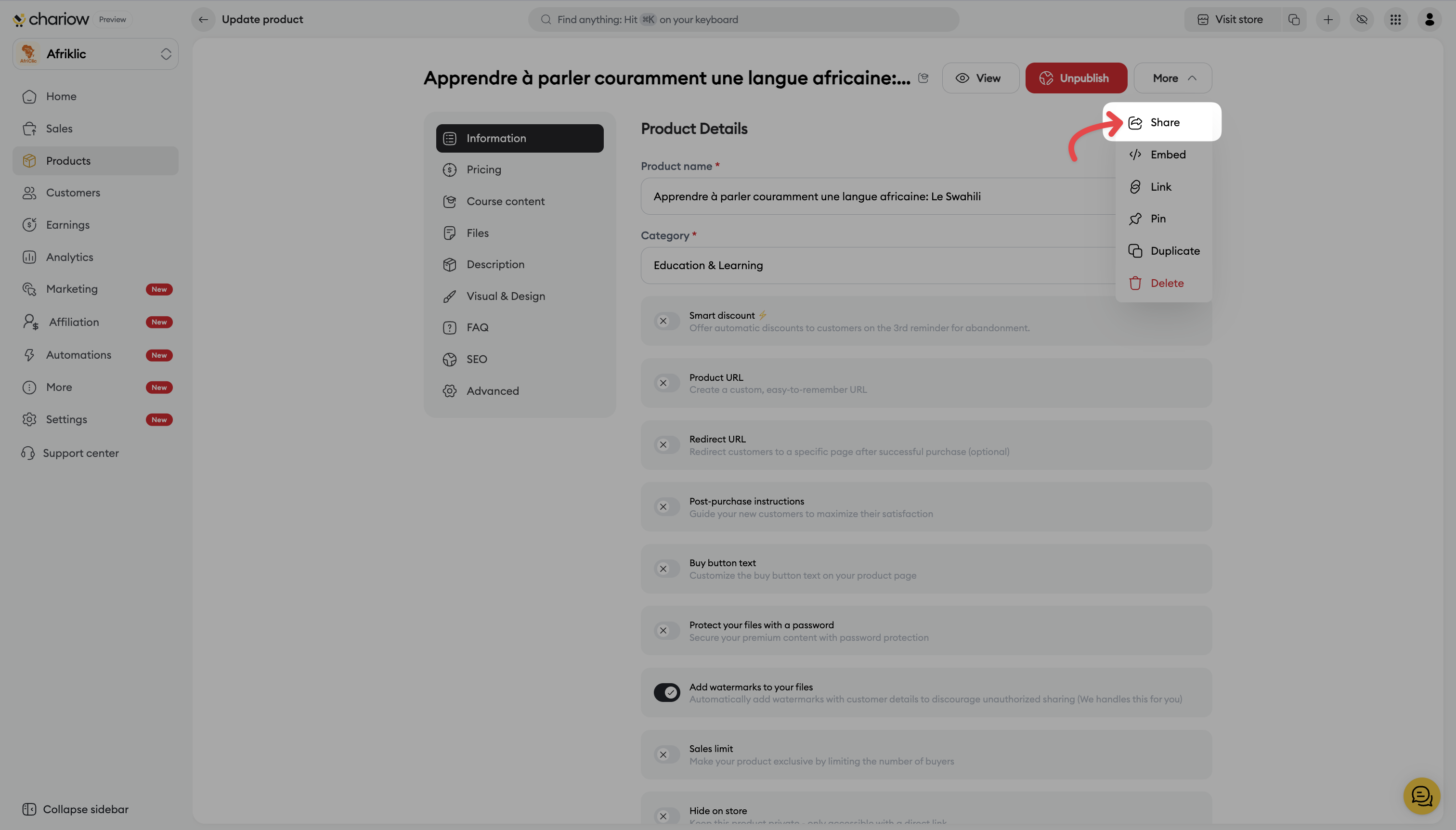
Accessing settings : On your product edit page, click the More button at the top right.
Start : Select Share in the dropdown menu to open the share panel.
Once the share panel is open on the right, you have several options:
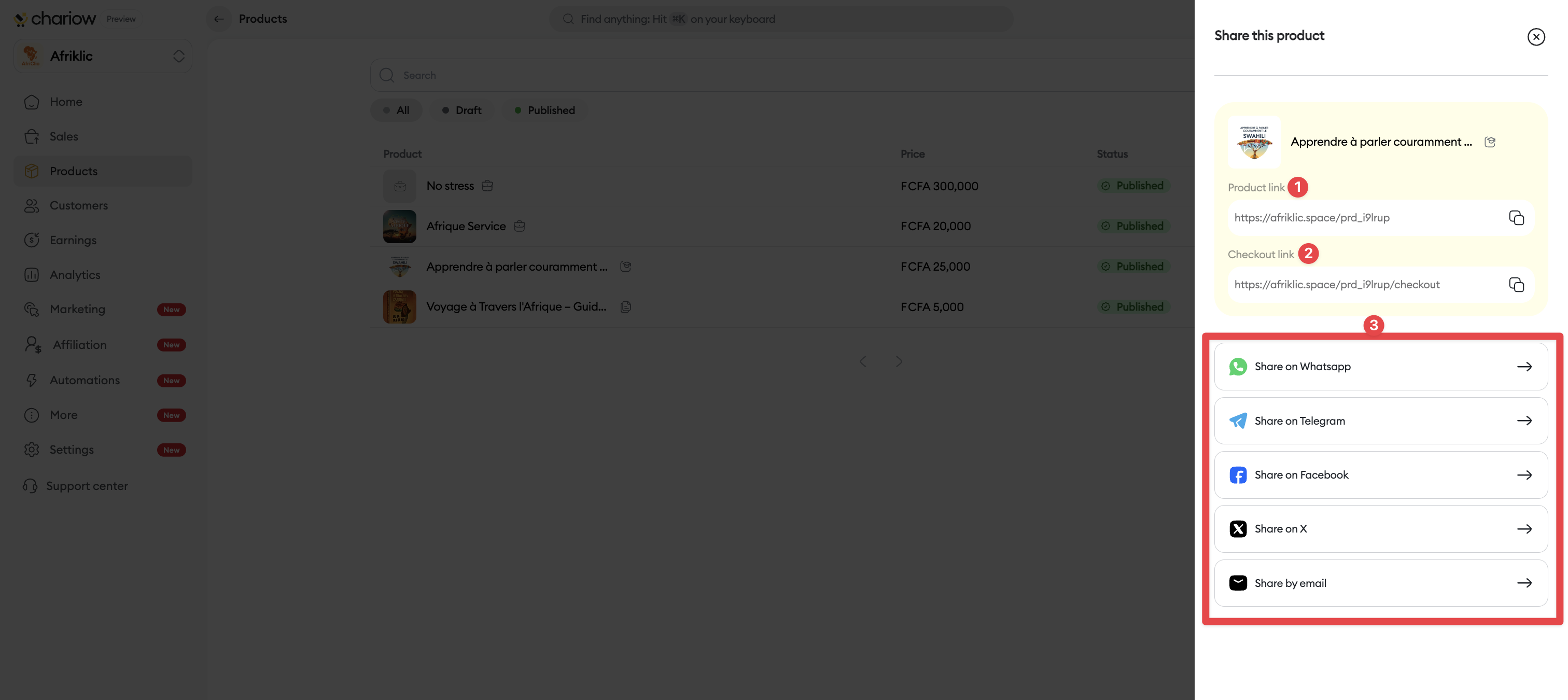
Quick direct links : You can copy in one click the Product link (1) (to display the presentation page) or the Payment link (2) (to send the customer straight to checkout).
Instant social sharing (3) : Click the icons at the bottom of the panel to instantly share on WhatsApp, Telegram, Facebook, X (Twitter) or by Email.
Creation of custom links : By clicking on the Link option in the details panel, a window lets you generate a specific URL associated with a Campaign, apply specific Billing or enable Direct access to payment.

Need help? Contact our support via chat or at [email protected]

