The Chariow customer portal is a centralized portal that brings together all the purchases you have made from any store using Chariow. To make things easier, you can access it without having to remember a complex password, using your email address or social accounts directly.
Go to the official customer portal at the following address: 👉 https://app.ateliat.com/
You will arrive at an interface displaying "Welcome to the customer portal".
You have several options for signing in.
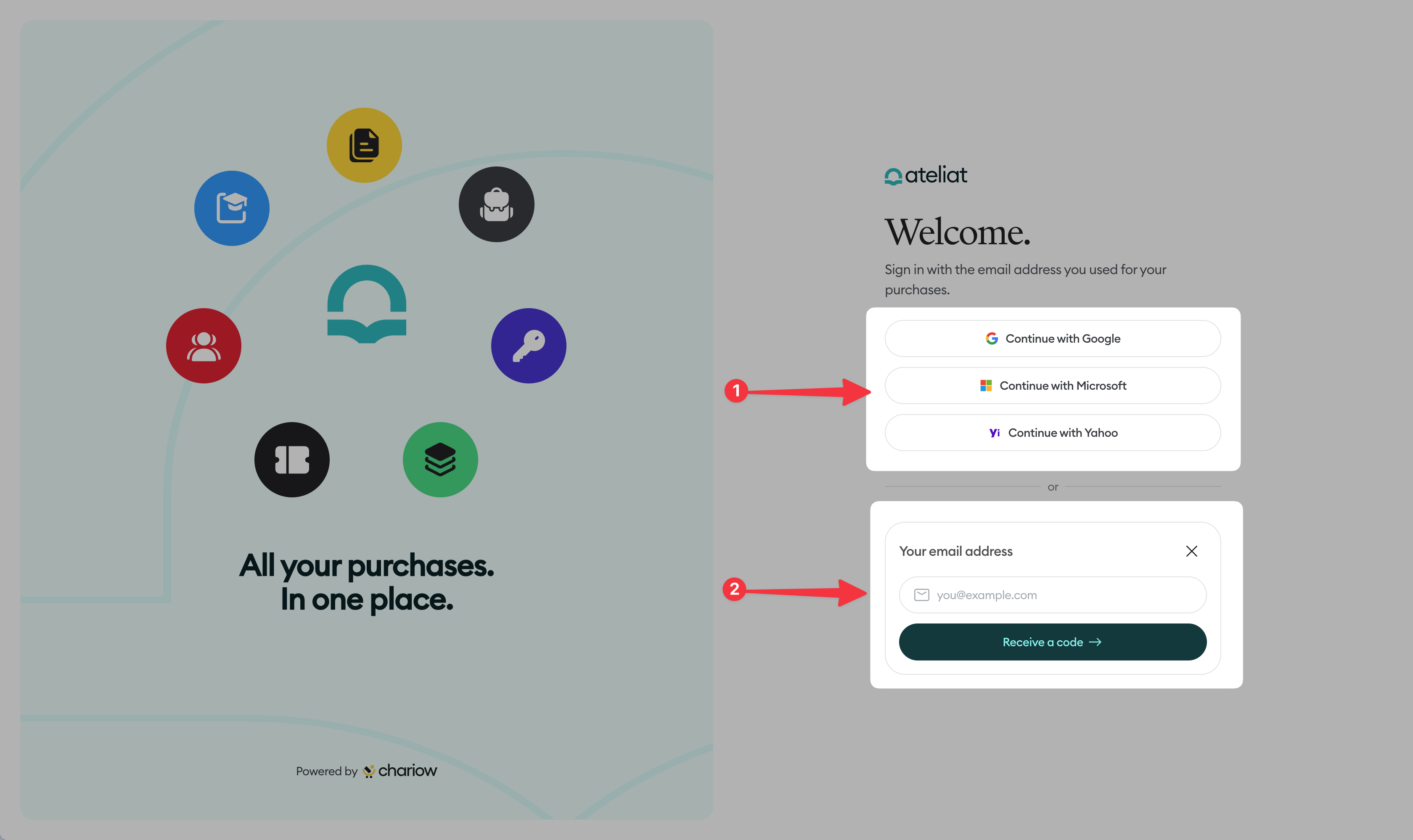
Sign in with a third-party account (Google, Microsoft, Yahoo): You can click the "Continue with..." buttons only if the email address on your account (Google, Microsoft, or Yahoo) is the same as the one you used when making your purchase.
Example: If you made your purchase using your Gmail address, click "Continue with Google".
Magic code login (Email): If you prefer not to use a third-party account:
Enter the email address you used when placing your order in the "Email address" field.
Click the yellow "Receive a code by email" button.
Check your inbox, copy the one-time code you received, and enter it on the page to verify access.

Once logged in, you will be redirected to your personal dashboard. There you can view a list of all your purchases, download your files, or access your training areas.
Unique identifier: Please make sure to use the exact email address entered during payment. This is what links you to your products.
No password required: Chariow uses a secure token-based authentication system. You never need to create or reset a password.
Delivery time: If you don't receive your login code by email within 2 minutes, remember to check your "Junk" (Spam) folder.
"Invalid code": Make sure you haven't added a space before or after the code when copying and pasting it.
Need help? Contact our support team via chat or at [email protected].