The Chariow customer space is a centralized portal that brings together all the purchases you've made on any store using Chariow. To make your experience easier, access is passwordless — no complex password to remember — you just use your email address or your social accounts.
Go to the official customer portal at the following address: 👉 https://portal.chariow.com/
You’ll arrive on an interface showing “Welcome to the customer space.”
You have several options to log in.
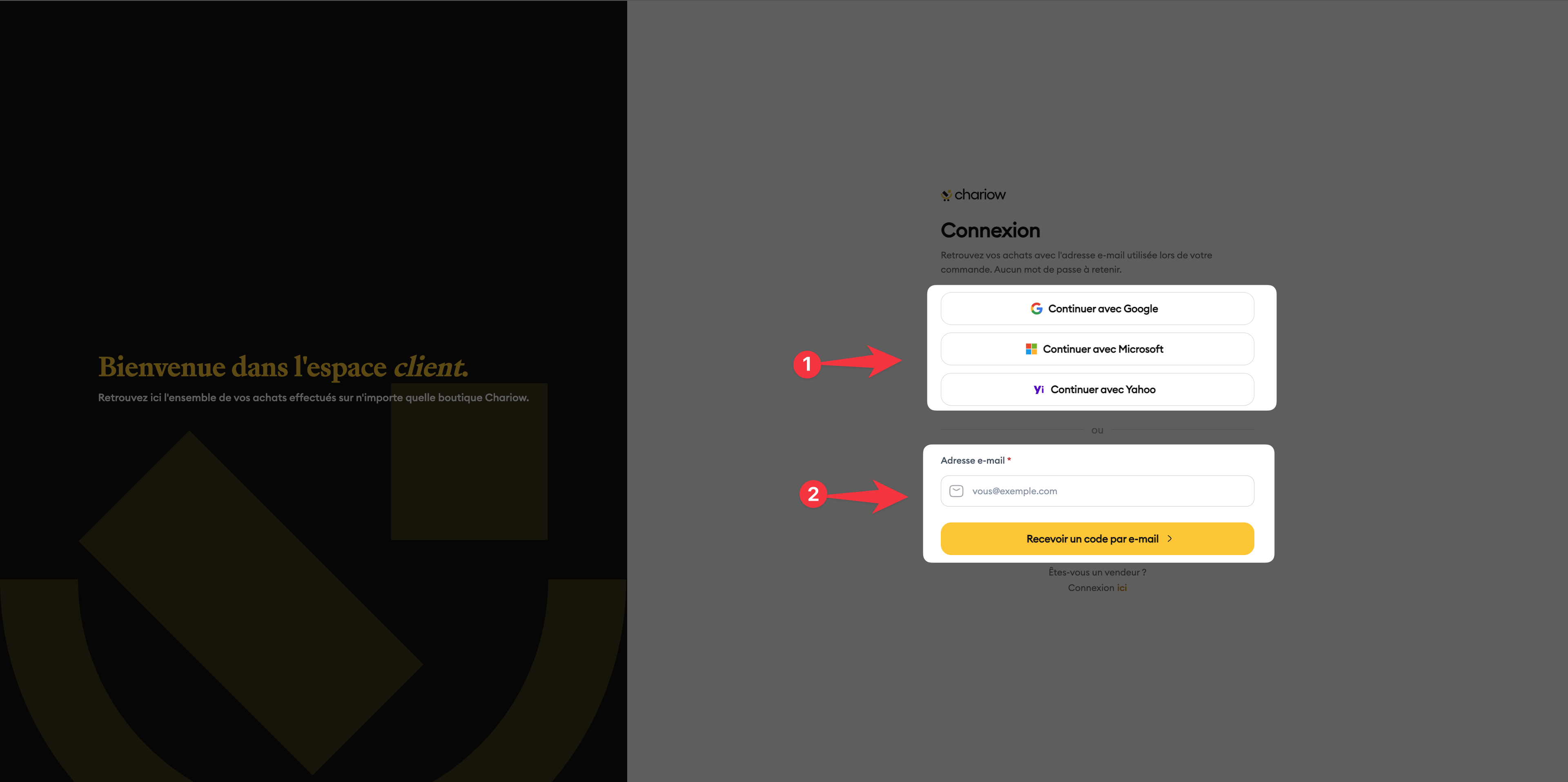
Login via a third-party account (Google, Microsoft, Yahoo): You can click on the "Continue with..." buttons only if the email address of your account (Google, Microsoft, or Yahoo) is the same as the one used when you made your purchase.
Example: If you made your purchase with your Gmail address, click on "Continue with Google".
Login with magic code (Email): If you’d rather not use a third-party account:
Enter the email address you used for your order in the "Email address" field.
Click on the yellow button "Receive a code by email".
Check your inbox, copy the one-time code you received, and enter it on the page to confirm access.

Once you’re logged in, you’ll be redirected to your personal dashboard. There you’ll see a list of all your purchases, download your files, or access your training spaces.
Unique ID: Make sure you use the exact email address you entered when you made your payment. That's what links you to your products.
No password required: Chariow uses a secure token-based authentication system. So you never need to create or reset a password.
Delivery time: If you don’t receive your login code by email within 2 minutes, remember to check your "Spam" or "Junk" folder.
"Invalid code": Make sure you didn’t add a space before or after the code when copying and pasting.
Need help? Contact our support via chat or at [email protected].

