Whether you're a consultant, trainer, or expert, Chariow lets you automate appointment scheduling. You set your time slots, the duration of your sessions, and the meeting mode (Video or In-person), and the platform takes care of the sales and the synchronization of your calendar.
(Recommended) Have a calendar (Apple Calendar, Zoho Calendar, etc.) ready for synchronization.
Have your videoconferencing or webinar tools integrated if needed.
Go to the "Products" tab located in your left sidebar menu.
Click the button to create a new product.
On the selection page, choose the "Coaching" card.
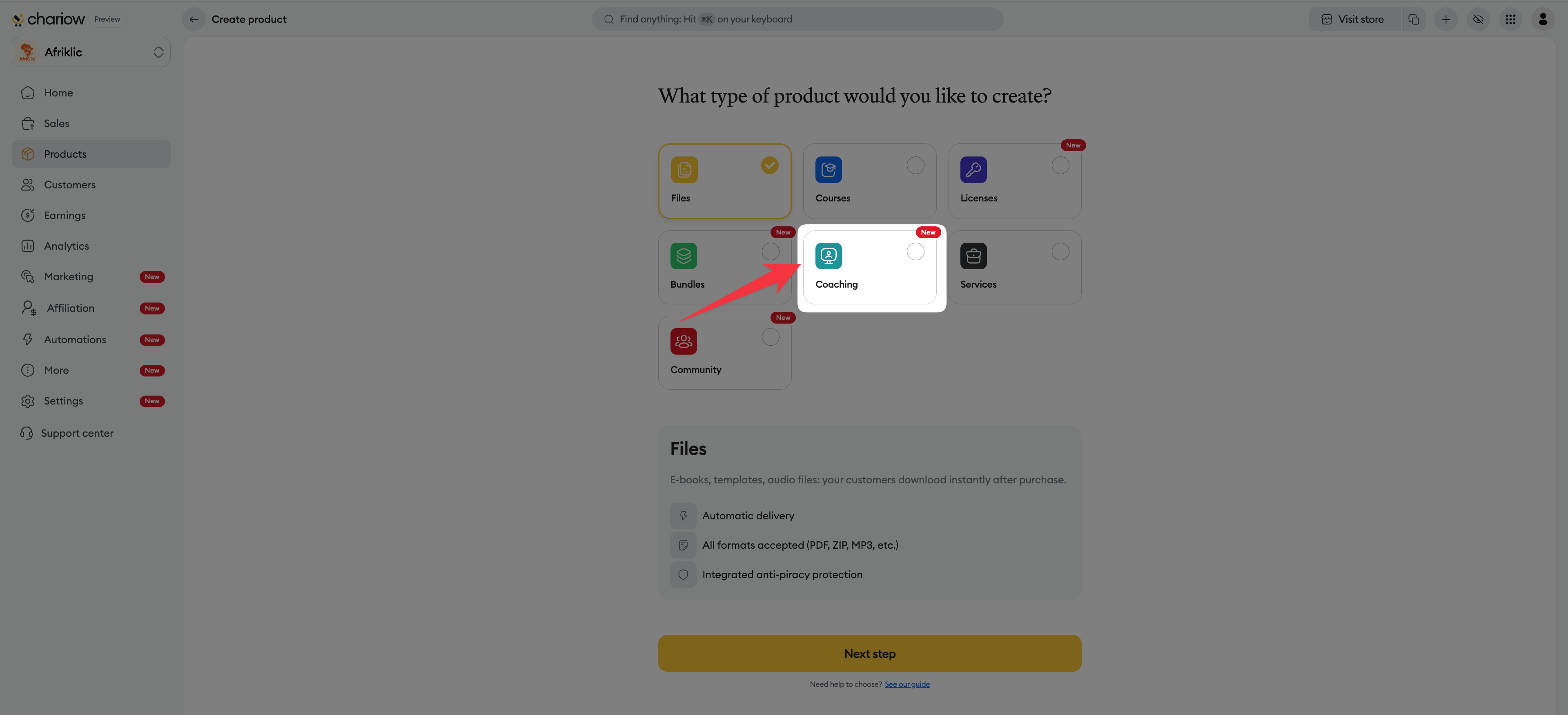
Click the "Continue" button.
Fill in the basic information to present your offer:
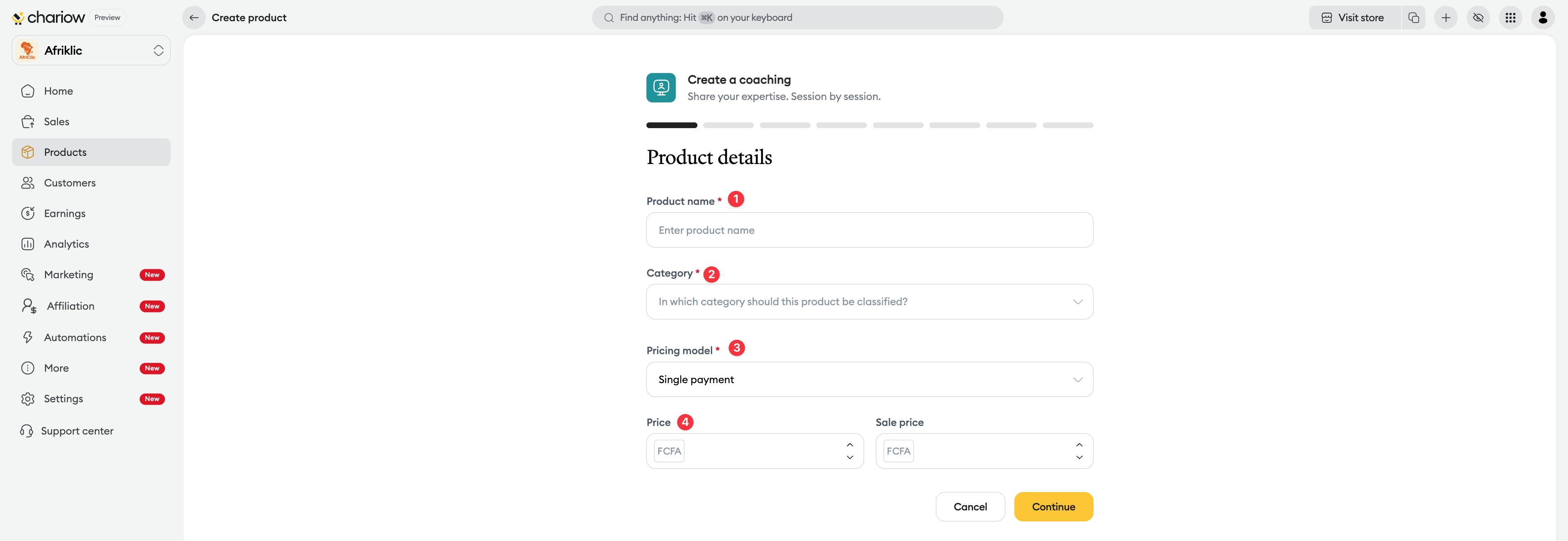
Product name: Give your session a clear title (e.g. Strategic Business Coaching).
Category: Choose the matching category to organize your shop.
Pricing model: Select your sales method (one-time payment, free, or pay-what-you-want).
Price: Enter the amount for the session. You can also add a "Promotional price" to show a discount.
This step structures how your appointments will run:
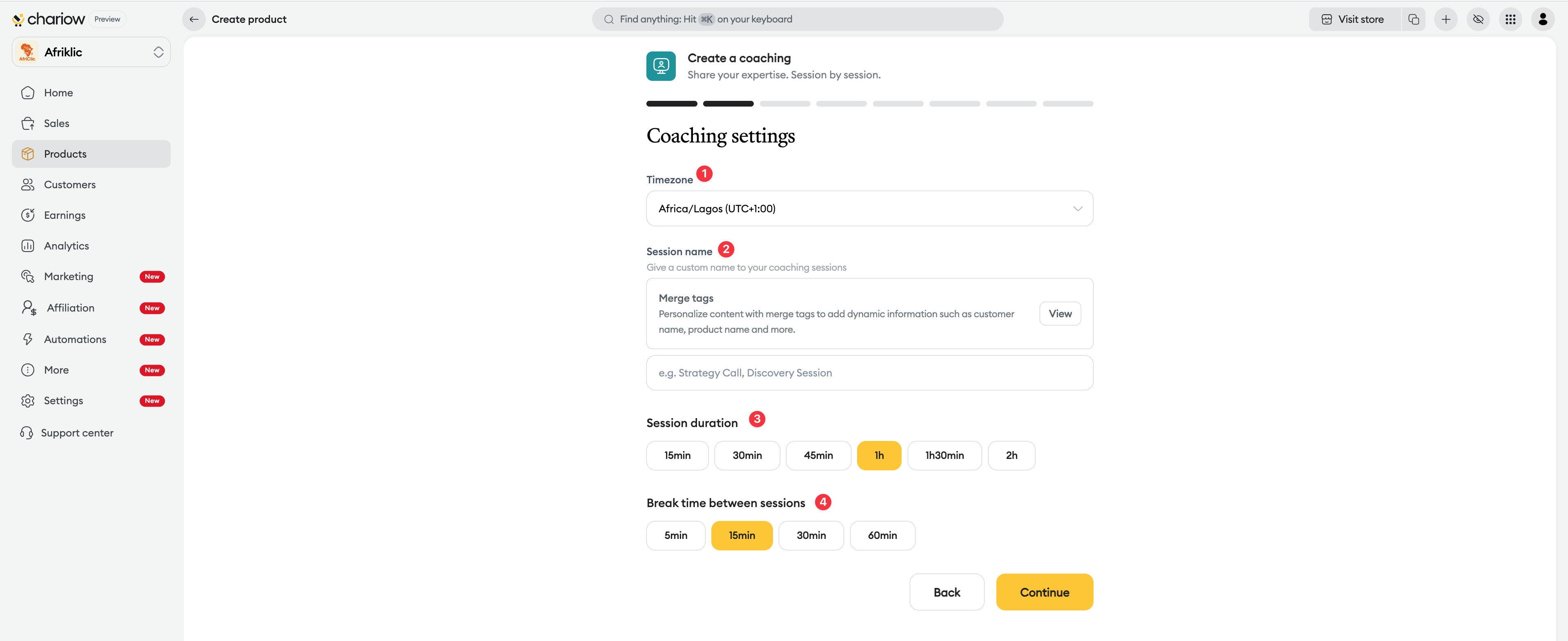
Time zone: Make sure your time zone is correct or adjust it to avoid mismatches.
Session name: Give a custom name to your coaching sessions (e.g. Strategy Call, Discovery Session). This name will be used in invitations and reminders.
Session duration: Choose from the available durations.
Break between sessions: Set a rest time so you don’t jump from one call to another without a break.
Decide when you’re ready to receive clients:
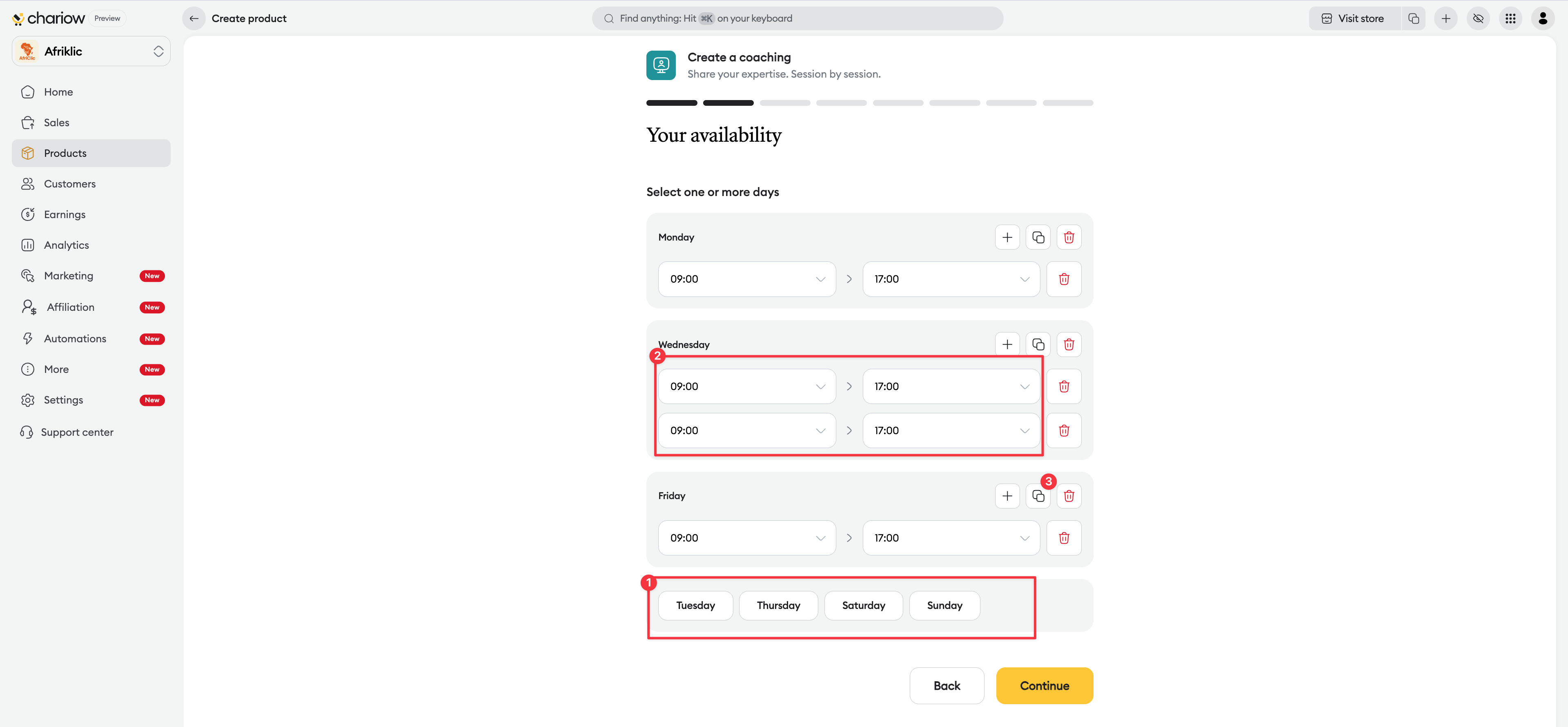
Select the days of the week.
Add time slots for each day.
Use the duplicate option to copy the schedule from one day to another and save time.
Choose your synchronization method:
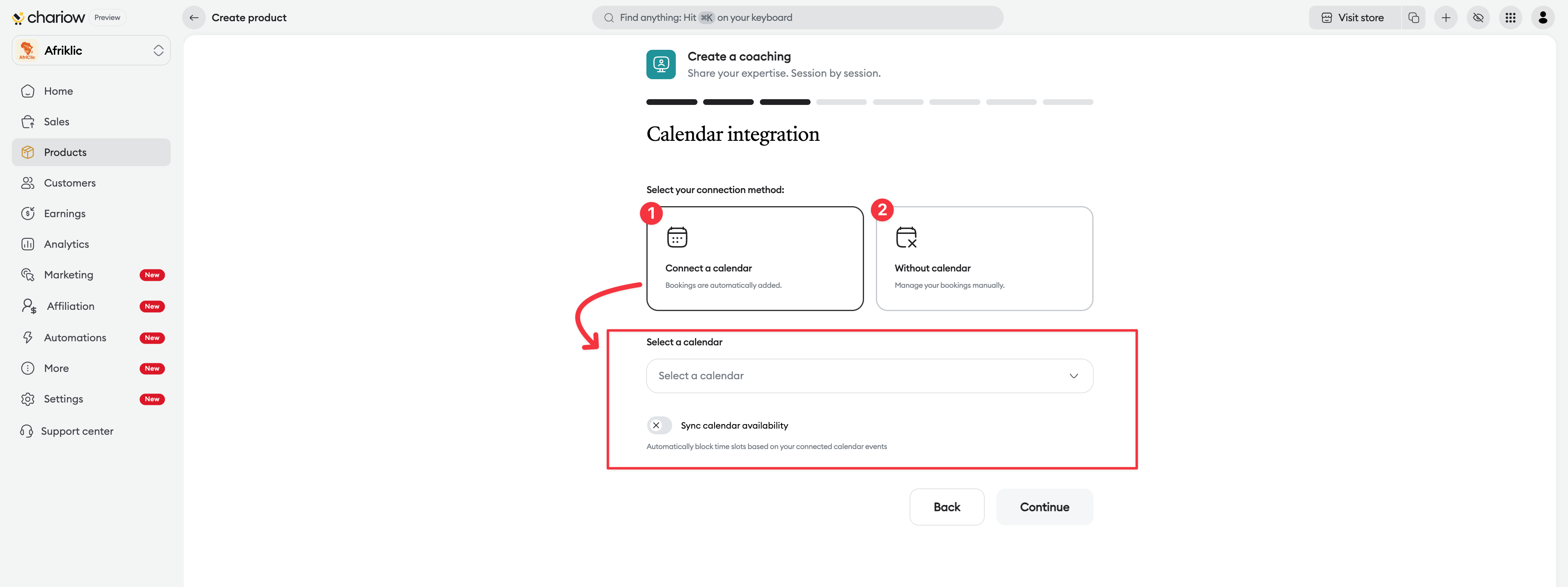
Connect a calendar: Select a calendar that was previously connected so that appointments are automatically added to your personal schedule.
No calendar: Manage your bookings manually after purchase.
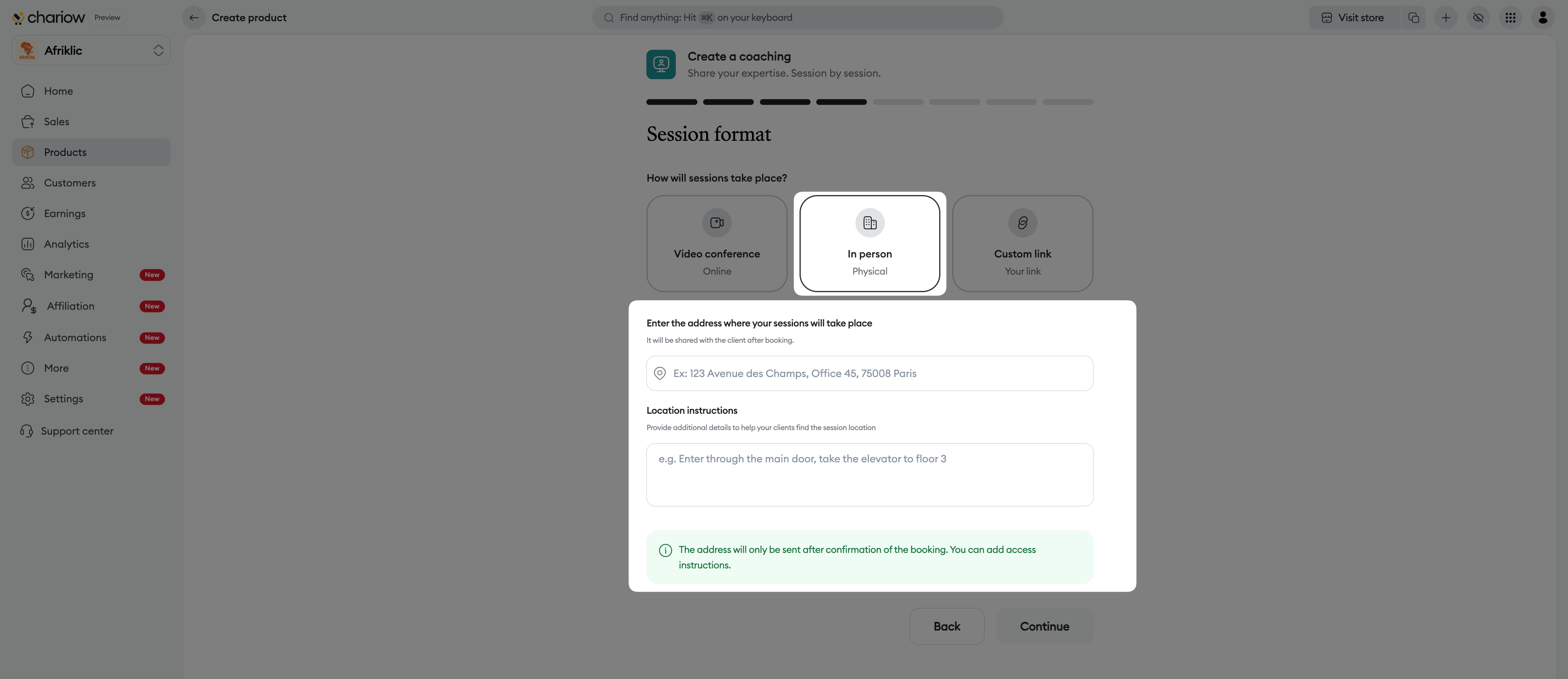
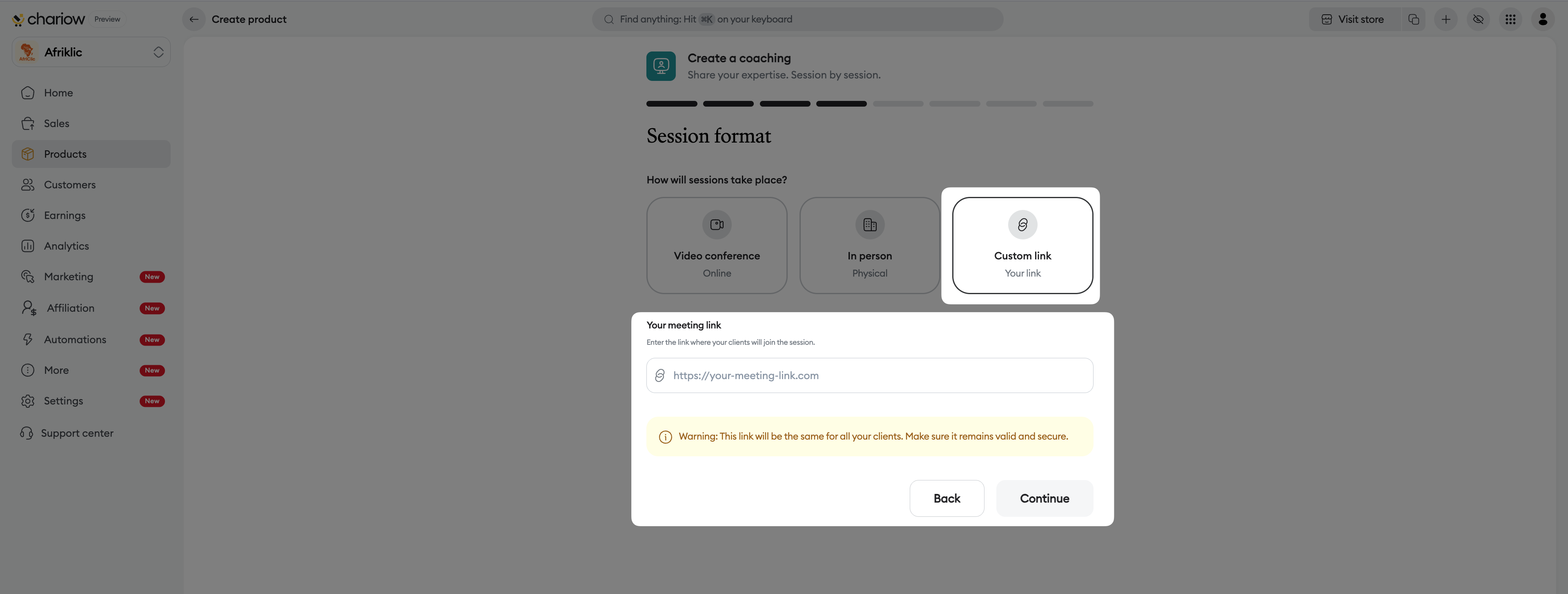
Set how the meeting will take place:
Video call: Connect a service to generate unique meeting links.
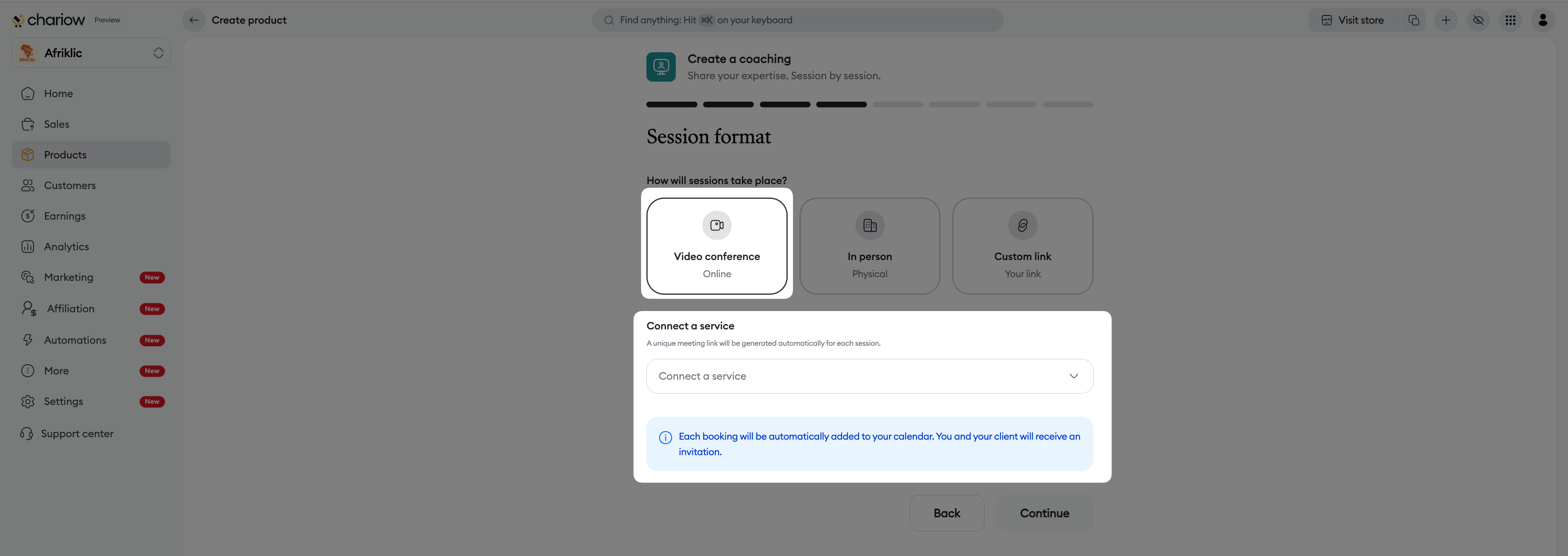
In person: Enter the physical address and access instructions (floor, code, etc.).
Custom link: Insert your own permanent link (Zoom, Google Meet, etc.).
This is where you convince your client to book their session:
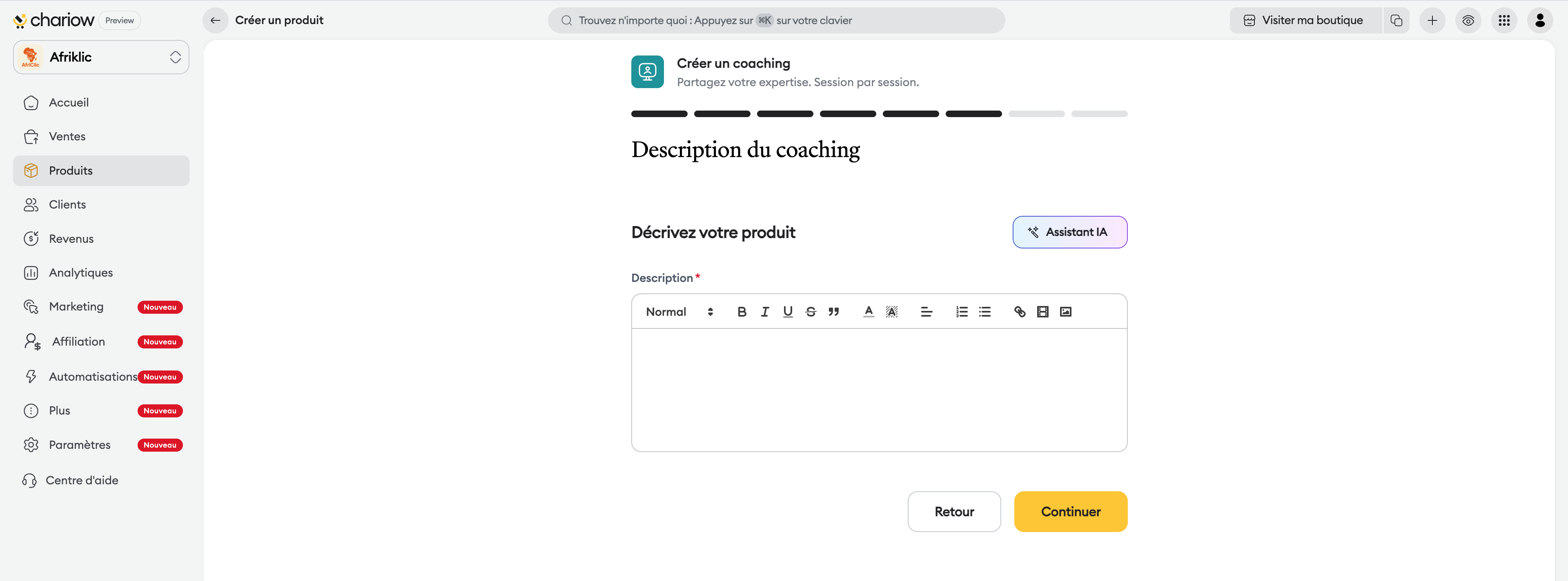
Description : Detail your coaching program, the expected benefits, and who it’s for.
Formatting : Use bold text and bullet points to make the text easy to read.
AI assistant : You can ask for help from artificial intelligence to generate an effective sales text.
Add visual elements to attract your customers:
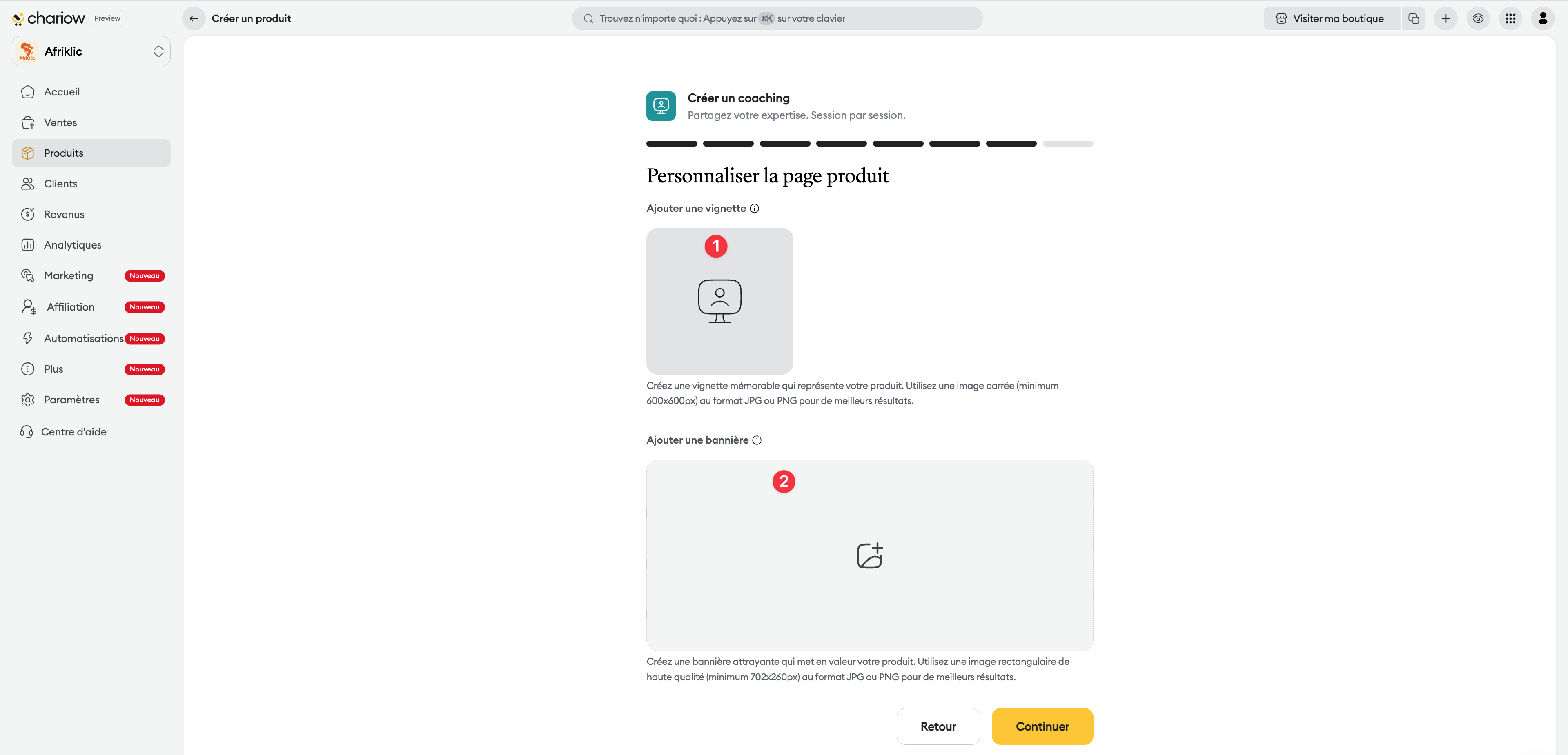
Thumbnail : A square representative image in JPG or PNG format. It will appear in your product catalog.
Banner : A high-quality rectangular image that will be displayed at the top of your sales page.
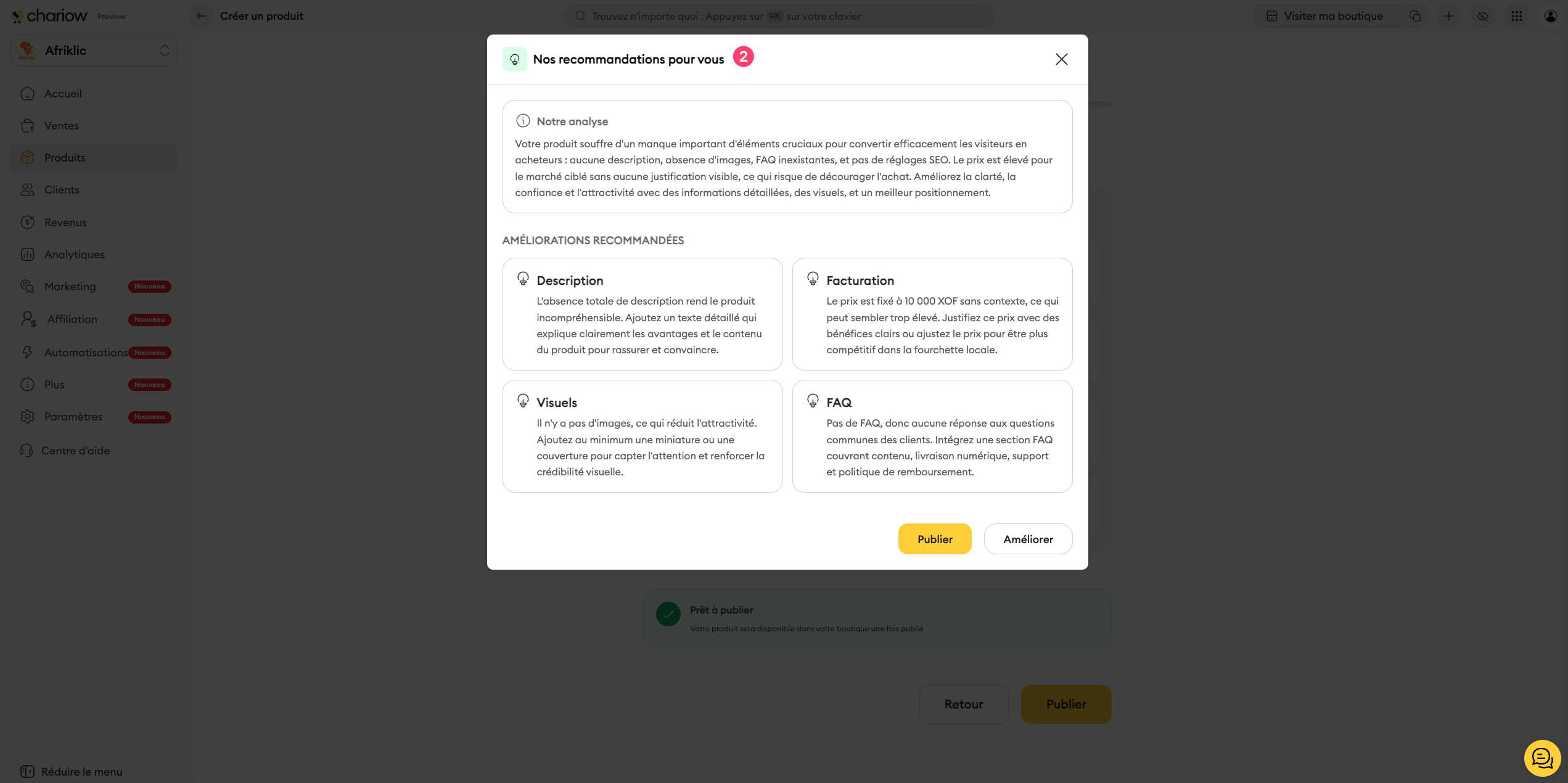
Before the final publication, Chariow analyzes your setup:
Product summary: Validate the key information (name, category, price).
AI analysis: The system displays personalized recommendations about your visuals, your SEO, your FAQ, or your pricing strategy.
Immediate action: Click on "Improve" to apply the AI feedback, or on "Publish" to put the product online immediately.
Use merge tags: In the session name, use tags to automatically include the client's name in the invitation.
Smart synchronization: If you connect a calendar, Chariow will check your existing unavailabilities to avoid double bookings.
Wrong time zone: This is the main cause of missed appointments. Always double-check this setting.
No break: Not planning any break can make your schedule too packed and affect the quality of your sessions.
Need help? Contact our support via chat or at [email protected].

