All your digital products (E-books, training courses, software, services) are centralized on a single platform. To access them, simply go to the customer portal.
To access your personal account and find your content, follow these steps:
Go to: https://app.ateliat.com/
Use the email address provided when you made your purchase.
Once logged in, you will be taken directly to your dashboard (“Home”).
From your dashboard, you can quickly view your content:
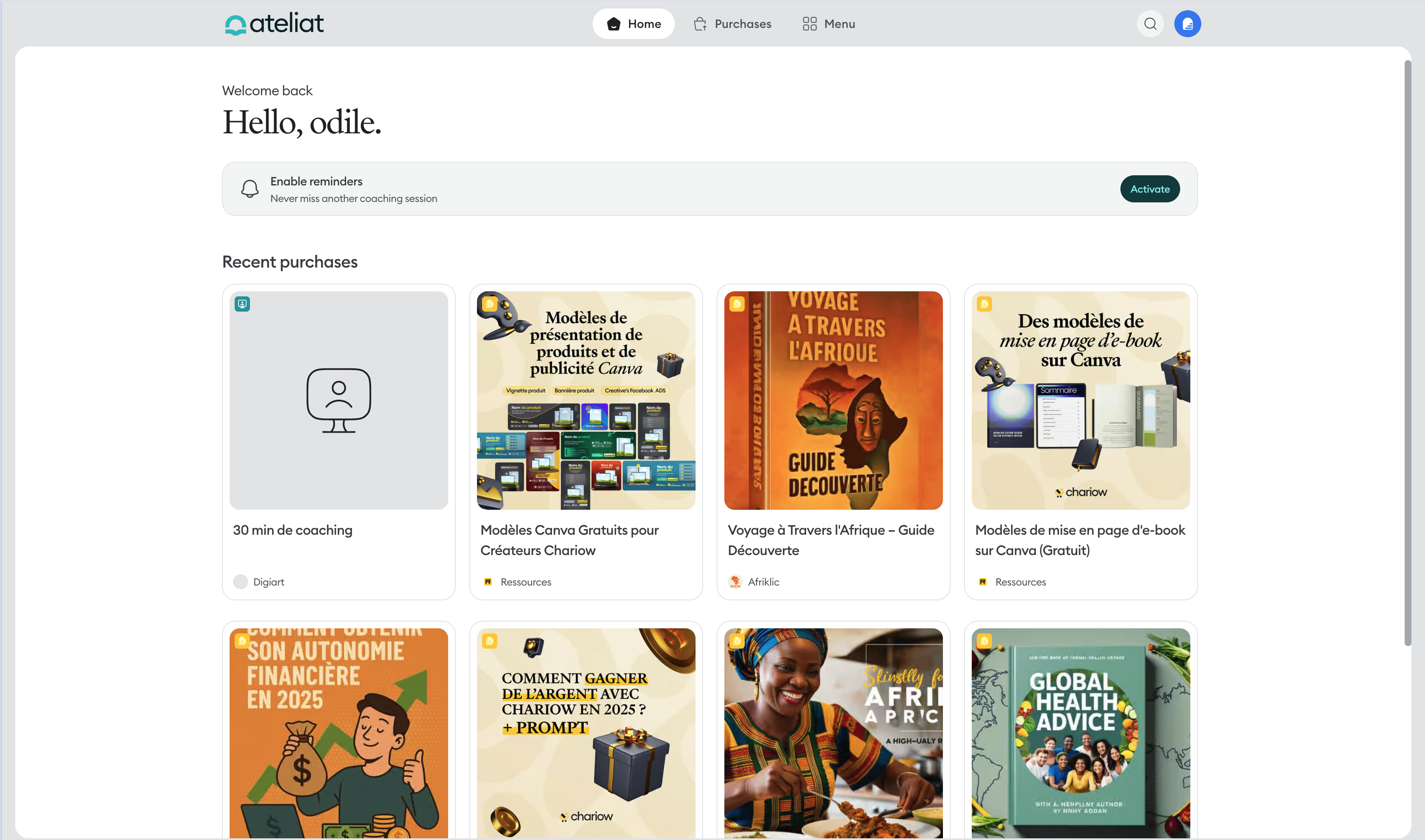
Identify your recent purchases : Browse the list or use the search bar in the upper-right corner to filter your content.
Access the product : Click the product to access its full content.
To view the complete list of your purchases and get more information about your orders:
Click the "Purchases" tab in the top menu (shopping cart icon).
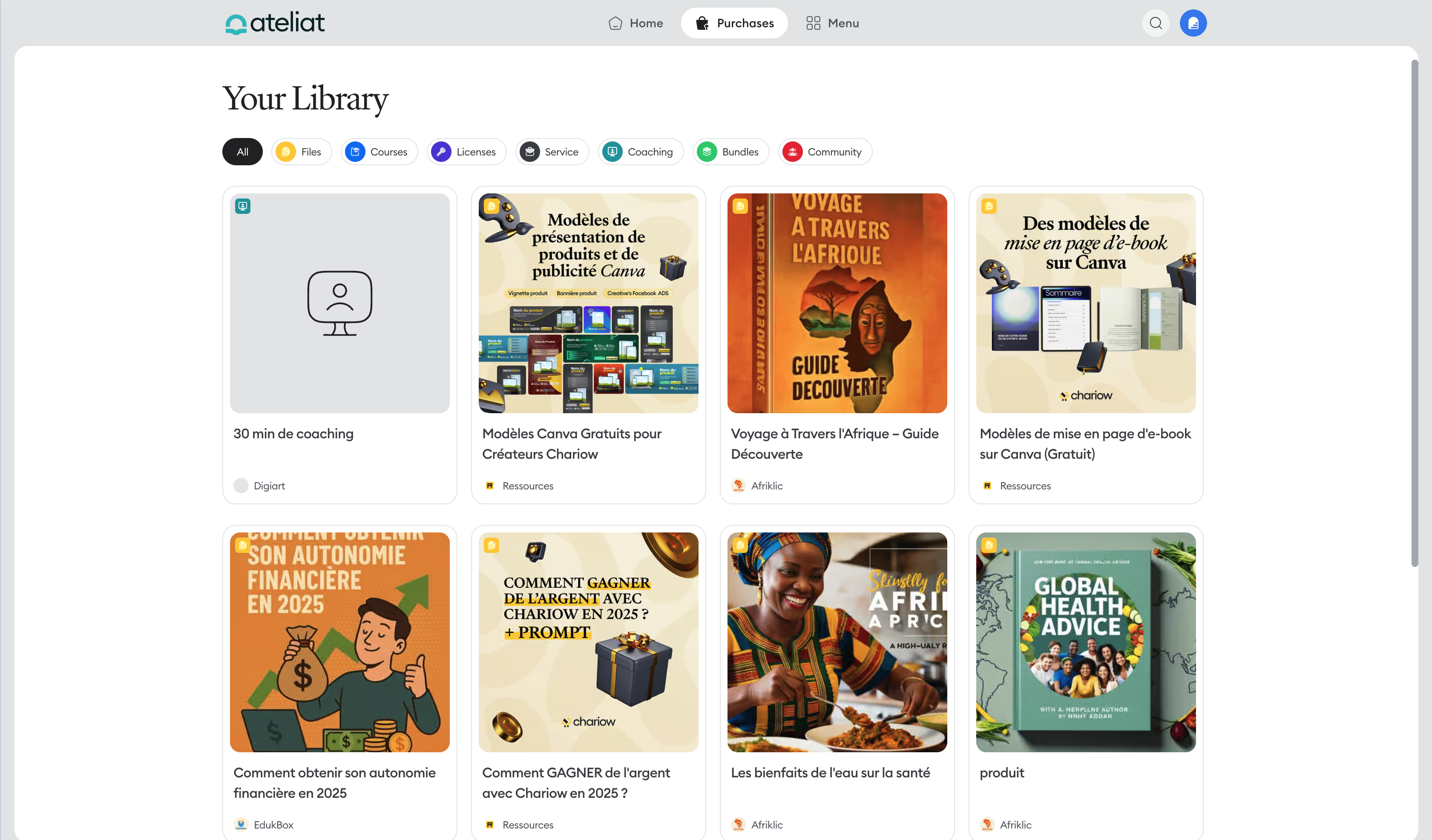
When you select a product, you can access the following details:
Product content
Store
Payment details
Exact purchase date
Instructions (if the seller added any)
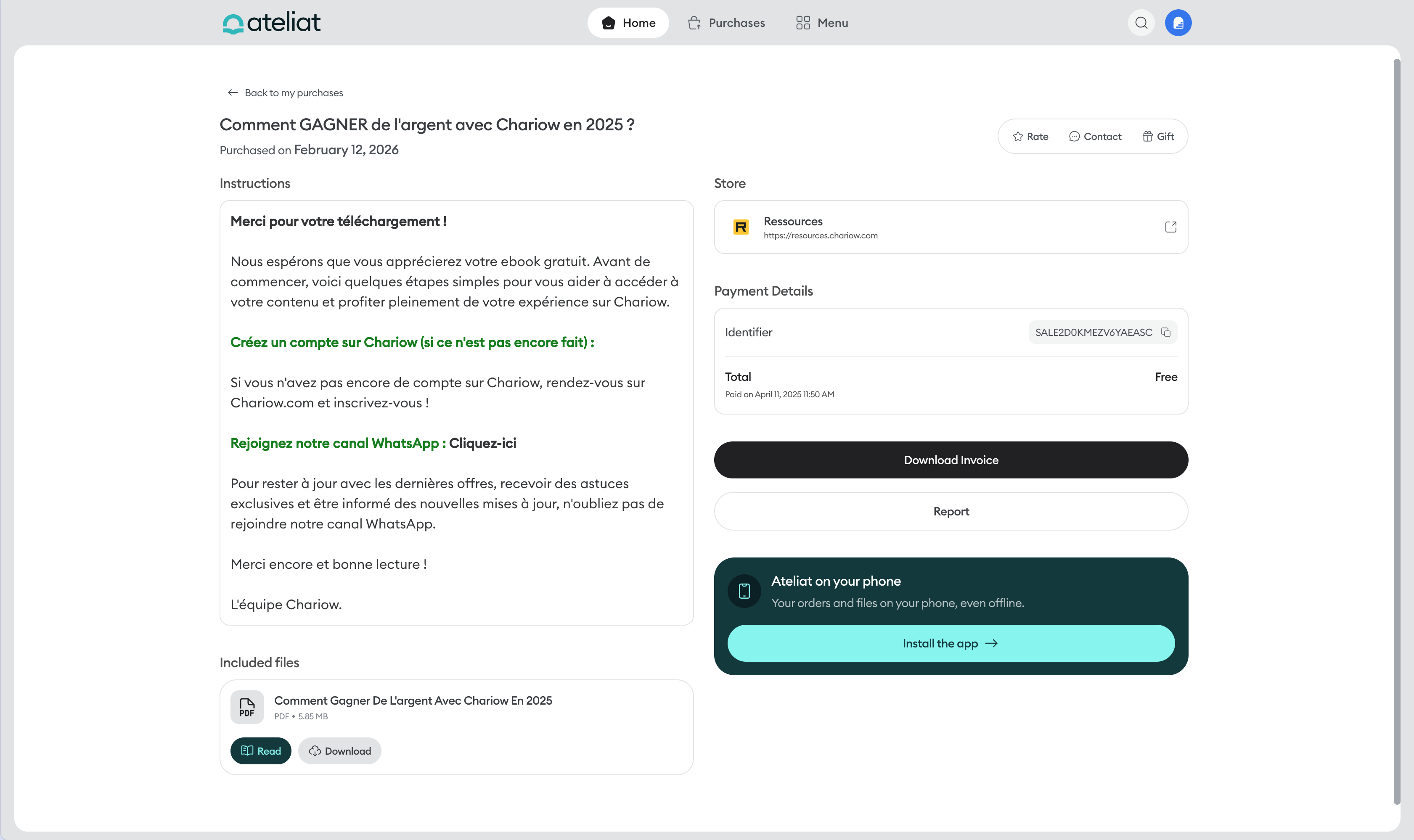
From a product’s detailed page, you have several options:
Download the invoice: Click the "Download invoice" button to retrieve your proof of purchase.
Report: Notify the Chariow team if you encounter a problem with the product.
Rate: Leave a review of the product.
Contact: Send a message directly to the seller.
Gift: Purchase the product as a gift for someone else.
The "Menu" tab brings together your account settings and additional resources:
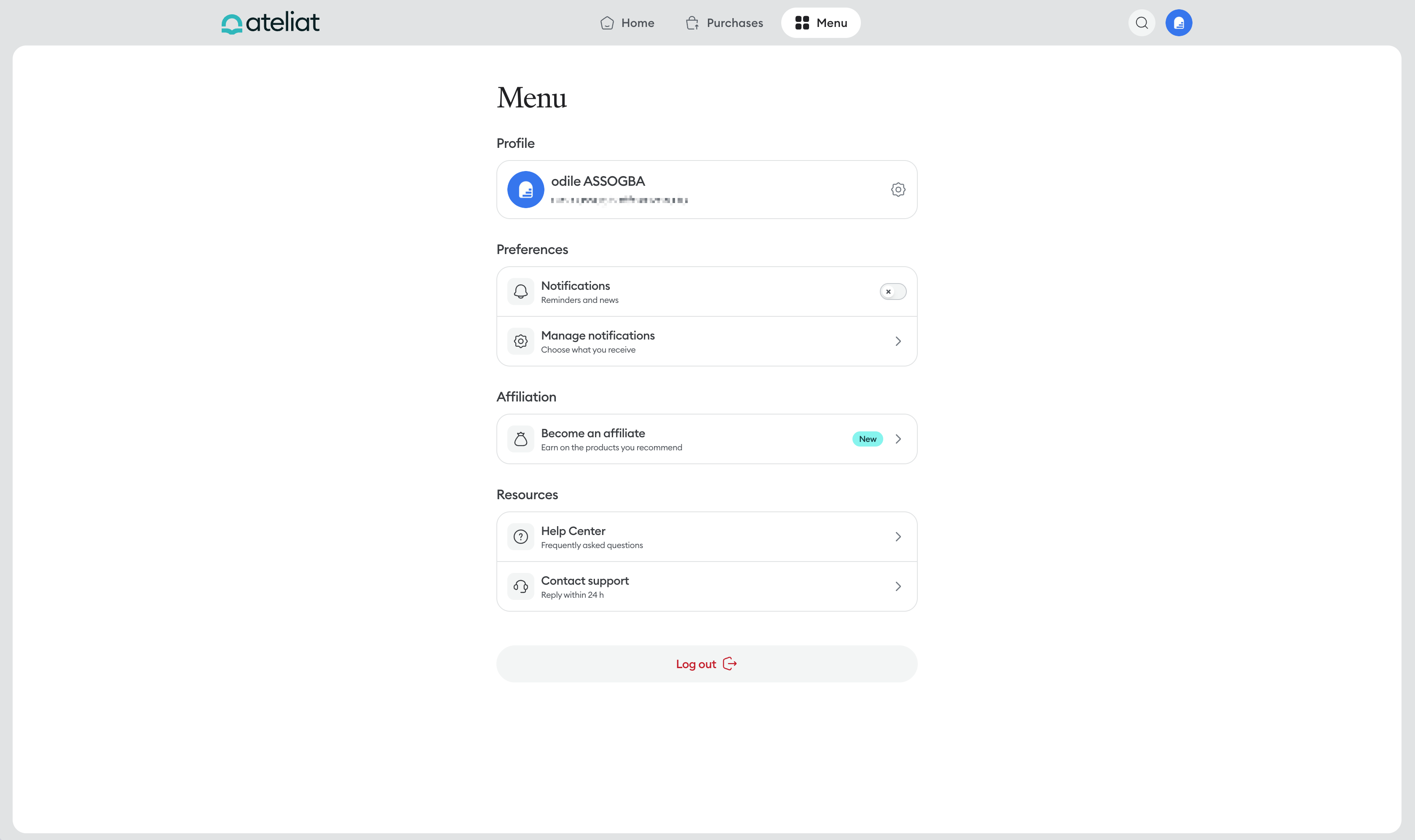
Profile
Displays your account information (last name, first name, and email address).
Provides access to your profile management settings.
Preferences
Notifications: Enable or disable reminders and updates.
Manage notifications: Customize the types of messages and notifications you want to receive.
Affiliate program
Become an affiliate: Recommend products and earn commissions on sales.
Resources
Help center: Access the FAQ and user guides.
Contact support: Send a request directly to our support team (response within 24 hours).
Log out
Use the "Log out" button at the bottom of the page to end your session securely.
Incorrect email address: If you don't see your purchases after logging in, check that you used the email address entered when placing your order.
Access email not received: Remember to check your junk or spam folder.
Accessing the help center: You can access the help center at any time from the app menu or at https://help.chariow.com/fr.
Our help center is available at every step. If you can't find the answer you're looking for, our support team is available via chat or at [email protected].