

All your digital products (E-books, courses, software, services) are centralized on a single platform. To access it, just go to the portal dedicated to customers.
How to log in?
Go to: https://portal.chariow.com/
Use the email address you provided when making your purchase.
Once logged in, you’ll land directly on your dashboard.
Steps to retrieve a product:
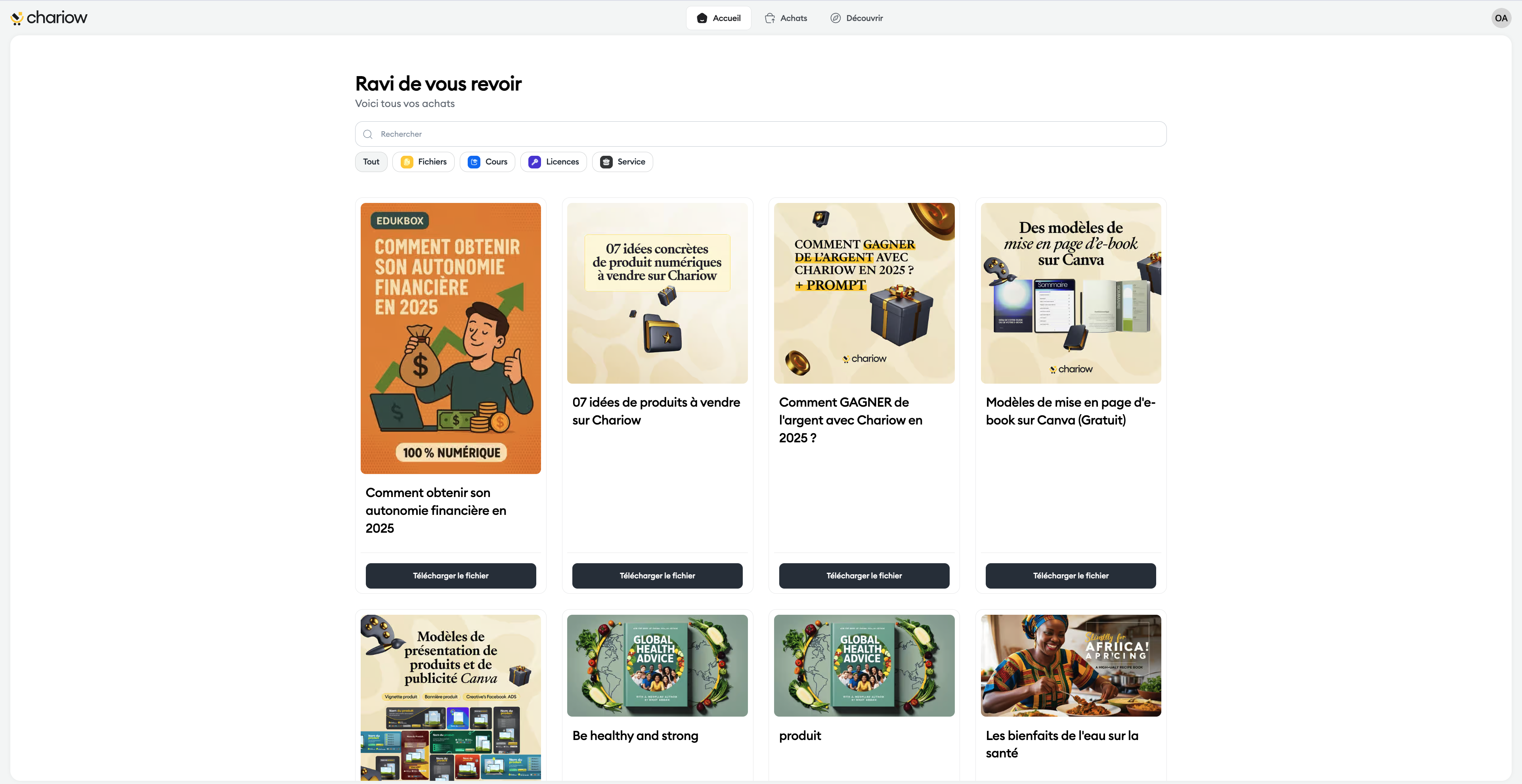
Identify the product : Browse the list or use the "Search" bar to filter your content.
Filter by type : Use the quick buttons ("Files", "Courses", "Licenses", "Service") to show only a specific category.
Access the product : Click the black button located directly under the product's cover image to access the product content.
Purchase History and Details
If you need to view the full history of your transactions or find the date of an order:
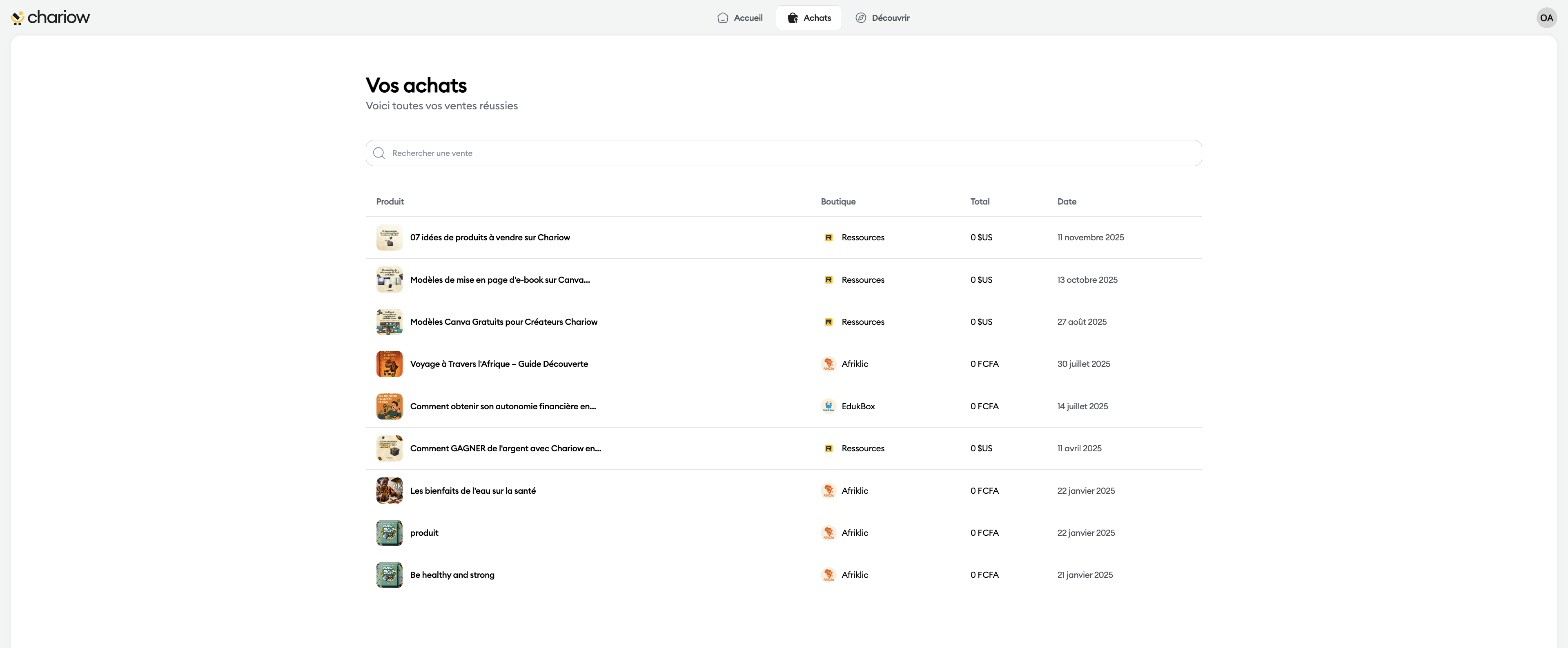
Click on the "Purchases" tab in the top menu (cart icon).
There you’ll find a detailed list including:
The name of the Product.
The Shop (the creator’s name).
The Total paid.
The exact Date of the transaction.
Discover new content
The "Discover" tab is a personalized space. It suggests a selection of products available in the shops of creators you’ve already bought from.
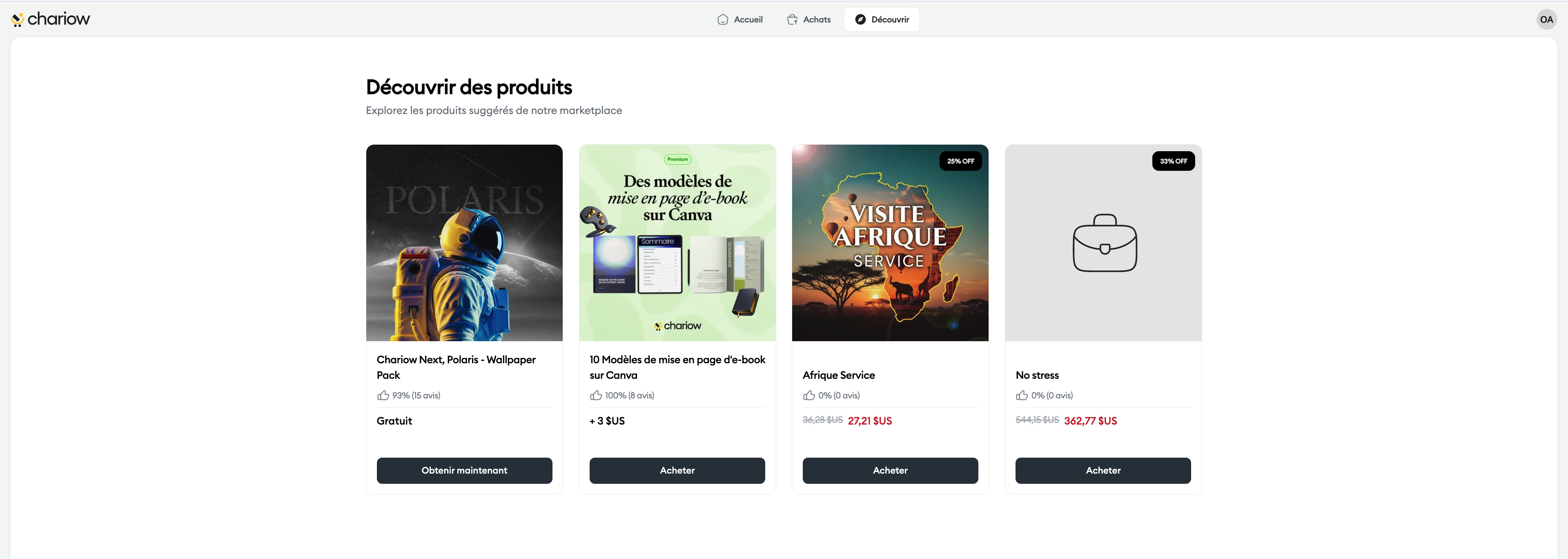
It’s the perfect place to:
Find additions to your current training.
Take advantage of promotions or free products offered by your favorite creators.
A specific need?
Our help center is available at every step. If you can’t find your answer, our support team is there for you via chat or at [email protected].