Chariow's Telegram bot lets you receive instant updates from your store (sales alerts, daily summaries) directly on your phone. It's the perfect tool to track your activity in real time.
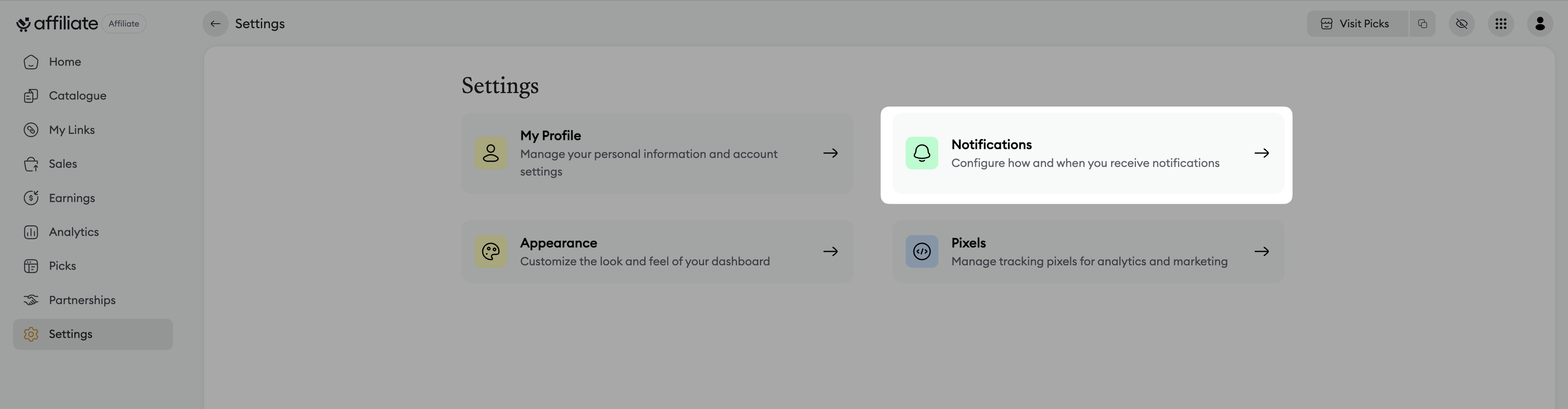
From your dashboard, click on Settings in the side menu.
Select the Notifications tab under Communication.
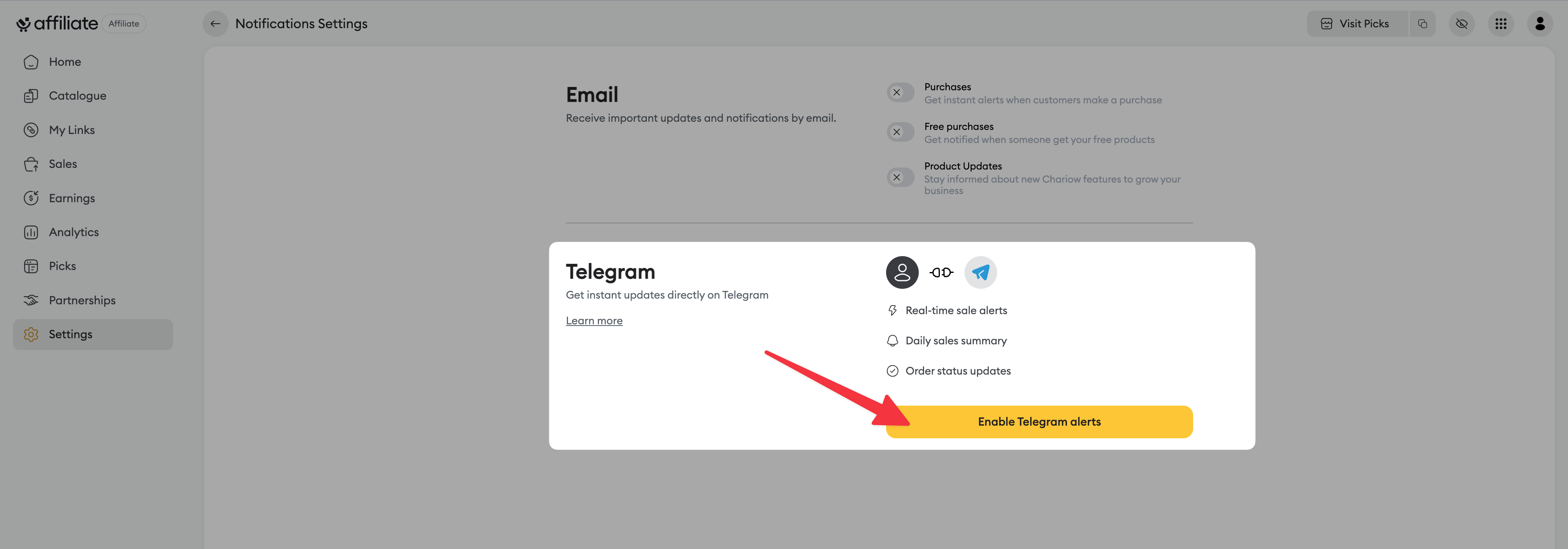
In the Telegram section, click the Enable Telegram alerts button.
After clicking the activation button, a window will open to offer you different connection methods.
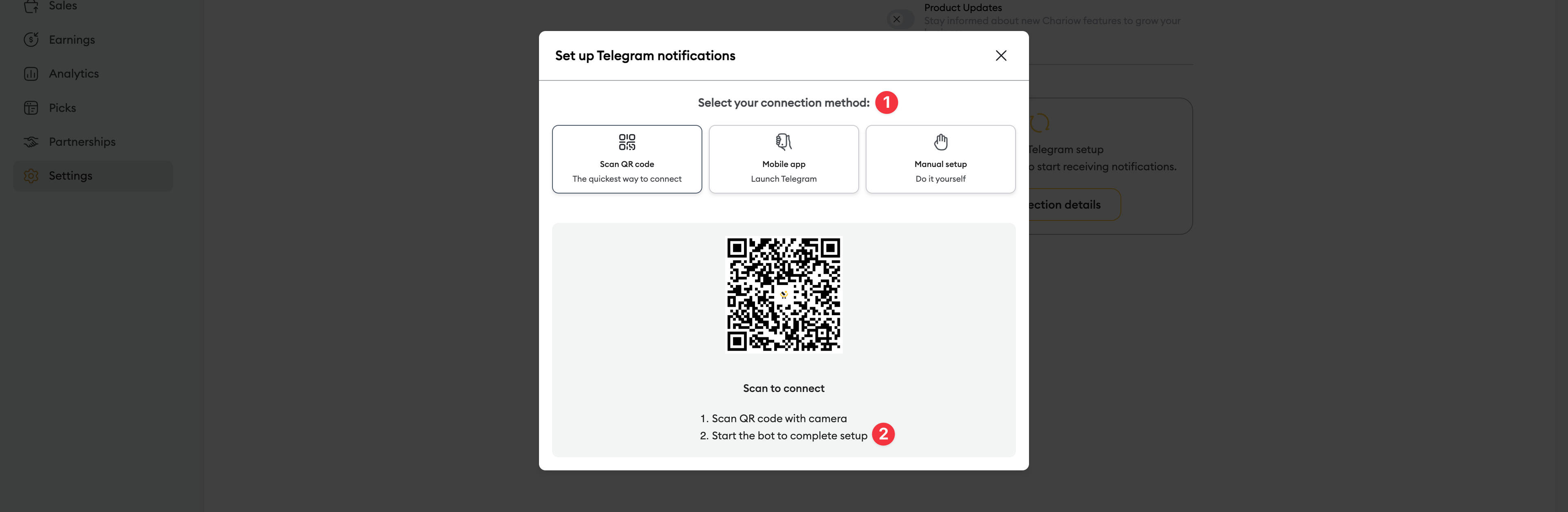
Choose your method (1): You have three options to connect to the bot:
Scan the QR code (Fastest method): Use your phone's camera to scan the code shown on the screen.
Mobile app: Click this button to open the Telegram app on your device directly.
Manual setup: Use this option if you want to connect by entering the information manually.
Start the bot (2): Once the QR code is scanned or the app is opened, you'll be redirected to Chariow's Telegram bot. Click Démarrer or Start to finish the setup.
As soon as the bot is started, you’ll start receiving notifications for the alerts you’ve enabled.
In the Telegram section of your notification settings, you can choose the type of alerts you want to receive:
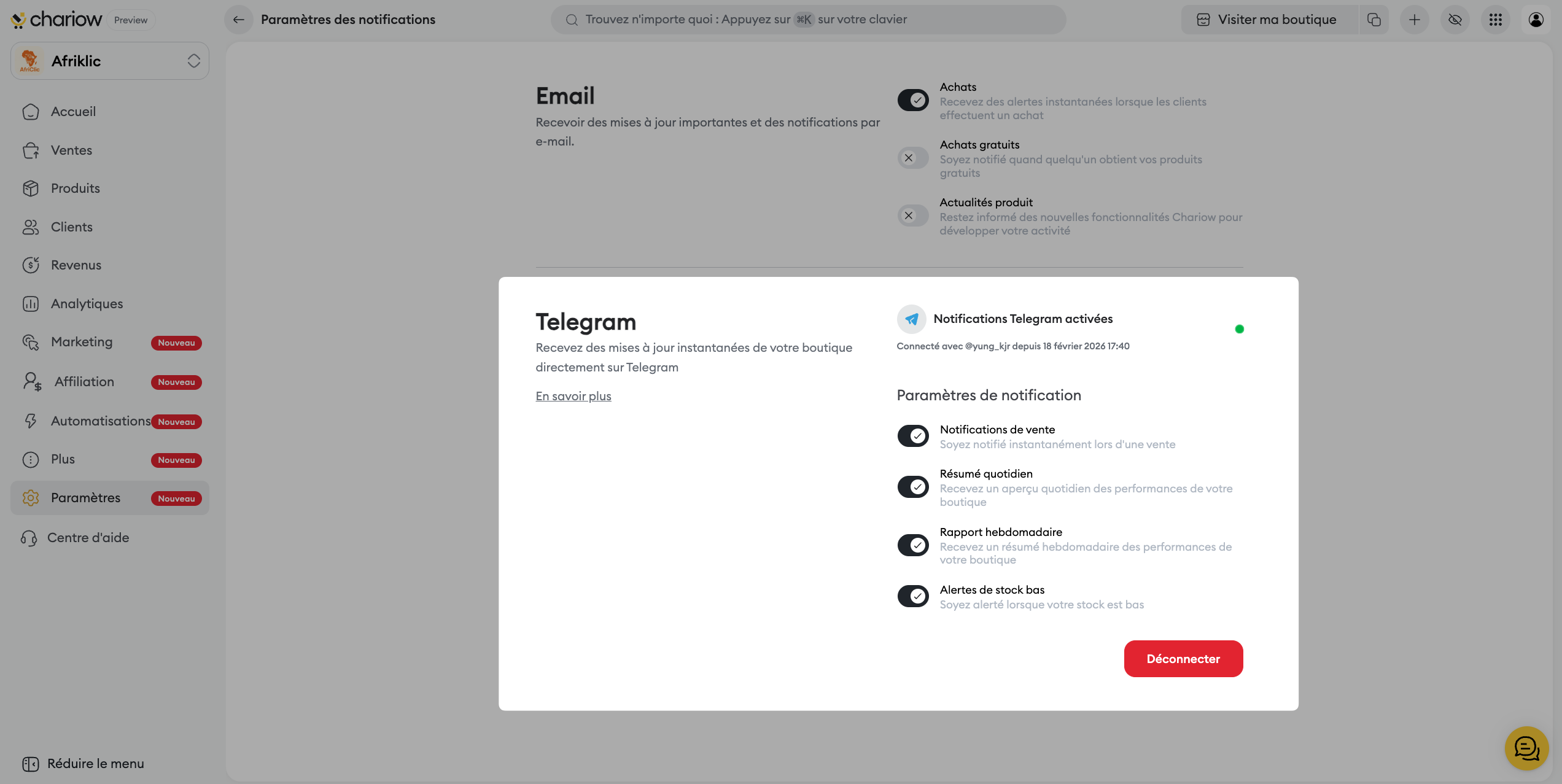
Real-time sales alerts.
Daily sales summaries.
Updates on purchases.
You can turn these options on and off at any time.
Need help? Contact our support via chat or at [email protected]

