

Managing your notifications lets you stay informed in real time about important events in your store. You can choose which alerts you receive directly by email.
Step 1: Go to notification settings
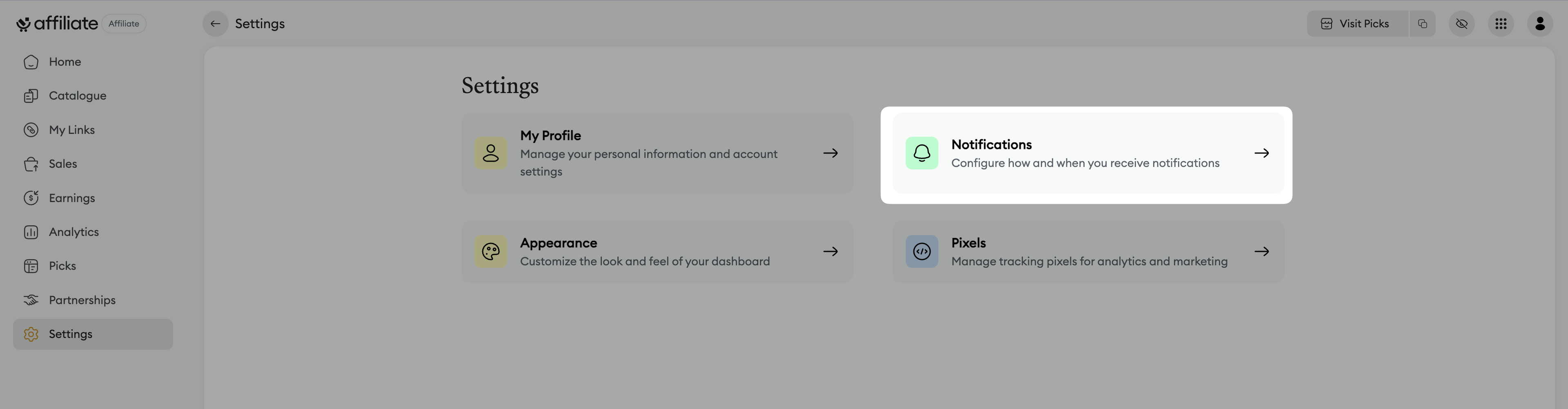
From your dashboard, click on Settings in the side menu.
Select the Notifications tab.
Step 2: Set up email alerts
In the Email section, you can control which notifications you receive. Just click on the (X) to turn an alert off, or click in the corresponding spot to turn it on.
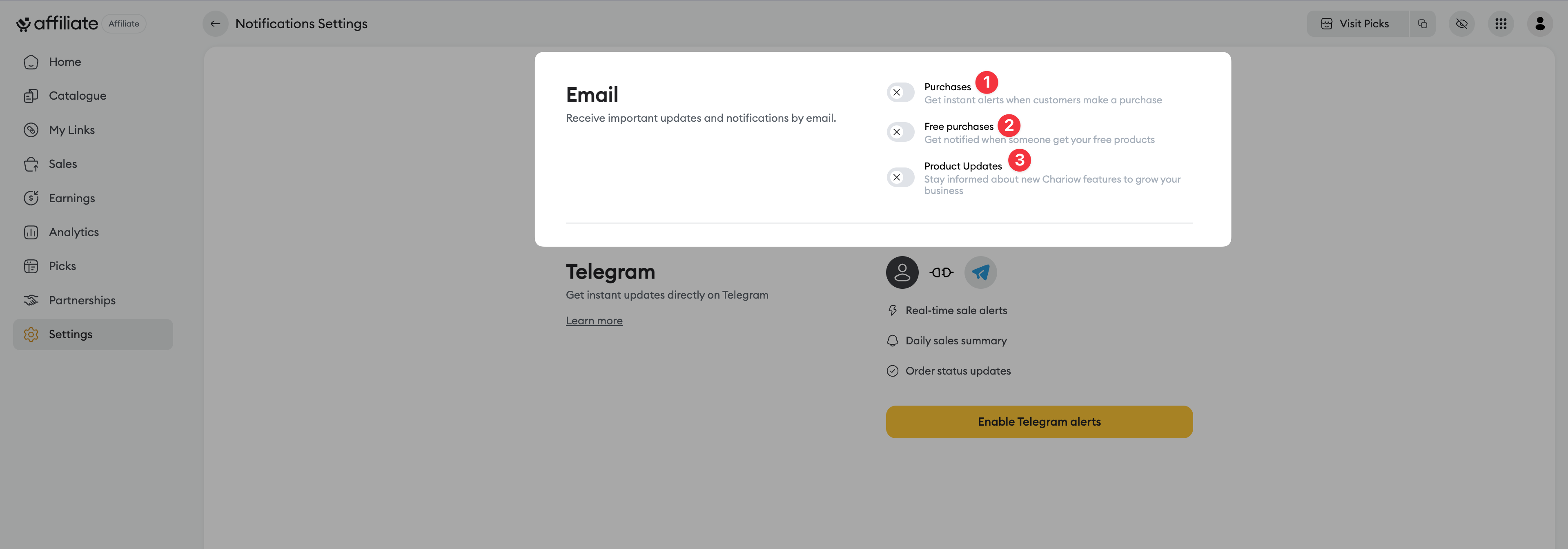
Purchases (1) : Turn this option on to get instant alerts every time a customer makes a paid purchase. This lets you track your revenue in real time.
Free purchases (2) : Turn this option on to be notified when a customer gets a product for free (for example, via a promo coupon or as a lead magnet product).
Product updates (3) : Turn this option on to receive information about new Chariow features.
Once you’ve selected the notifications you want, your choices are saved automatically.
If you want to receive real-time alerts for other events (like real-time sales alerts or daily summaries), you can also set up Telegram notifications on this same page. Check out this article to do it: link
Need help? Contact our support via chat or at [email protected]