

To guarantee the security and consistency of your data, the management of your personal profile, including your password and contact information, is centralized.
When you want to edit this information from your Chariow dashboard, you’re automatically redirected to your Axa Zara account : https://account.axazara.com/profile.
Step 1: Go to profile management
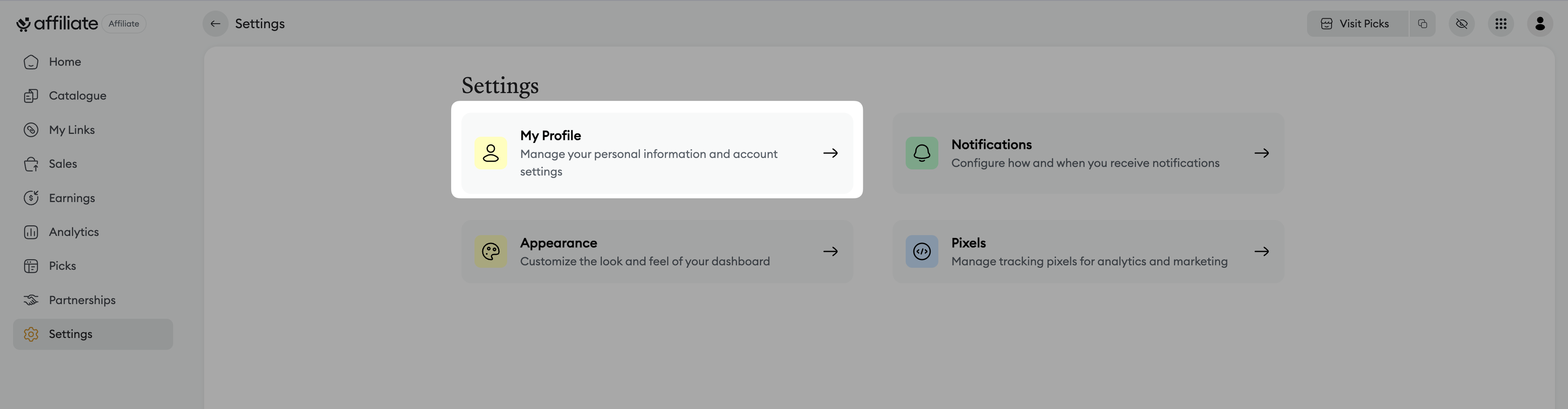
From your Affiliate dashboard, go to Settings.
Click on My Profile.
You’ll be redirected to the Profile page of your Axa Zara account.
Step 2: Update your basic information
Once you’re on your Axa Zara account page, you can change several pieces of information:
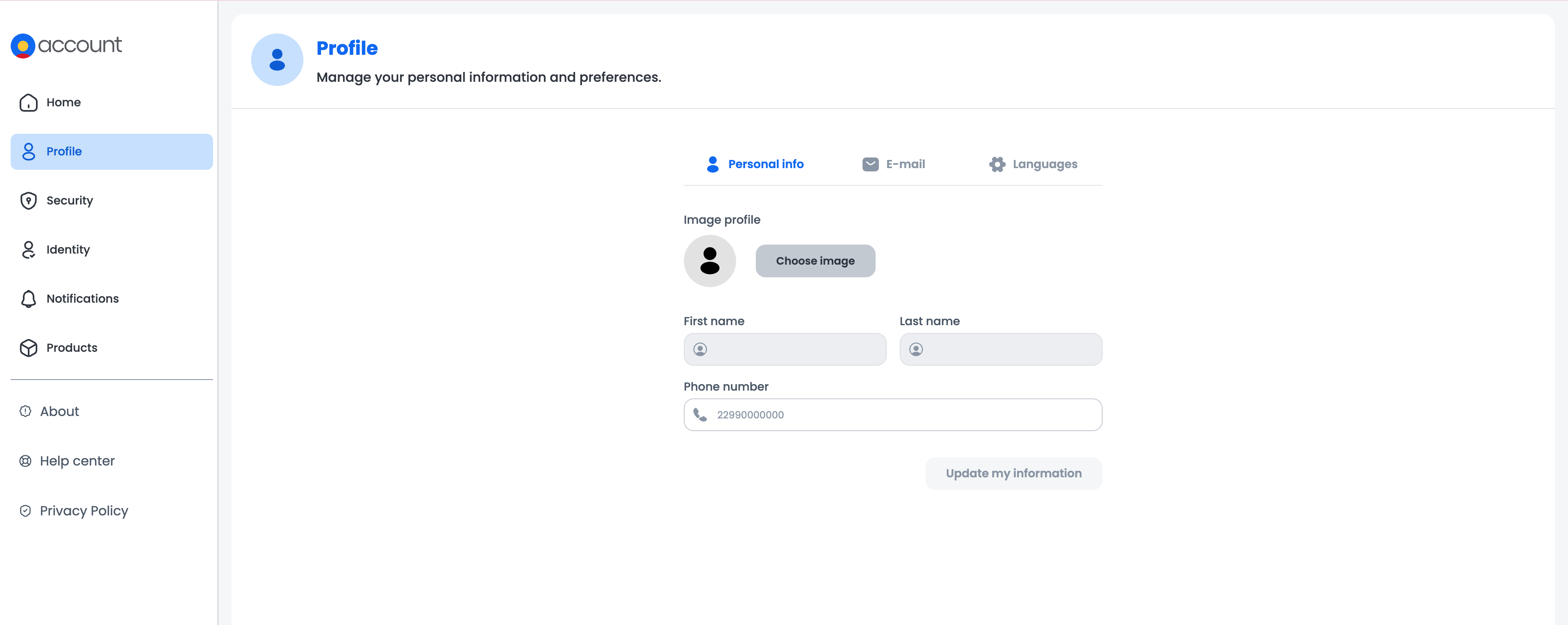
Personal info: Update your profile picture, first name, last name and phone number.
Email: Change the email address linked to your account.
Languages: Set your language preferences.
After making your changes, click on Update my information to save them.
Step 3: Manage account security
To manage access to your account, click on Security in the main menu:
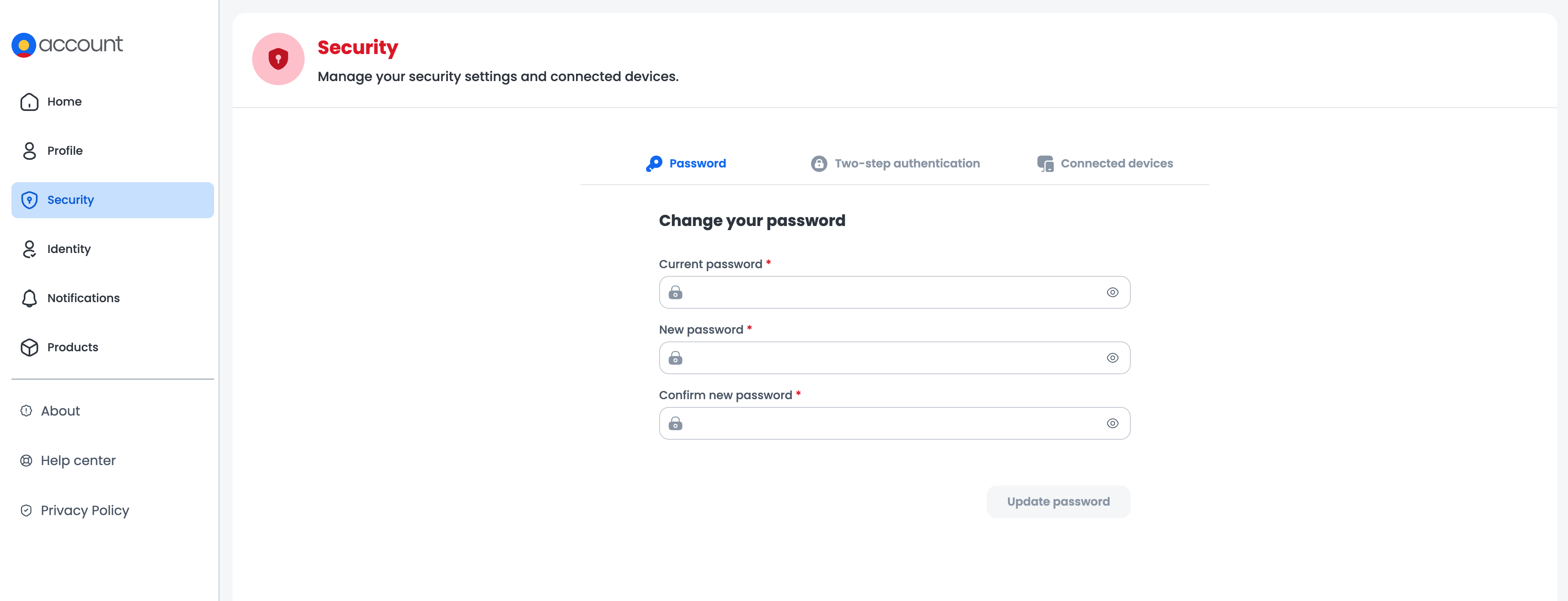
Password change: Change your current password.
Two-factor authentication (2FA): Turn two-factor authentication on or off to make your account more secure.
Connected devices: Check the list of devices that are currently connected to your account.
Need help? Contact our support via chat or at [email protected].