Enabling this feature lets you display a dedicated section on each product page of your store. By showing the face and story behind the products, you humanize your brand, which reassures visitors and significantly increases your conversion rate and your brand’s credibility.
To customize your profile, follow these simple steps from your dashboard:
Go to the "Settings" tab in the left sidebar menu.
In the "Store" section, click on the "Creator Profile" card.
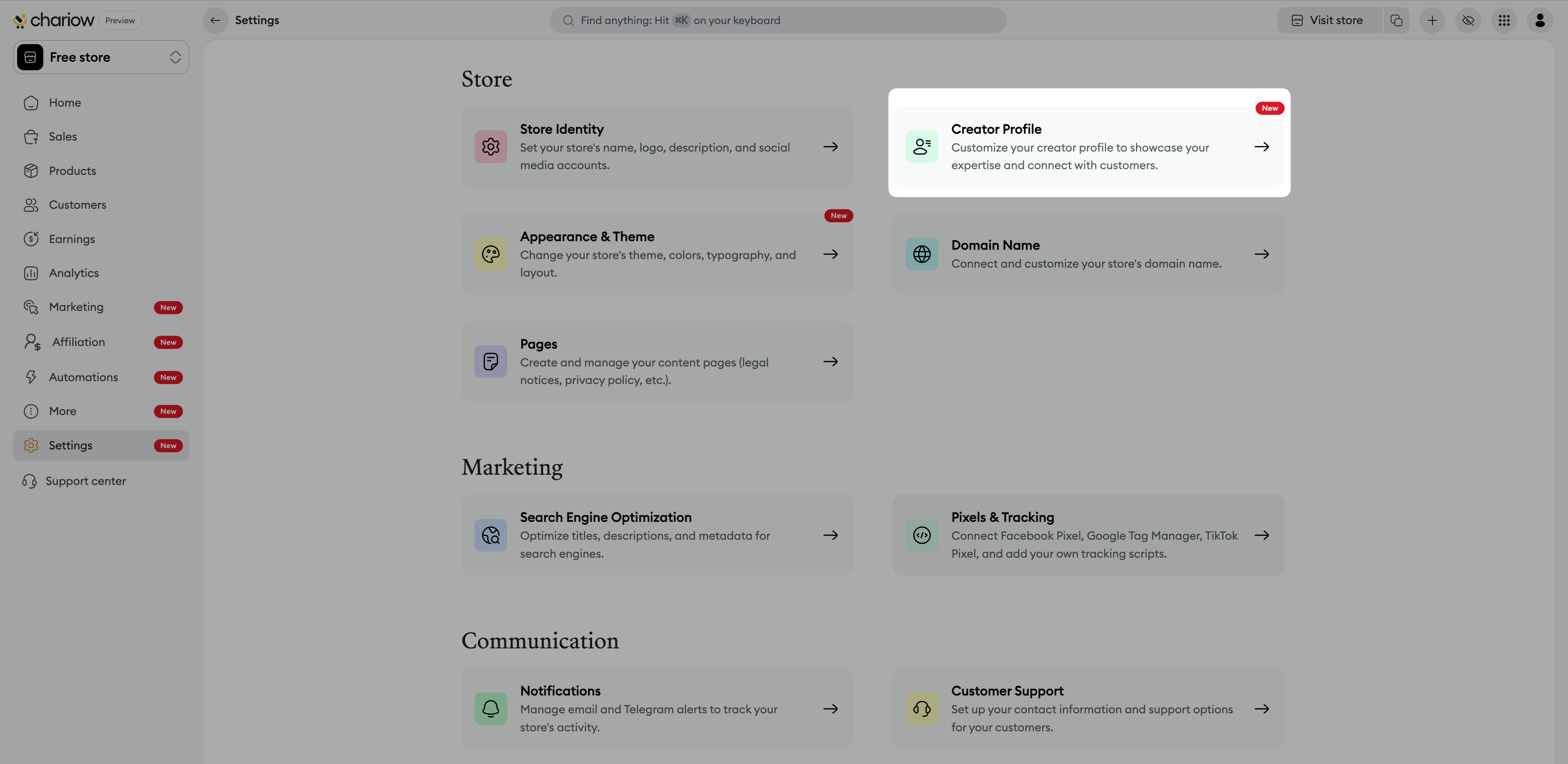
Activation: Toggle the "Enable creator profile" switch. This will make the module visible on all your product pages.
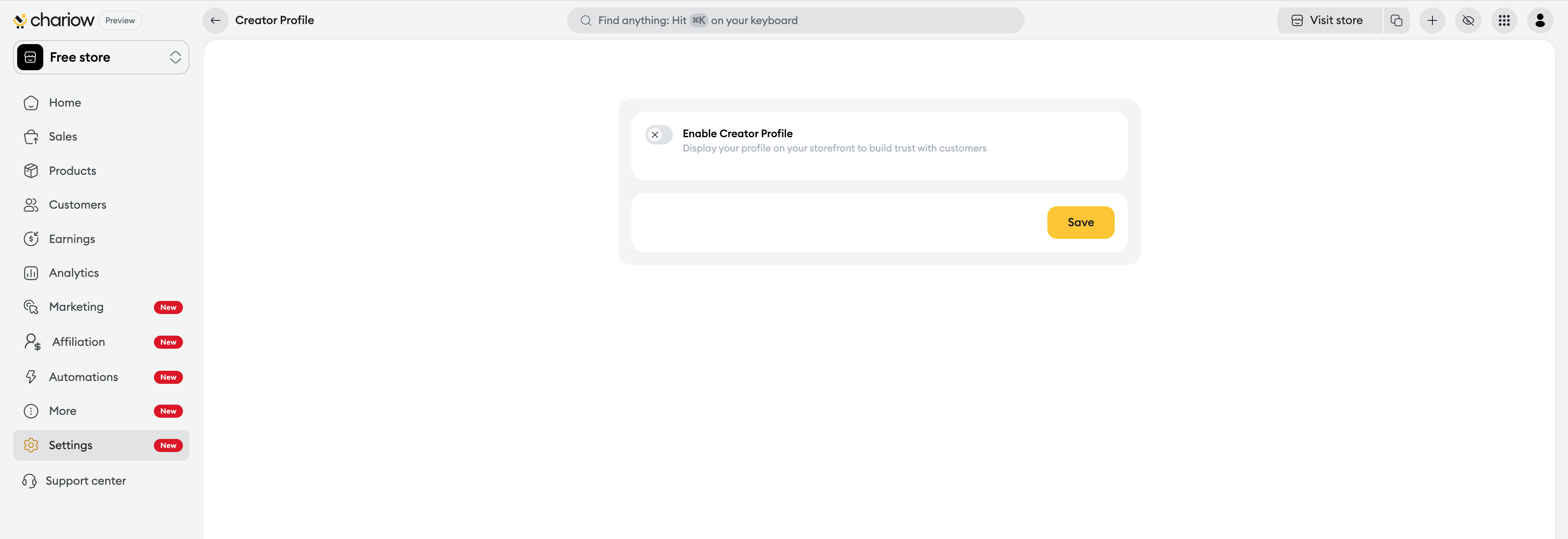
Profile picture: Upload a photo of yourself or a personal logo. A human image reinforces the authenticity of your approach.
Description: Write a short introduction (limited to 500 characters). Explain your expertise or your store’s mission.
Preview: Check the final rendering in the "Preview" section, which simulates how customer reviews and the number of sales are displayed.
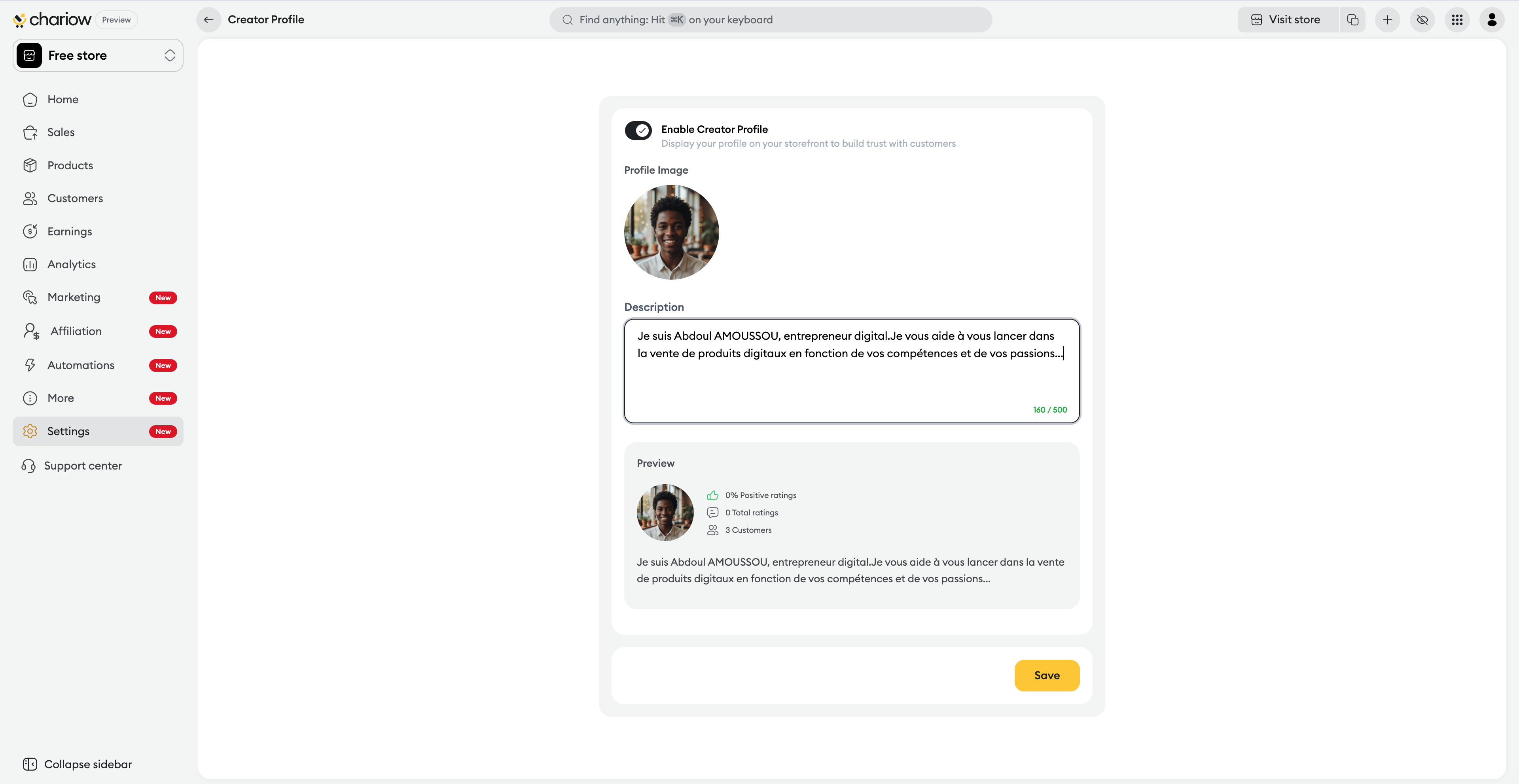
Save: Click the "Save" button at the bottom of the page to confirm your changes.
The "Creator Profile" module is dynamic and displays three key reassurance indicators (social proof):
The positive review rate: Expressed as a percentage to highlight overall satisfaction.
The total number of reviews: To show the amount of feedback received.
The number of customers: To prove the activity and popularity of your shop.
Use a sharp photo: A well-lit face photo humanizes your shop and reassures the buyer.
Be authentic: In your description, explain what value you bring to your customers.
Stay concise: Get straight to the point to grab attention quickly.
Forgetting to toggle the switch: Even if you fill in all the information, the profile won’t be visible if the "Activate creator profile" option stays turned off.
Description too long: If you go over the 500-character limit, you won’t be able to save your changes.
No photo: A profile without a picture is way less effective at creating an emotional connection with the buyer.
Need help? Contact our support via chat or at [email protected]

