To support the growth of your store, Chariow has partnered with the French hosting provider LWS. This partnership lets you professionalize your communication by buying your domain names while enjoying a special discounted price thanks to the dedicated promo code when you place your order.
To take advantage of this offer, follow these simple instructions:
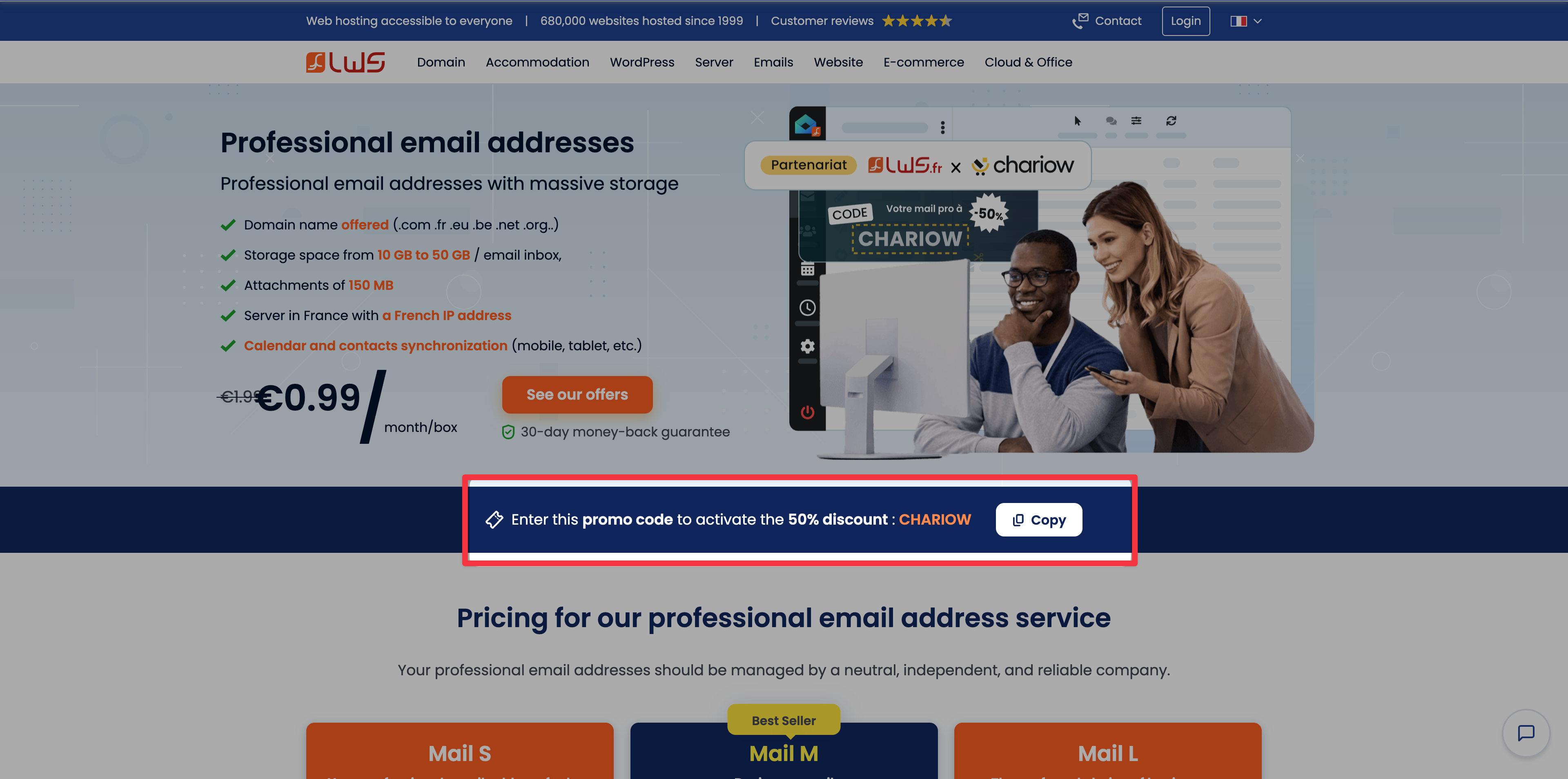
Go to the page lws.fr/chariow and look for the blue box containing the discount code. In the blue banner, click the "Copy" button next to the code CHARIOW.
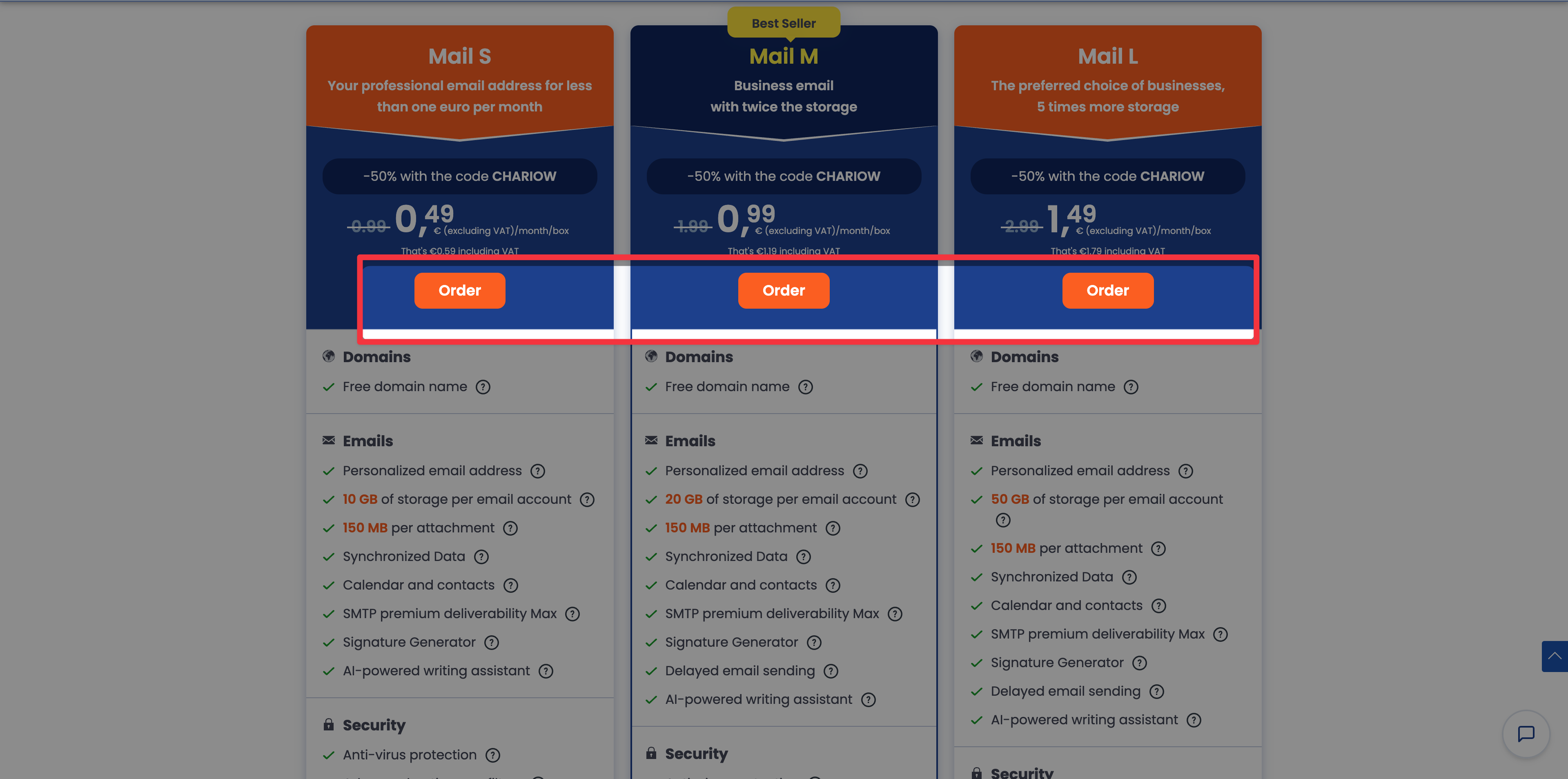
Scroll down the page to the pricing section. Choose between the Mail S, Mail M or Mail L plans depending on your storage needs (from 10 GB to 50 GB) and click the "Order" button.
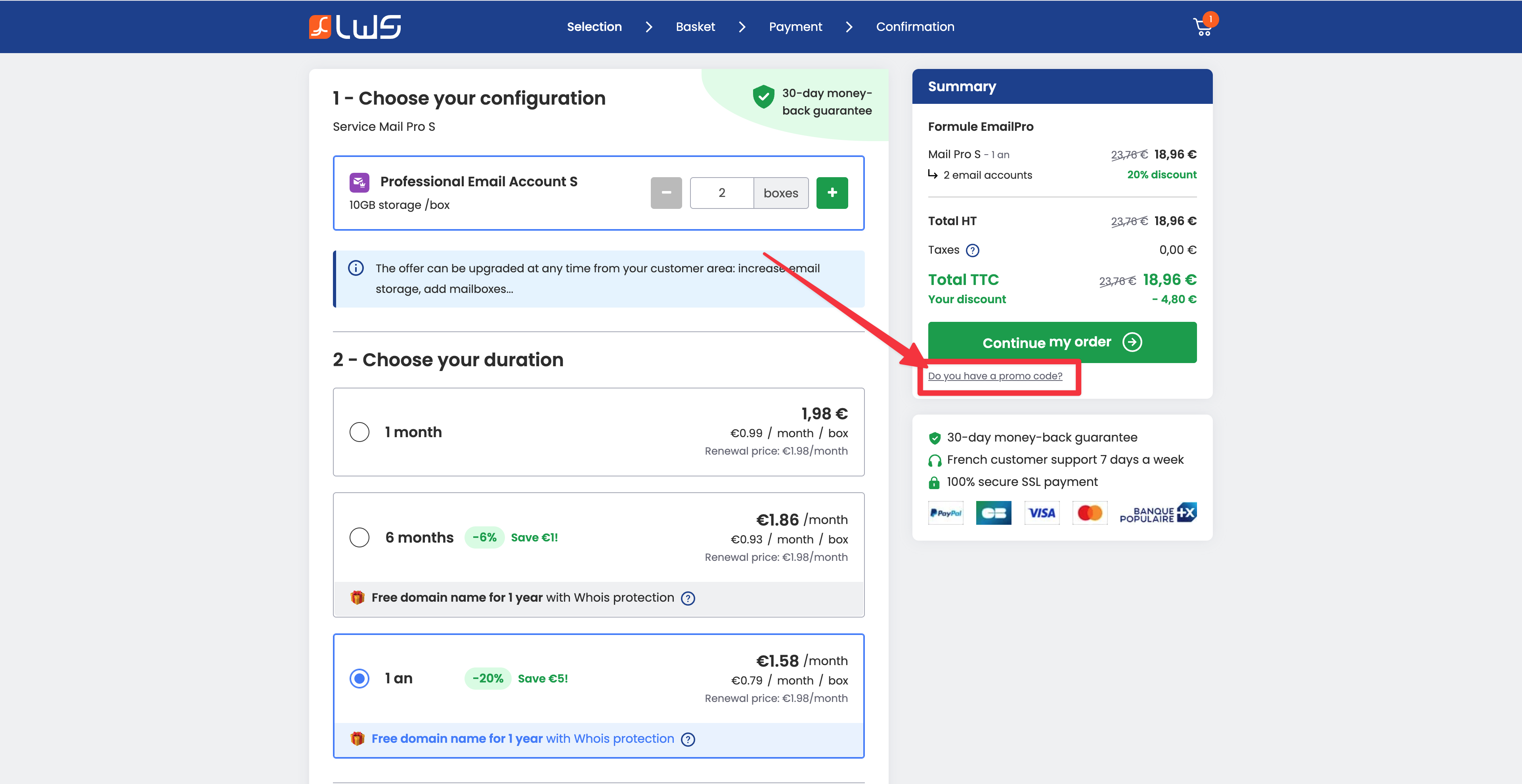
On the page that appears, start by choosing your settings (commitment period, protection options or extra storage).
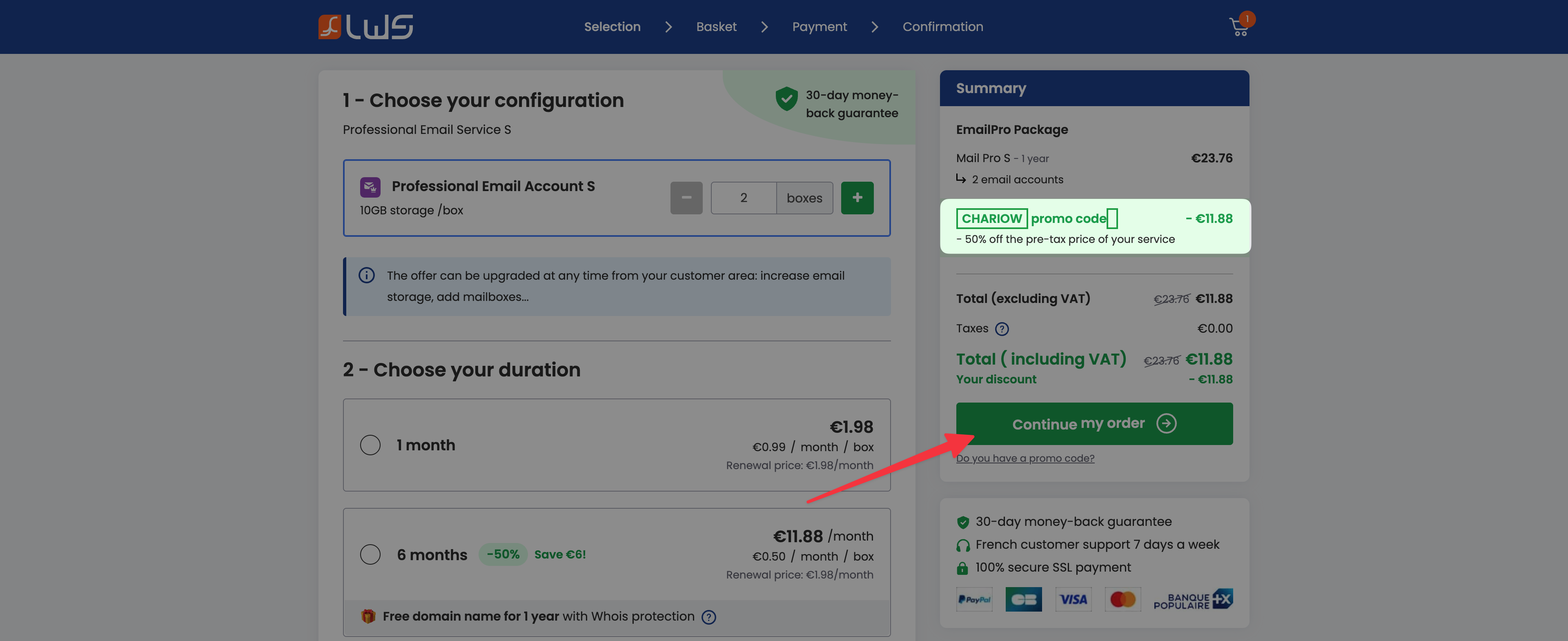
Apply the promo code: Before confirming your choices:
Look for the link "Do you have a promo code?" located under the summary of your cart.
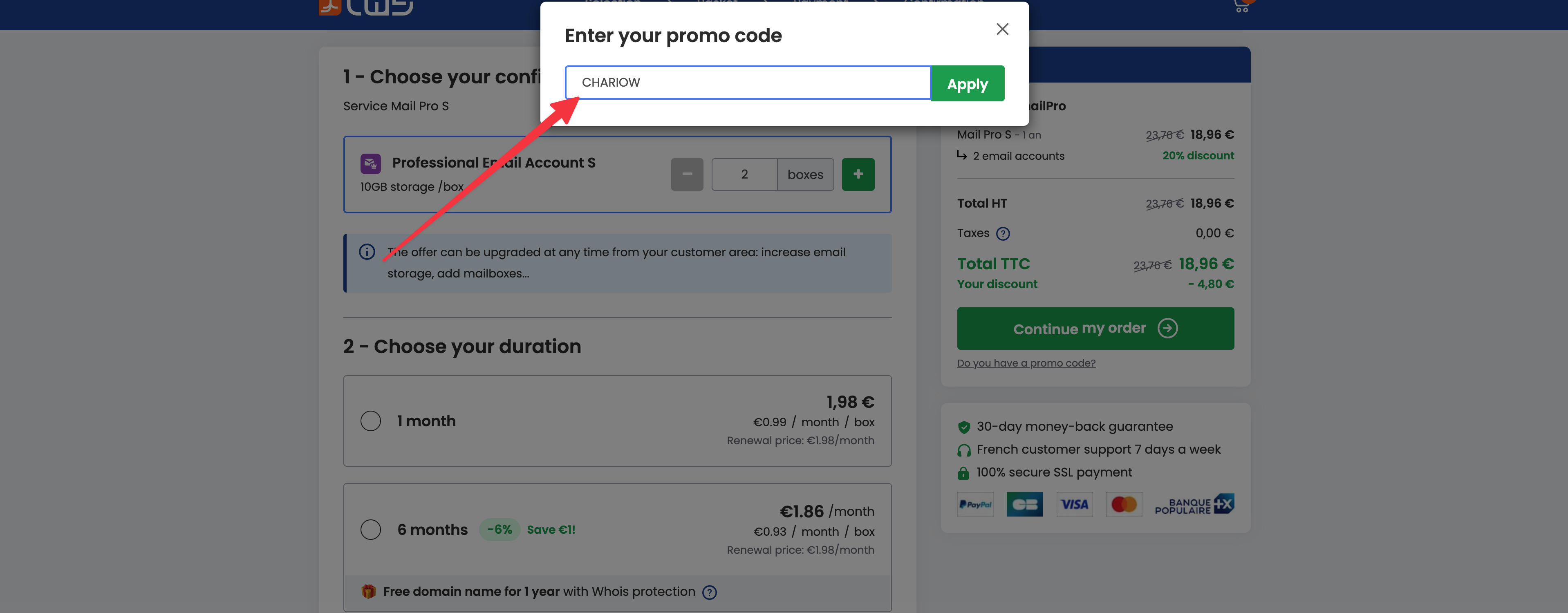
Paste the code CHARIOW that you copied earlier into the field and click "Apply".
A green message will confirm that the 50% discount has been applied.

Check in your "Summary" that the discount has been deducted from the total incl. tax before clicking "Continue my order".
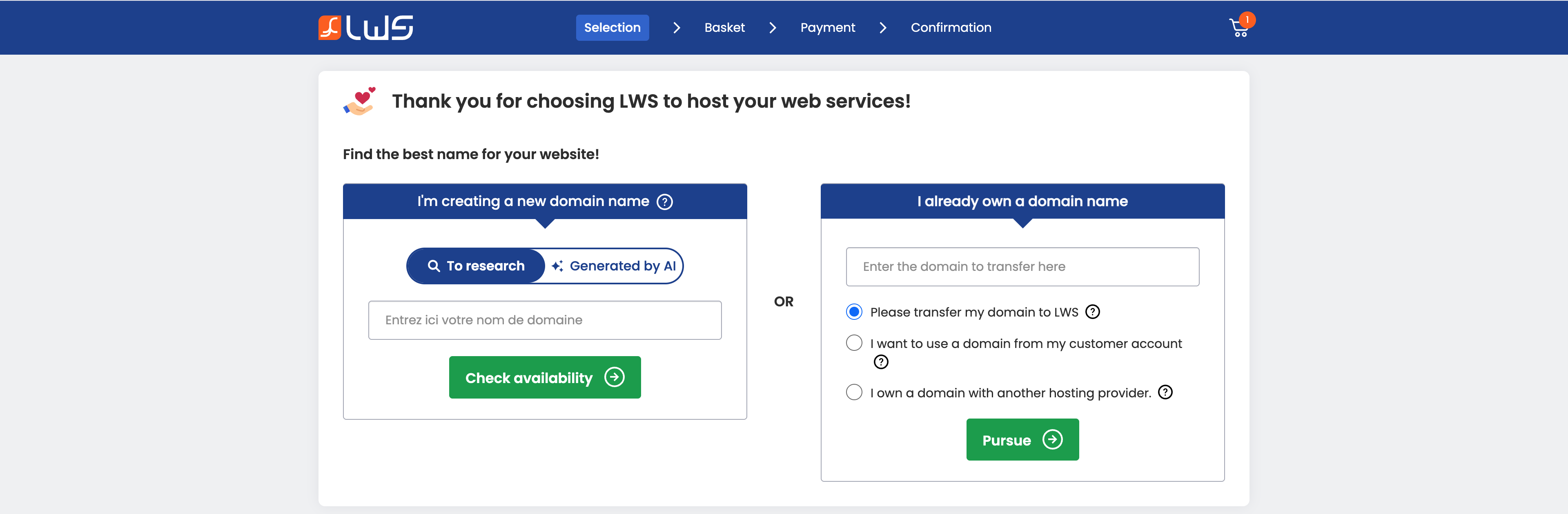
Once the setup is confirmed and the code applied, enter the domain name you want for your store and check its availability.
Follow the final steps to create your LWS account and confirm your payment.

Need help? Contact our support via chat or at [email protected]