The success of your affiliate program depends on the quality of your partners. The "Affiliate" tab is your control center for the human management of your network. There you’ll find the full list of your partners, their real-time sales stats, and the tools you need to moderate their access to your store.
To expand your reach and recruit new promoters, follow these instructions:
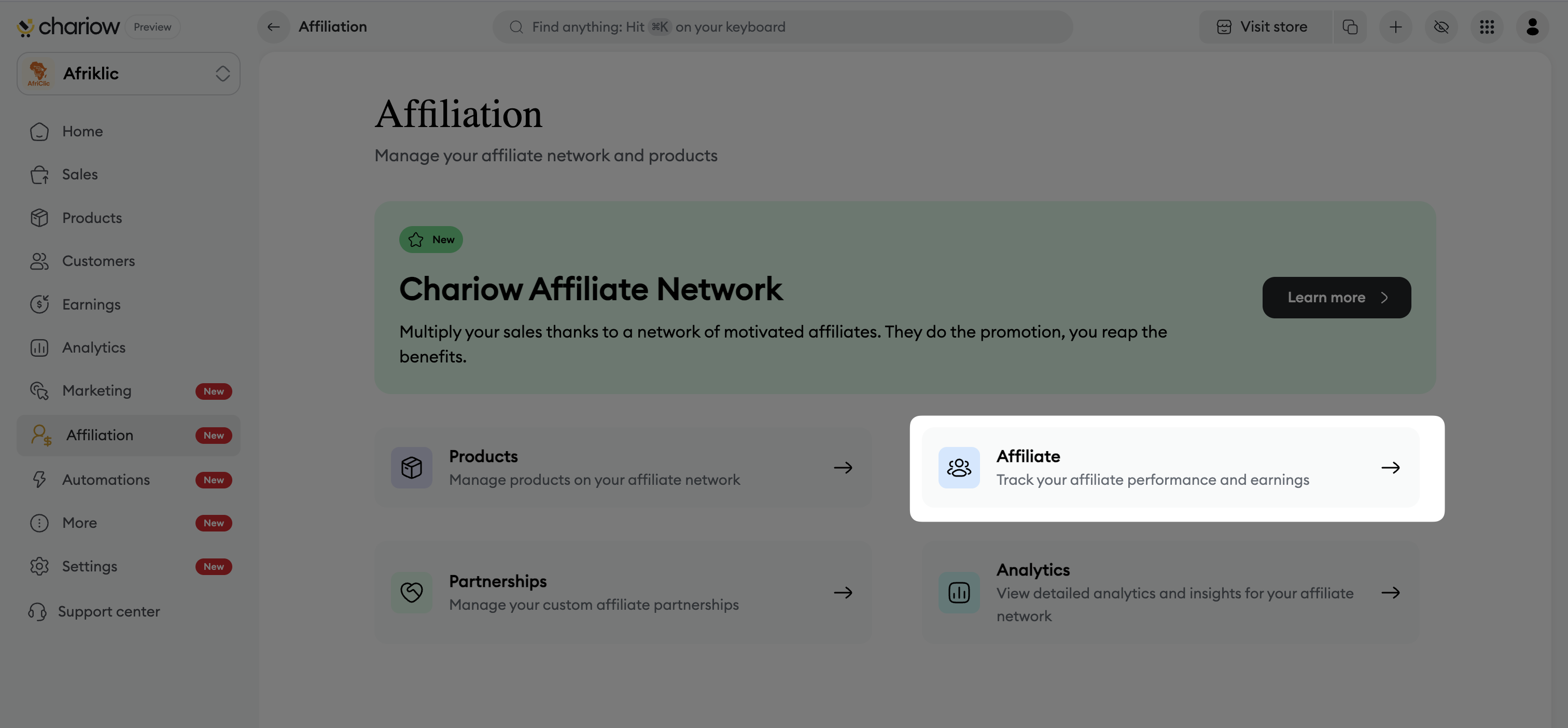
In the main menu, click on "Affiliation" then on the "Affiliate" block.
Click the "Invite affiliates" button.
In the pop-up window, fill in the email addresses of your future partners.
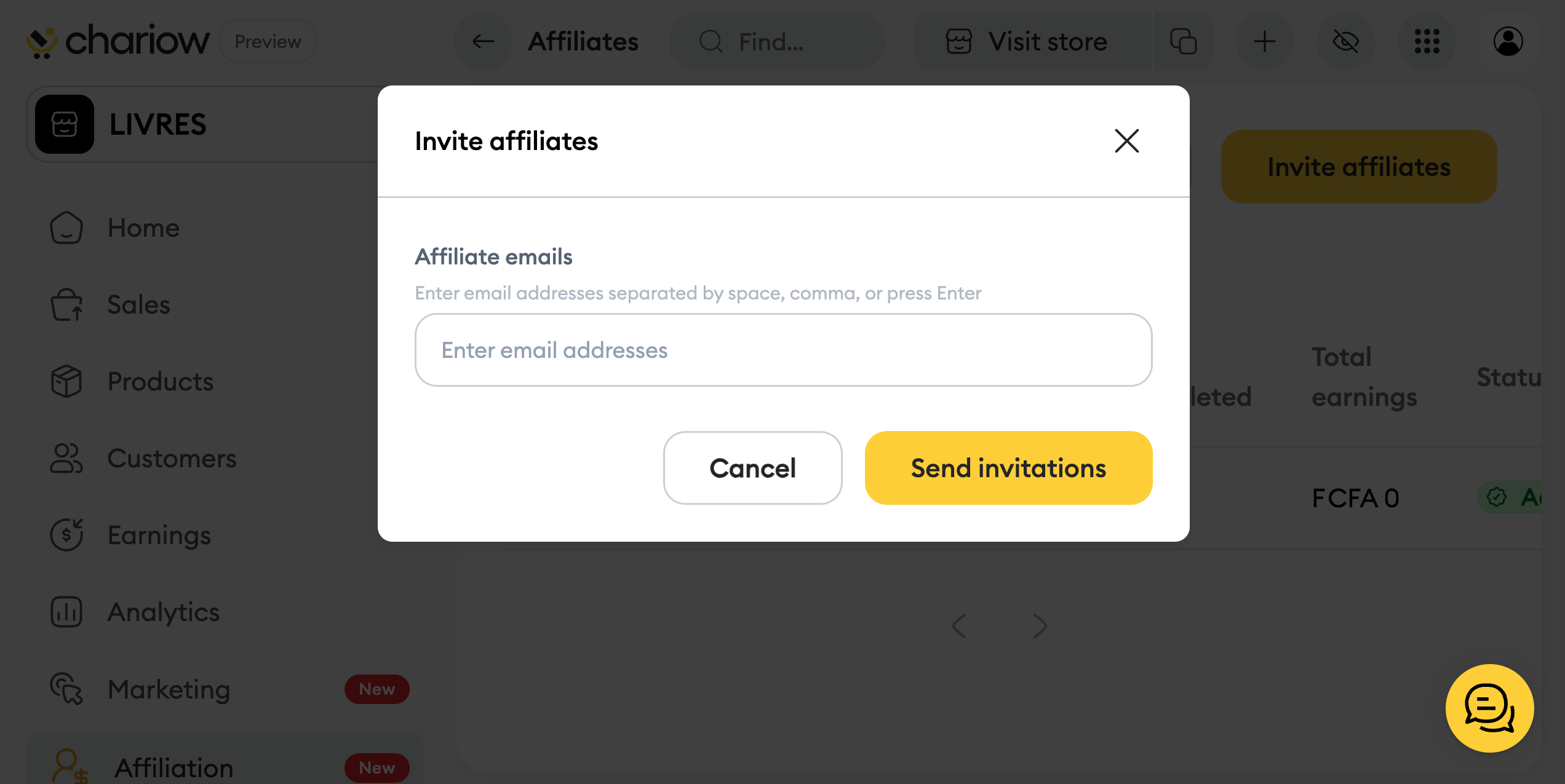

Click "Send invitations" to complete the process.
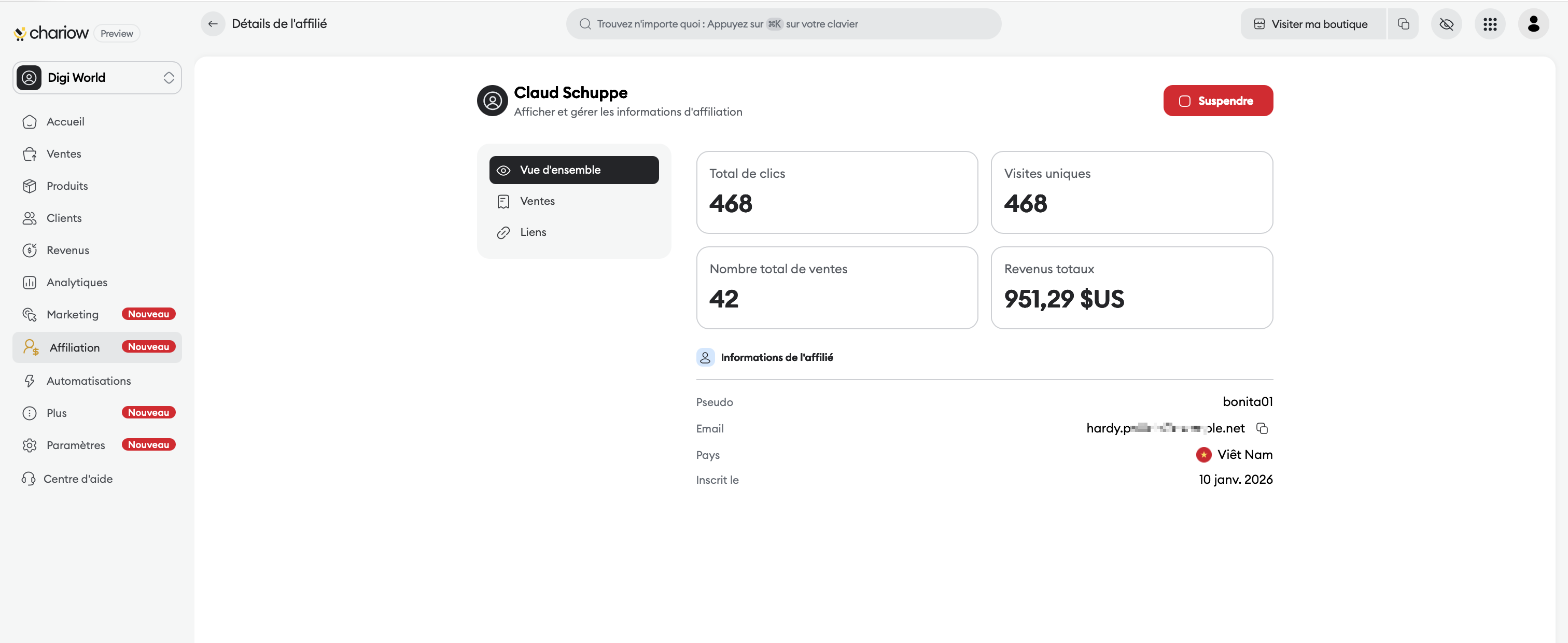
By clicking on any affiliate in your list, you access an individual dashboard divided into three strategic tabs:
This view gives you an instant read on the affiliate's impact on your business:
Total clicks & Unique visits: Measure how attractive the content shared by the affiliate is.
Total number of sales: Track the volume of converted transactions.
Total revenue: See the overall revenue generated by this partner.
Affiliate information: Find their username, email, country of origin, and signup date.
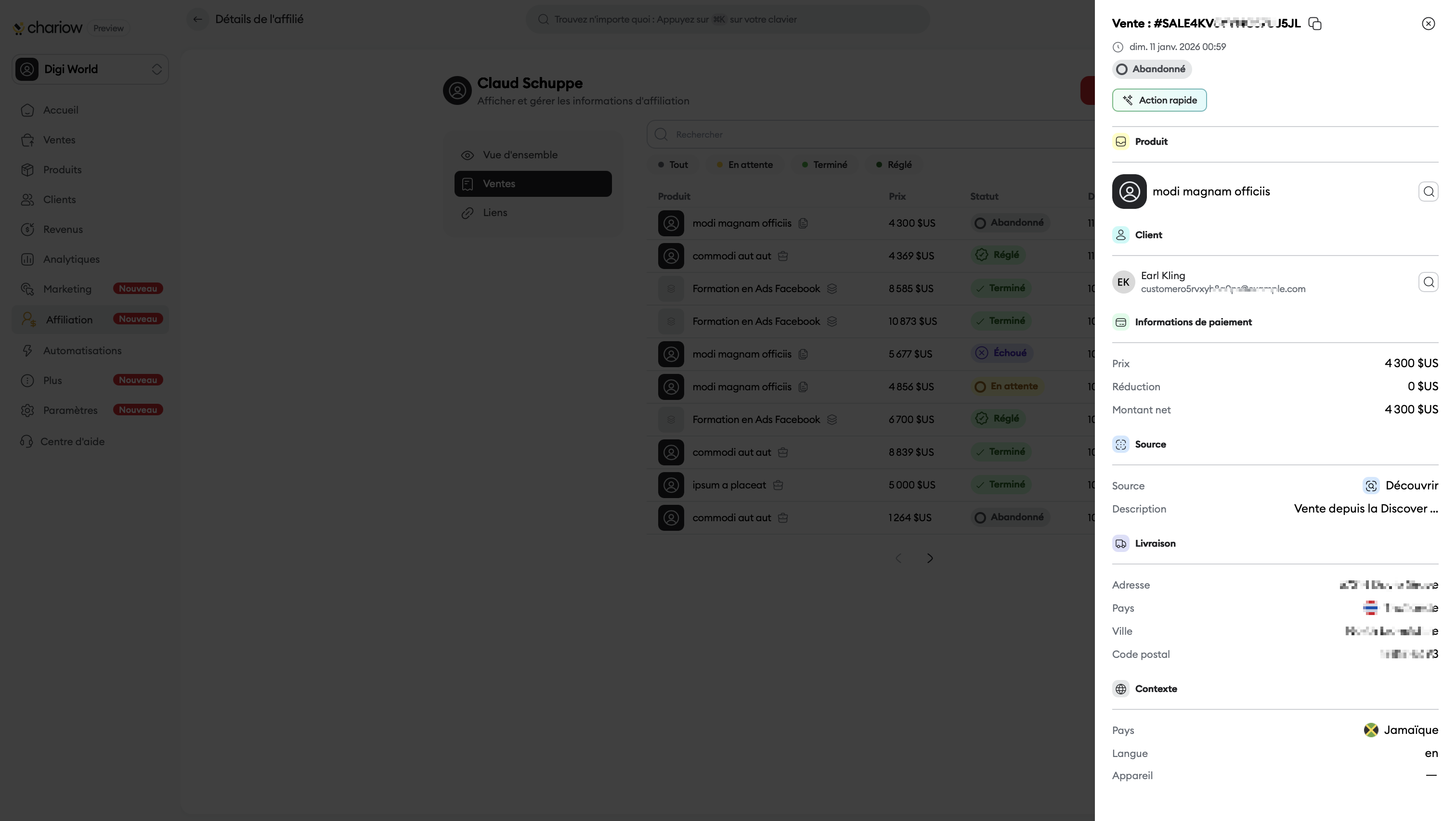
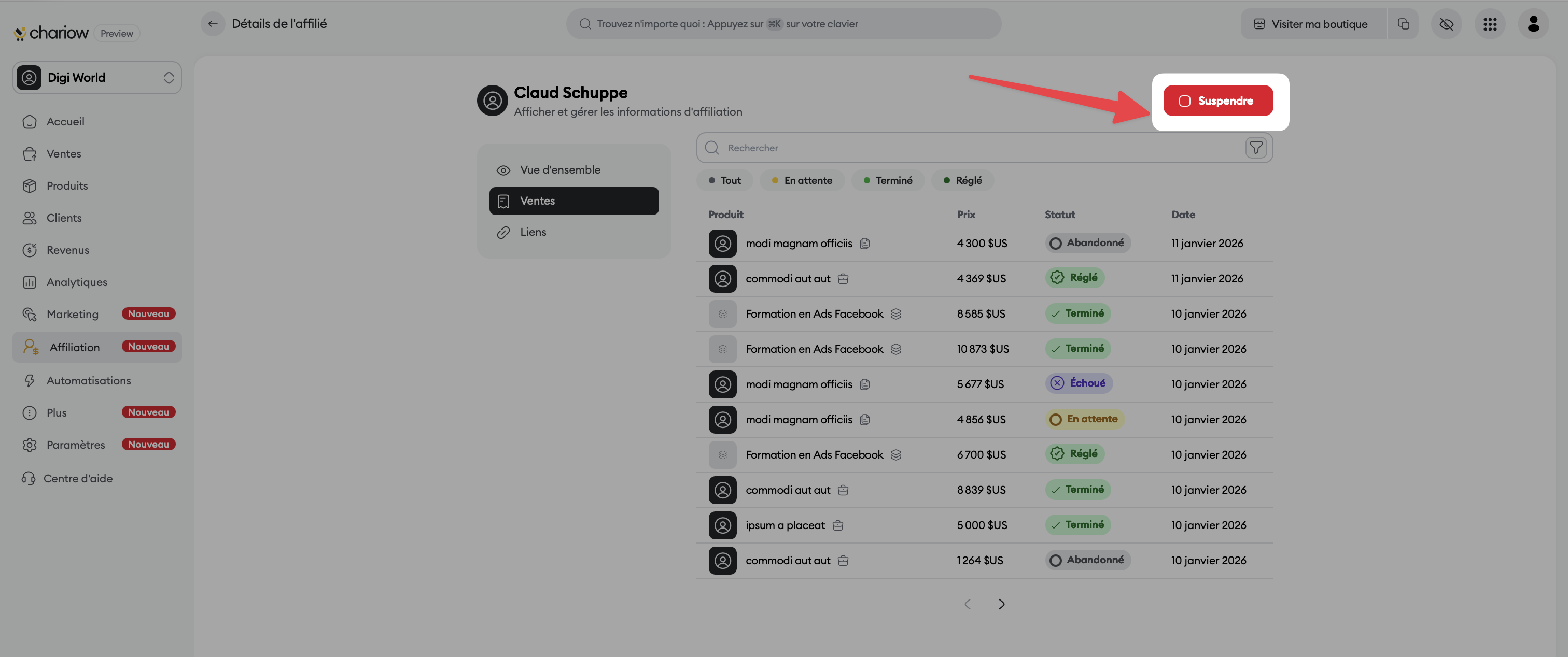
This tab lists every transaction related to the affiliate with precise indicators:
Product details: The name of the item sold.
Sale status: Track how the payment is progressing (Abandoned, Pending, Completed, or Paid).
Sale record: By clicking on a sale, a side panel opens to show customer information, net amount, traffic source, and delivery details.
See here all the specific affiliate links the partner uses to promote your products.
You keep full control over who can promote your products thanks to moderation tools:
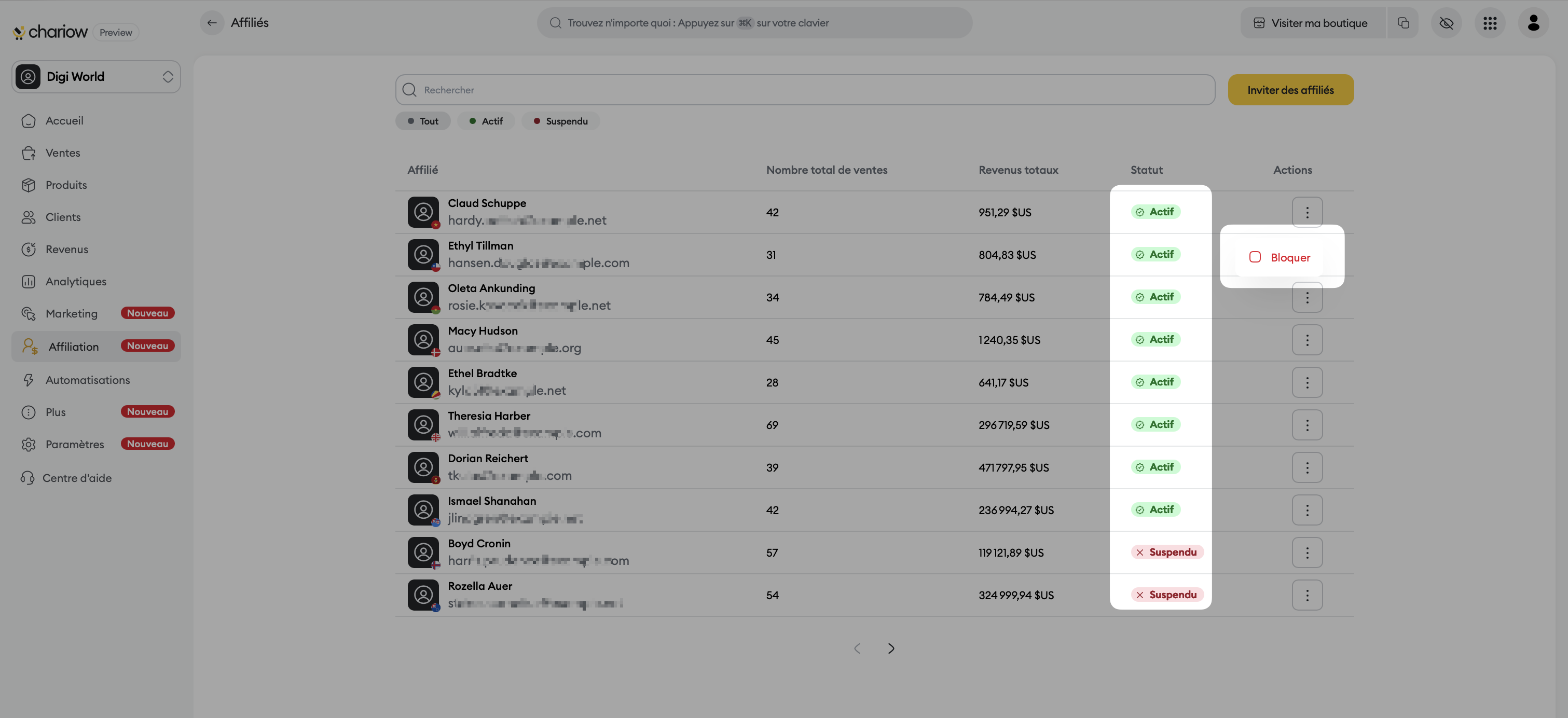
Statuses: Members are classified as "Active" (in green) or "Suspended" (in red).
Blocking actions:
From the main list: Click on the three dots ("Actions") and choose "Block".
From the individual profile: Use the red "Suspend" button at the top right to immediately disable a partner's access.
Need help? Contact our support via chat or at [email protected]

