The success of your affiliate network depends on the quality of your catalog and the attractiveness of your commissions. By setting up your products properly, you allow your affiliates to promote your offers in an authentic and effective way.
To put a new affiliate product online, follow these steps:
In the side menu, click on "Affiliation" then select the "Products" block.
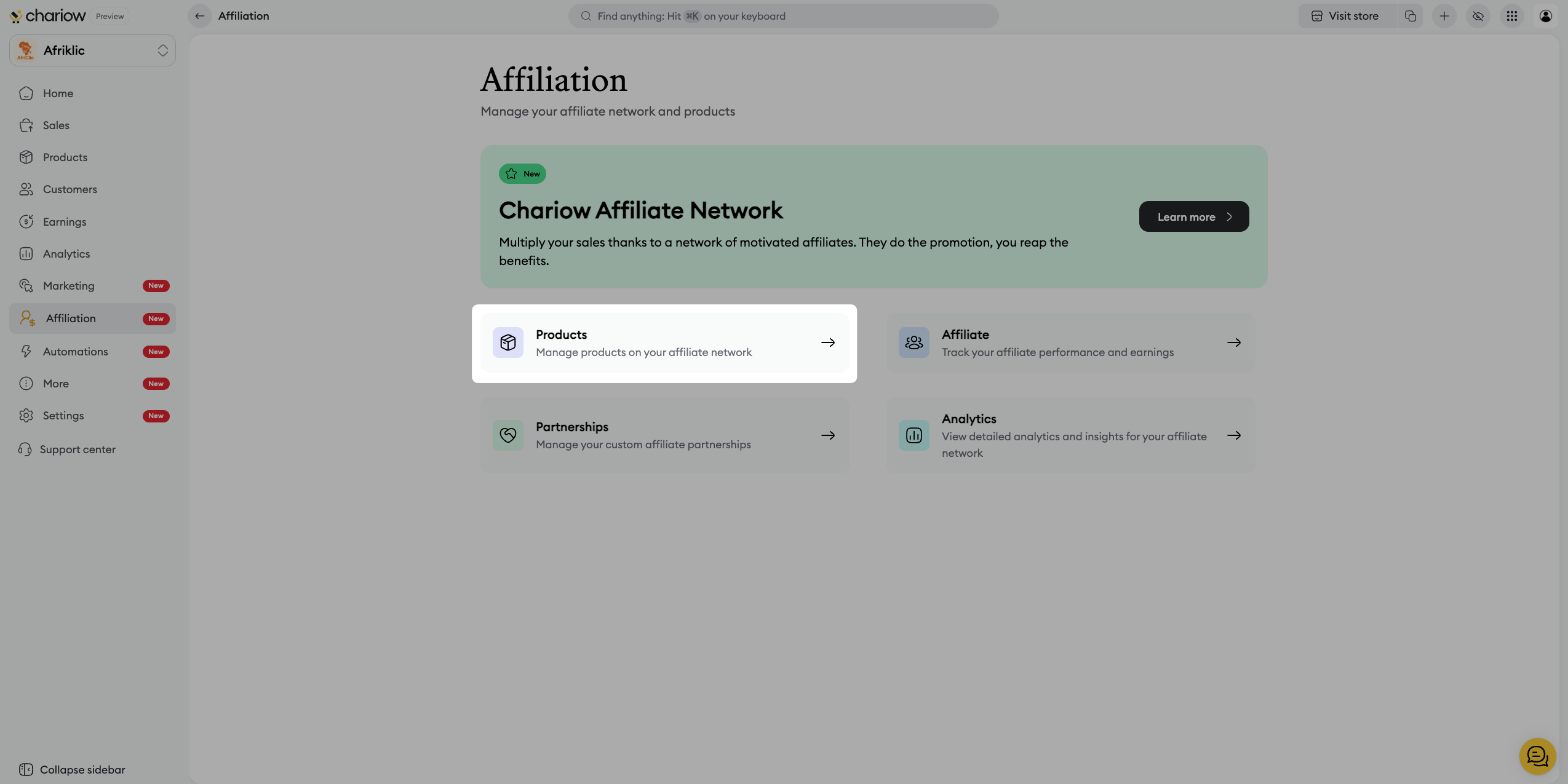
Click on the "Add a product" button.
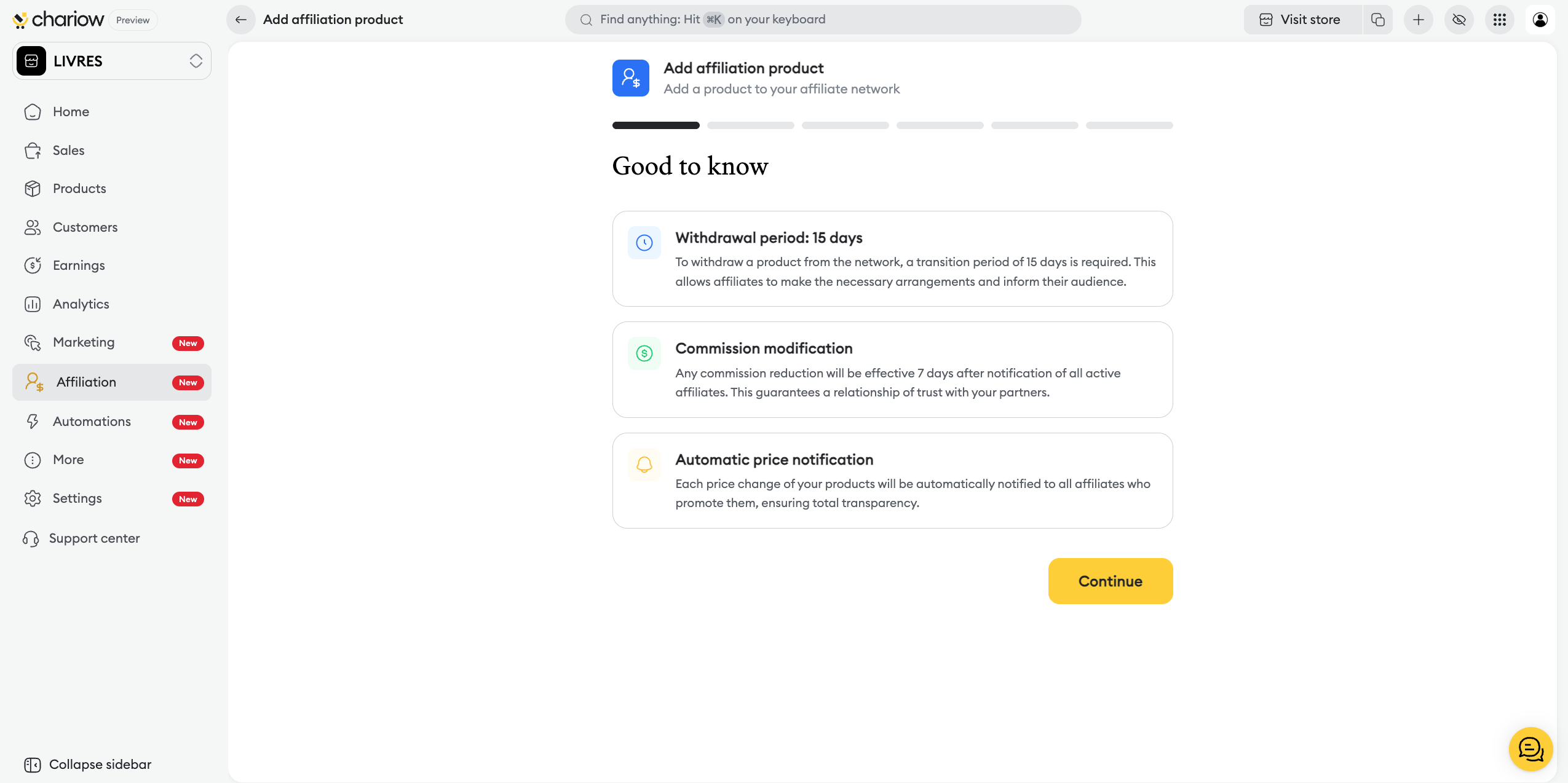
Read the "Good to know" (platform conditions) and click on the "Continue" button.
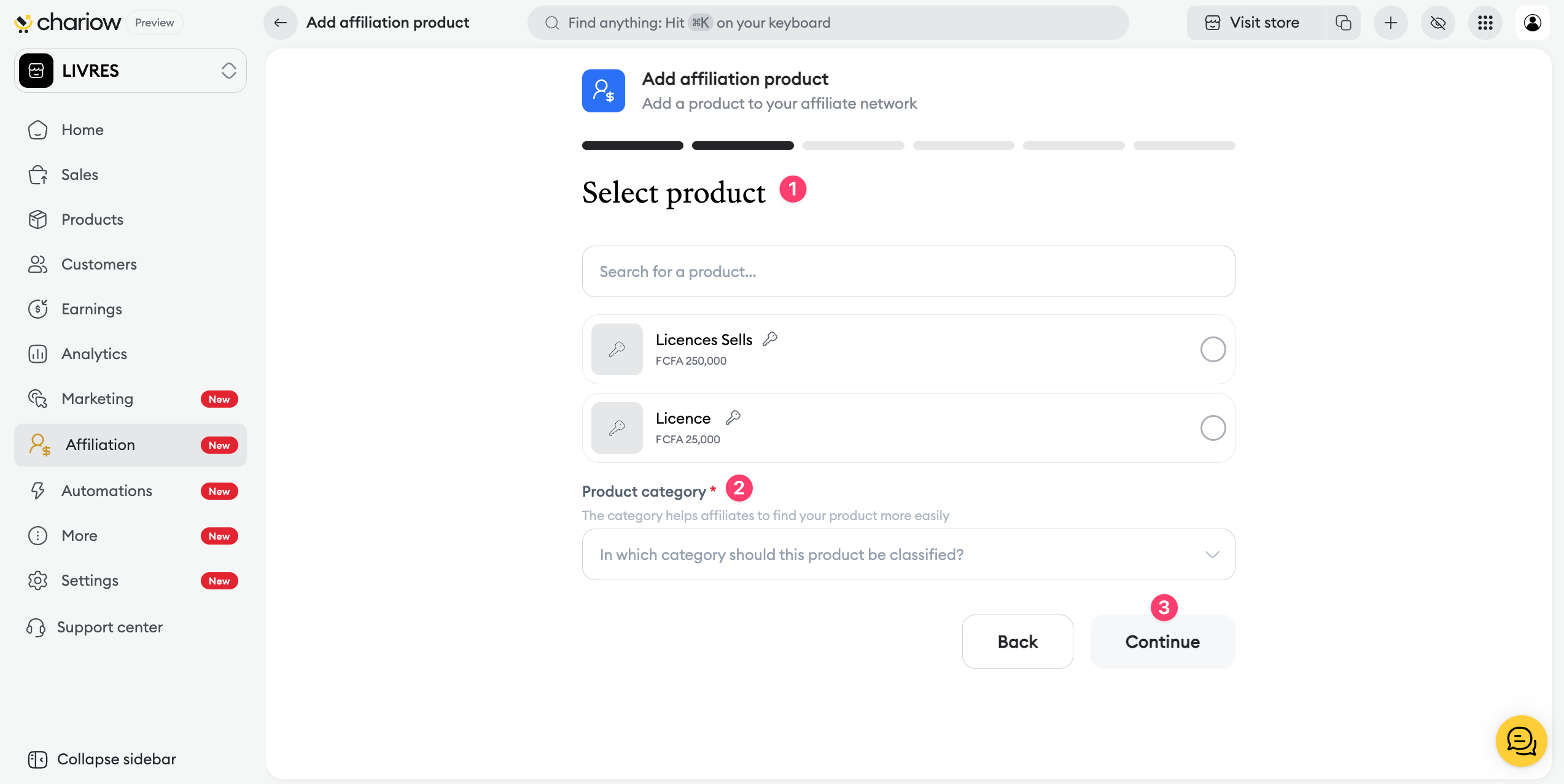
Choose the desired product from your list and assign it a "Product category" to make it easier for affiliates to find it.
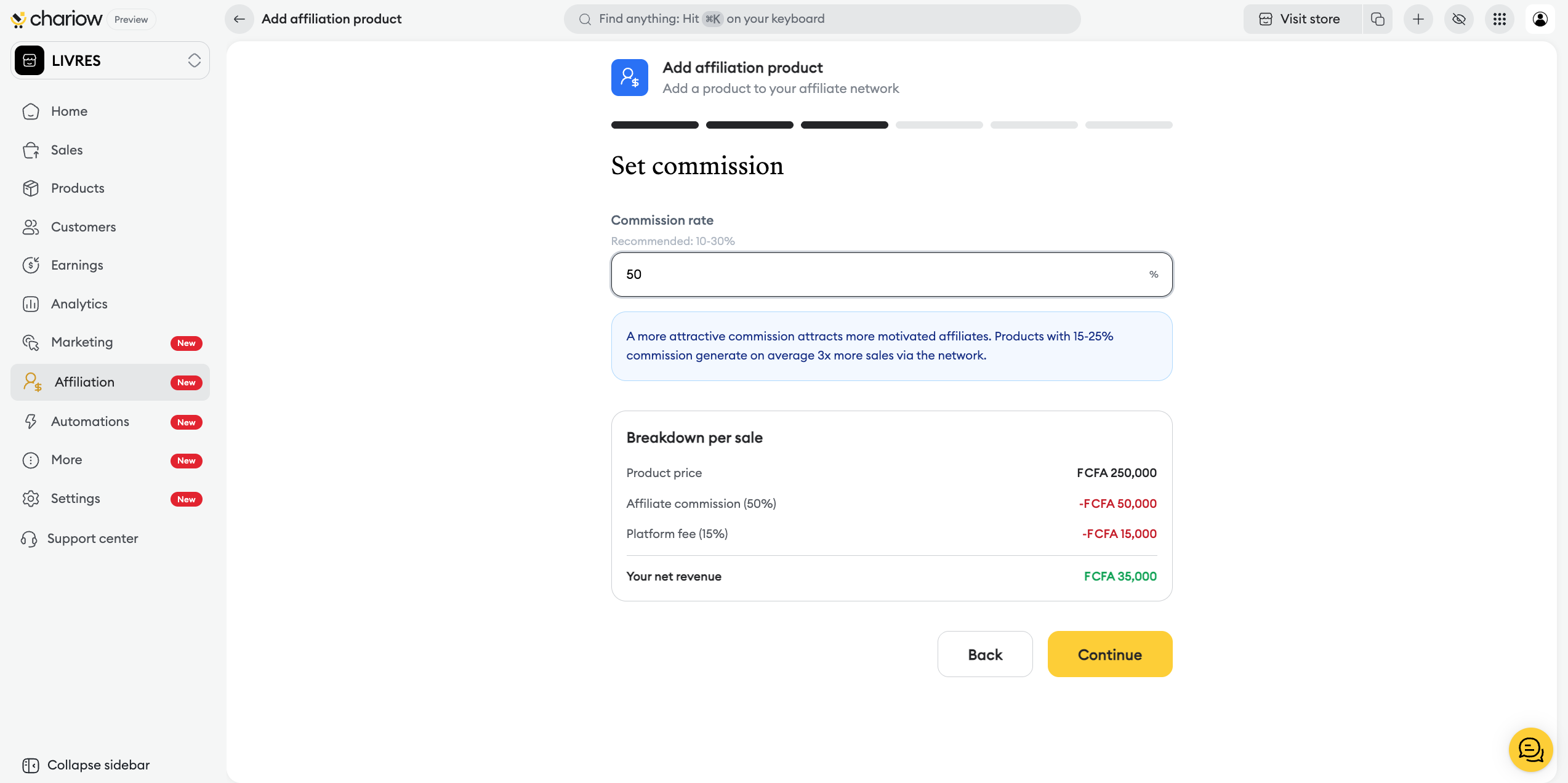
Enter the "Commission rate". A summary shows your net income in real time after deducting the affiliate commission and platform fees.
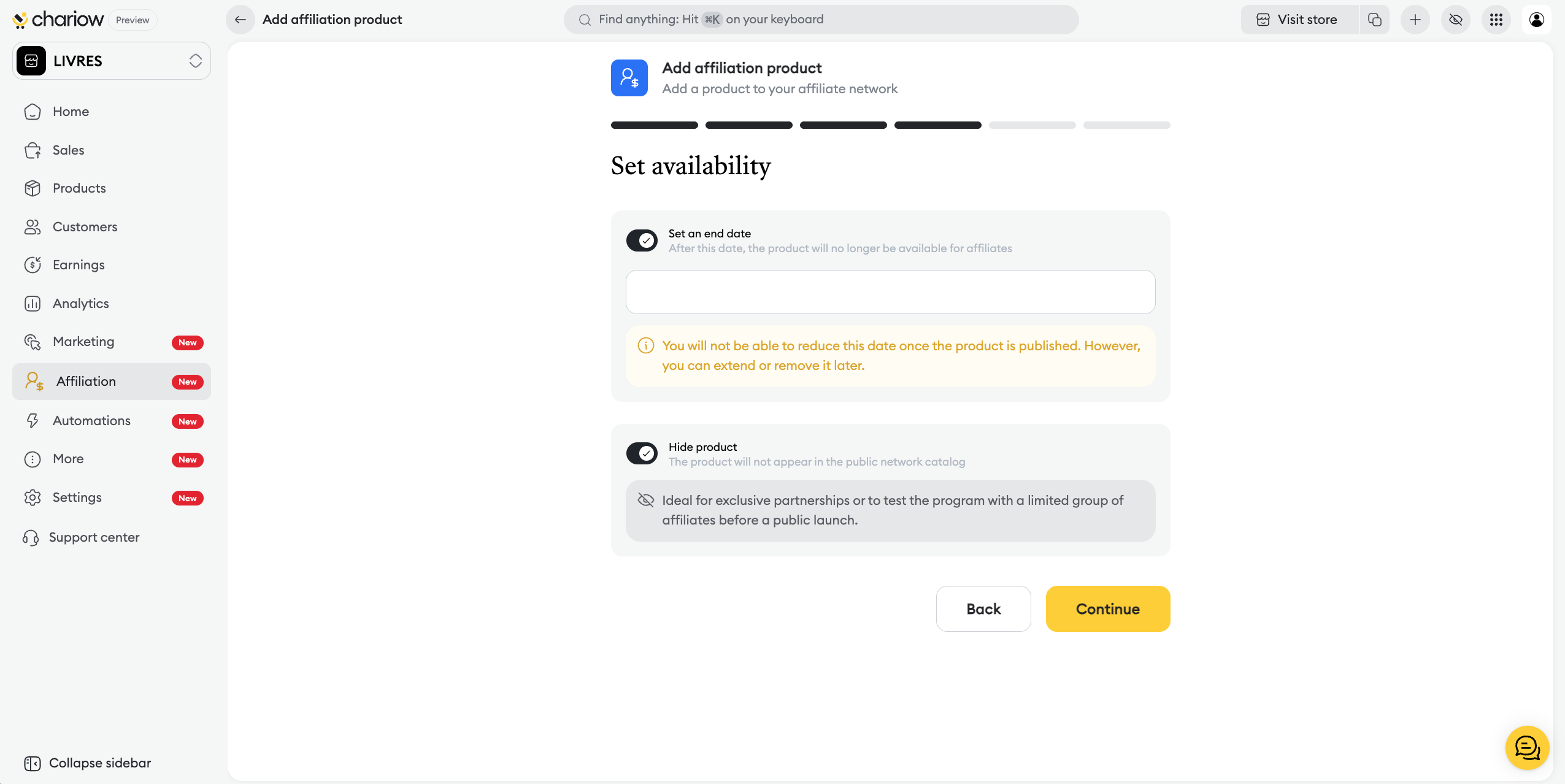
You can "Set an end date" to limit the promotion over time and "Hide the product" for exclusive partnerships or limited tests.
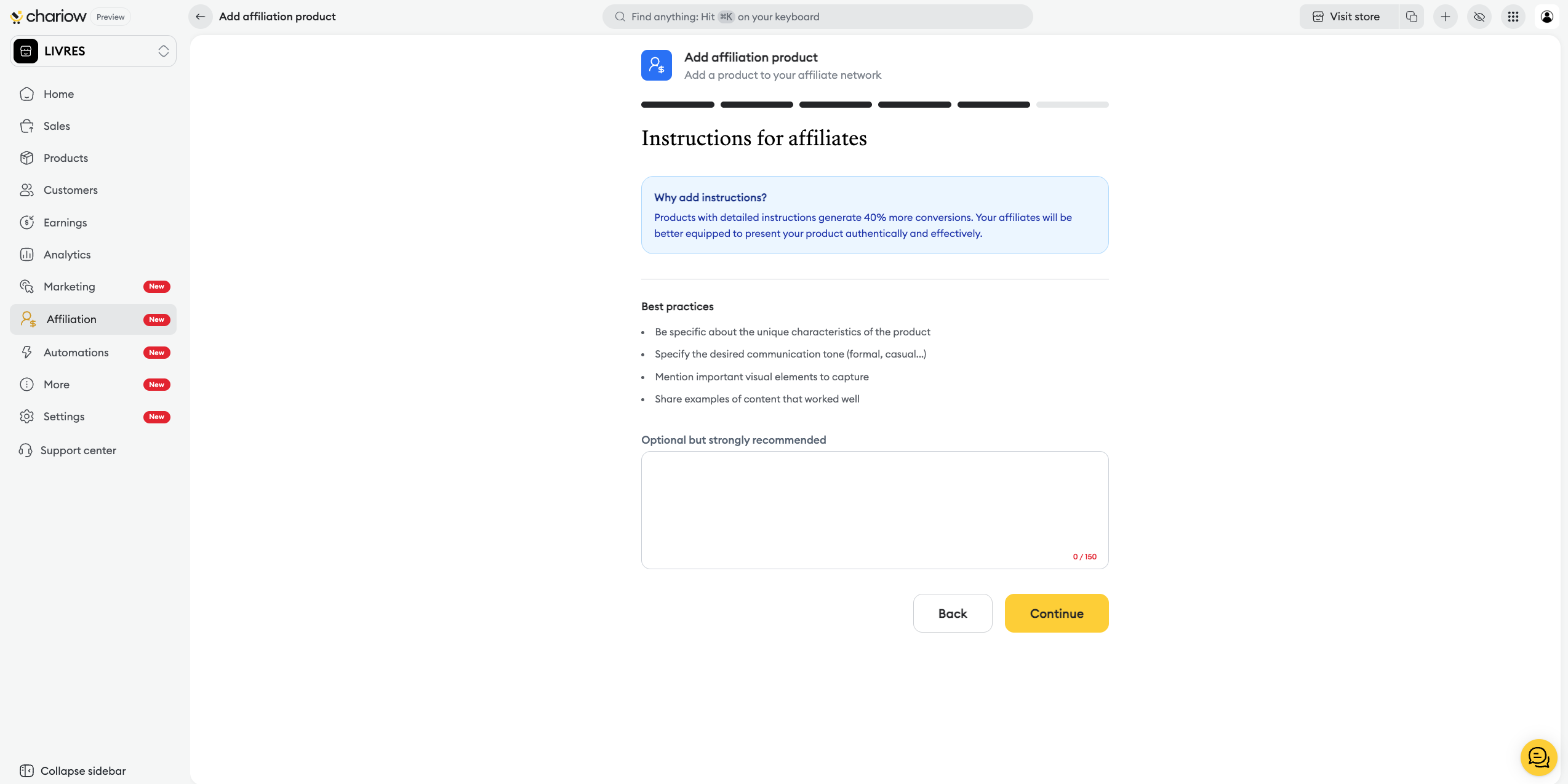
Sales instructions: Write clear guidelines (unique features, communication tone, content examples) in the dedicated field.
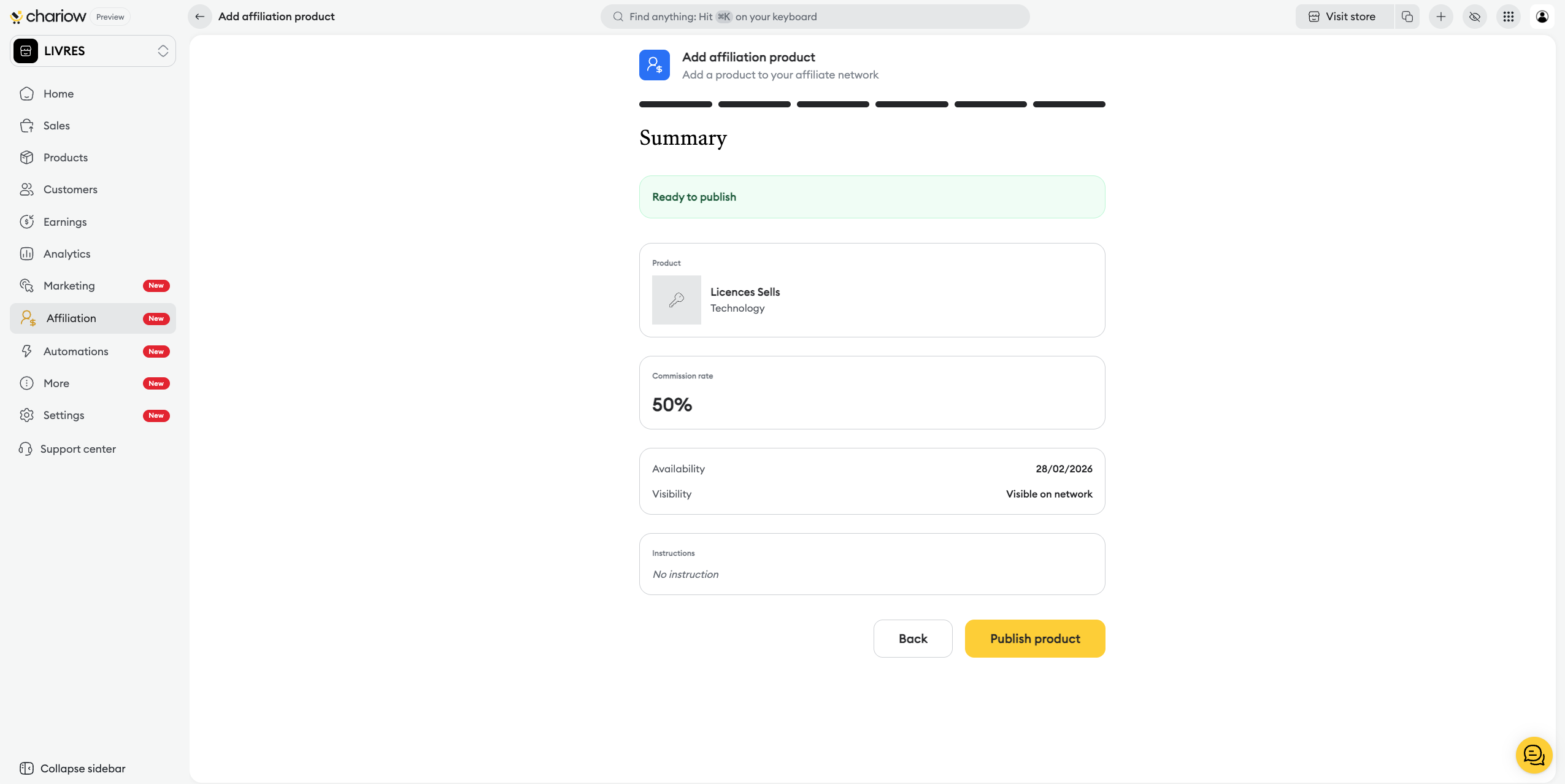
Check the final "Summary" and click on "Publish the product".

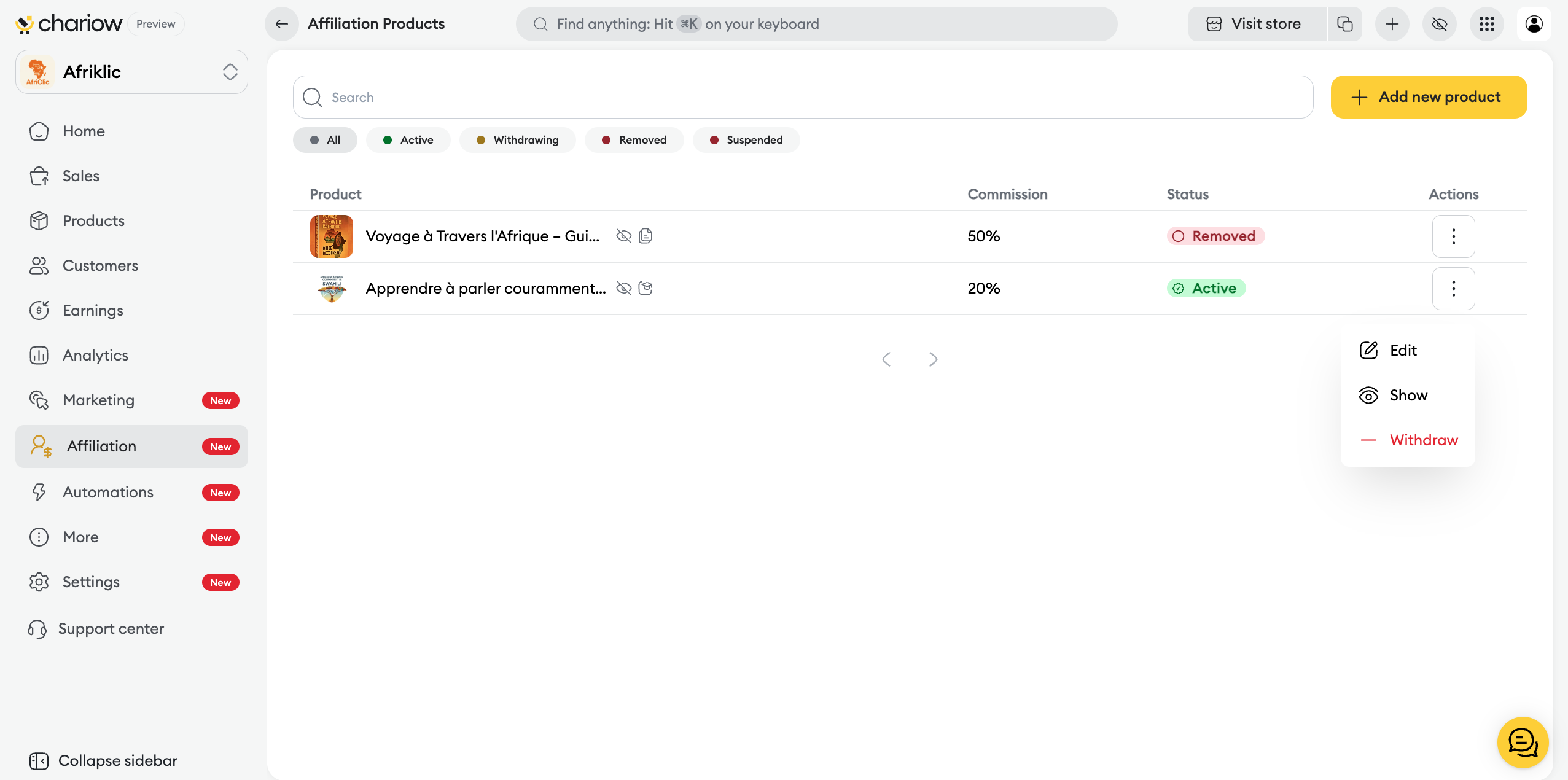
Once published, your products appear in your dashboard with different statuses:
Active: The product is visible and can be promoted by affiliates.
Being withdrawn: The product is in its 15-day notice period before being removed from the network.
Actions: The menu (three dots) on the right of each product lets you "Edit" the settings, manage "Visibility" or start a process to "Remove" the item.
Need help? Contact our support via chat or at [email protected]

