Legal pages (Legal notice, Privacy Policy, Terms of Use) and the About page are super important for your online store’s credibility and compliance. Chariow gives you tools to create them quickly.
From your dashboard, go to Settings.
Select the Pages tab under Store Customization.
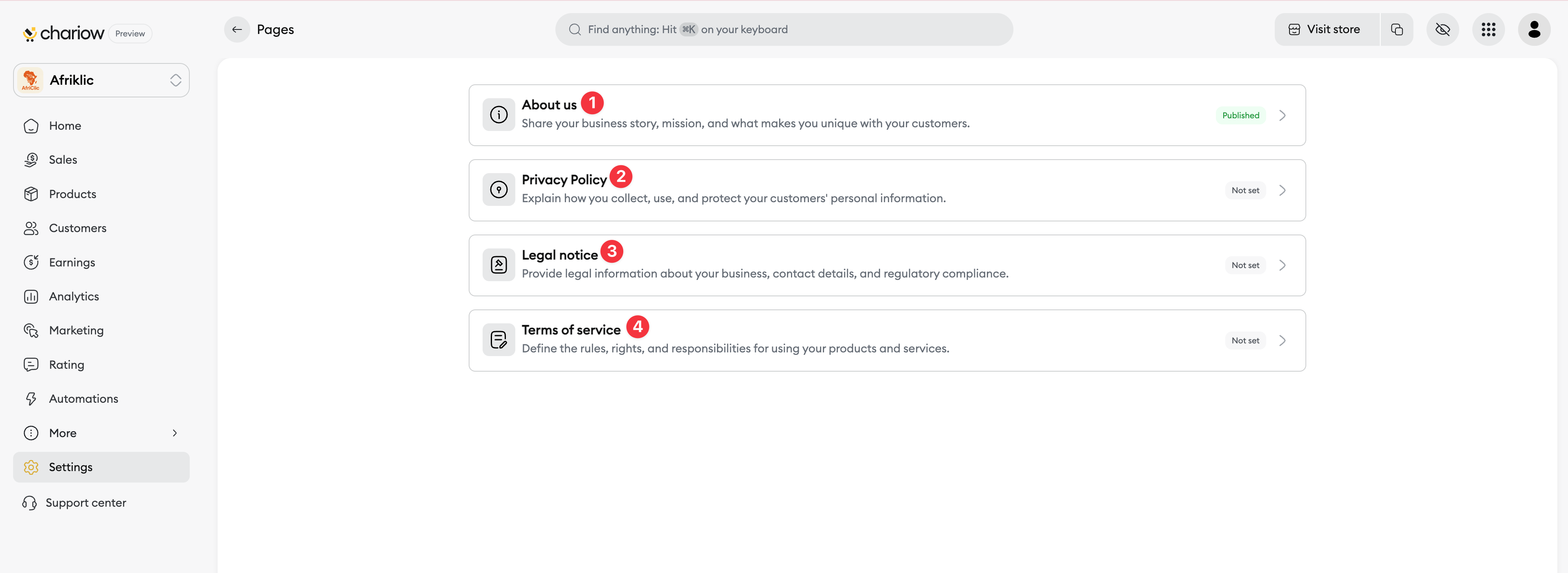
You’ll see a list of pre-existing pages you have to define (for example, About (1), Privacy Policy (2), Legal notice (3), Terms of Use (4)).
Click on the page you want to set up (for example, Terms of Use). An editing window will pop up.
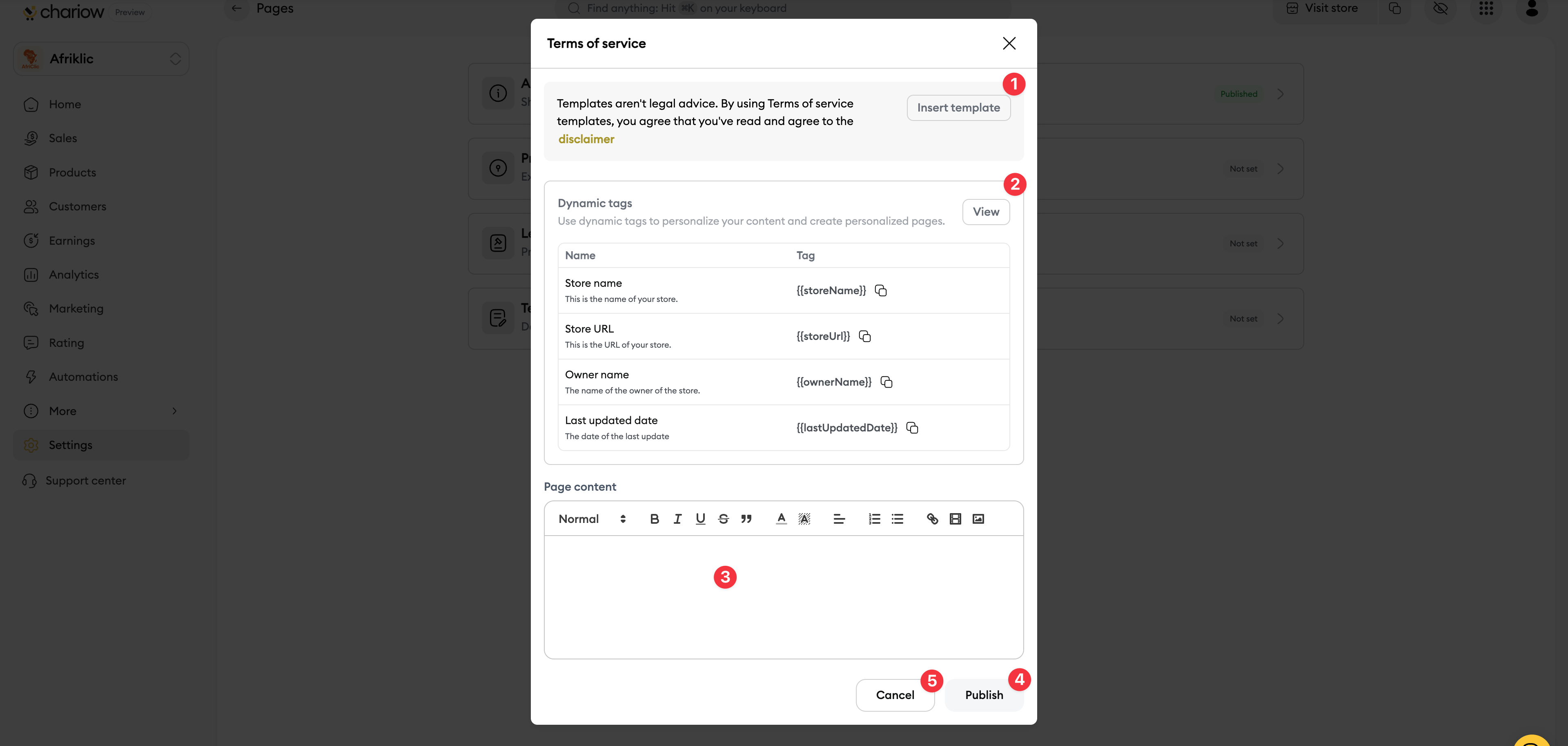
Insert a template (1): For legal pages, you can click on the Insert a template button to get a content base quickly.

Page content (3): Use the text editor to write your content or personalize the inserted template.
Dynamic tags(2): You can use dynamic tags to automatically place info from your store (like your name) in the page.
Once your content is ready:
Click on Publish (4) to make the page visible in your store. Its status will go from Undefined to Published.
If you want to cancel, you can click on Cancel (5) and the page will stay in Undefined status.
Need help? Contact our support via chat or at [email protected]