

Adding your social media links is key to building a community and driving traffic to your other platforms. These icons usually show up in your store’s footer.
Step 1: Go to Settings
From your dashboard, go to Settings.
Go to the Store Identity section under “Store Customization”.
Step 2: Add your social links
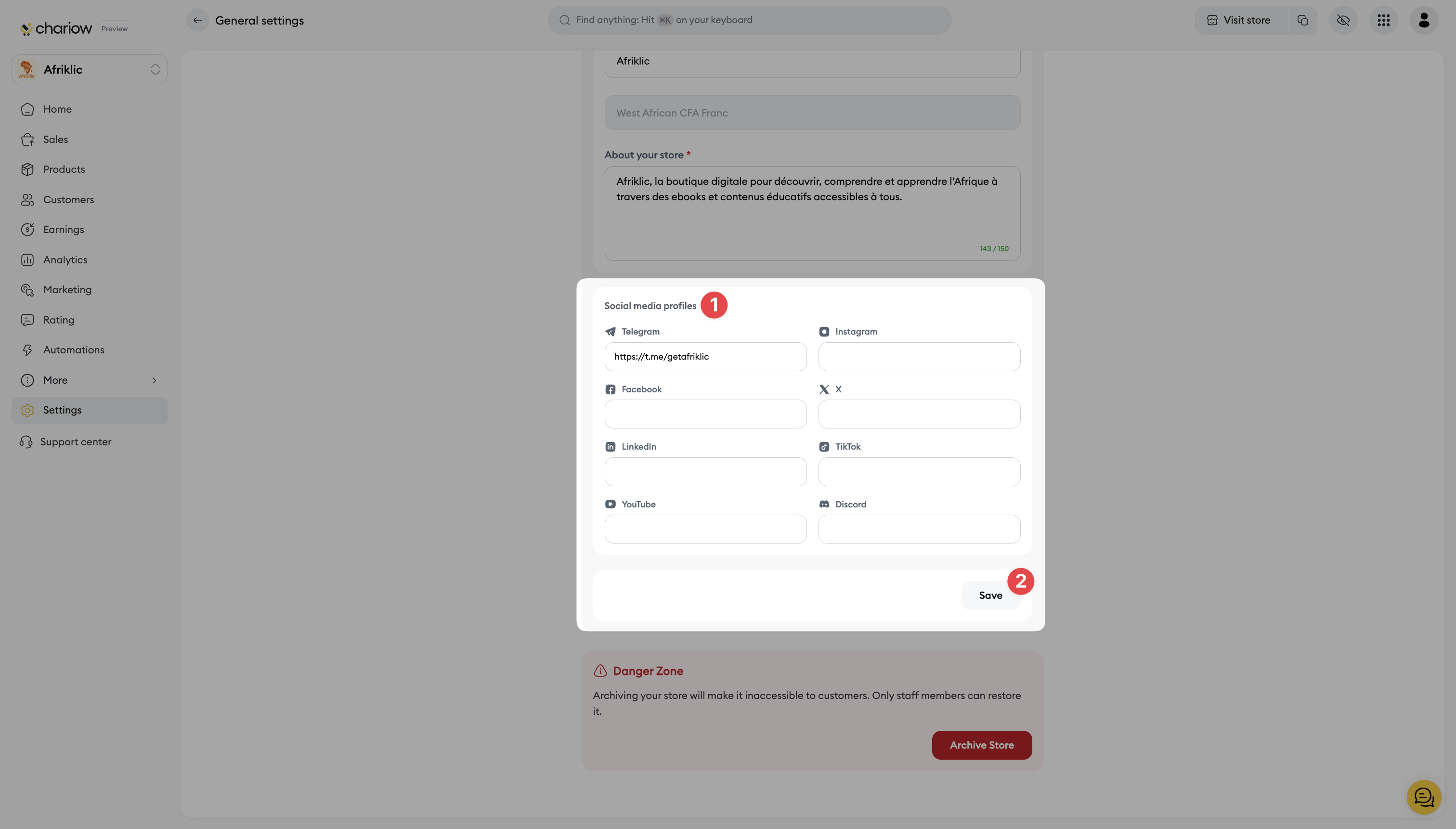
Scroll down to the Social Profiles (1) section.
Enter the full link (URL) for each of your social profiles in the right field (Telegram, Instagram, Facebook, LinkedIn, YouTube, X (formerly Twitter), TikTok, Discord).

Attention: Make sure to enter the full URL, including https://. Leave the fields empty for platforms you don't use.
Step 3: Save and publish
Once you've entered all the links you want, click the Save (2) button at the bottom of the page to apply the changes to your shop.
Your social profiles are now connected and visible to your customers!
Need help? Contact our support via chat or at [email protected]