Getting customer reviews is a powerful strategy to build trust and boost your store’s sales. Positive reviews act as social proof and are often more convincing than a product description. On Chariow, every review you receive directly impacts your Positive Review Rate displayed on your profile and product pages.
Trust and Sales : Positive reviews reassure visitors and increase the credibility of your products.
Affiliate Visibility : A good satisfaction rate improves how your products are displayed and highlighted in the affiliate catalog.
Optimization : Customer feedback helps identify your strengths and areas for improvement.
The reviews dashboard, located in the "More > Reviews" section, gives you an instant analytical view:
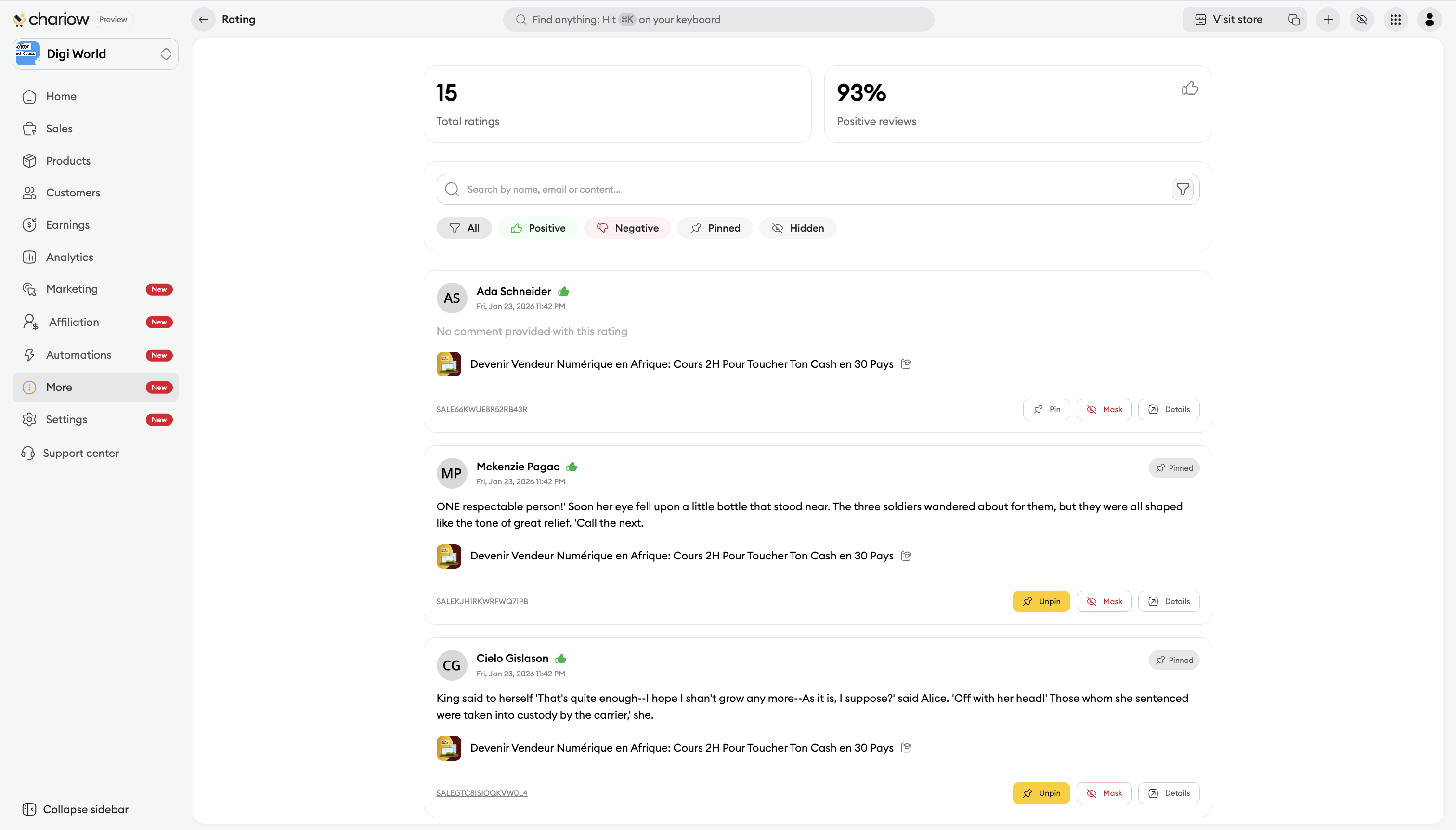
Key indicators : You see in real time the Total number of reviews collected and your Positive review rate. The thumbs up signals a positive review.
Dynamic filters : Organize your workflow using the status tabs: All, Positive, Negative, Pinned or Hidden.
Search engine : Find a specific piece of feedback by entering the customer's name or a keyword from the comment.
Most customers don’t take the time to leave a review on their own. Chariow helps you encourage them:
Automatic email : Chariow sends an email to your customer 24 hours after their purchase to ask for their feedback.
Client Area : Encourage your customers to log in to https://portal.chariow.com to leave their review.
Incentives : Offer a small reward (discount code) in exchange for a review to generate a future sale.

For each review, you have quick actions just below the comment text:
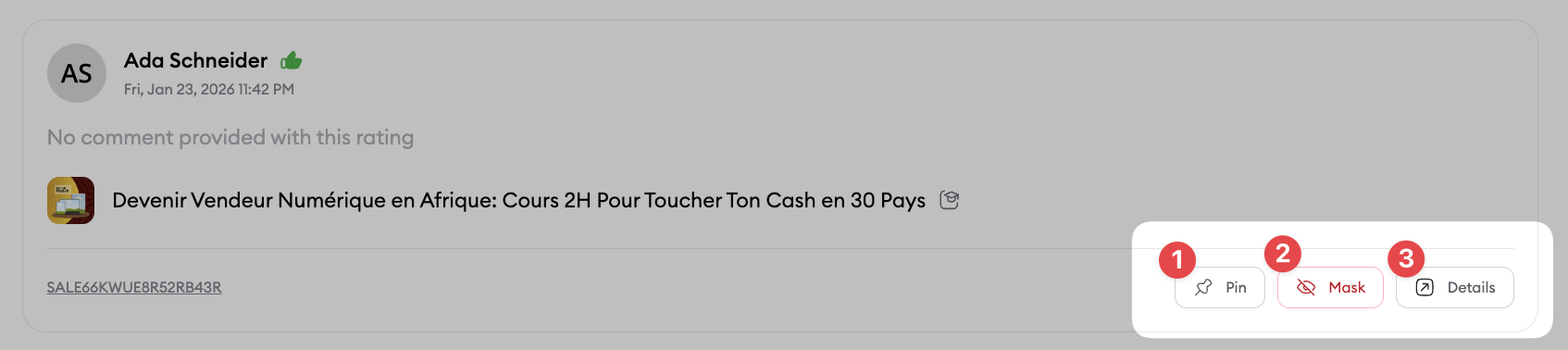
Pin : Click on "Pin" so that this review shows up first at the top of your product page.
Hide : If a review is inappropriate, use the "Hide" option to archive it so it’s not visible to visitors.
Details : Click this button to open the side panel showing the Review ID, the Related sale, the Product concerned and the customer’s identity.
Say thanks : Always take the time to thank customers who leave a positive review.
Handling negative feedback : Don’t just hide negative reviews. Use the "Negative" filter to spot pain points. Reply professionally and offer a solution to show your commitment.
Highlight the details : Prefer pinning and sharing reviews that mention a specific benefit of the product to attract new customers.
Need help? Contact our support via chat or at [email protected]