

To highlight your most popular or most recent products, Chariow lets you “pin” them at the top of your shop. A pinned product stays visible in the first position, no matter how many new products are added. In the same way, you can “unpin” it so it goes back to its place in the chronological order of publication.
Steps to pin a product
You have three options to pin or unpin a product:
Option 1: Via the quick action menu
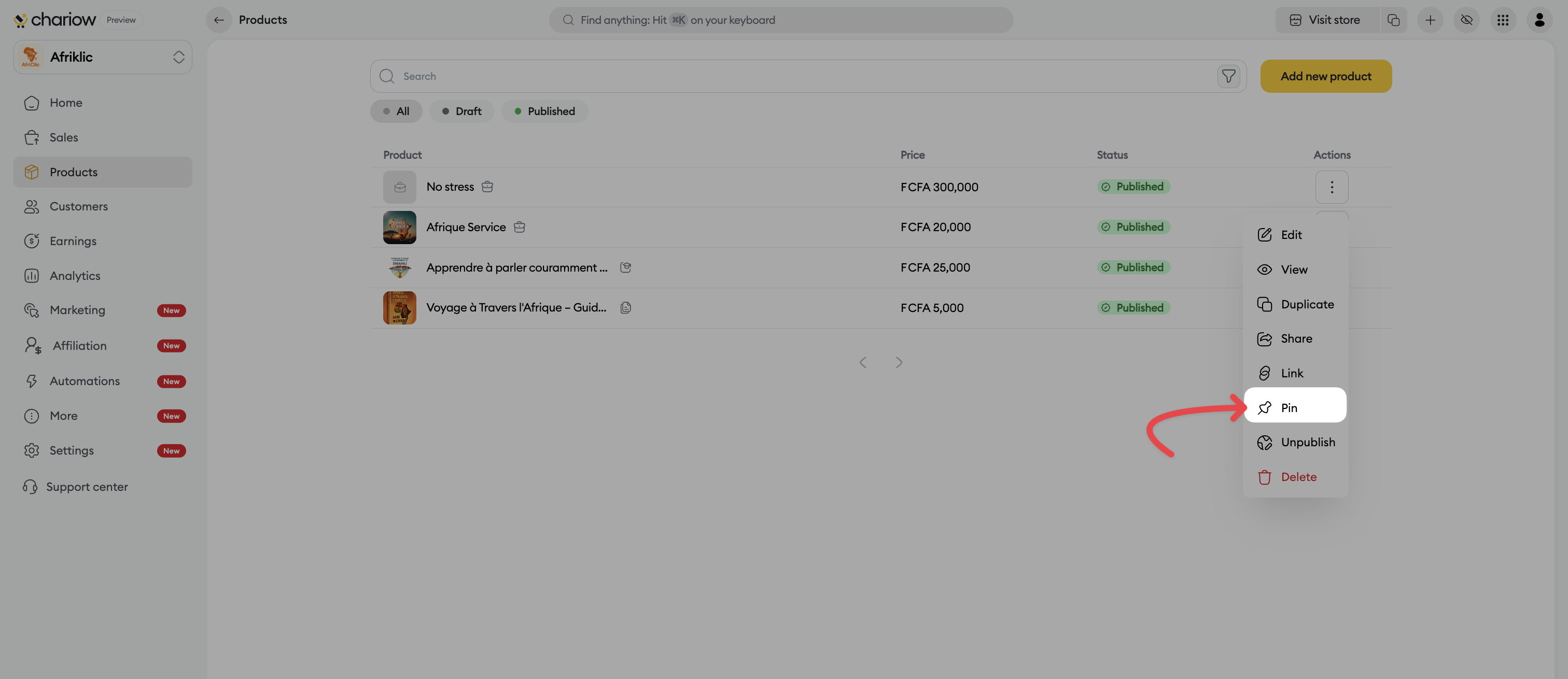
In your product list, click the three vertical dots (⋮) next to the chosen product.
Select the Pin option.
If the product is already featured, the option will show Unpin.
Option 2: From the product details panel
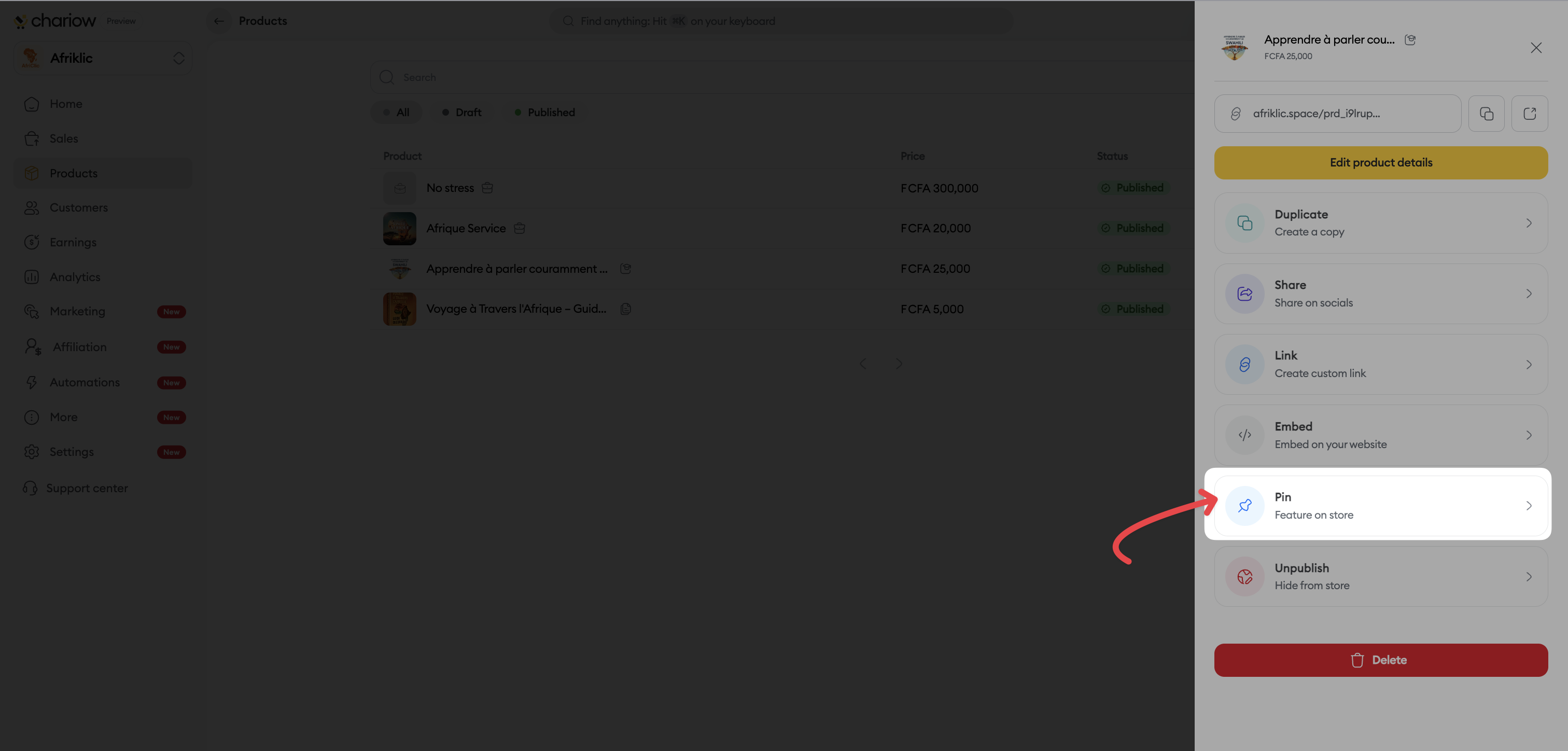
Click the product in your list to open the right sidebar.
Scroll through the options and click Pin (located just above "Unpublish").
If the product is already pinned, the label displayed will be Unpin.
Option 3: From the product edit page
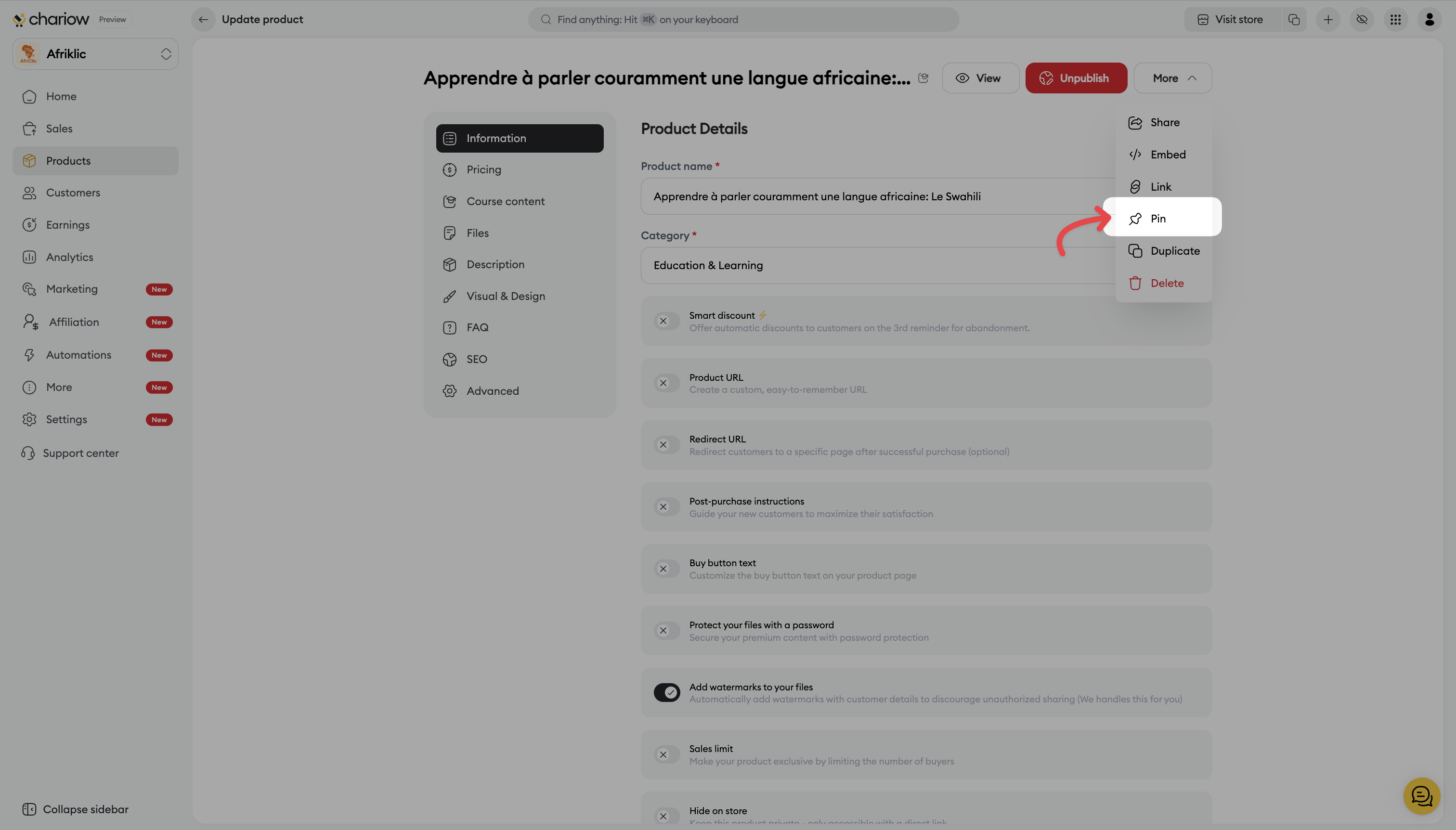
Go to the editing page of your product.
Click the "More" button located at the top right of the interface.
In the dropdown menu, select "Pin".
If the product is already pinned, the option will switch to Unpin so you can put it back in chronological order.
Tip for Afriklic
Pinning is the perfect tool for your launches. If you release a new module, pin it so it’s the first thing your customers see when they land on your space, boosting your chances of immediate conversion.
Need help? Contact our support via chat or at [email protected]