The "Clients" section lets you view and manage everyone who made a purchase in your Chariow shop. It's a handy tool to keep track of your customers and build lasting relationships.
From the main menu in your dashboard, click the "Clients" section.
You'll see a list of all your customers with their name, email address, and the date they were added.
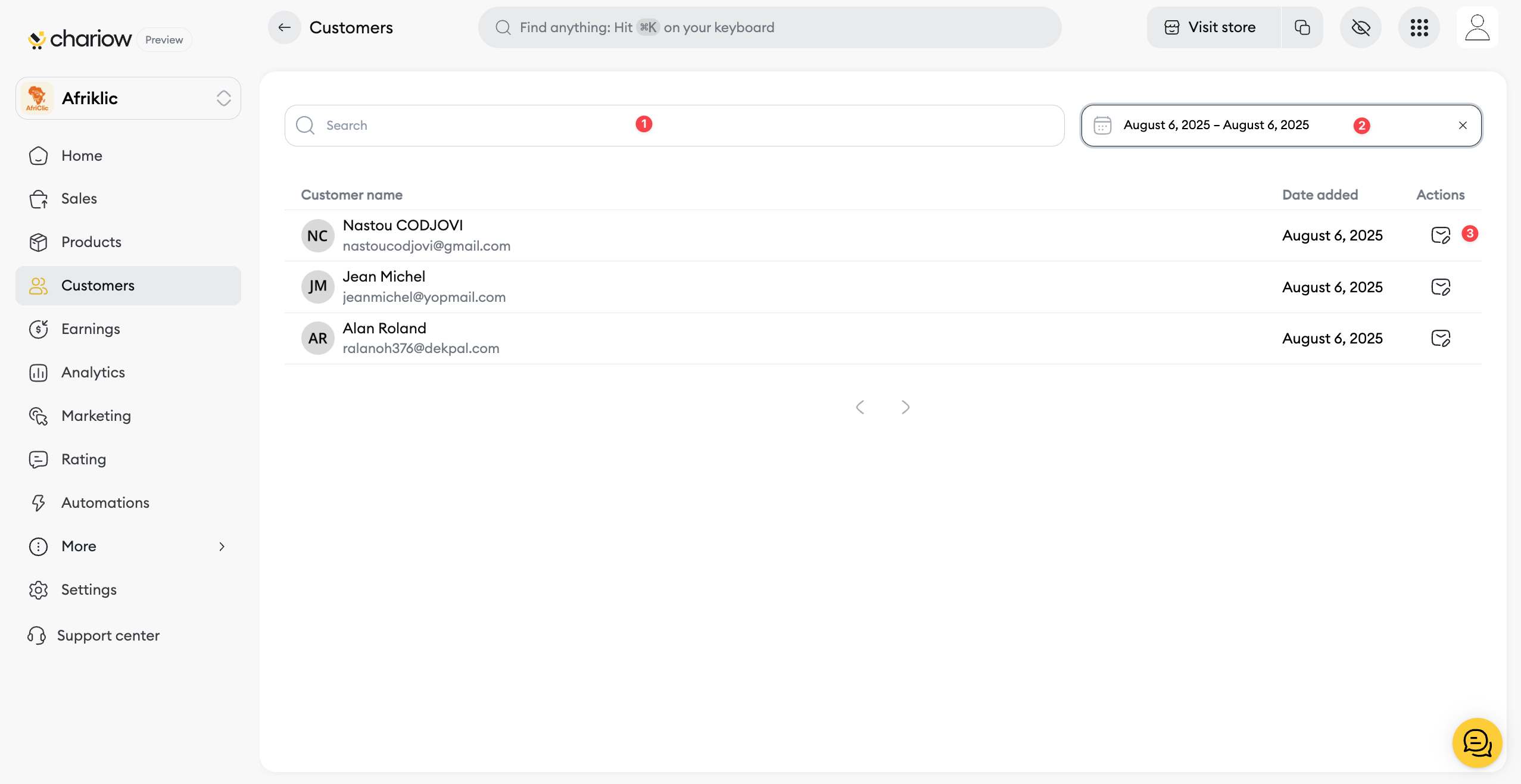
Search bar (1): Use the search bar to find a specific customer by their name or email address.
Date filter (2): You can filter your customer list by time period, for example, to see new customers added on a specific date or within a date range.
Edit customer email (3): Click on the edit icon to change a customer's email address.

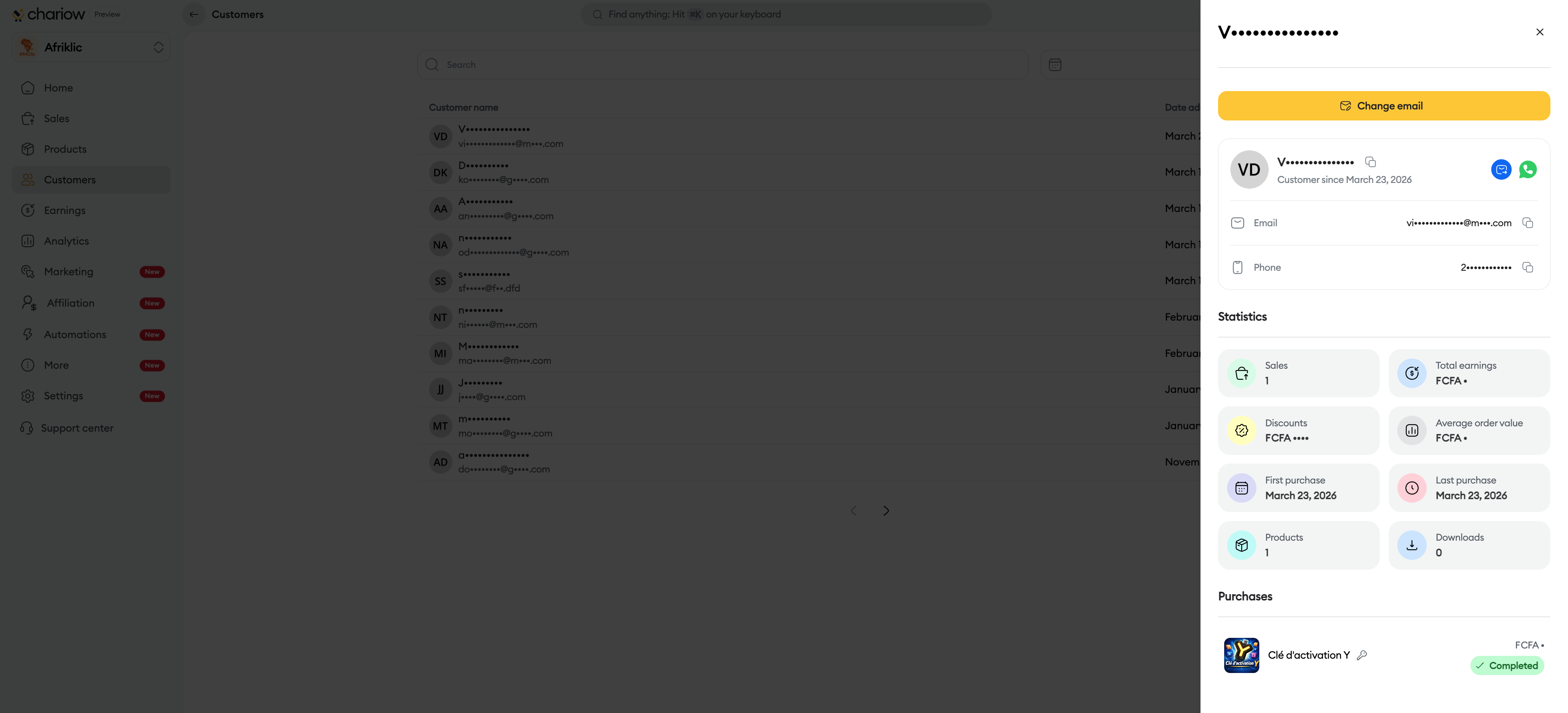
View details: Click on a customer's row to open a window on your right, giving you access to more details about the customer and their purchase history.
For more advanced actions, you also have the option to export your customer database. To learn more, check out our article on:
Need help? Contact our support via chat or at [email protected]