WaChap is a platform that lets you automate your business via WhatsApp and SMS. Its integration lets you create a direct bridge between your Chariow store and your WhatsApp account. This lets you centralize your communications and automate customer follow-up for maximum responsiveness.
Before setting up Chariow, your WhatsApp account must be active on WaChap.
Log in to your WaChap Dashboard.
In the left side menu, click on WhatsApp Accounts.
If you already have an account: Make sure it’s marked as "Connected".
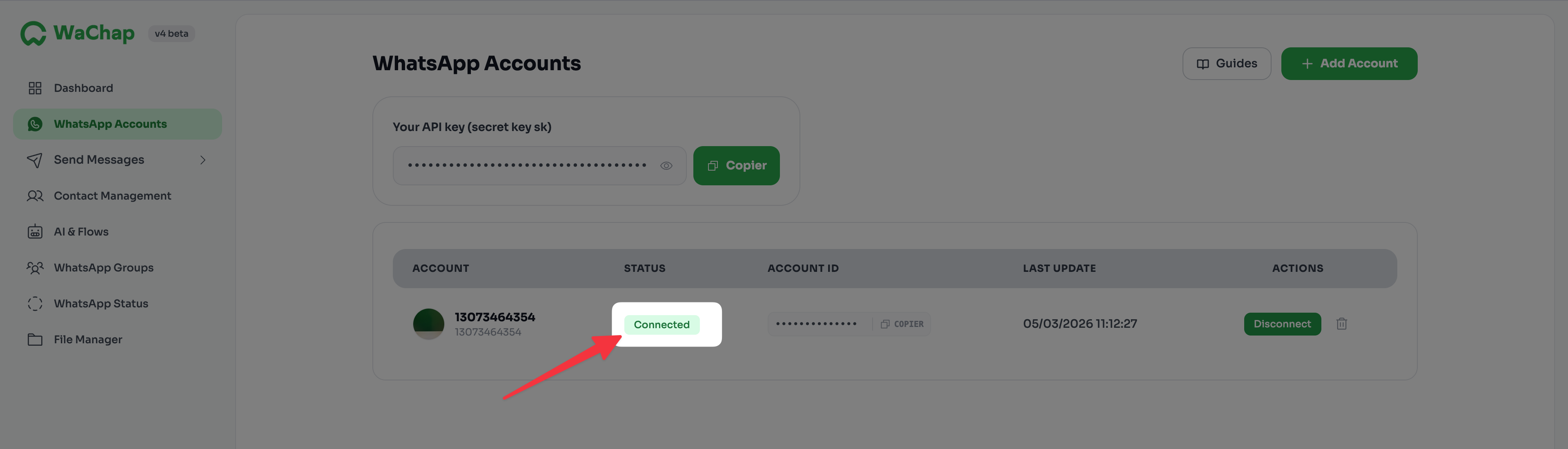
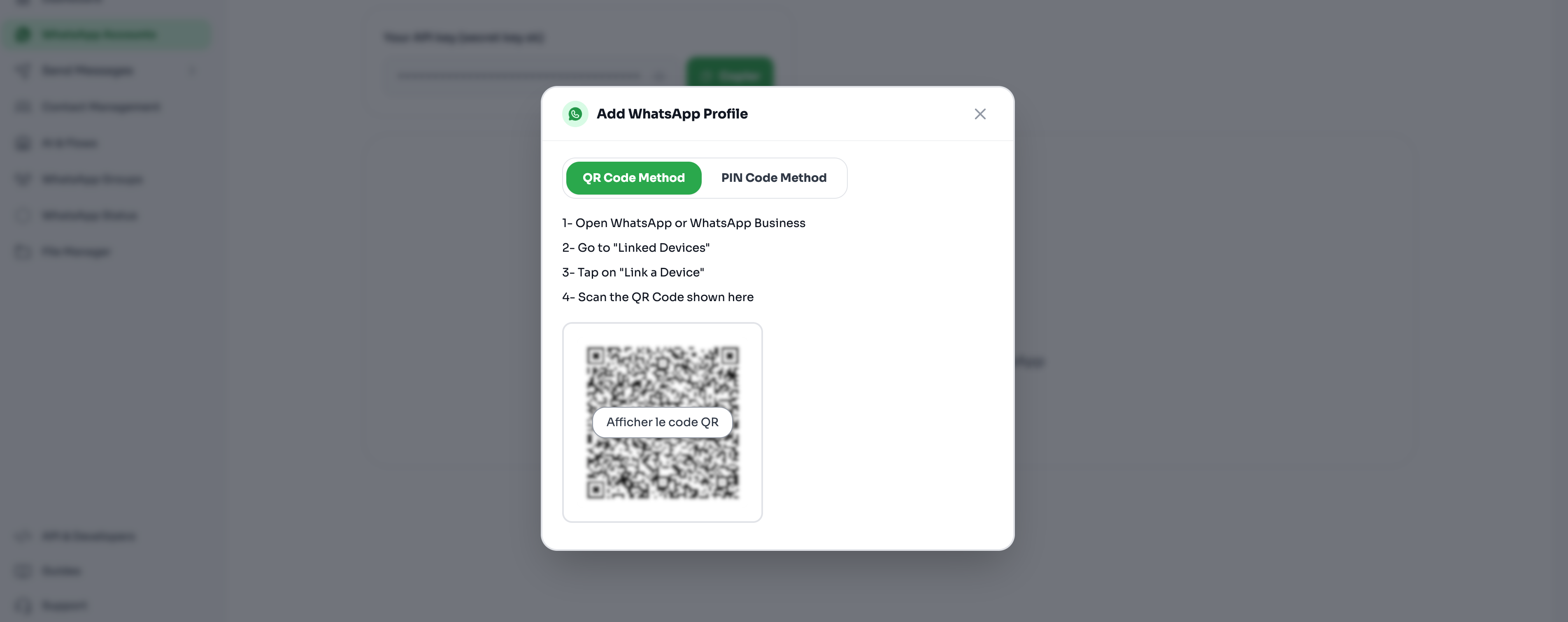
To add a new account:
Click on the Add account button. A QR code appears.
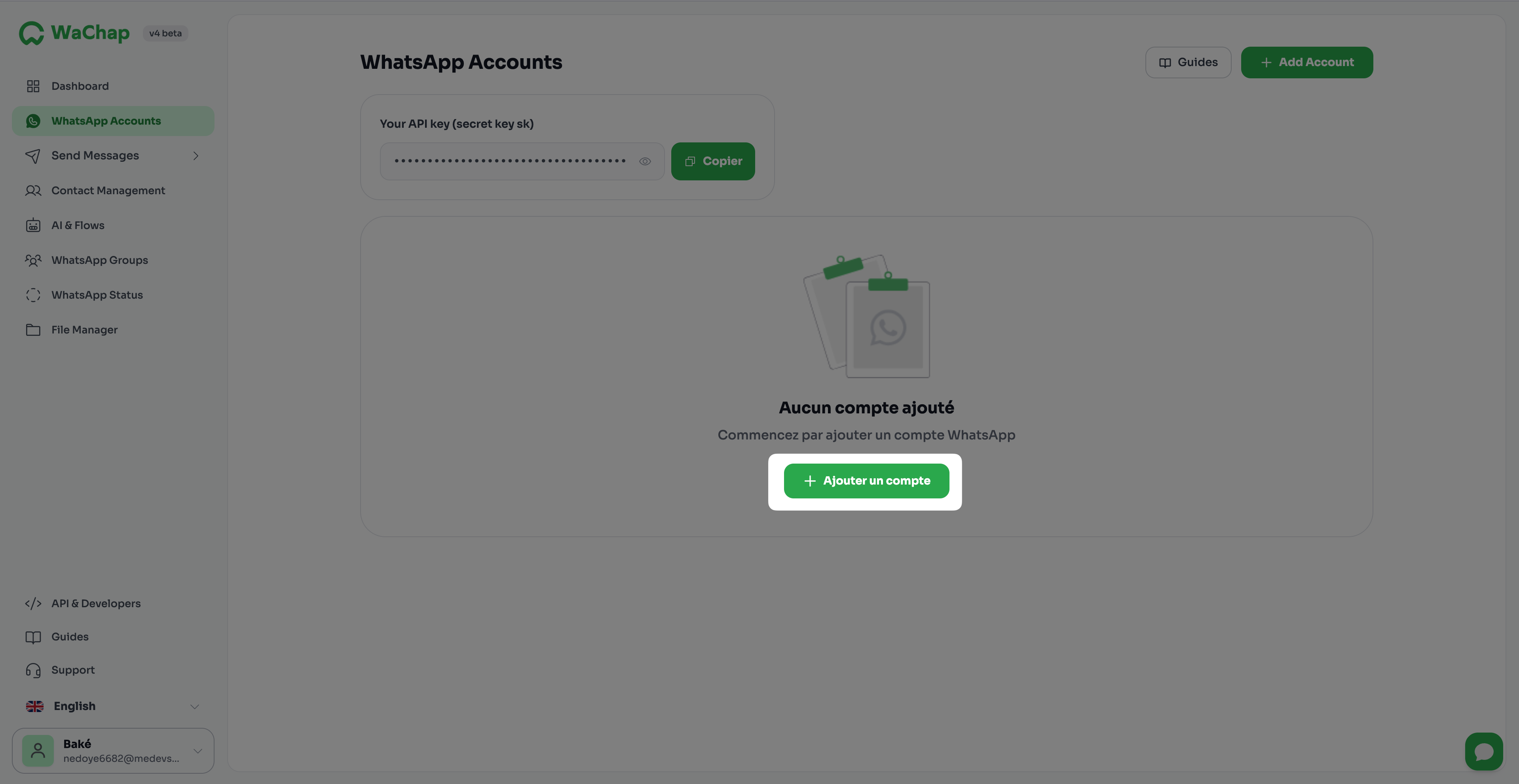
On your phone (WhatsApp), go to Settings (iOS) or ⋮ (Android) > Linked devices > Link a device.
Scan the QR code. Once the scan is successful, your account becomes "active".
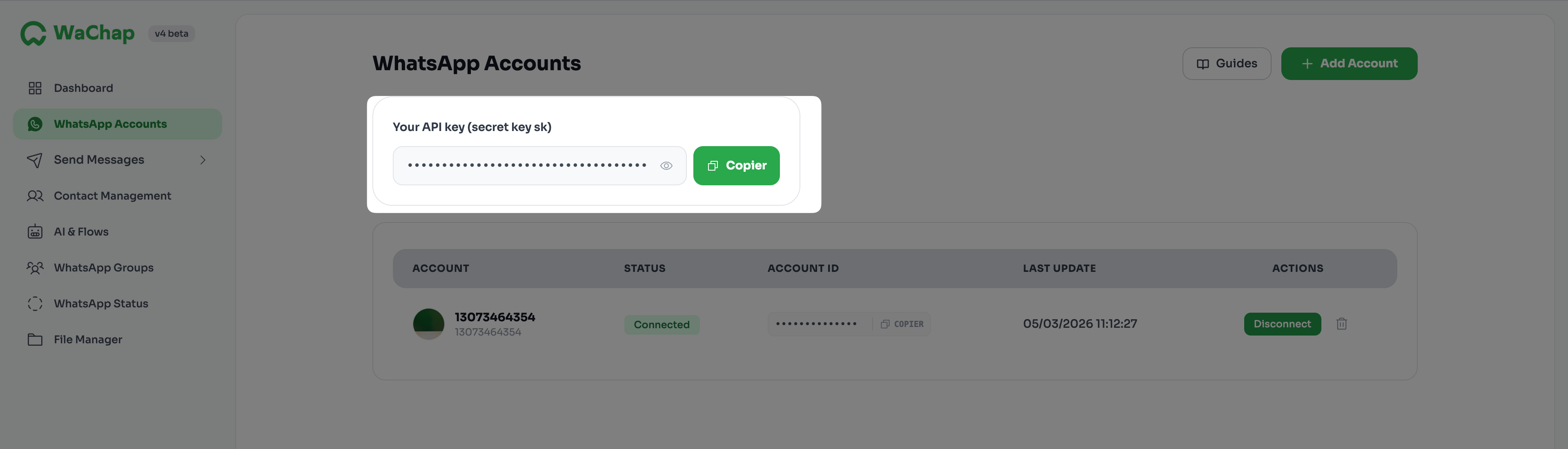
You have two options to get your secret key on WaChap:
Option 1: Click on WhatsApp Accounts in the side menu. The secret key is shown at the top of the page.
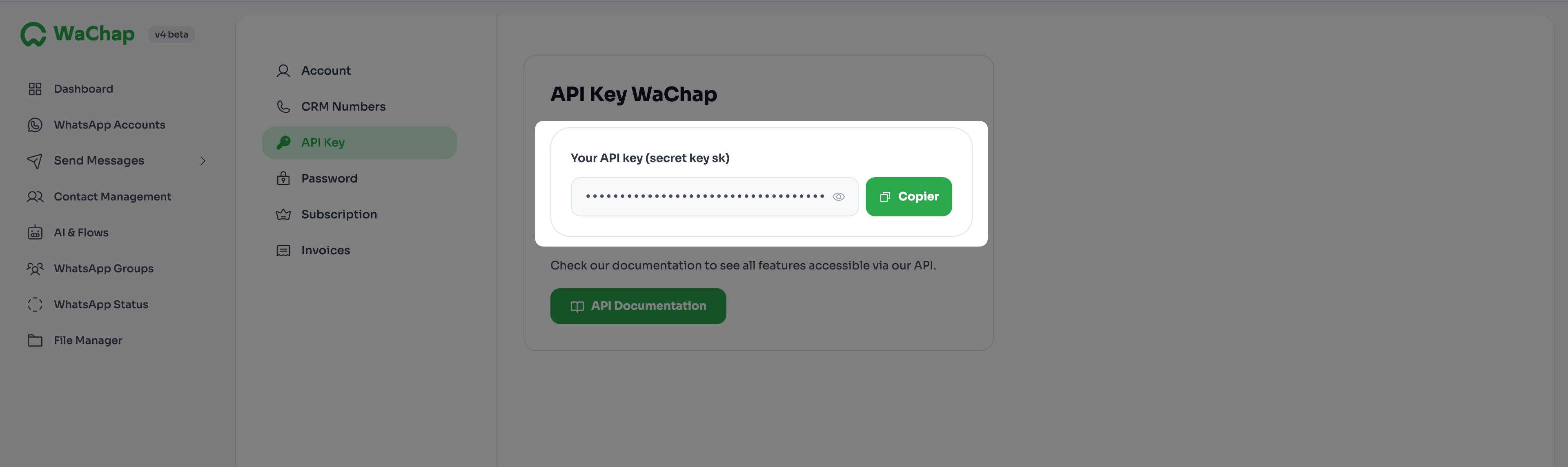
Option 2: Click on your Profile(1) (all the way at the bottom of the side menu) and look for the API Key(2) section.
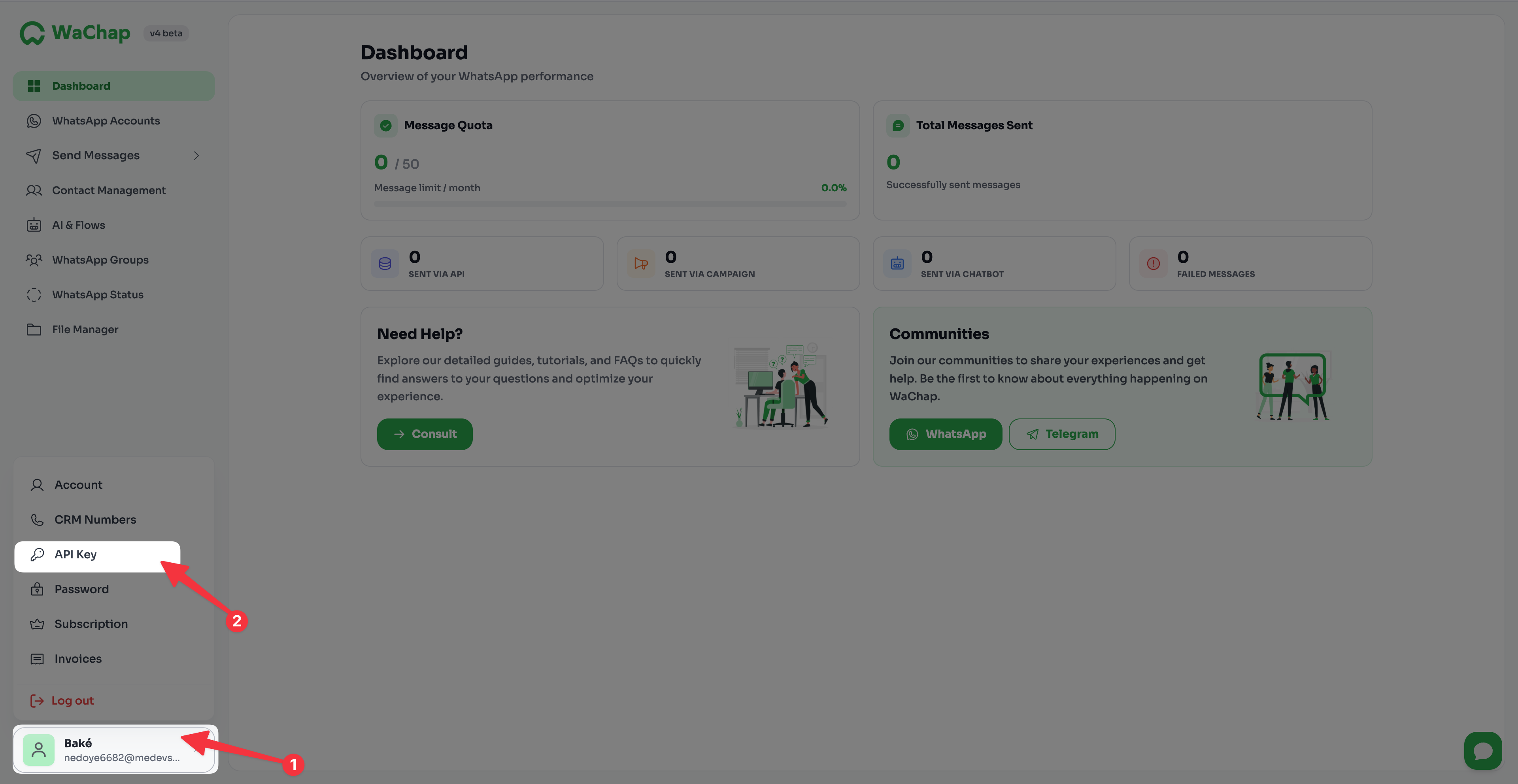
Carefully copy this key.
Log in to your Chariow store.
Go to Automations > Integrations.
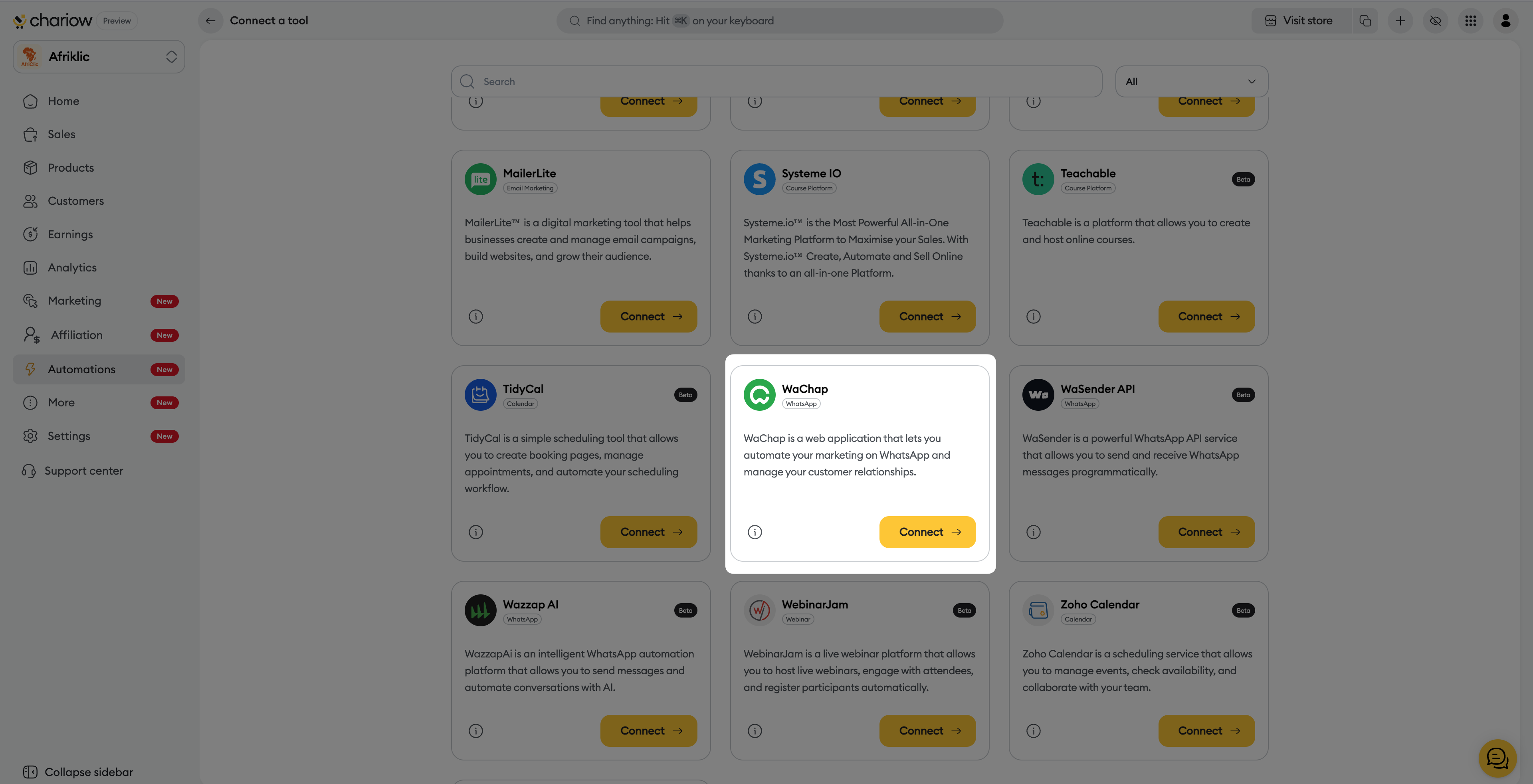
Click the Connect a tool button.
Search for WaChap and click the Connect → button.
Fill in the requested information:
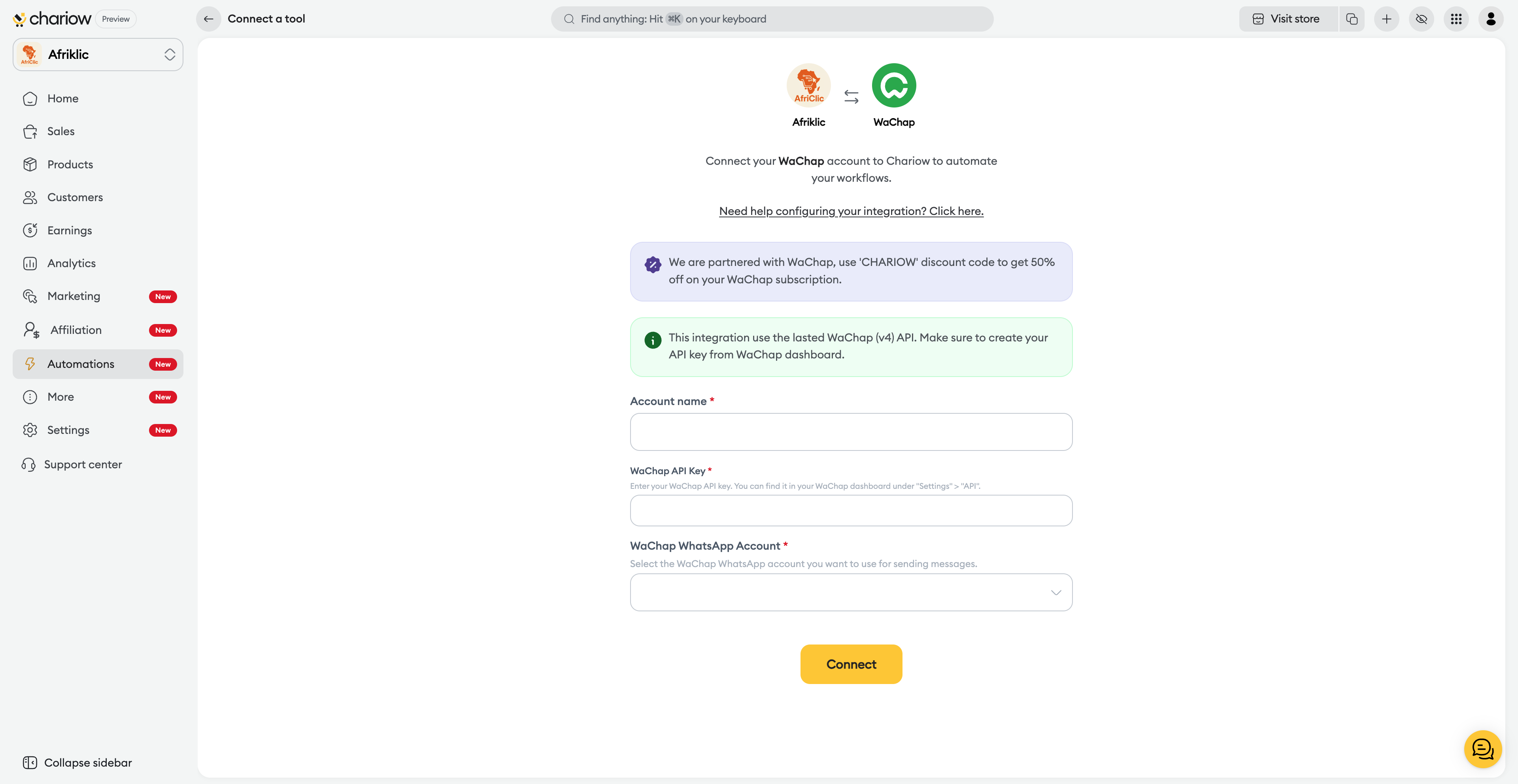
Account name : Give it a clear name (e.g.: "WhatsApp Support Afriklic").
API key : Paste the secret key you got in step 2.
WhatsApp account : Select from the dropdown the number you connected on WaChap.
Click Connect. A congratulations message will confirm the connection.
Once connected, your WaChap instance appears in your list of integrations:
Enable/Disable : Use the switch (switch) to pause the service or restart it instantly.
Actions menu (...) : Click on the three dots to Edit (renew access) or Delete the integration.
Details : Click on the row to see the technical ID and the Date added of the tool.
Key protection : Your API key is confidential. Never share it.
Maintenance : If messages stop being sent, check on WaChap that your phone is still properly connected (a QR code scan may be needed from time to time).
Need help? Contact our support via chat or at [email protected]

