

When you buy a digital product on Chariow (pdf file, doc, image, etc), the file might be protected with a password. This password, called access code, is your Order ID.
How to find your Order ID?
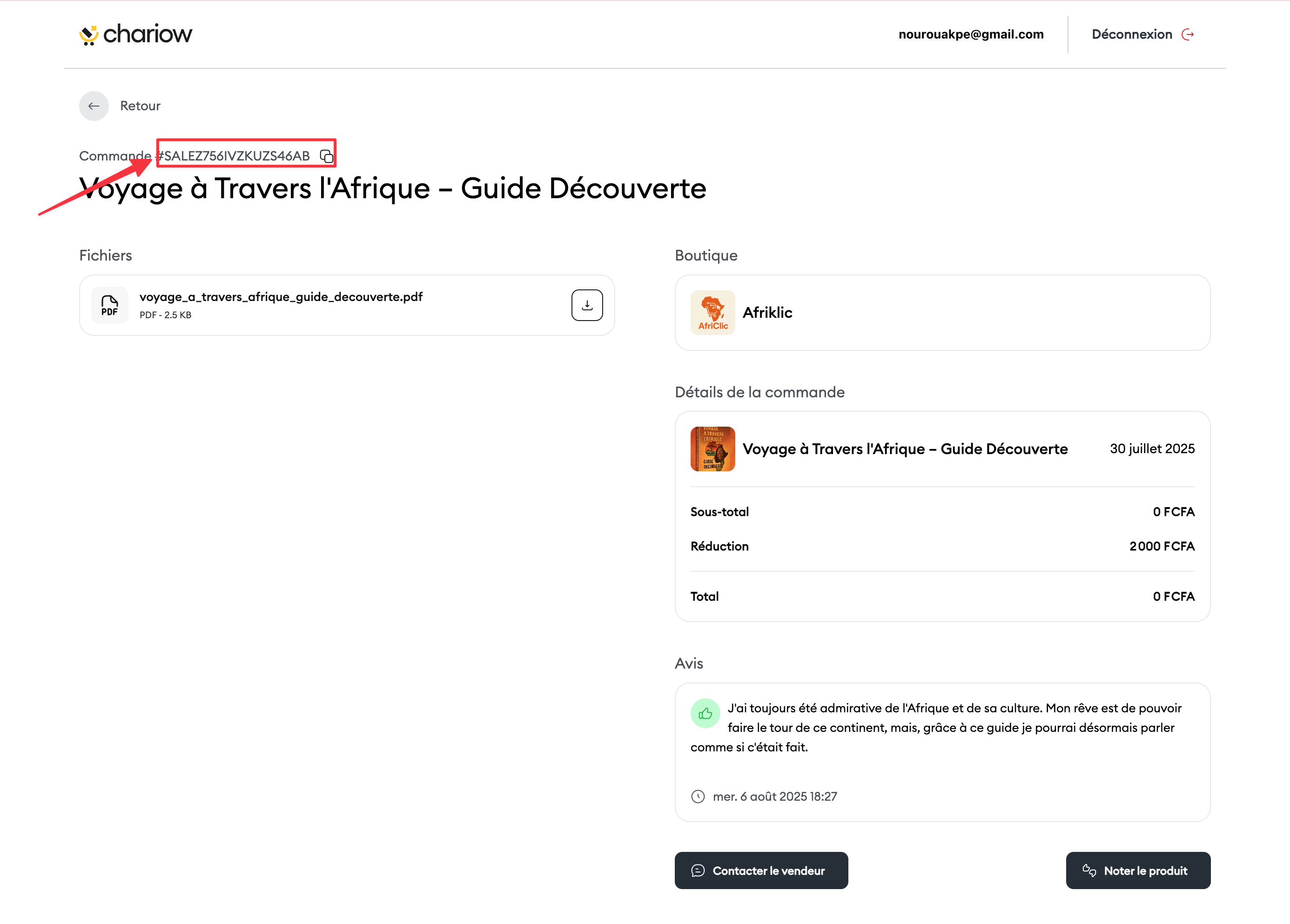
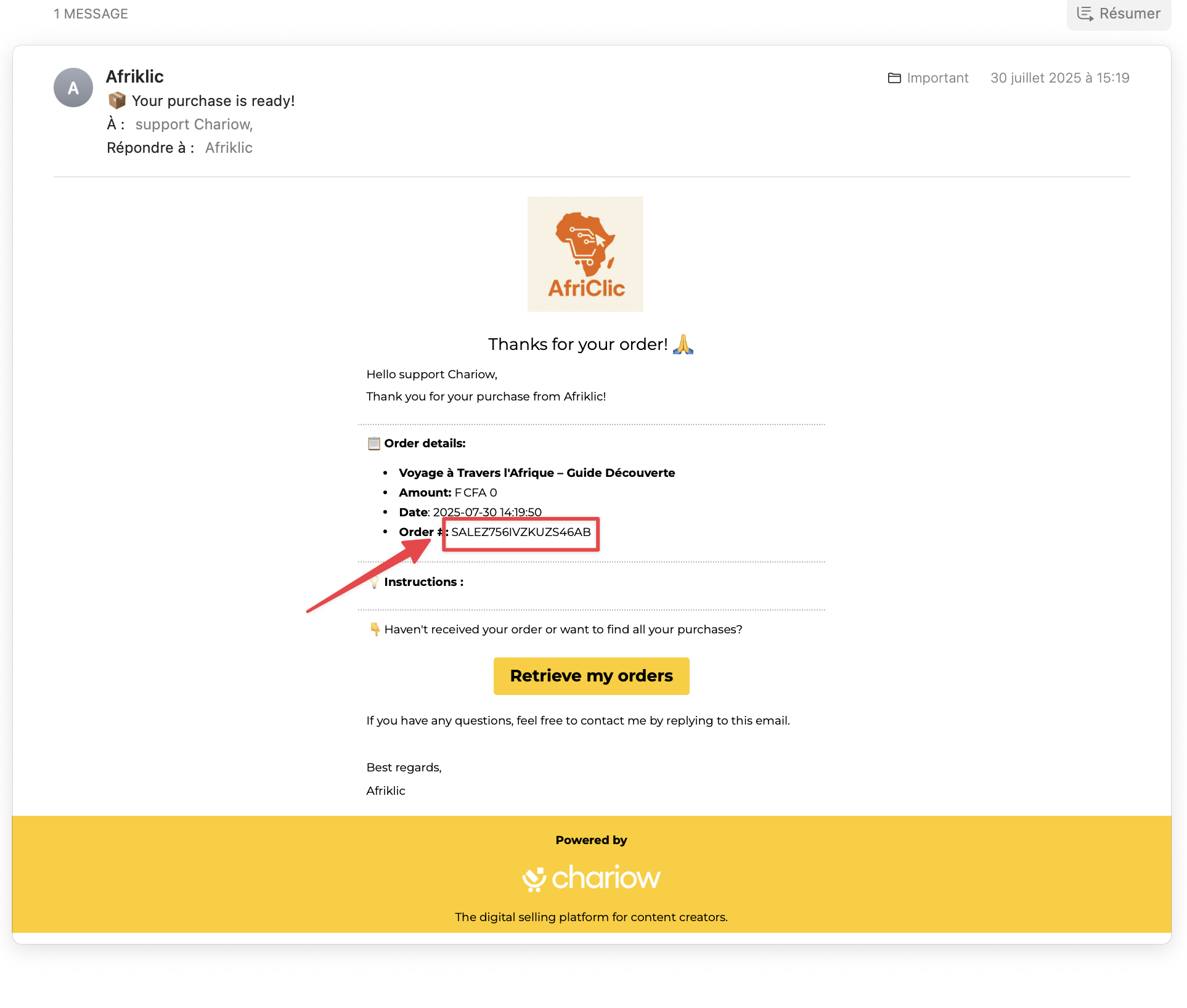
To unlock your file, you'll need to use the unique ID from your order. You can find it in two places:
In the "My Purchases" section of your Chariow account.
In the confirmation email you got after your purchase
What to do if the code doesn’t work?
If you’re having trouble accessing your file, follow these simple steps:
Check the code: Make sure you copied the full order ID, with no spaces or mistakes.
Contact support: If the problem keeps going, reach out to our support through the chat or at [email protected]
Need help? Reach out to our support through the chat or at [email protected]