Adding a time-scarcity element, such as a flash sale or a 24-hour limited offer, helps increase the conversion rate of your sales pages. Chariow integrates a dedicated element to display this countdown in just a few clicks, without any coding skills.
Access product management:
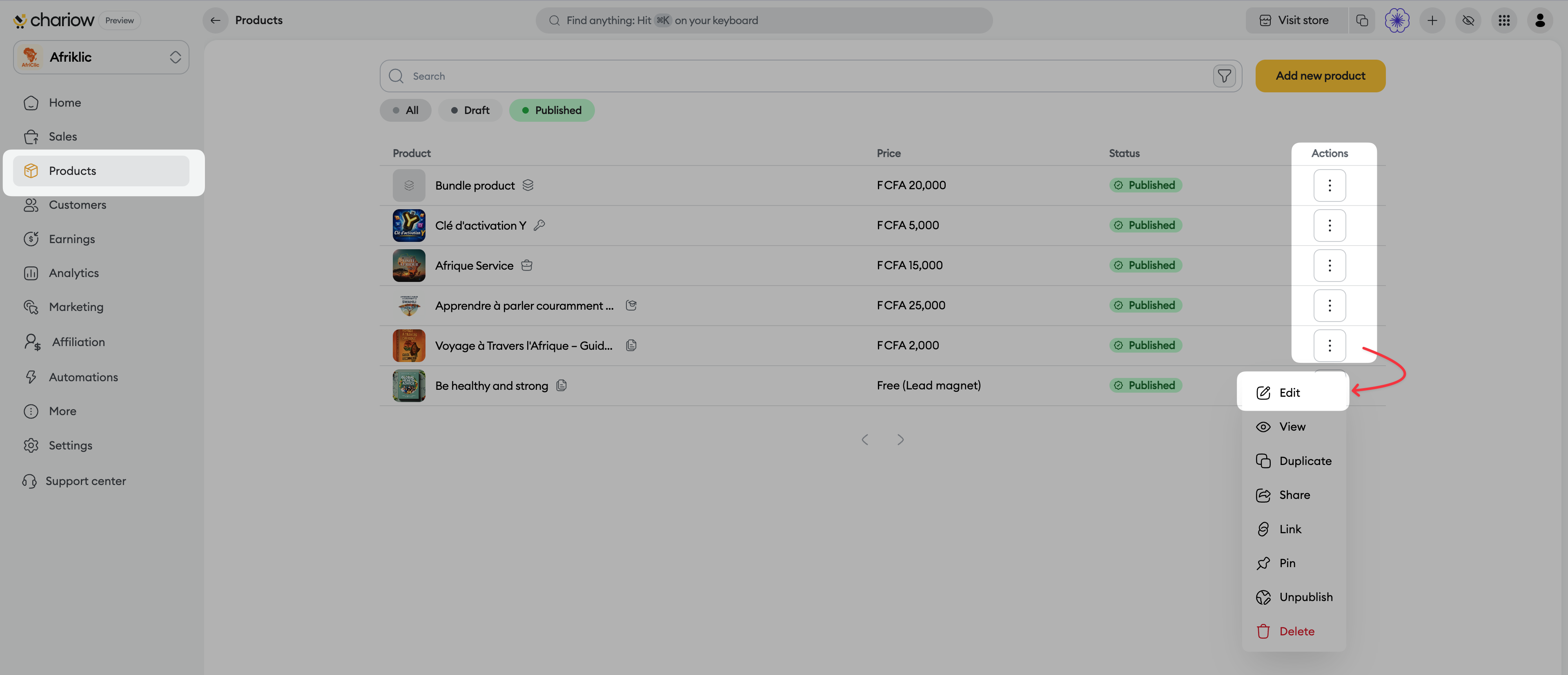
In your Chariow dashboard, click on the "Products" tab in the left sidebar menu.
Identify the product to which you wish to apply the temporary promotion.
Click on the three vertical dots under the "Actions" column to the right of the product in question, then select "Edit".
Access the pricing menu:
In the product navigation column, click on the "Pricing" section.
Configure the promotional price:
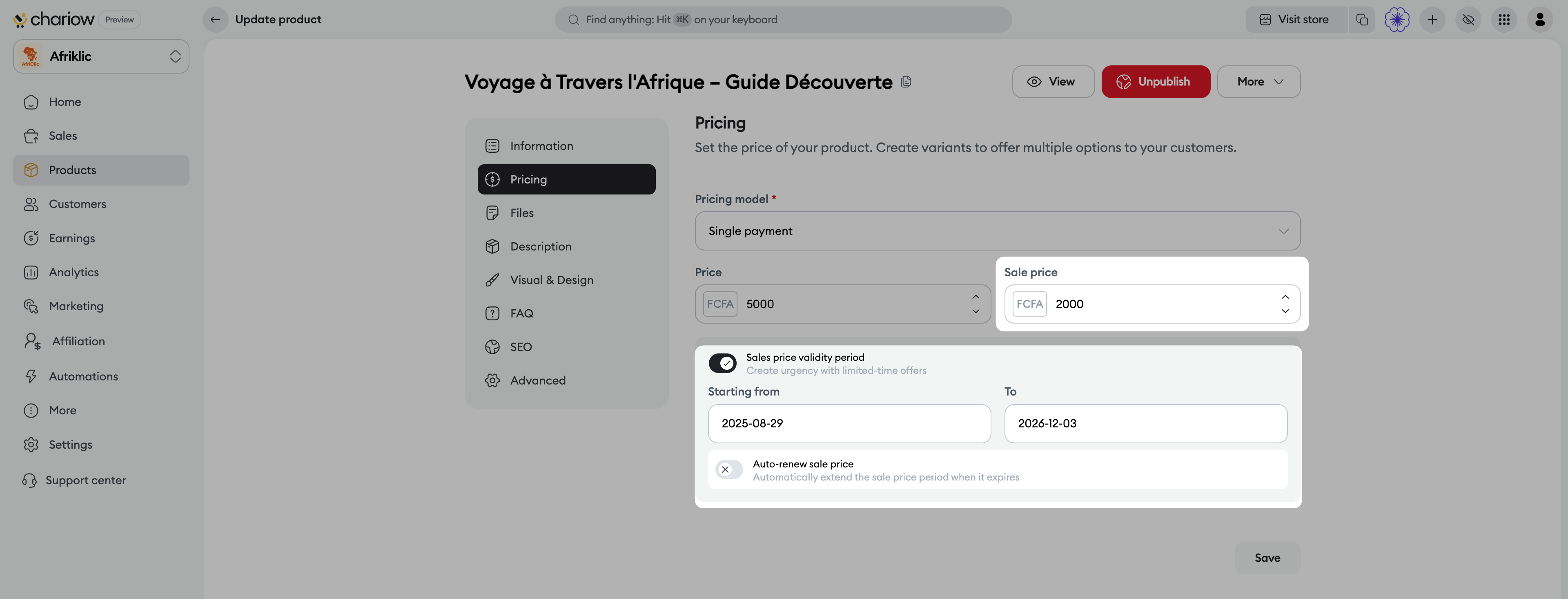
Enter the regular price in the "Price" field (e.g. 5000 FCFA).
Enter the reduced price in the "Promotional price" field (e.g. 2000 FCFA).
Activate and set the validity period:
Activate the "Validity period of the selling price" toggle.
In the "From" field, select the start date and time of your promotional offer.
In the "To" field, select the end date and time (set a 24-hour interval from the start date to create a one-day flash sale).
(Optional) Activate the "Automatically renew the selling price" option if you wish to automatically extend the period once it expires.
Save the changes:
Click the "Save" button at the bottom right to validate your settings.
Entering inconsistent dates: Make sure that the end date entered in the "To" field is indeed later than the date entered in "From".
Forgetting to save: If you leave the page without clicking "Save", the validity period will not be taken into account.
Need help? Contact our support via chat or at [email protected]