Google Meet is a video conferencing service that lets you create and join video meetings. By connecting Google Meet to Chariow, you automate the creation of virtual meeting rooms as soon as a booking is confirmed, giving your customers a smooth experience.
An active Chariow account.
A Google account.
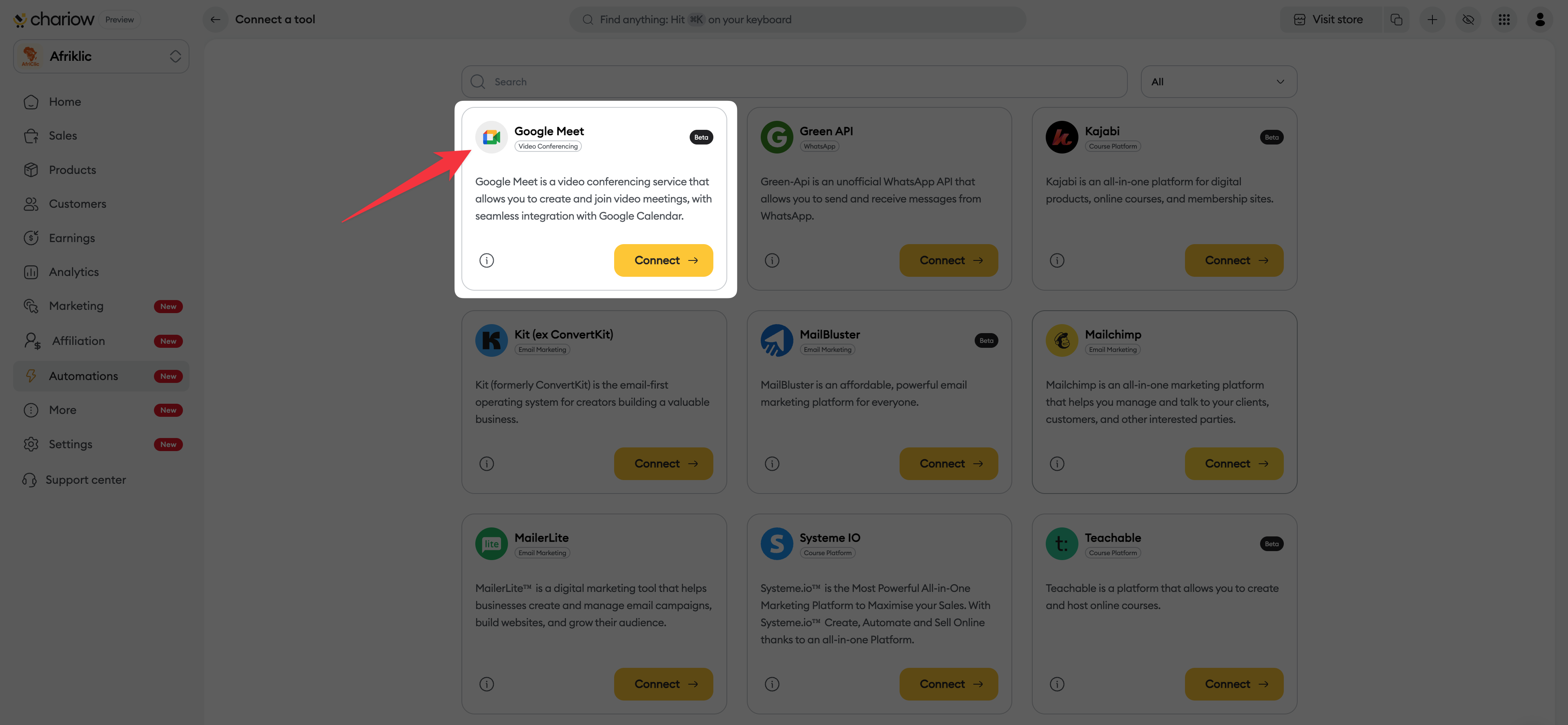
In your Chariow interface, click on the "Automatisations" tab in the left sidebar menu. Then click on the "Connecter un outil" button to display the list of available integrations.
Scroll through the list until you find the "Google Meet" card. Click on the "Connecter" button.
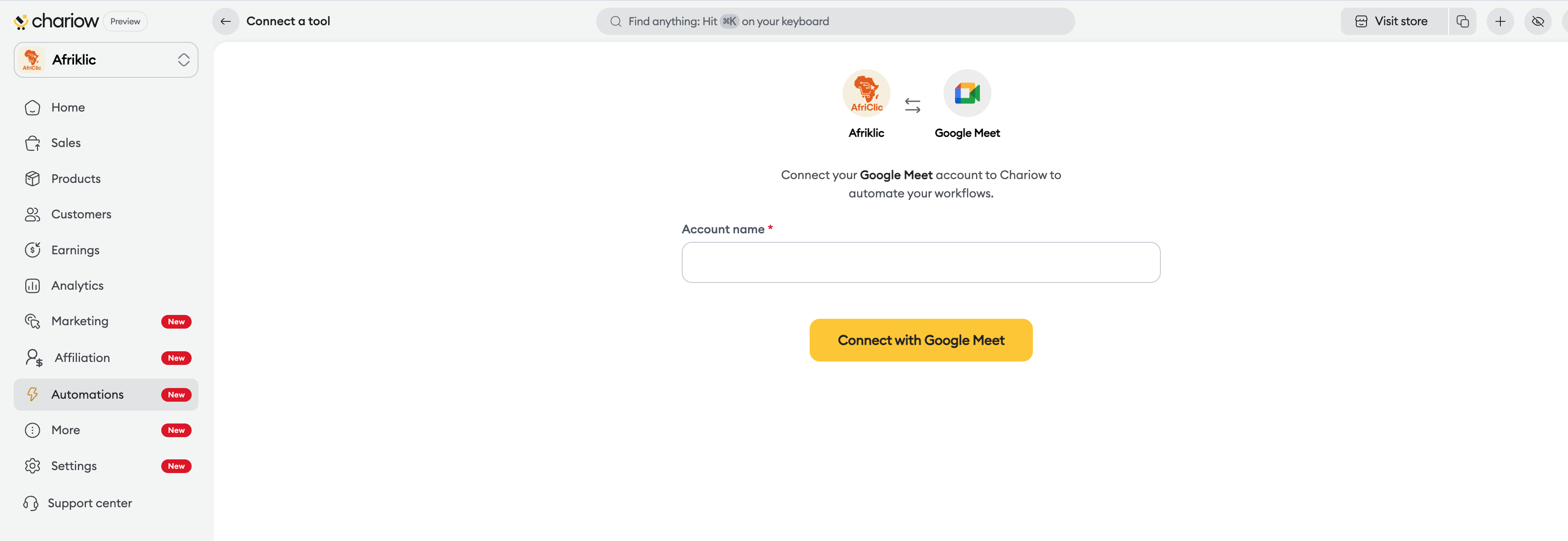
On the next screen:
Enter a name to identify this connection in the "Account name" field.
Click the "Sign in with Google Meet" button.
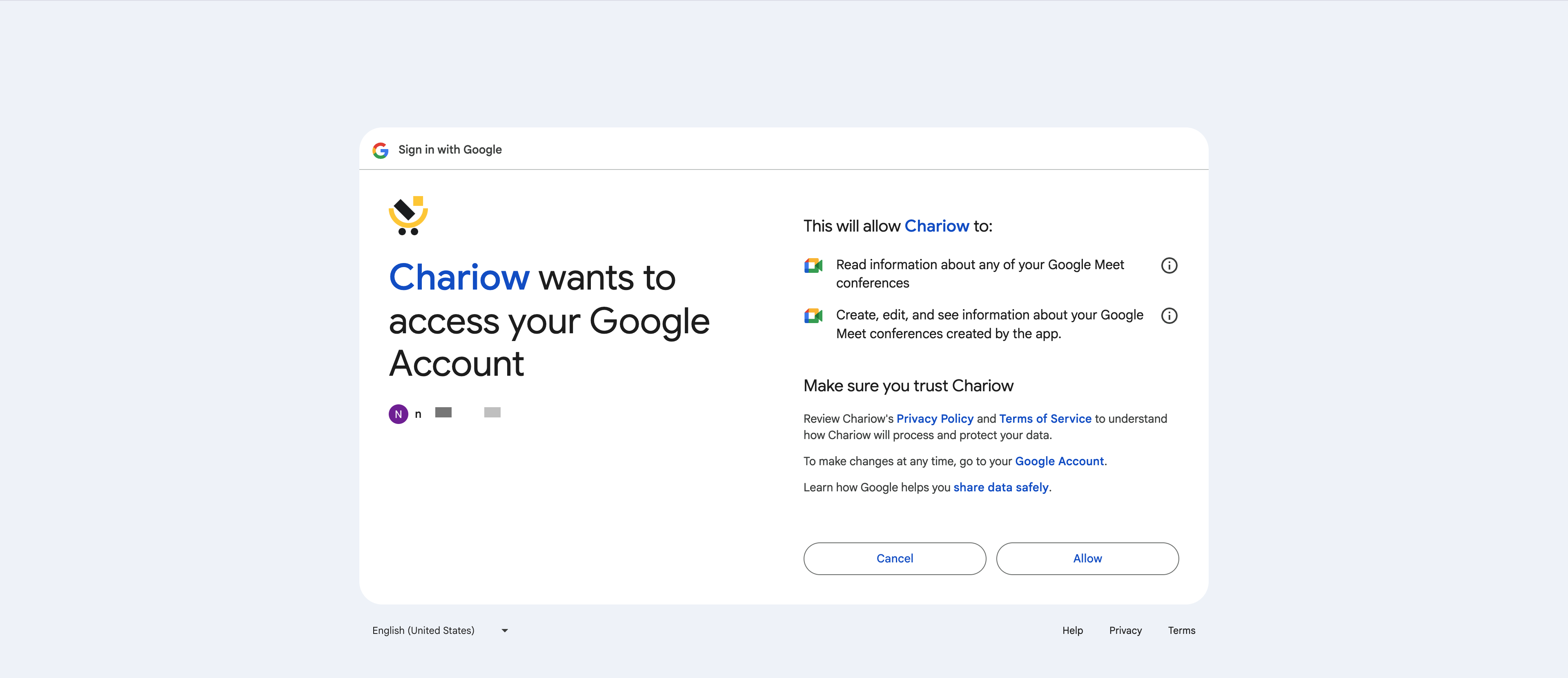
A Google sign-in window will pop up:
Select the Google email address you want to use.
Click the "Continue" button to confirm Chariow's access to your account.
Google will show the specific permissions needed for the tool to work properly, especially for:
Read the information about your Google Meet conferences.
Create, edit, and view information about the conferences created by the app.
Click the "Allow" button to confirm.
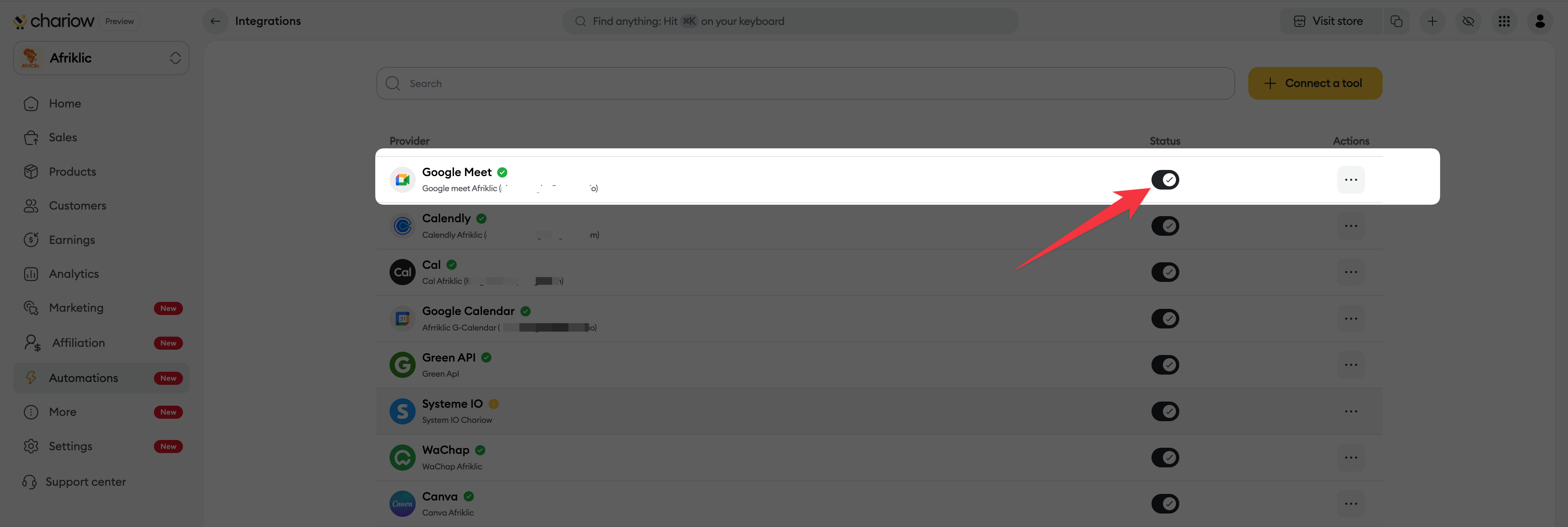
Once the authorization is granted, you’ll be redirected to your Chariow dashboard. The integration will now show up in your list of connected services with an active status.
Calendar check: For maximum efficiency, make sure your Google Calendar account is also connected if you want Meet meetings to be added there automatically.
Wrong Google account: If you have several Google accounts (work and personal), make sure you've selected the one linked to your professional activity at step 4.
Blocked window: If the Google login page doesn't open, temporarily turn off your ad blocker or pop-up blocker.
Need help? Contact our support via chat or at [email protected].

