The Canva integration lets Chariow connect with your design account to automate some visual tasks. Whether it’s for managing your assets or improving your marketing processes, this connection is a key bridge between your creativity and your store.
The main benefit of this integration for your Afriklic store is smooth content management:
Direct use of media: You can directly use your designs and media stored on Canva to illustrate your products or your communications on Chariow without leaving the interface.
Centralized access: Chariow can read the content of your designs and browse your Canva folders so you can quickly pick the perfect visual.
Optimized organization: Access to the metadata of your creations makes it easier to identify and use them in your automated processes.
Follow this guide to set up the connection in just a few seconds:
Access Integrations : In your left sidebar menu, click on the Automations tab.
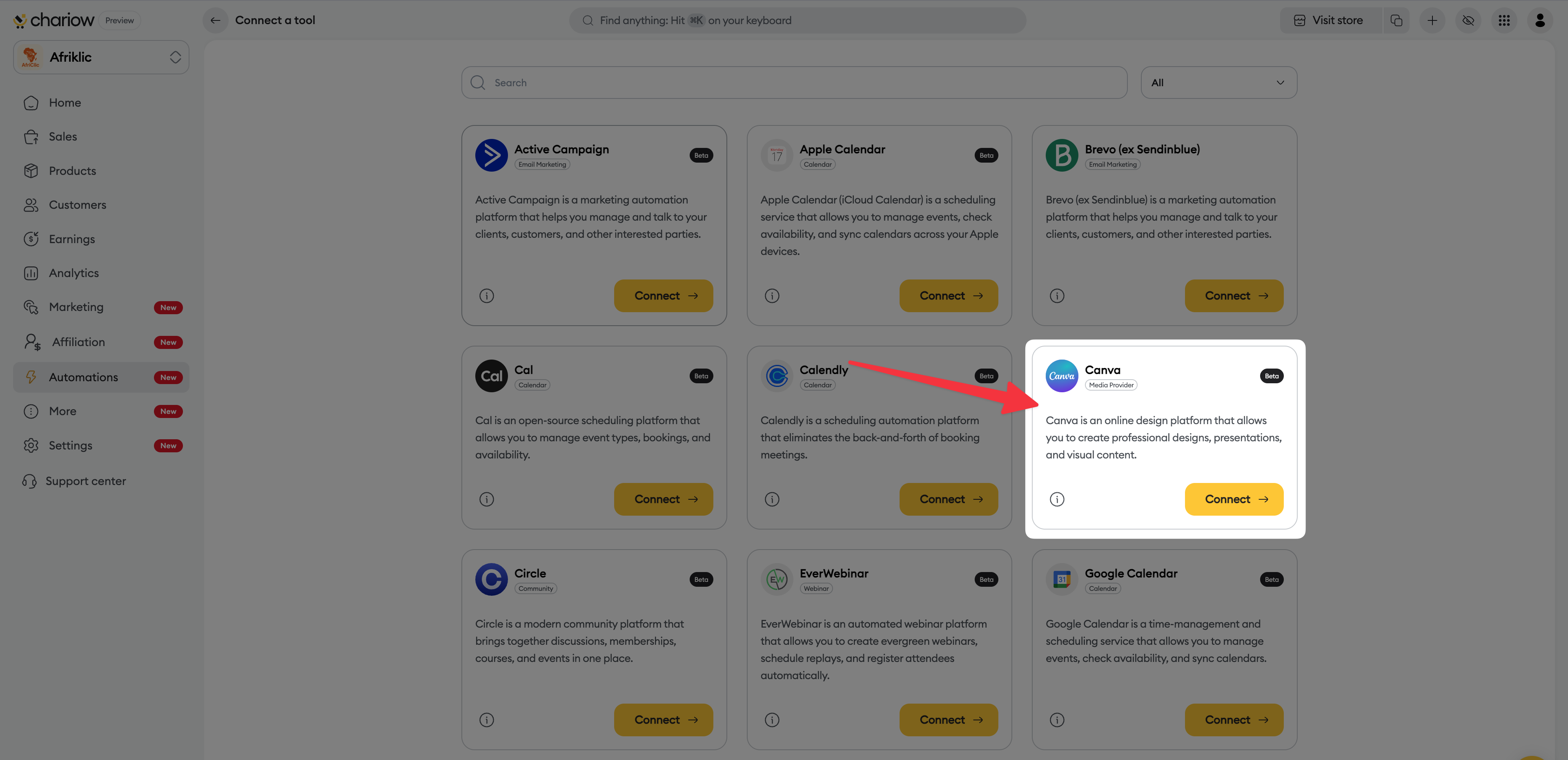
Choose the tool : Search for Canva in the available tools library and click the Connect button.
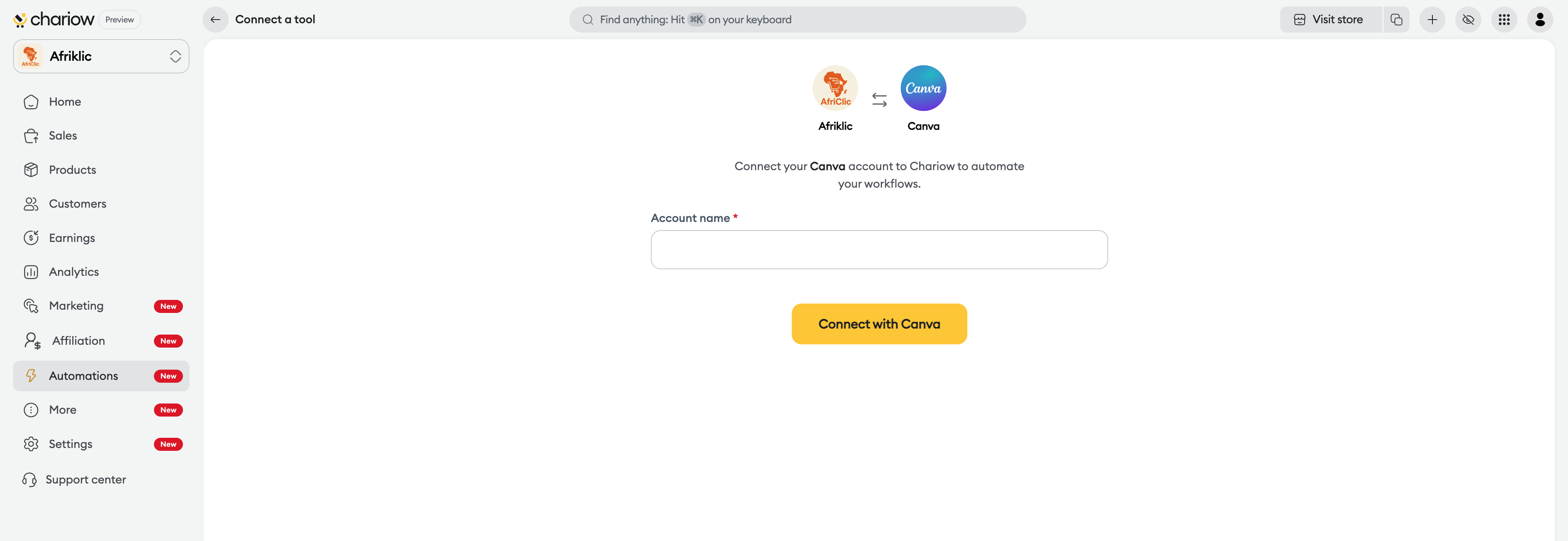
Identify your account : A setup page opens. Give a Name to the account (e.g. "Canva Afriklic") so you can easily identify it, then click the Sign in with Canva button.
Allow access : A secure Canva window appears. It summarizes the required permissions (access to designs, folders, and profile).
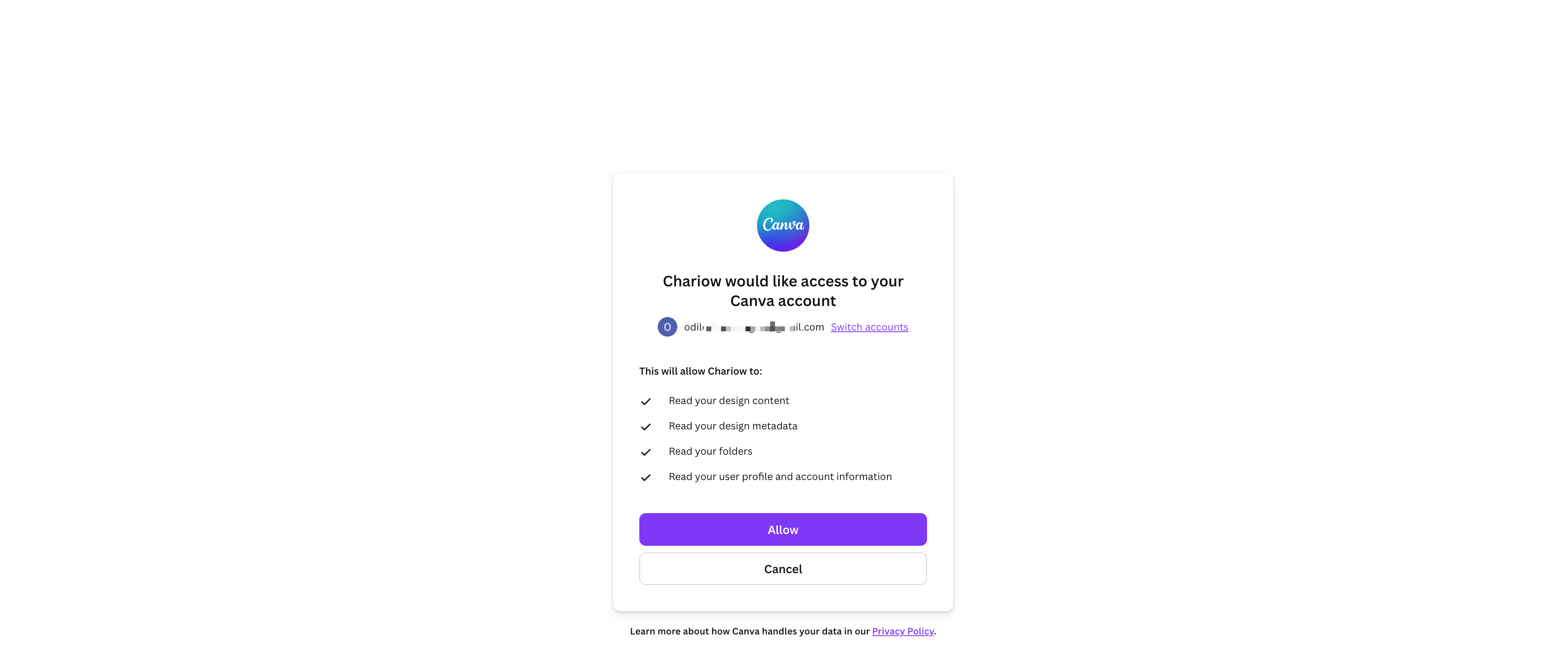
Finish up : Click the Authorize button to confirm the connection.
Full control: You can revoke this access at any time from your Canva account settings or directly in the integrations tab on Chariow.
Authentication: Make sure you’re logged into the right Canva account in your browser before clicking "Authorize" to avoid linking a personal account instead of your business account.
Need help? Contact our support via chat or at [email protected]

