Proof is a powerful social proof tool that lets you embed your customers' reviews directly on your site to build trust and increase your conversions. By displaying real testimonials at the right time, you reassure your visitors and encourage them to take action.

The widget is the visual element that will display your reviews on your pages.
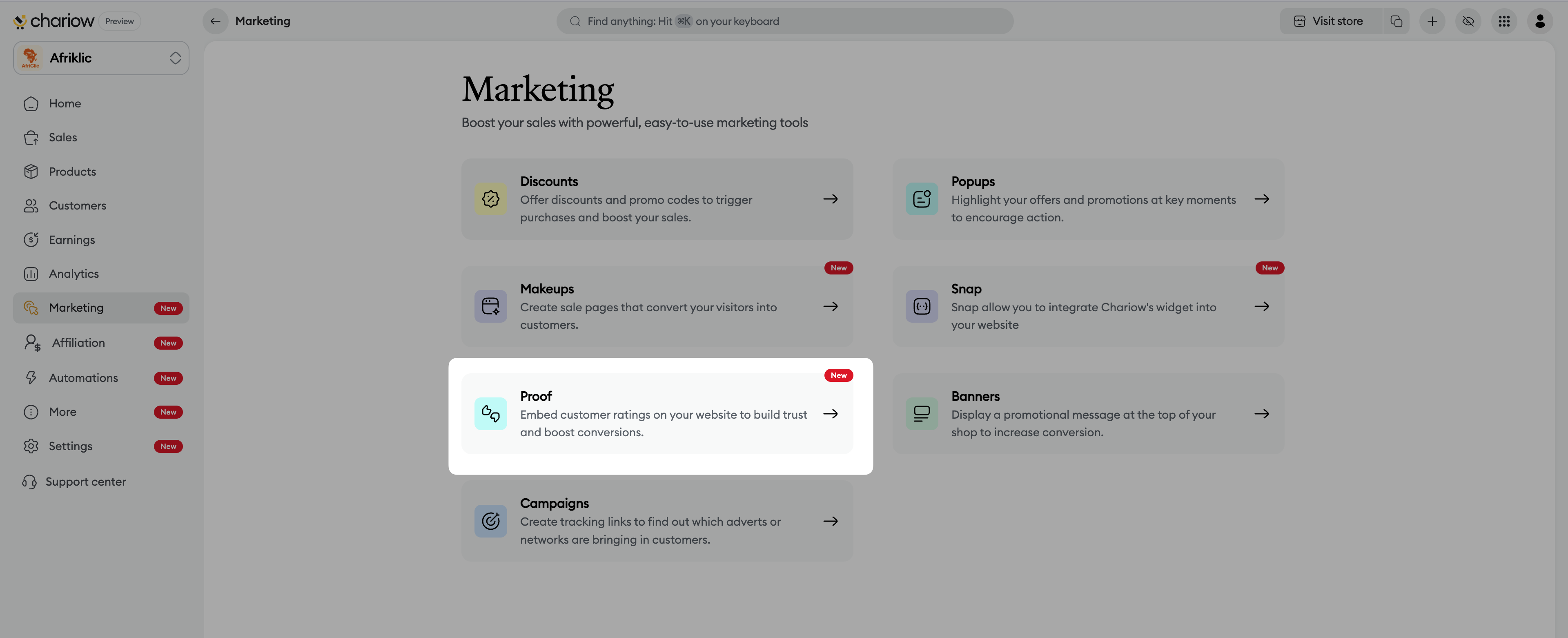
Access to the Marketing menu : From your dashboard, click on the Marketing tab in the side menu.
Selecting Proof : Click on the Proof section to open the widget manager.
Starting the creation : Click on the Create a proof widget button.
Setting up the basics :
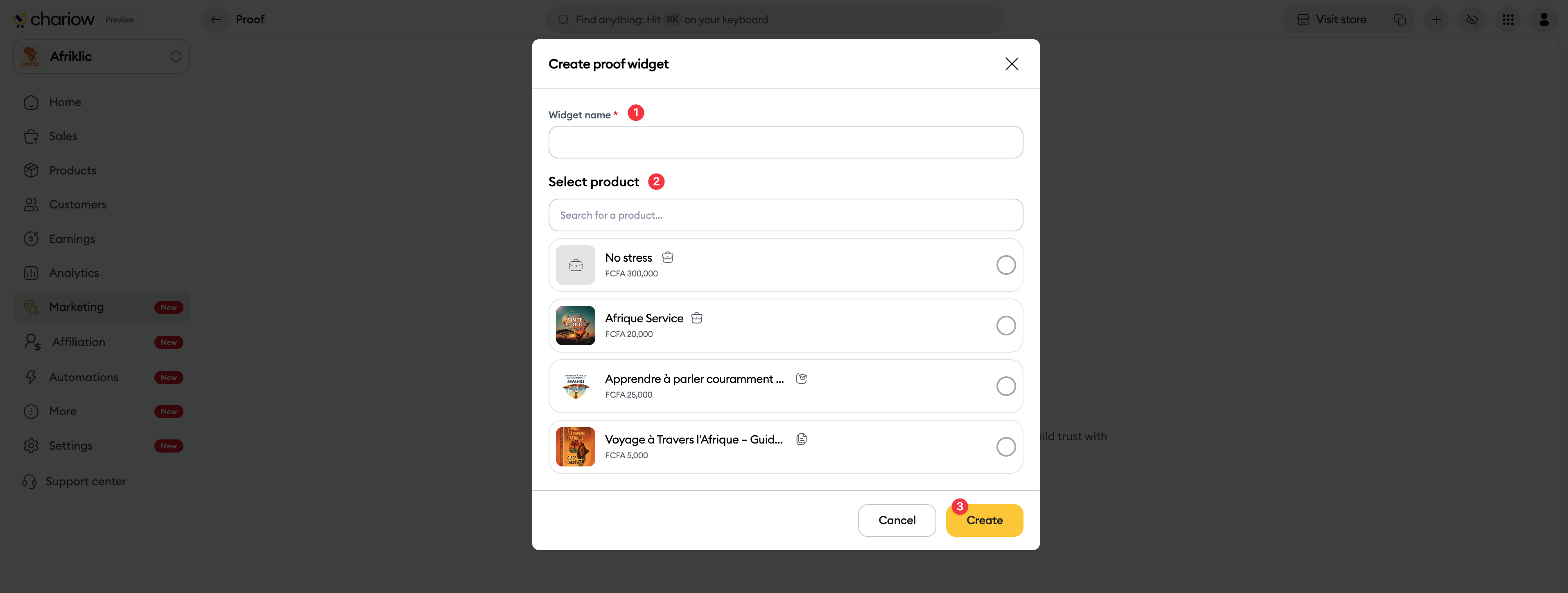
Give a Name(1) to your widget (e.g.: "Social Proof Course X").
Product selection(2) : Select the product from which you want to pull the reviews.
Click on Create(3).
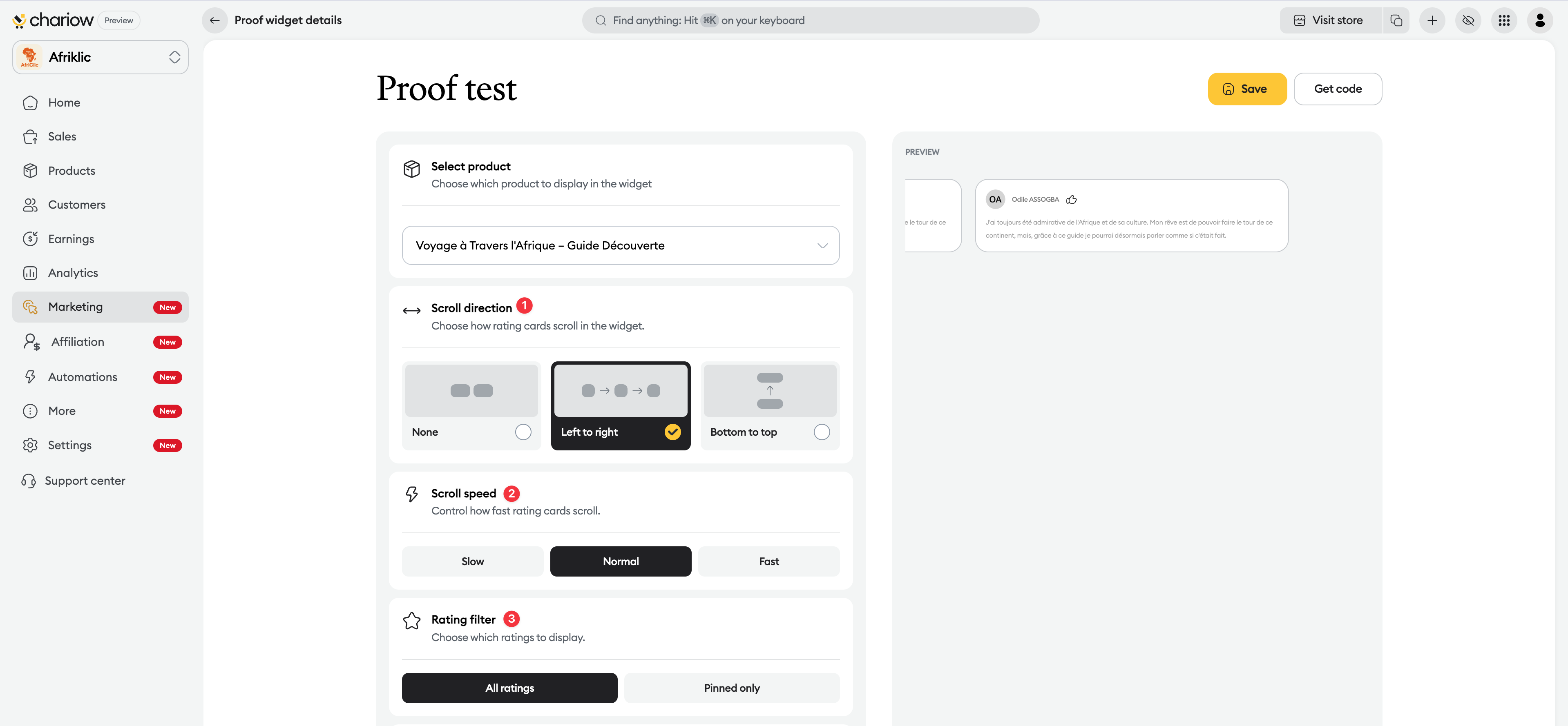
Adjust the widget design so it blends naturally with your brand style.
Scroll direction : Choose how the reviews scroll (From left to right, From bottom to top, or static).
Scroll speed : Set how fast the animation is (Slow, Normal, Fast).
Review filter : Decide whether to show All reviews or only the ones you previously Pinned.
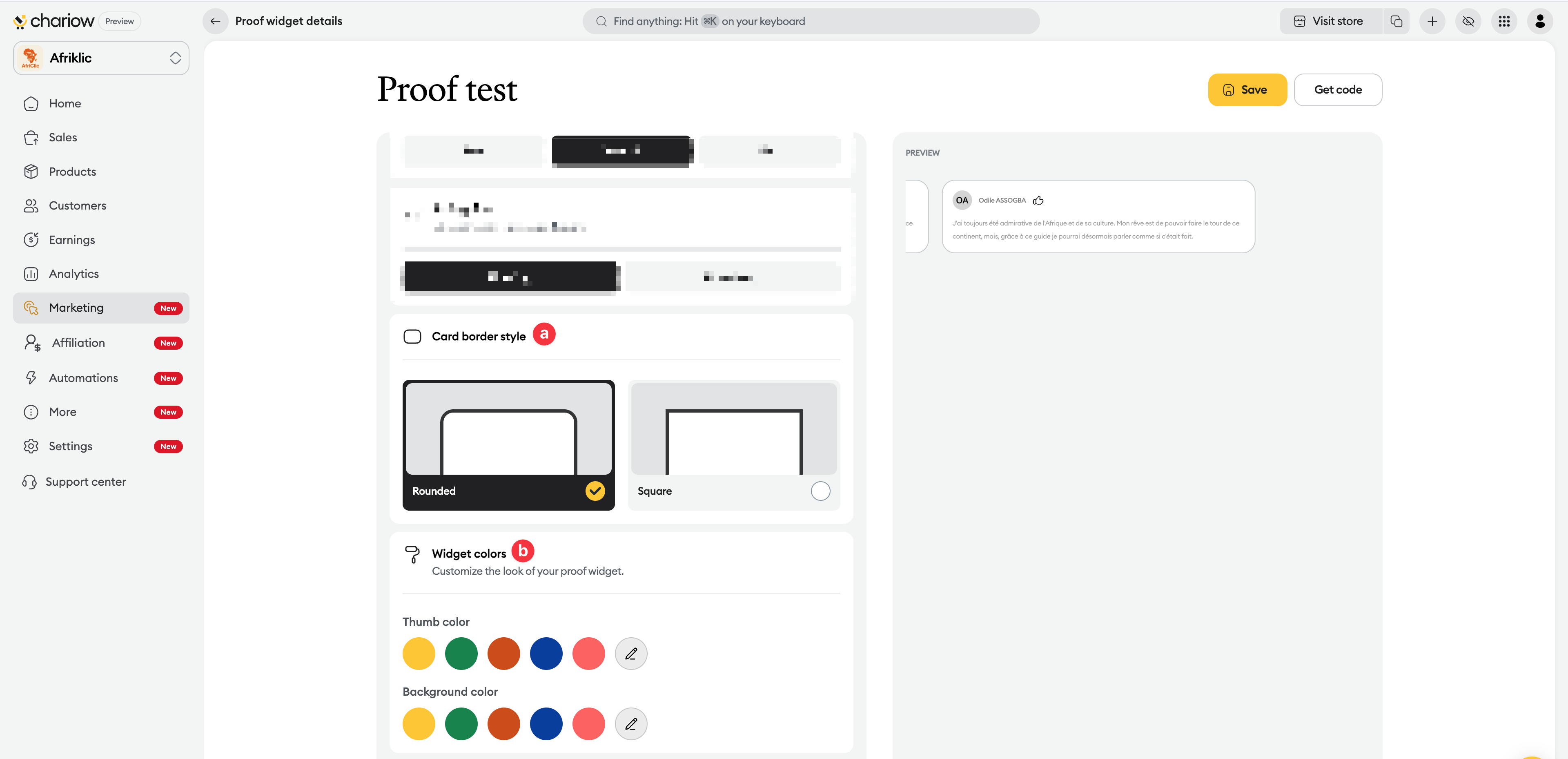
Style and Colors :
Choose between Rounded or Square borders.
Change the thumb color and the background color however you like.
Once it’s configured, all that’s left is to embed it into your sales interface.
Click on Save at the top right.
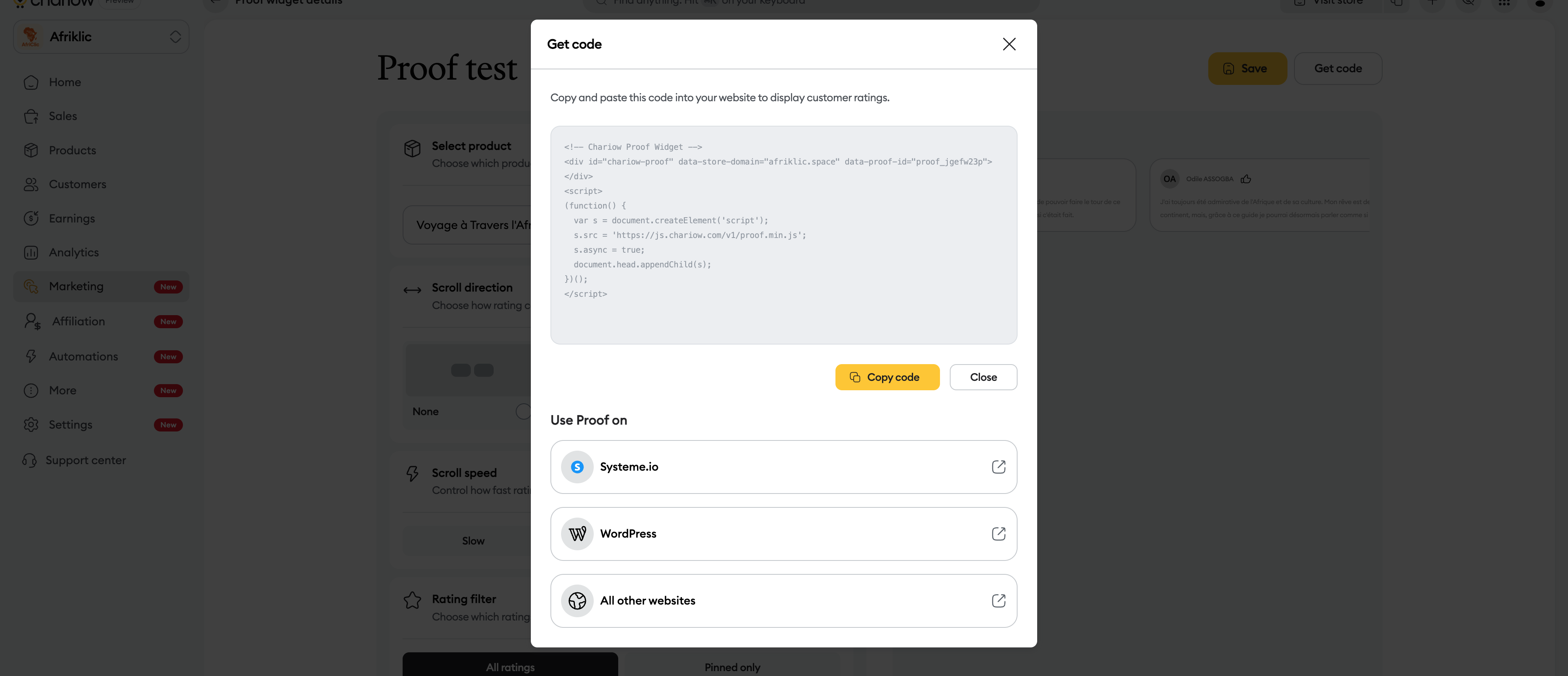
Click the Get the code button.
Copy the code and paste it on your sales page (Makeup) or your external website.
The dynamic display of customer reviews creates an immediate feeling of community validation. It’s a major psychological trigger to turn a hesitant visitor into a confident buyer.
Need help? Contact our support via chat or at [email protected]

