Apple Calendar (iCloud Calendar) is a scheduling service that lets you manage your events, check your availability, and sync calendars across your Apple devices. By connecting your Apple Calendar account to Chariow, you automate the management of your schedule, especially for your coaching sessions, to avoid double bookings and sync your appointments in real time.
An active Apple ID.
An app-specific password generated via your Apple account.
An active Chariow account.
For security reasons, Apple requires the use of a unique password to allow Chariow to access your calendar without using your main password.
Log in to your Apple account: appleid.apple.com.
Go to the Sign-In and Security section.
Click on App-Specific Passwords.
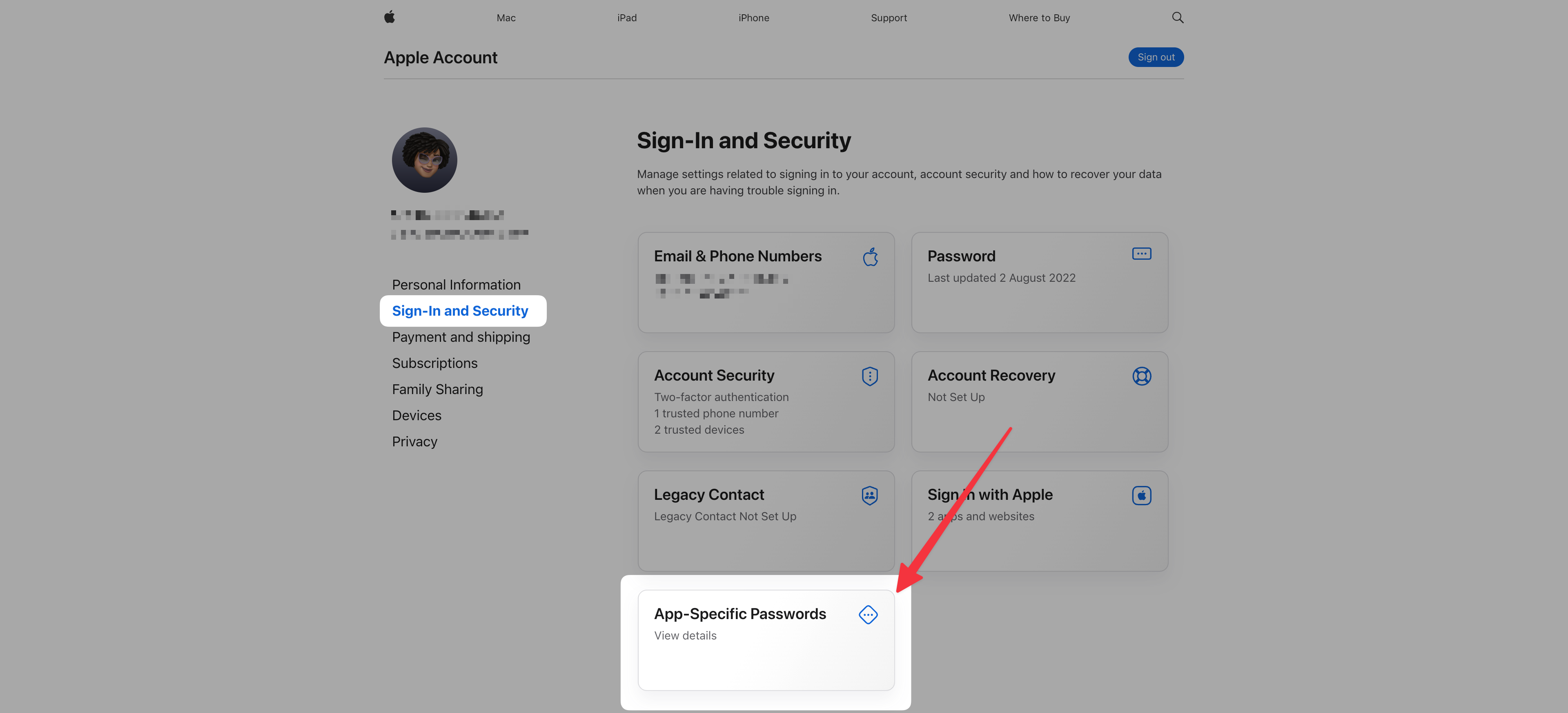
Generate a password (name it in a way that you’ll remember) and copy it.
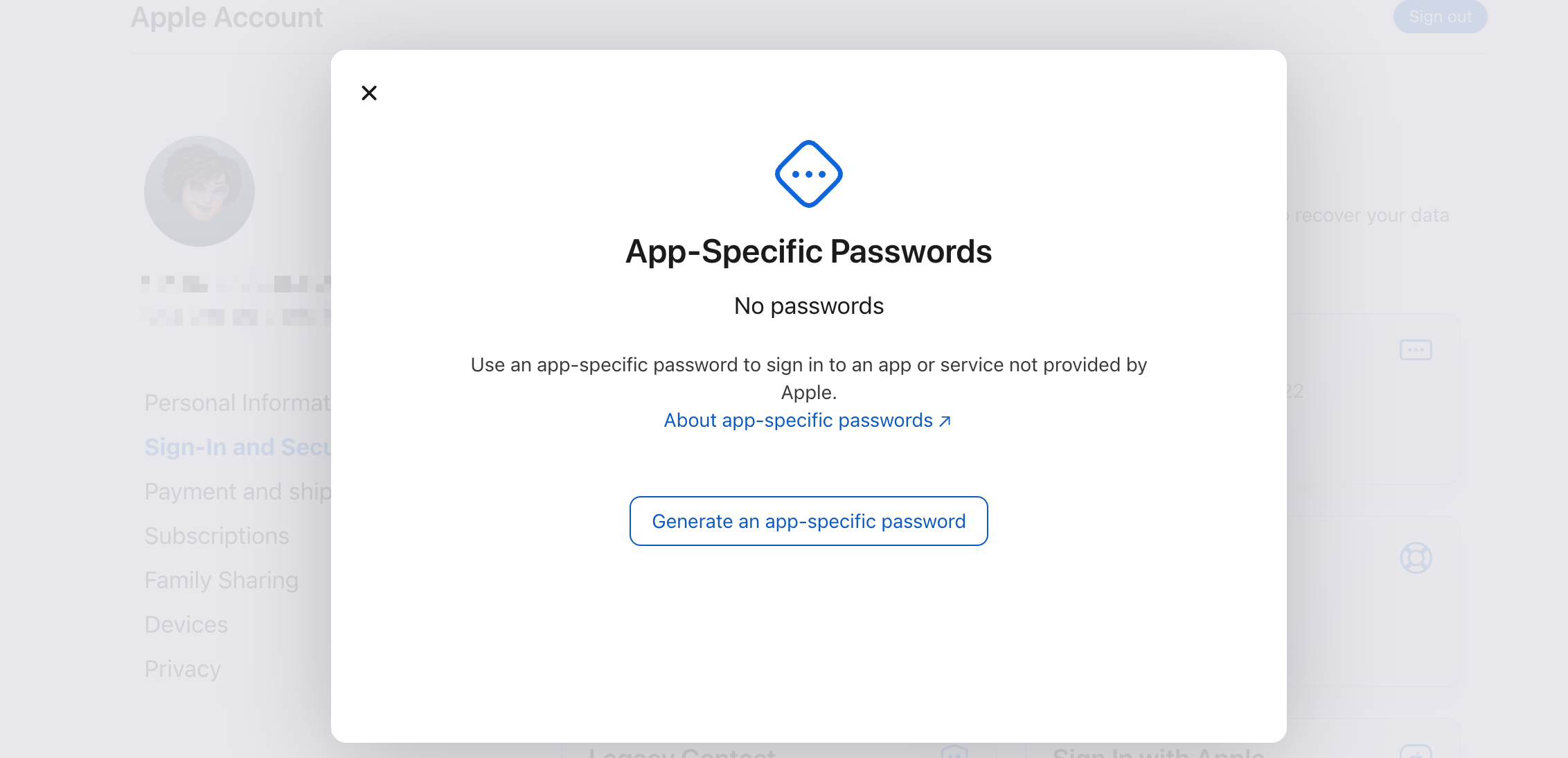
Once you’ve retrieved your app-specific password:
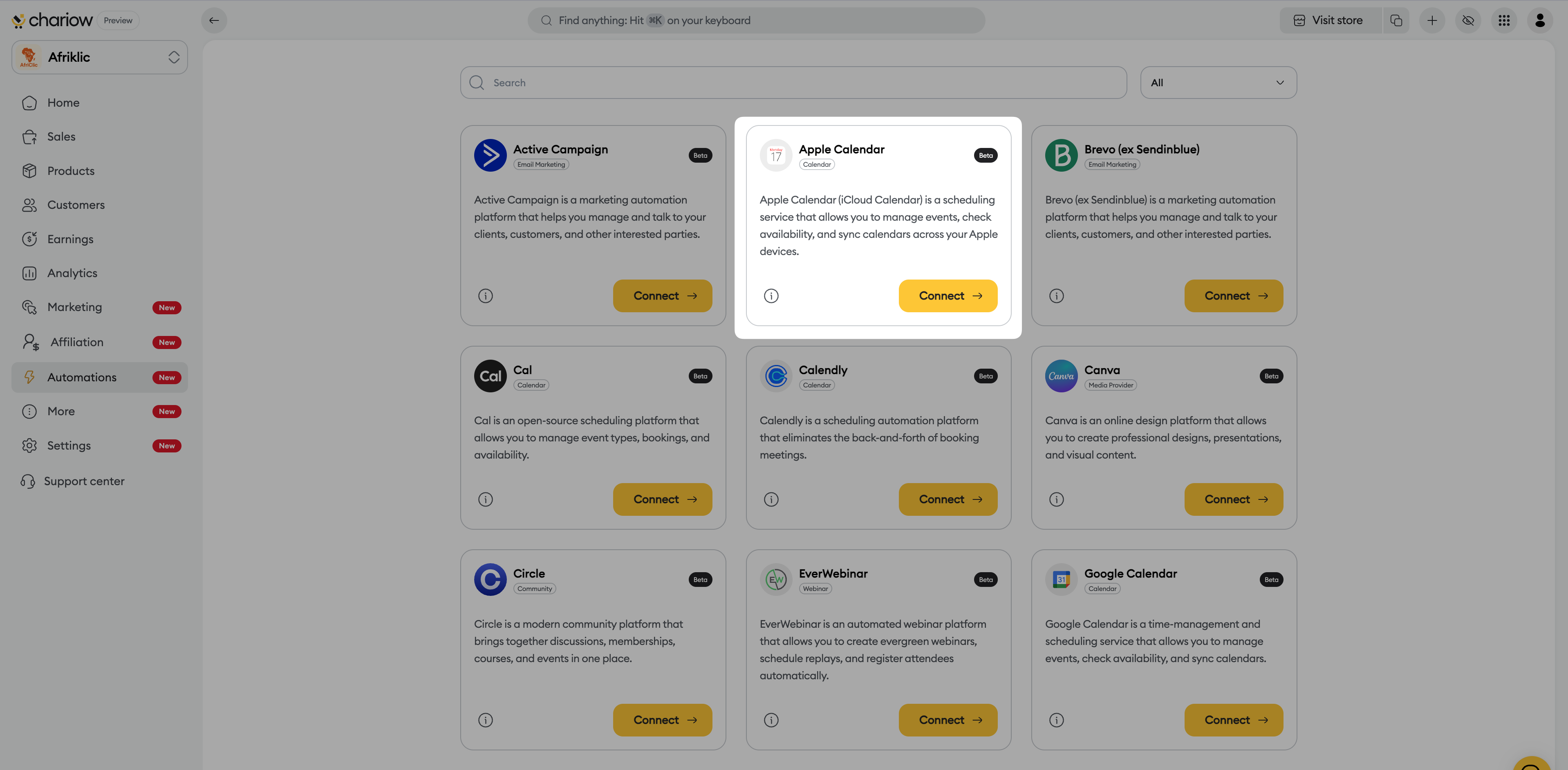
In the Chariow side menu, click the Automations tab.
Go to Automations > Integrations, then click the Connect a Tool button.
Search for “Apple Calendar” in the list of available tools.
Click the “Connect” button.
Fill in the connection fields:
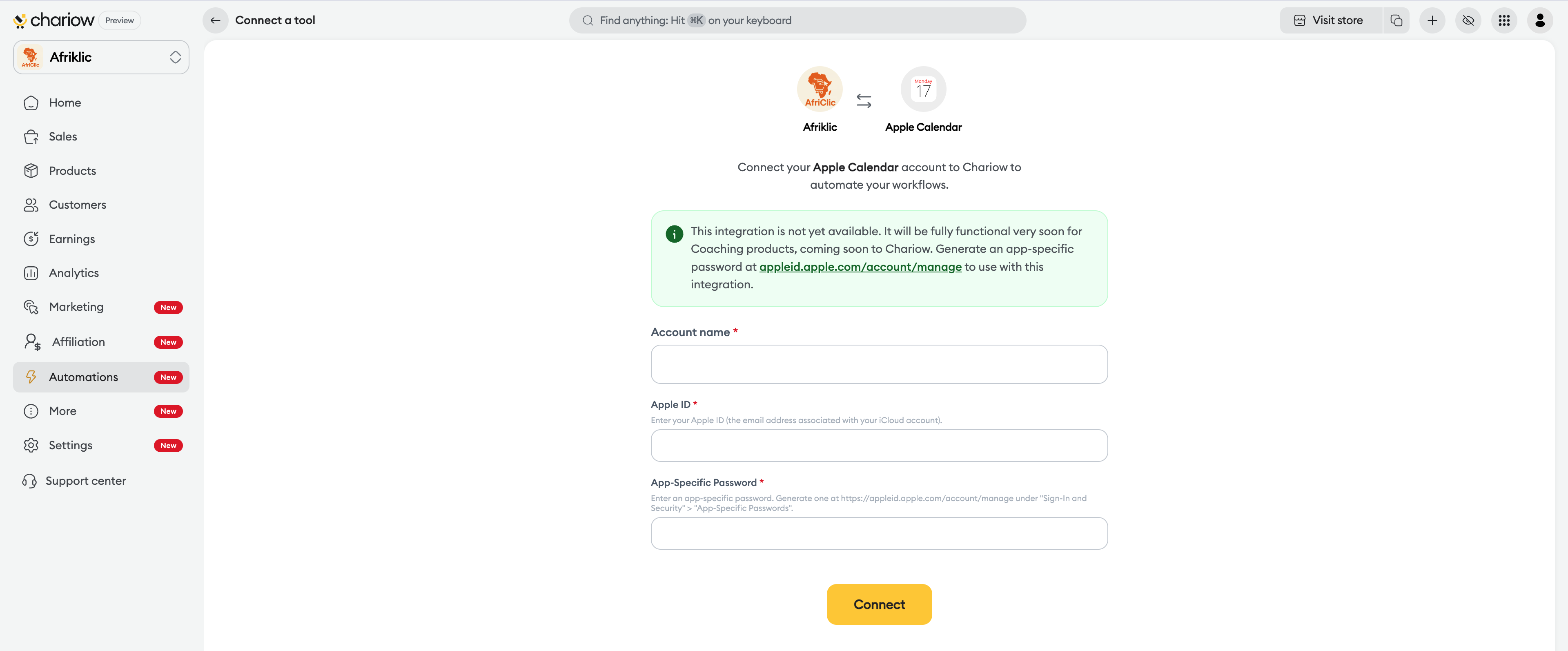
Account name: Give this calendar a name (e.g.: "iCloud Pro Calendar").
Apple ID: Enter the email address of your Apple account.
App-Specific Password: Paste the password generated in step 1.
Confirm: Click on the Connect button.
Need help? Contact our support via chat or at [email protected]

