Integrating Circle lets you sync your Chariow sales with your online community. This way, you can automate adding your members to discussion spaces, membership groups, or training paths as soon as their purchase is confirmed.
A Circle account with a Business or Enterprise subscription (required for access to the Admin API V2).
An active Chariow store.
The API token is the secure key that allows Chariow to communicate with your community.
Log in to your admin dashboard on Circle.
Click on your community name (top left).
In the side menu that appears, click on the Developers tab.
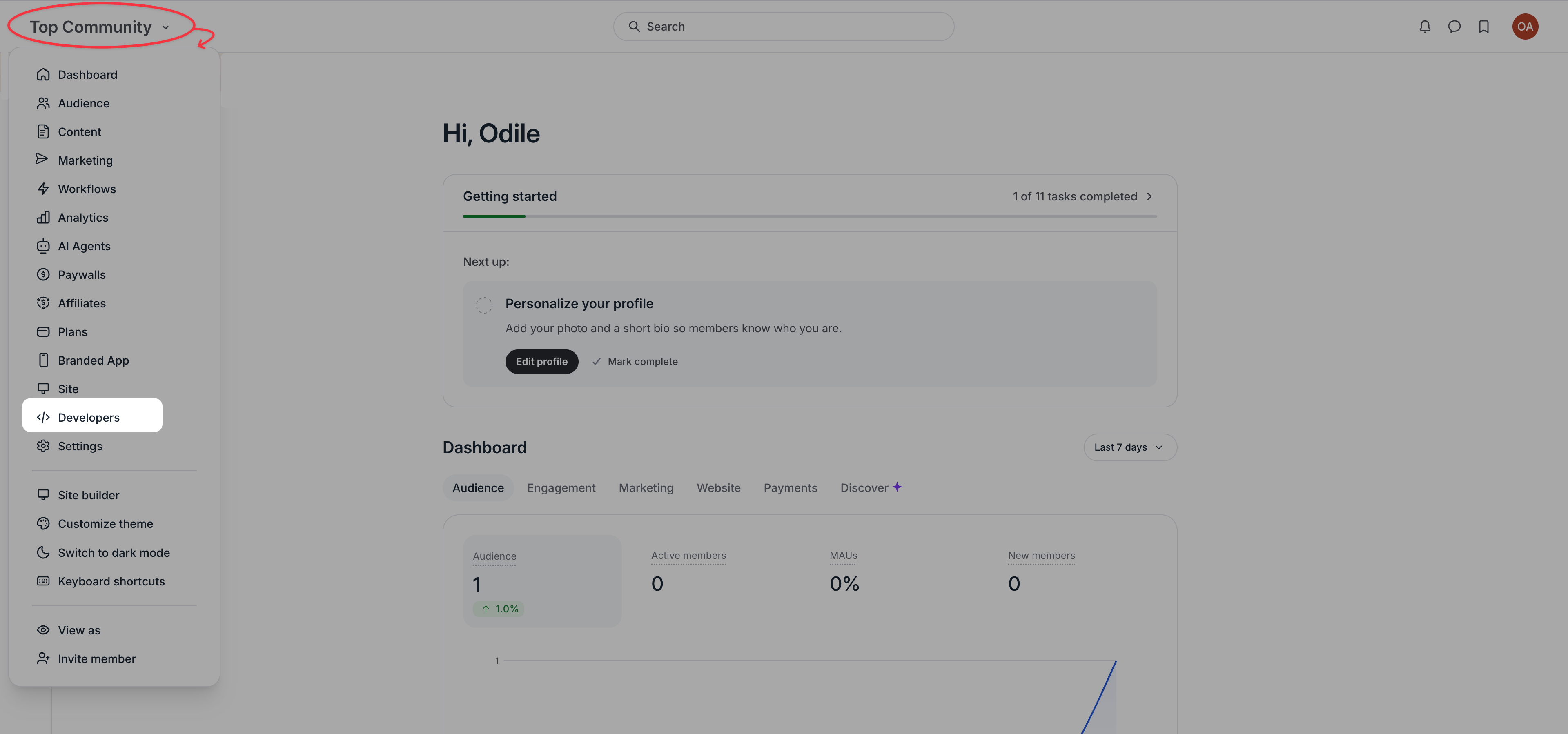
Once you're in the developers section, go to the Tokens subcategory.
Important: Generate or copy a token, making sure to select the "Admin V2" type.
Copy this token and keep it safe.
Once you've retrieved your token, finish the connection on Chariow:
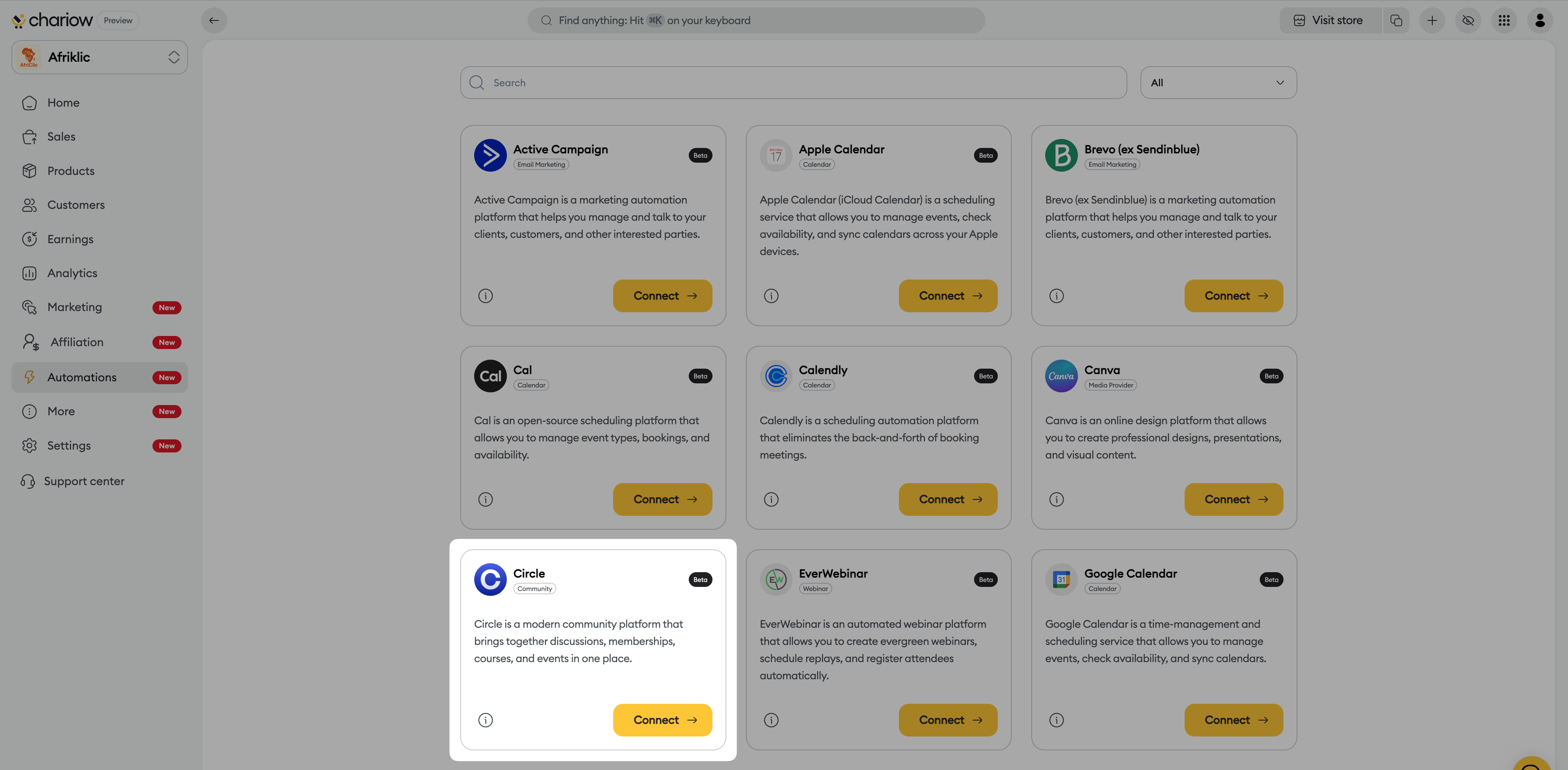
Access Automations: In Chariow’s side menu, click on the Automations tab.
Select Circle: Click on the yellow Connect → button on the Circle card.
Fill in the connection fields:
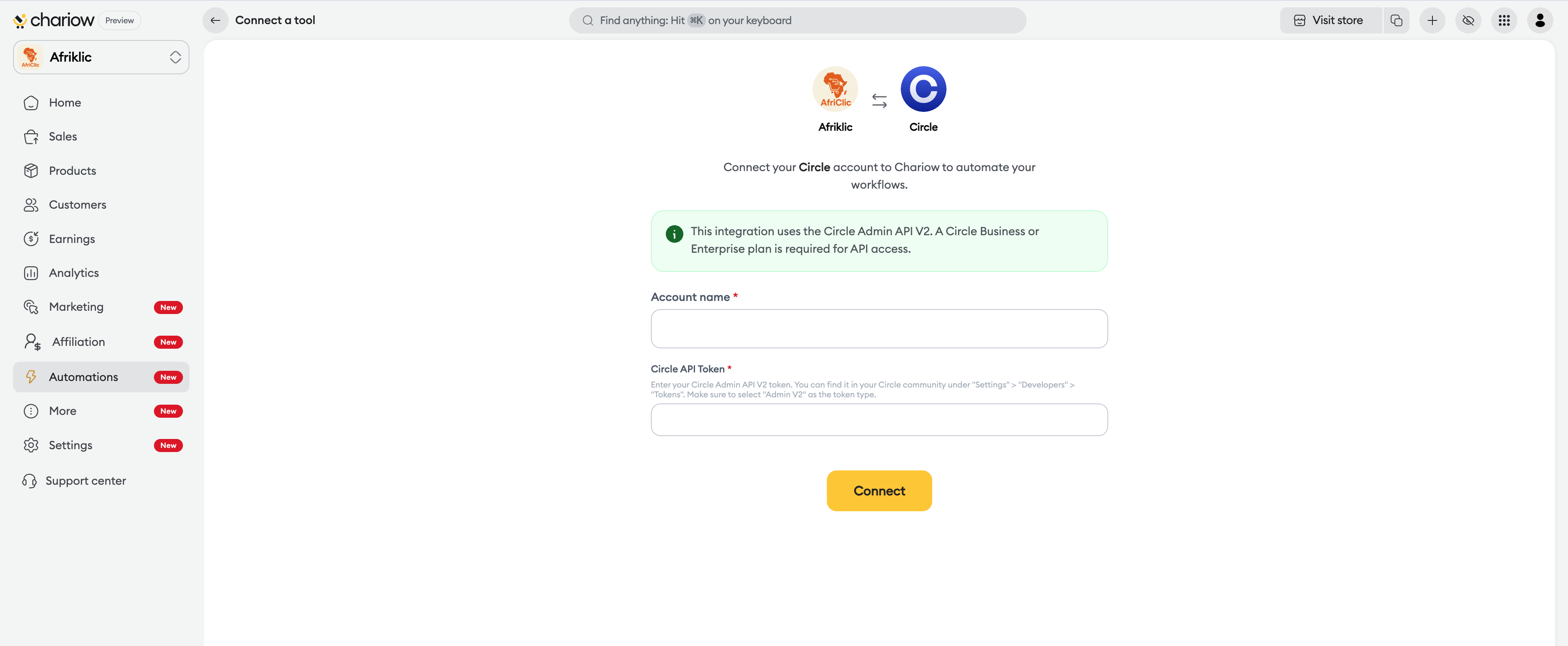
Account name: Enter your community name so you can identify it easily.
Circle API token: Paste the Admin V2 token you copied earlier.
Confirm: Click on the yellow Connect button to activate the integration.
Need help? Contact our support via chat or at [email protected]

