

Partnerships on Chariow allow affiliates to work more closely with specific shops. These agreements can include custom commission rates or access to a limited selection of products, allowing you to build a long-term relationship of trust with the creators.
Interface guide: Partnership tracking
In this view, you can manage your active and pending collaborations:
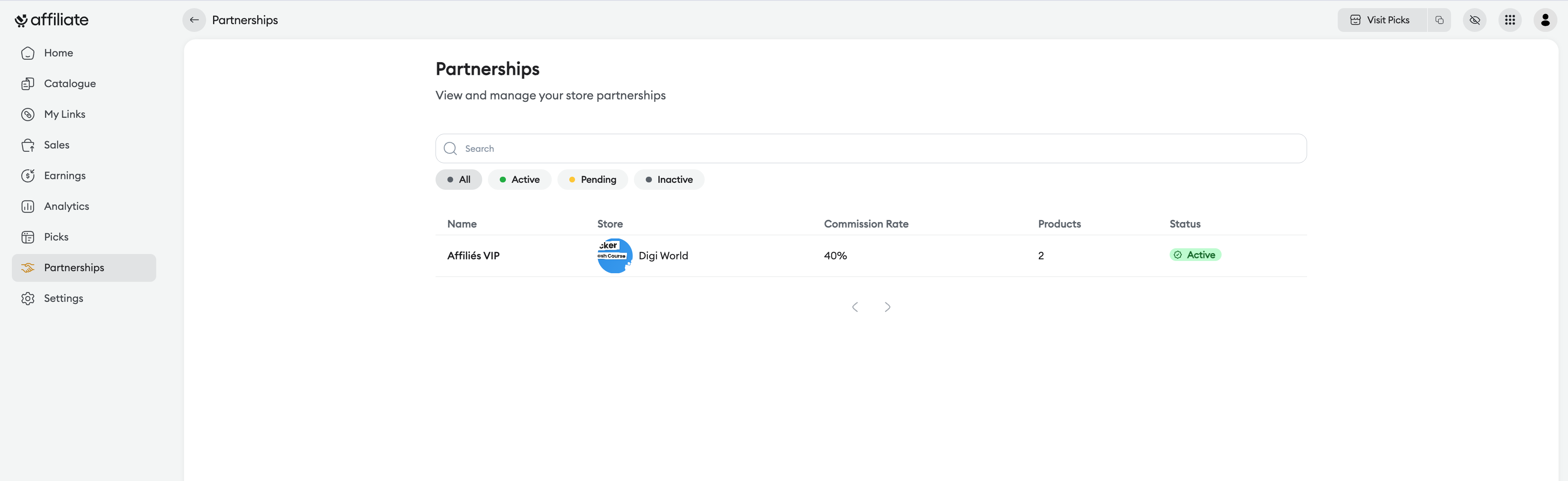
Search bar : To quickly find a partner by their name.
Status filters : Sort your partnerships according to their status: "All", "Active", "Pending" or "Inactive".
Summary table : See all key info at a glance:
Name : The name of the partnership program (e.g.: "VIP Affiliates").
Store : The creator you’re collaborating with.
Commission rate : The negotiated earnings percentage for this partnership.
Products : The number of items included in this deal.
Status : The validity indicator of the deal (e.g.: "Active" in green).
Details of a specific partnership
By clicking on a row in the table, a side panel opens to show the full terms of the deal:
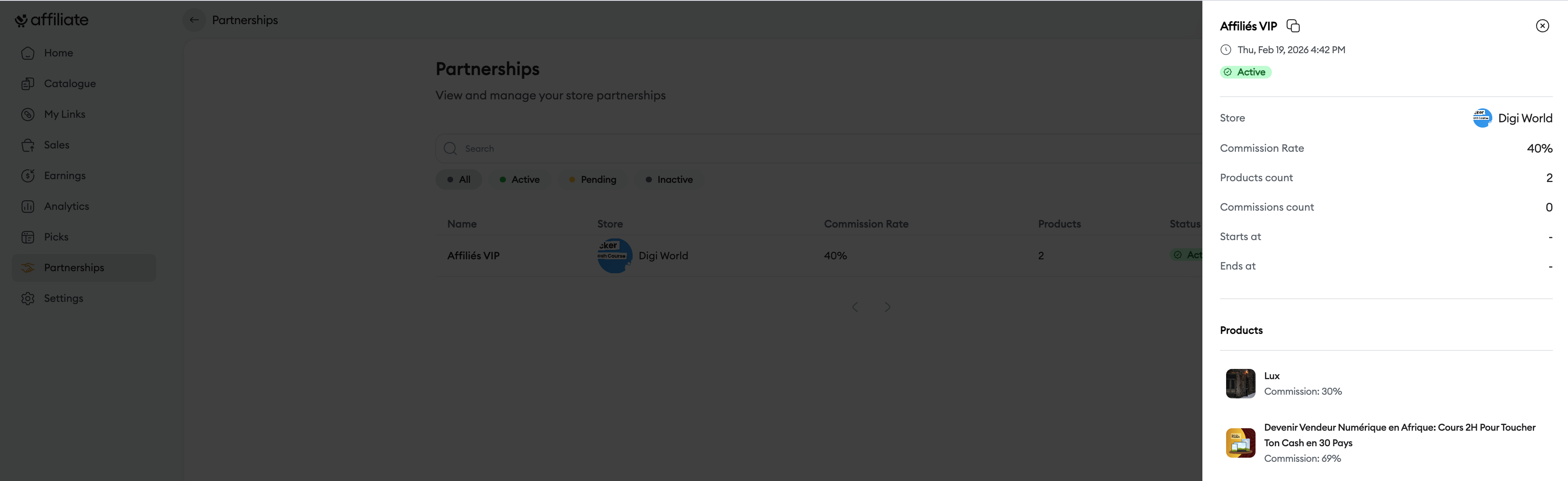
Performance summary: Track the total number of commissions generated specifically through this partnership.
Validity period: See the start and end dates of the deal, if they’re set.
List of included products: See all the products linked to the partnership. For each item, you can view the specific commission rate applied, which may differ from the store’s standard rate.
Tips
Aim for VIP programs: Partnerships often offer higher commission rates than the public catalog. Feel free to contact the stores you perform well with to ask for a partnership.
Keep an eye on end dates: Some partnerships are temporary (special promos, launches). Regularly check the end dates so you don’t promote offers whose favorable terms have expired.
Need help? Contact our support via chat or at [email protected]