Statements Statements are official PDF documents that summarize your payments and your income. They are essential for your accounting and for tracking your shop’s financial performance. Chariow lets you download detailed reports including the total amount received and the number of payments made, while tracking their status in real time.
To create a new summary document, follow these steps:
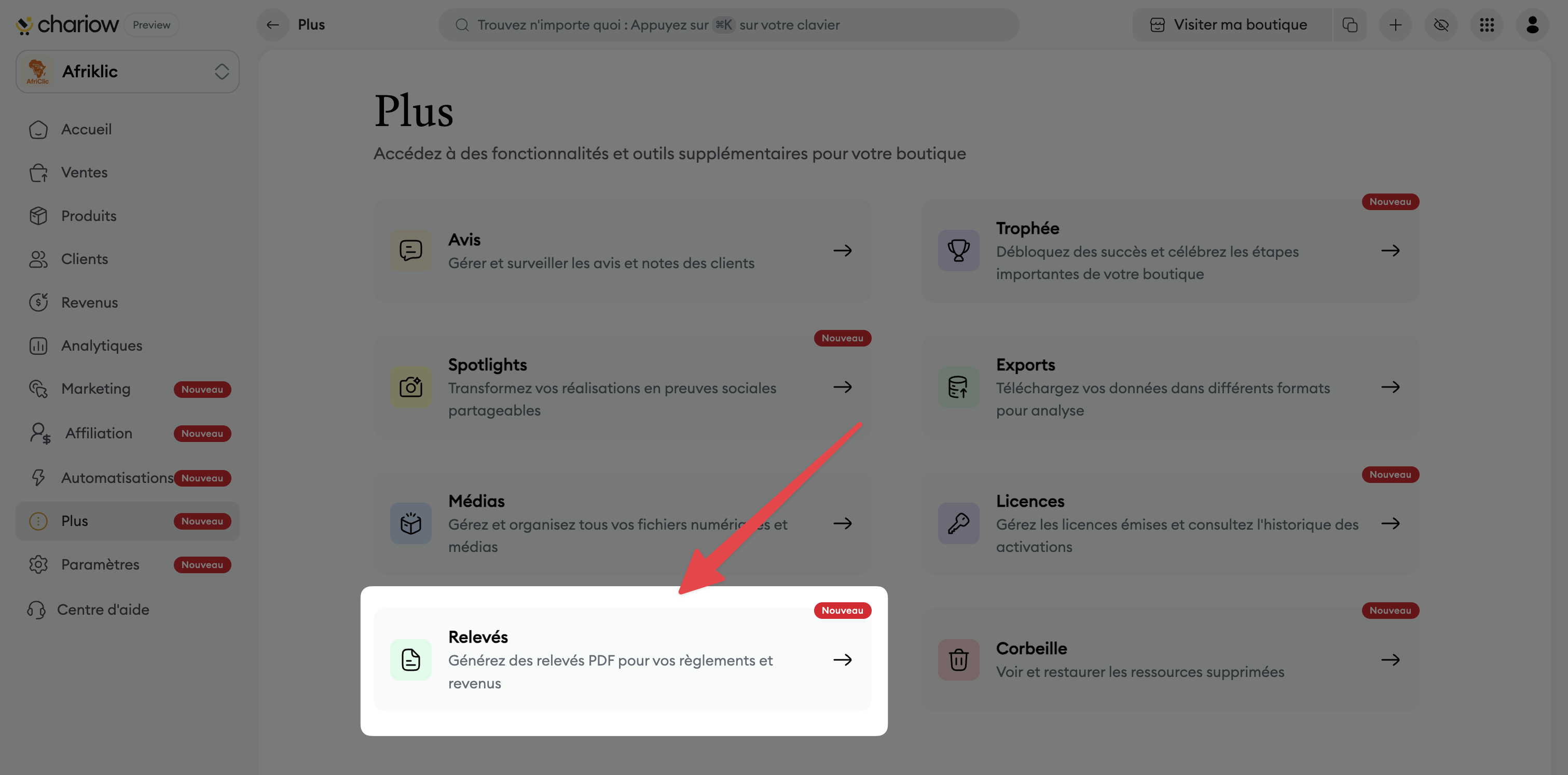
Go to the "More" tab in the left sidebar.
Click on the "Statements" card.
Click on the yellow "Generate a statement" button at the top right of the screen.
In the window that opens, select the desired "Period" using the calendar.
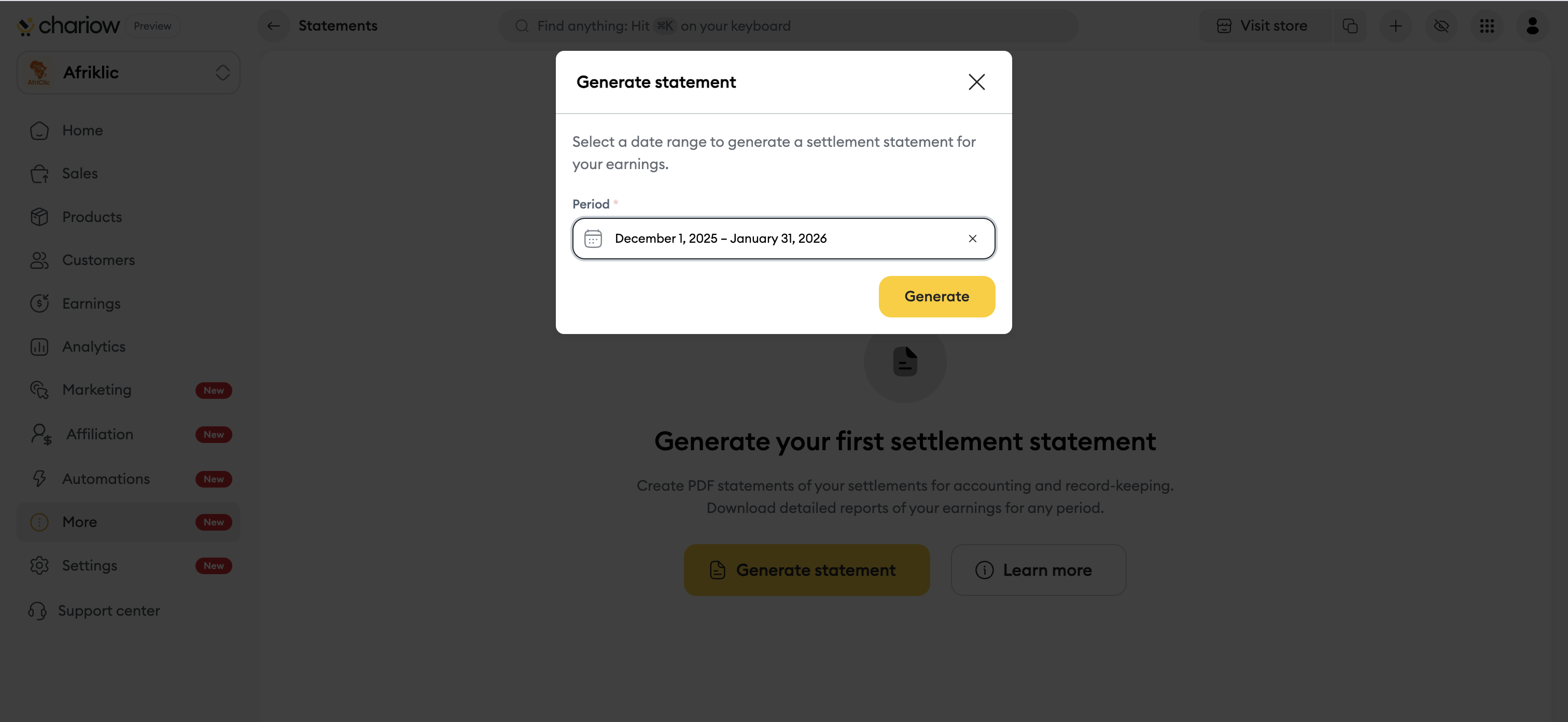
Click on the yellow "Generate" button to confirm the request.
The generated document has a clear structure to make sure it’s easy to read and valid:
Header: Unique statement ID, generation date, and covered period.
Store information: Store name, owner, email, and member join date.
Settlement table: Full list including date, reference, number of sales, exact amount, and status of each settlement.
Financial summary: A box summarizing the Total Settlements and the total Net Revenue over the period.
Once the statement is available in your list:
Statement details: By clicking on a line, a side panel opens to show the status, the total amount, the number of payments, the file size, and the link expiry date.
Document check: To guarantee authenticity, each statement includes a QR Code to scan as well as a unique Verification Code.
Download: Use the download icon in the list or the "Download" button in the details panel once the status has changed to "Completed".
Need help? Contact our support via chat or at [email protected].

