A Spotlight is a certified snapshot of your performance on Chariow. It comes as a designed visual that includes:
Your revenue over a selected period.
Your username.
Your trophy level: The visual shown on the Spotlight automatically matches the last trophy you unlocked (e.g. Mars, Mercury, etc.).
A unique verification QR code to guarantee the authenticity of your numbers.
Follow these steps to generate your success visual:
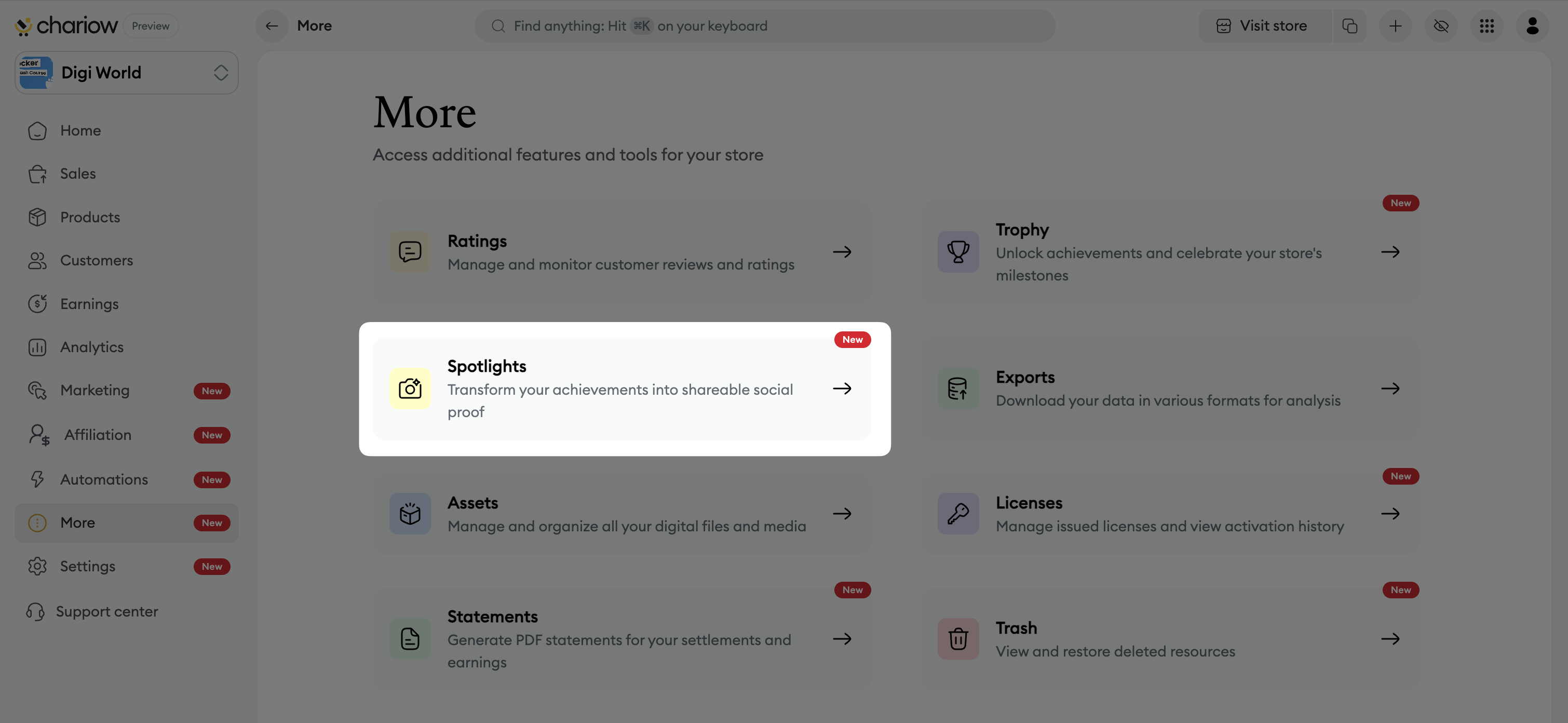
Go to the left sidebar menu and click on the "More" tab.
Select the "Spotlights" tile.
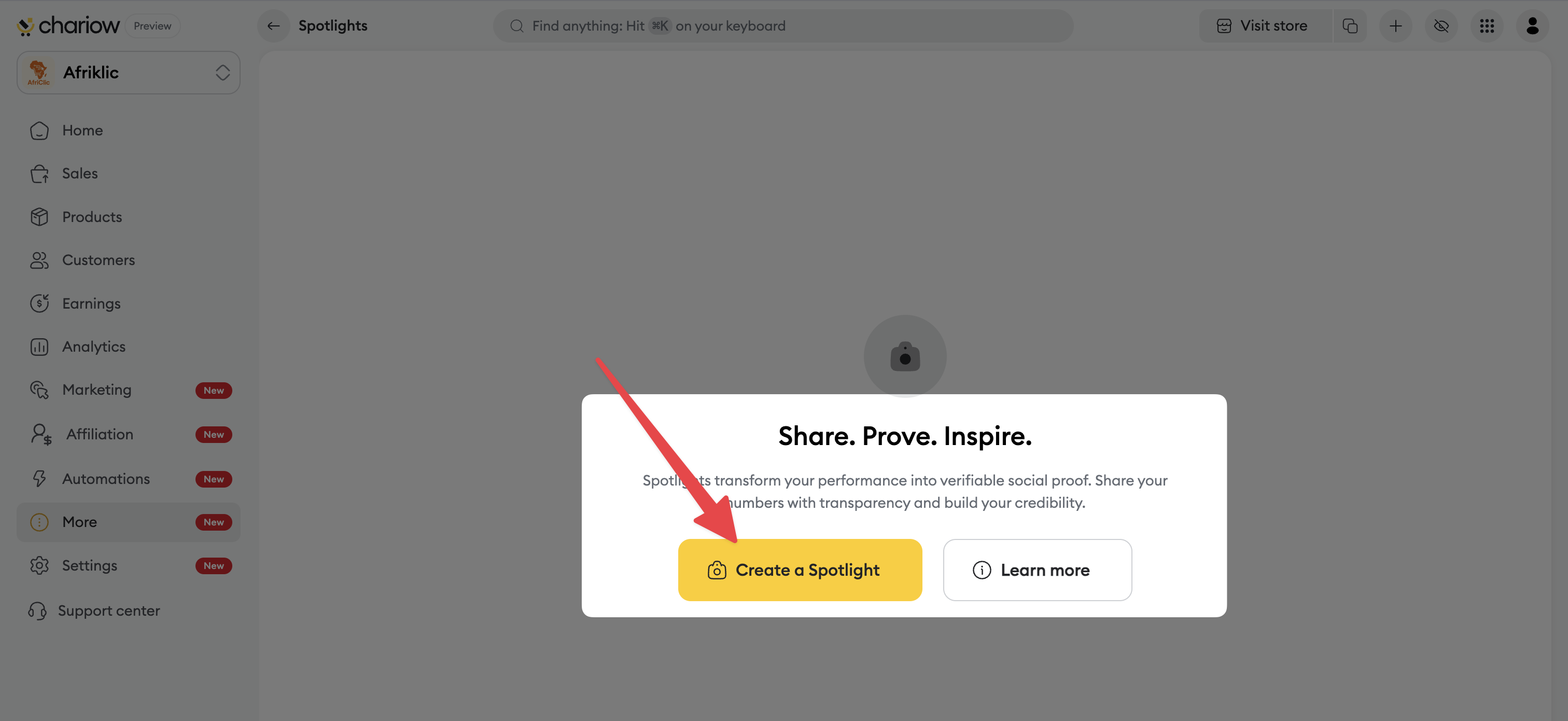
Click on the "Create a Spotlight" button.
Select a sales period (e.g. the last 30 days or the full year).
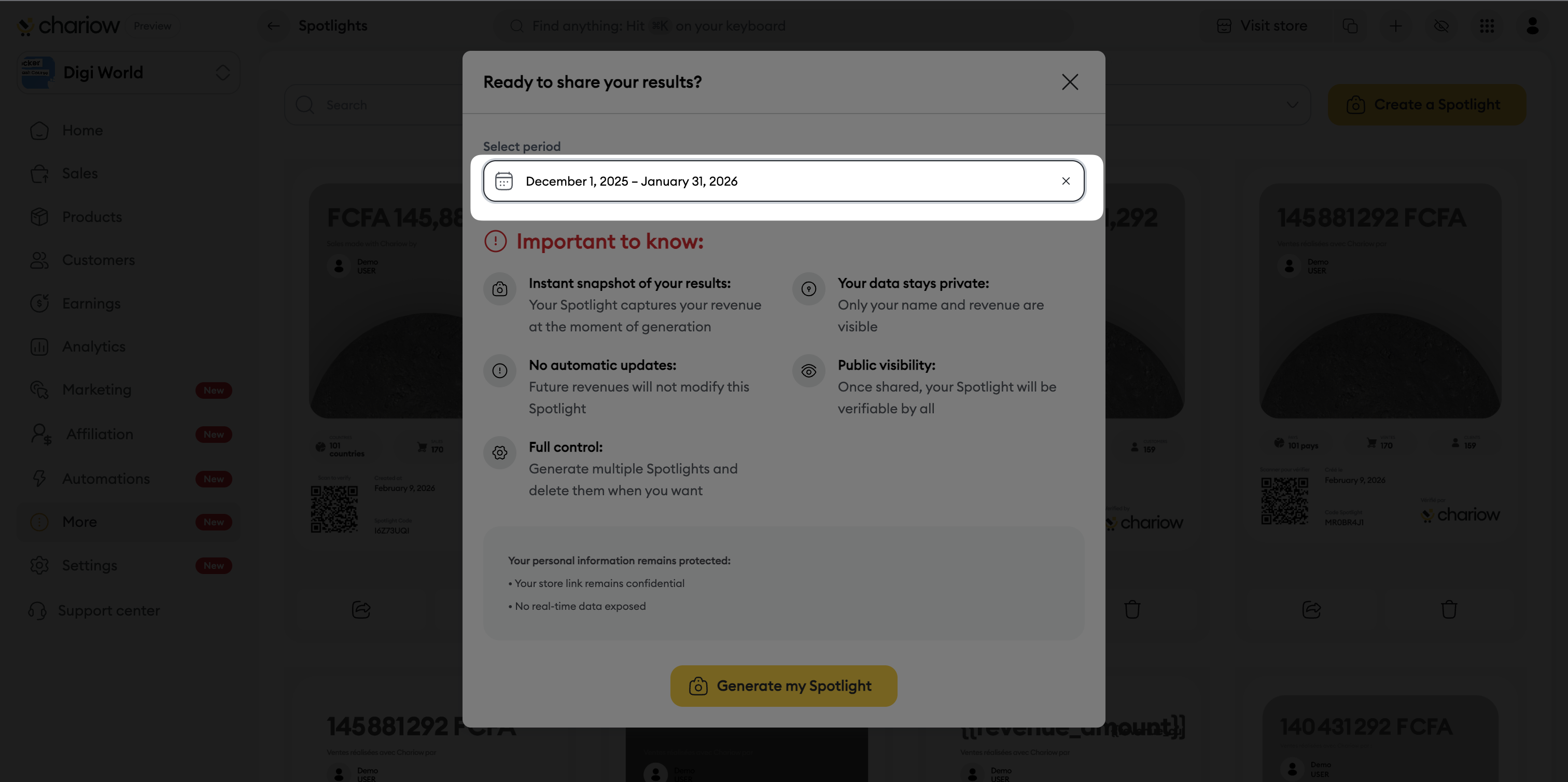
Click on "Generate my Spotlight".

Once your Spotlight is ready, you have several options:
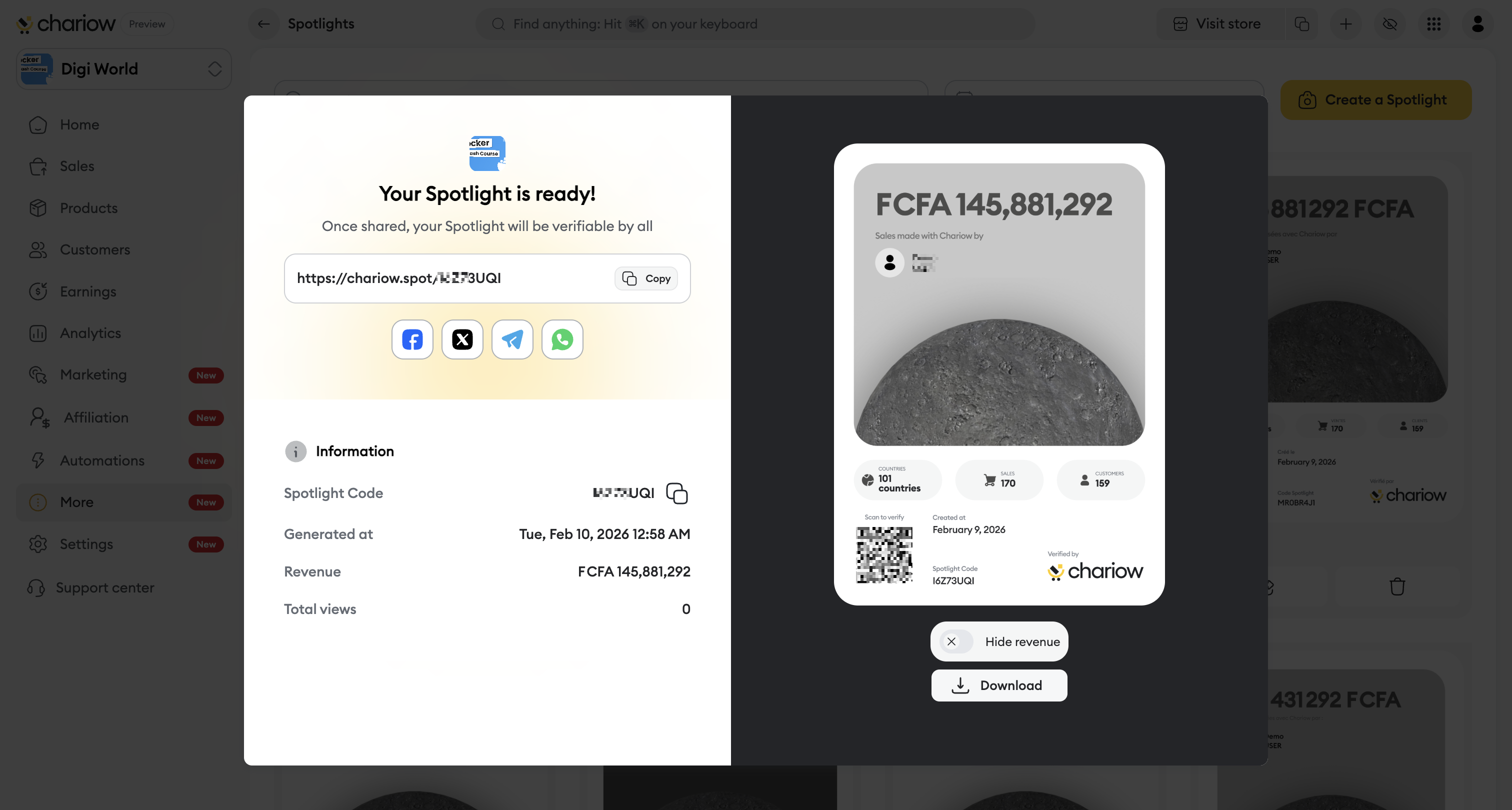
Sharing options: you can copy a unique link, share directly on social media (Facebook, X, Telegram, WhatsApp) or download the image.
Full transparency: each Spotlight has a QR code and a Spotlight Code that are unique, allowing anyone to check the authenticity and accuracy of your results on Chariow’s dedicated verification page.
Snapshot at time T: The Spotlight captures your revenue at the exact moment it’s generated; your future sales won’t change this visual.
Privacy: your personal data and your store link stay private; only your name and your revenue (if not hidden) are visible.
No automatic updates: to display new records after new sales, you need to generate a new Spotlight.
Full control: you can manage your gallery and delete your Spotlights anytime.
Need help? Contact our support via chat or at [email protected]

