

A Makeup page is a web page entirely dedicated to promoting a product or a specific offer. It's designed to be the landing point for your marketing campaigns (ads, social media, emails) and its main goal is to turn visitors into customers.
These pages are managed from the Makeups section of the Marketing area and can be published or kept as drafts.
Start creating your “Makeup”
To start building your custom sales page, just follow these simple steps:
1. Access the creation interface
In the navigation menu on the left of your Chariow dashboard, click Marketing.
In the Marketing area, click on the Makeups card.
On the Makeups page, click the yellow Create a makeup button.
2. Choose your starter template
Once you've started the process, you'll land on the templates screen, where you need to choose your starting base:
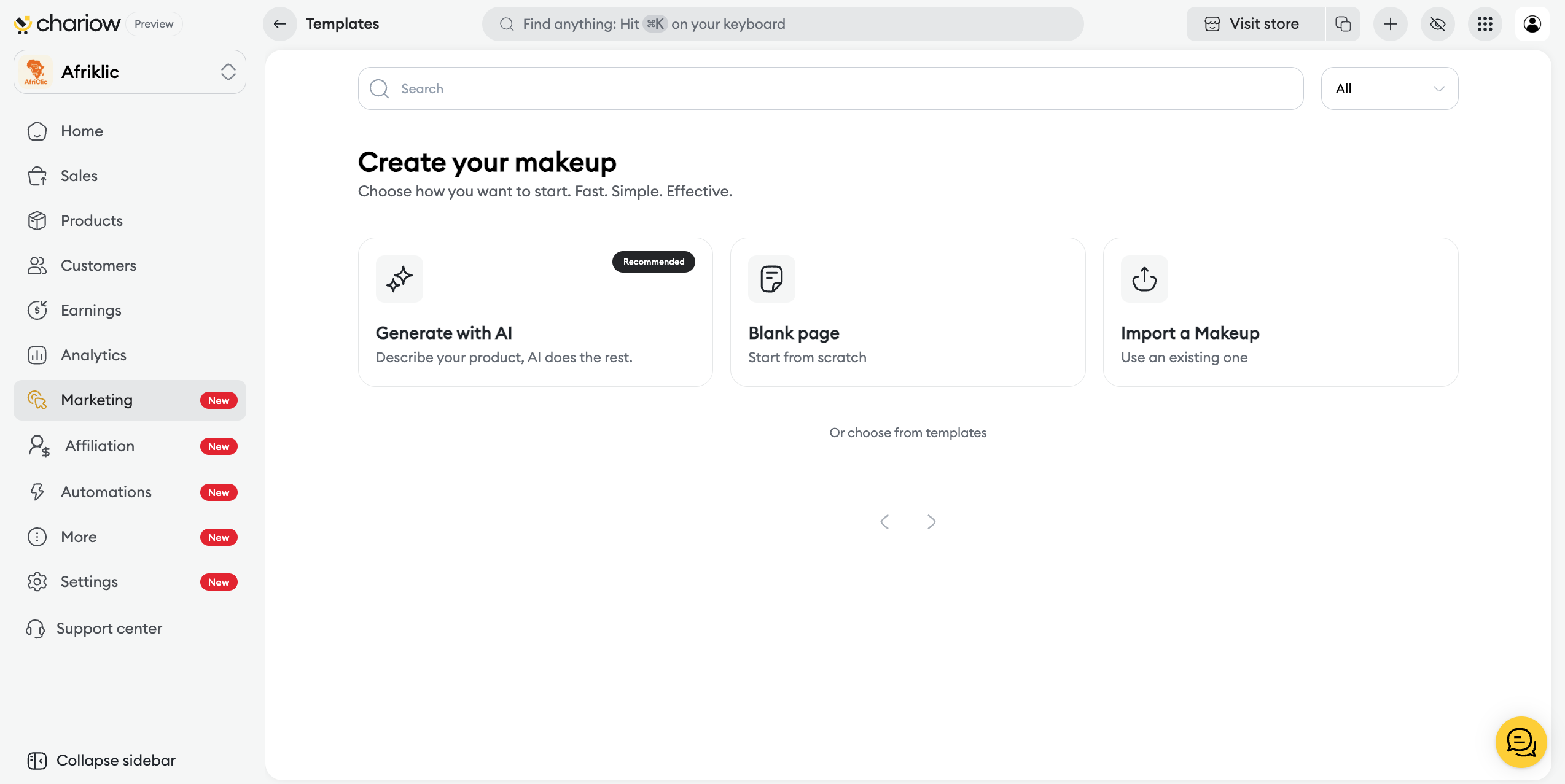
Generate with AI (Recommended): This option allows you to save a considerable amount of time. Simply describe your product or offer, and Chariow's artificial intelligence will generate a tailored structure and content that you can then customize.
Blank Page: Ideal if you have a very specific design idea in mind and wish to build your page from scratch, element by element, without constraints.
After selecting this option, enter the "Makeup Name" (for your internal organization), the "Page Title" (which will be visible to your customers), and choose the "Main Product" to promote (this step is optional at this stage).
Import a Makeup: Allows you to use an existing template file to start from a fully completed design you already own.
Select this option, give your page a name, and upload your template file.
Predefined Templates: Below the main options, you can choose from a selection of templates pre-designed by Chariow. These proven structures are perfect for speeding up your design process while ensuring a professional result.
Select the option you want and fill in the required fields to load the "Makeup" page editor"Makeup".
Need help? Contact our support via chat or at [email protected].