Systeme.io is a popular platform for creating sales funnels, landing pages, and websites. Integrating Chariow’s 'Snap' code is done through the 'Raw HTML' element in the page editor.
Prerequisite:
You’ll need to have generated and copied the HTML code for your 'Snap' widget (see the article: Snap: Add a shopping widget directly to your site).
You need to have access to the page editor for your funnel or site on Systeme.io.
The widget code is integrated by inserting the right element into your Systeme.io page.
Log in to your Systeme.io account and go to the 'Funnels' tab under 'Sites'.
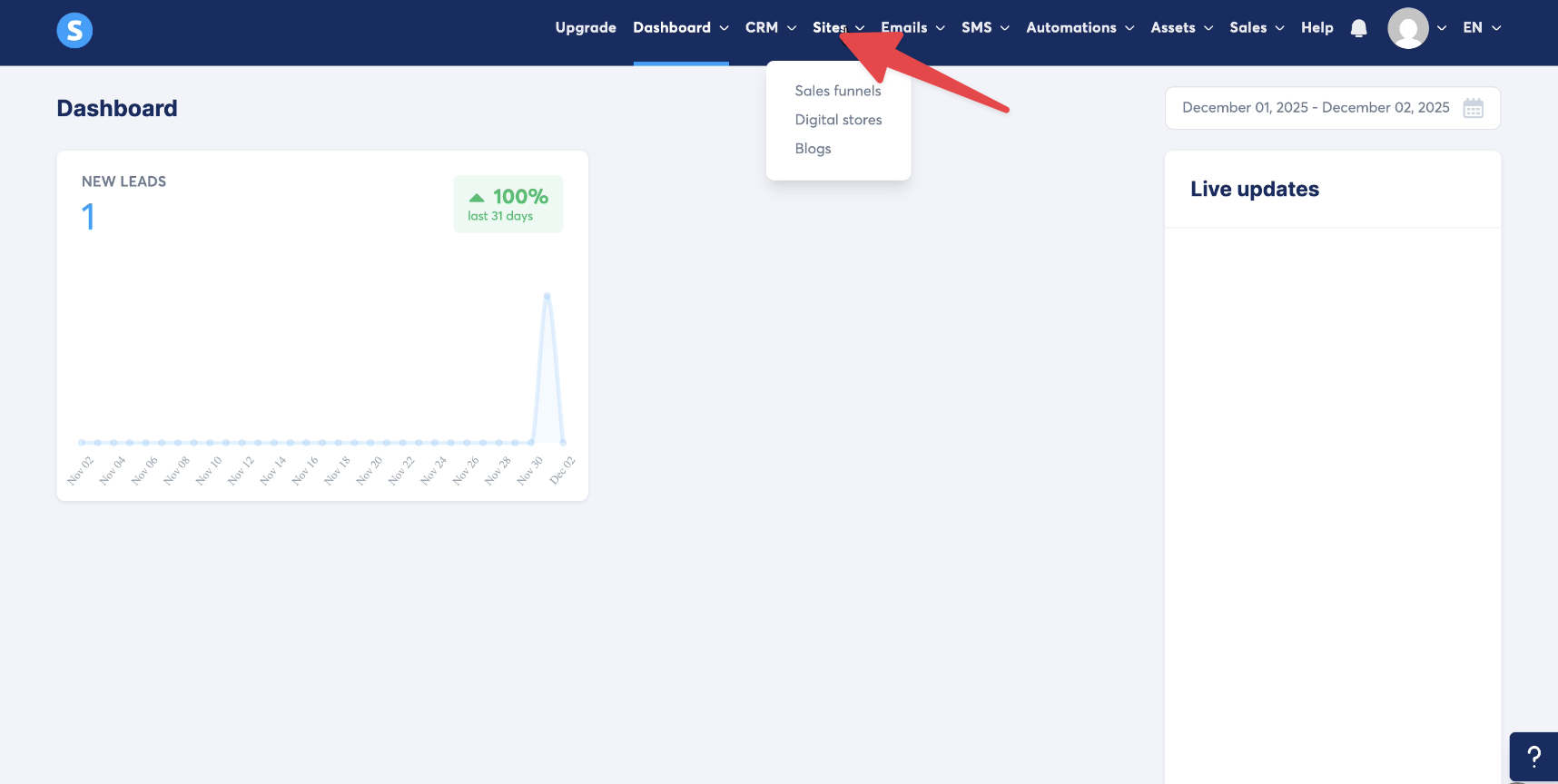
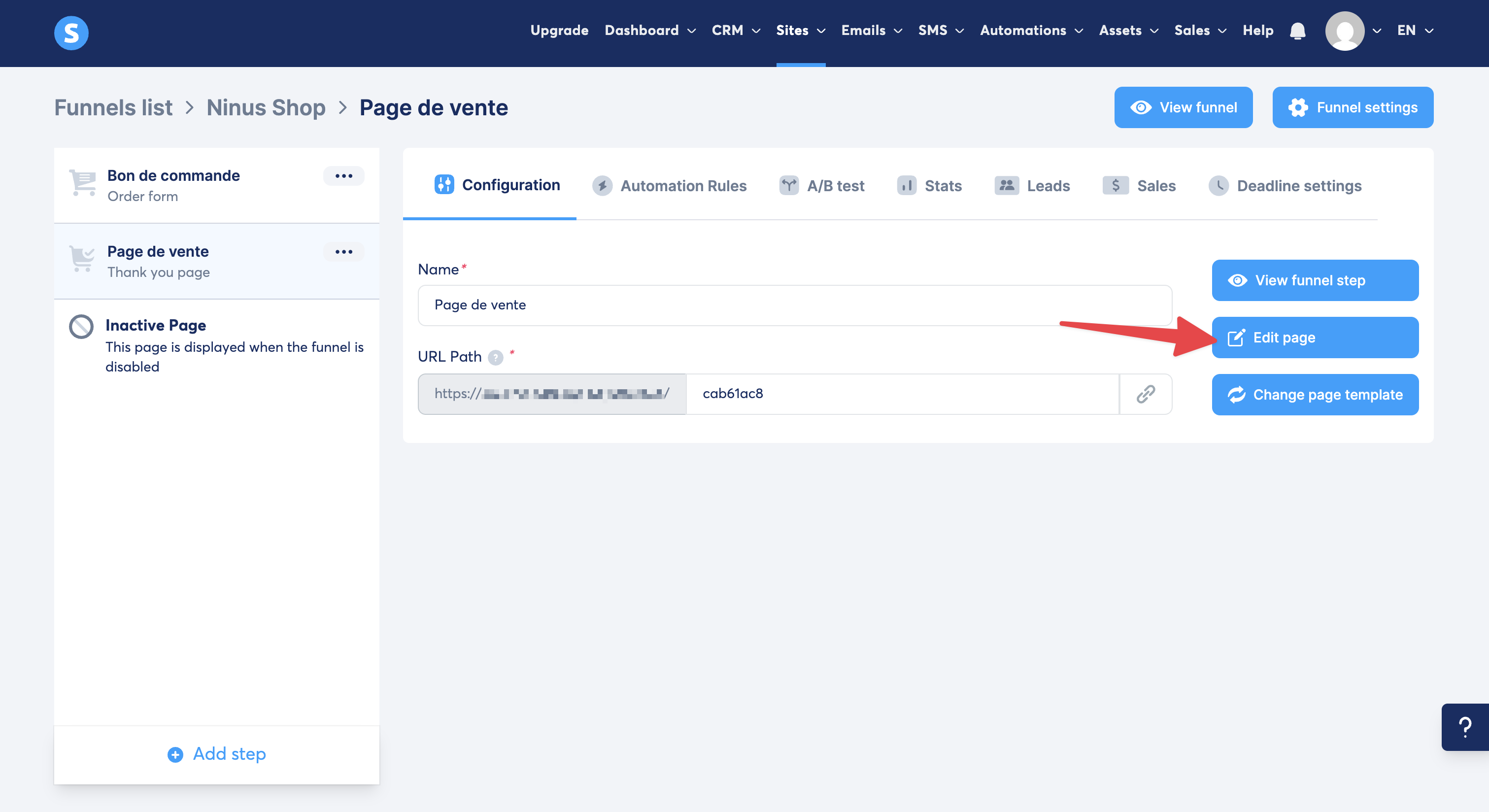
Select the page or funnel step where you want to add the widget.
Click on the 'Edit page' icon (the little pencil) to open the editor.
In the elements column on the left side of the editor, scroll down to the 'Other' category.
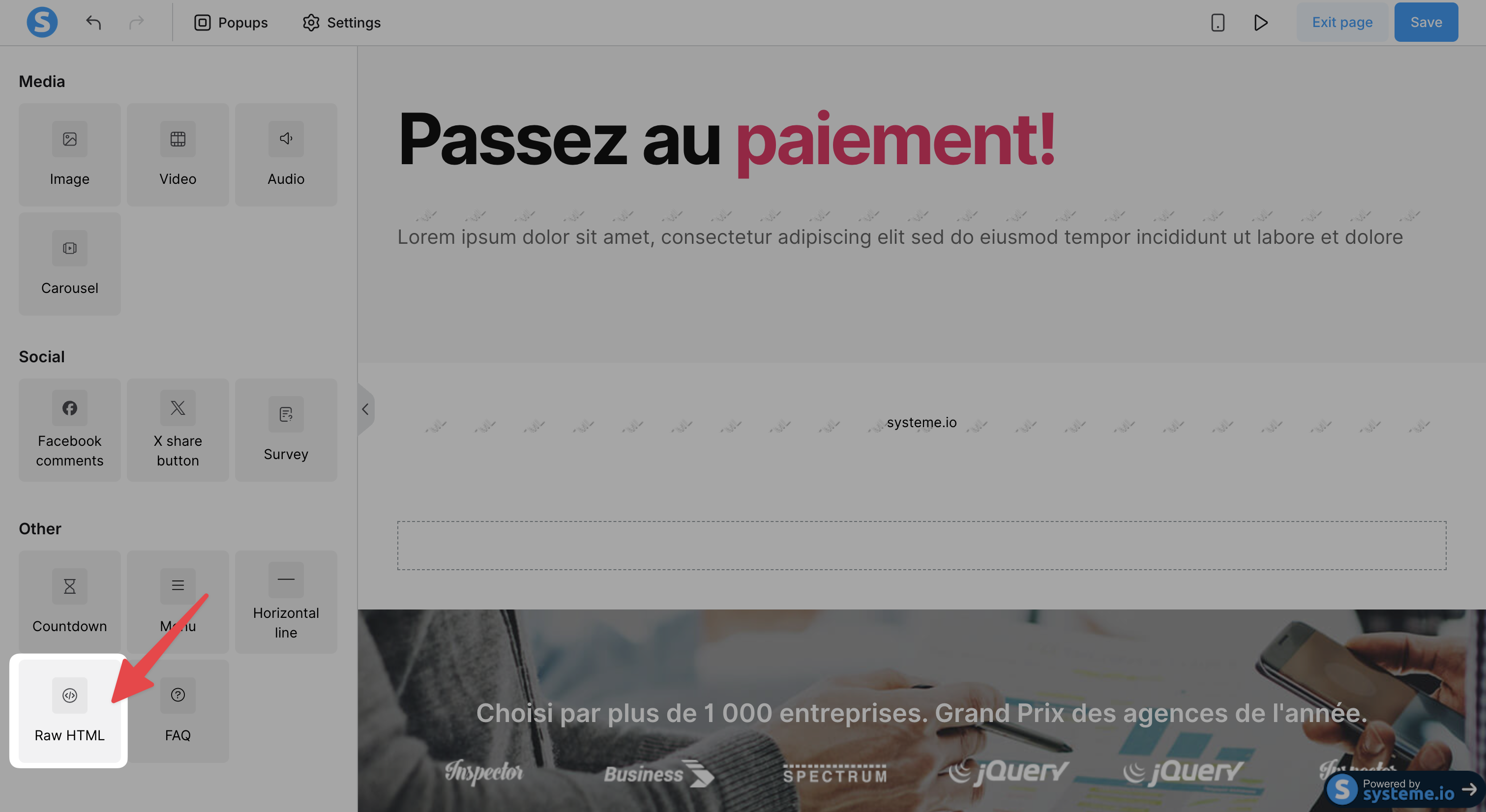
Drag and drop the 'Raw HTML' item (or 'HTML Code') right where you want your 'Snap' buy button to appear on your page.
Put the item in a strategic spot, for example, right under your offer's title or after the perks of the product.
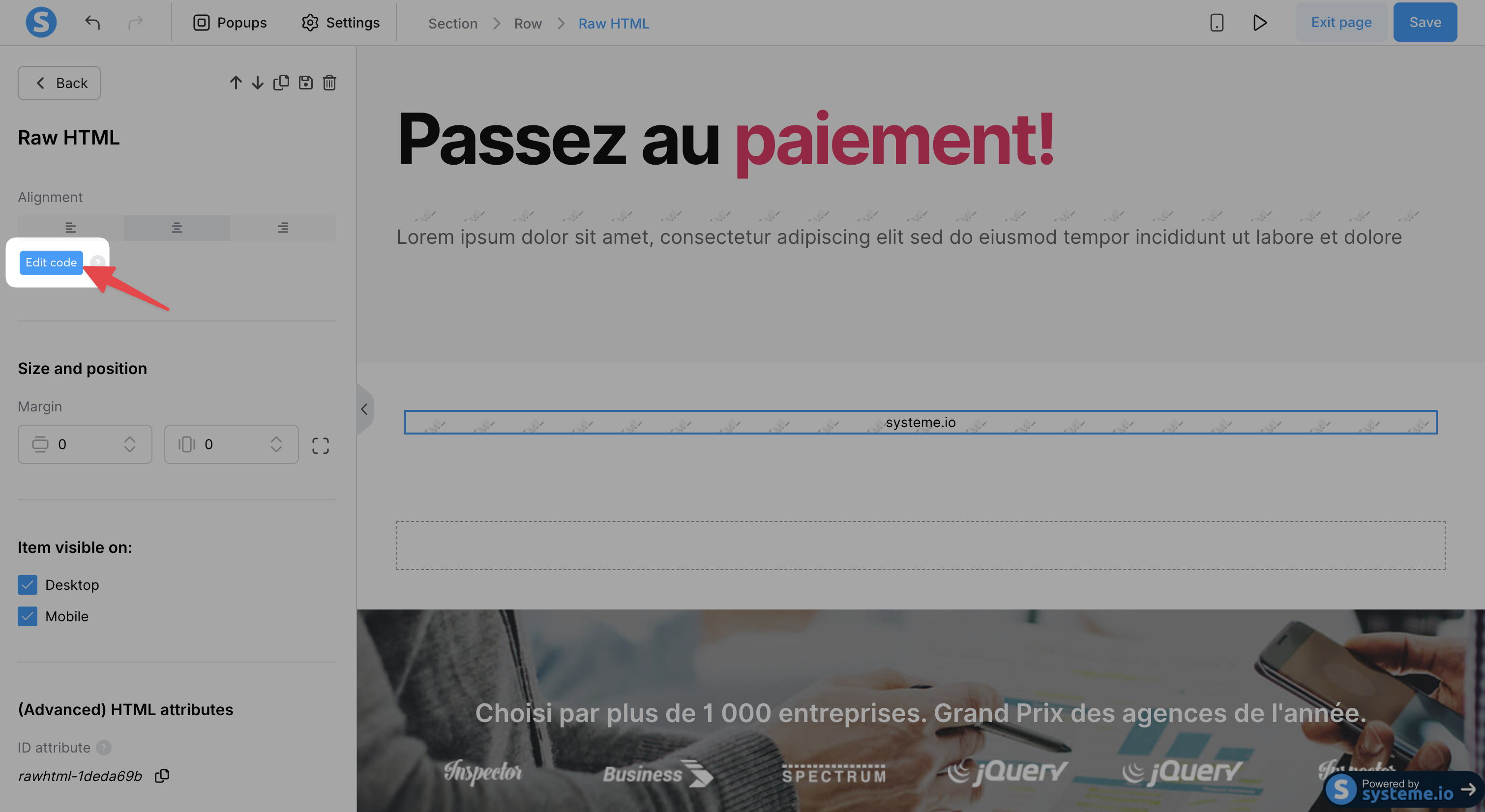
Click on the 'HTML Code' block you just added to your page. A settings panel opens on the left.
In this panel, click on 'Edit code'.
Paste the HTML code of your 'Snap' widget (the one that starts with <div id="chariow-widget" ...>) into the code window that appears.
Click 'Save' (or 'Enregistrer').
Click 'Save' at the top right of the Systeme.io editor.
Leave the editor and open your page in preview mode or visit it online to make sure the 'Snap' button displays properly and the purchase process starts without any redirect.
Tip: If the widget doesn't show up right away in the editor, don't worry. Raw HTML code is often only executed when previewing or publishing the page.
Common errors
Code not pasted in the right place: If you paste the code anywhere except in the 'HTML Code' element, or in a standard text element, the button won't work and the raw code will be displayed. Solution: Make sure to use the 'HTML Code' element.
Forgot to save: If you forget to save the changes in the Systeme.io editor, the widget won't show up online. Solution: Always click on 'Save changes' after you paste the code.
Need help? Contact our support via chat or at [email protected]

