Once your banner is published, it's important to track its performance to see how effective it is and tweak your messages. Chariow gives you analytics tools to help you understand how your visitors interact with your banner.
From the Banners page, you'll see a snapshot of all your creations.
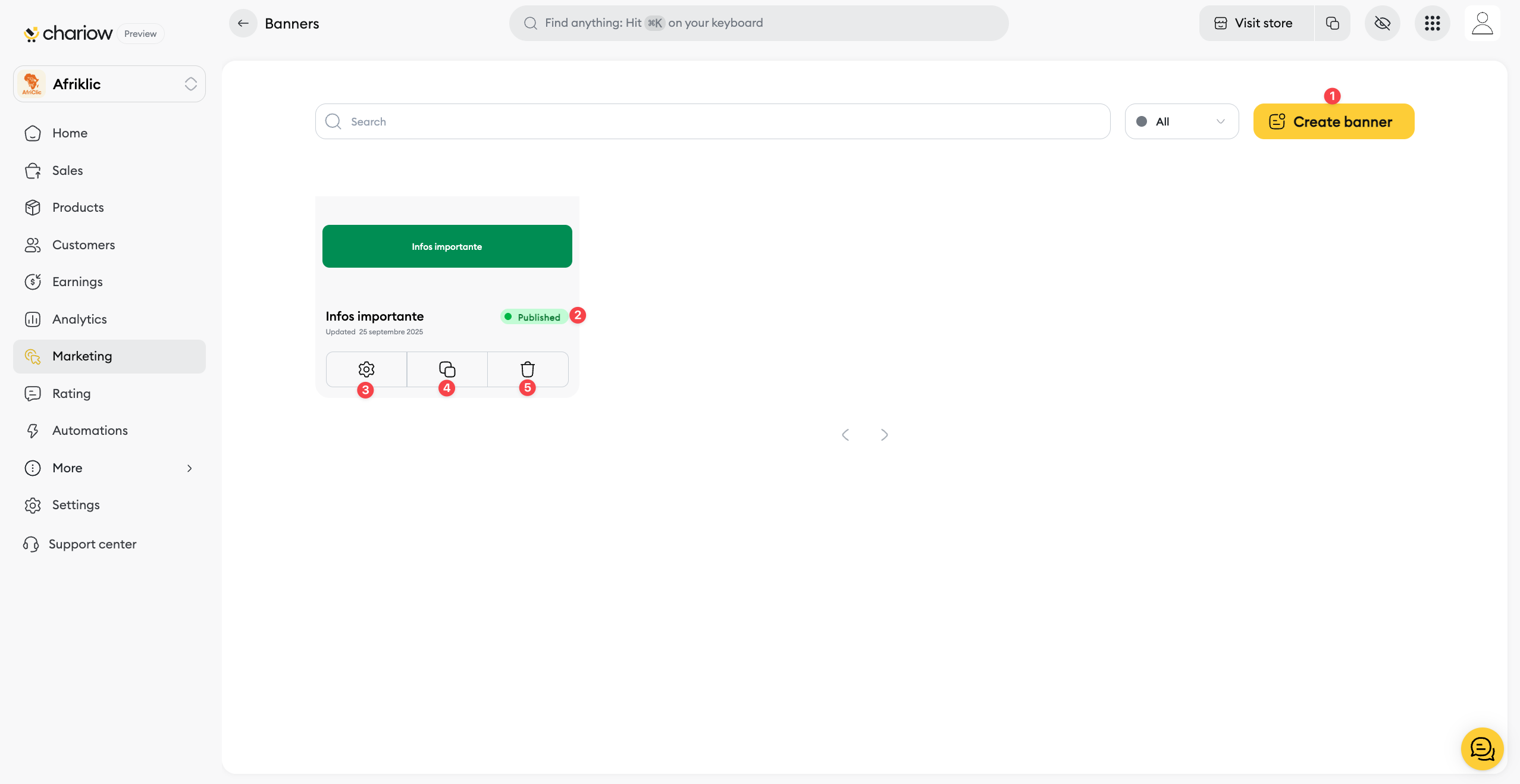
Create a new banner (1): The Create a banner button lets you launch a new campaign.
Publication status (2): An icon shows you if the banner is Published or not.
Edit (3): The settings icon (3) lets you jump back into the editor to change your banner’s text, design, or action.
Duplicate (4): You can duplicate a banner (4) to easily make a variation.
Delete (5): The trash icon (5) lets you delete the banner for good.
To access your banner's performance data, click on its name in the list, then go to the Statistics tab.
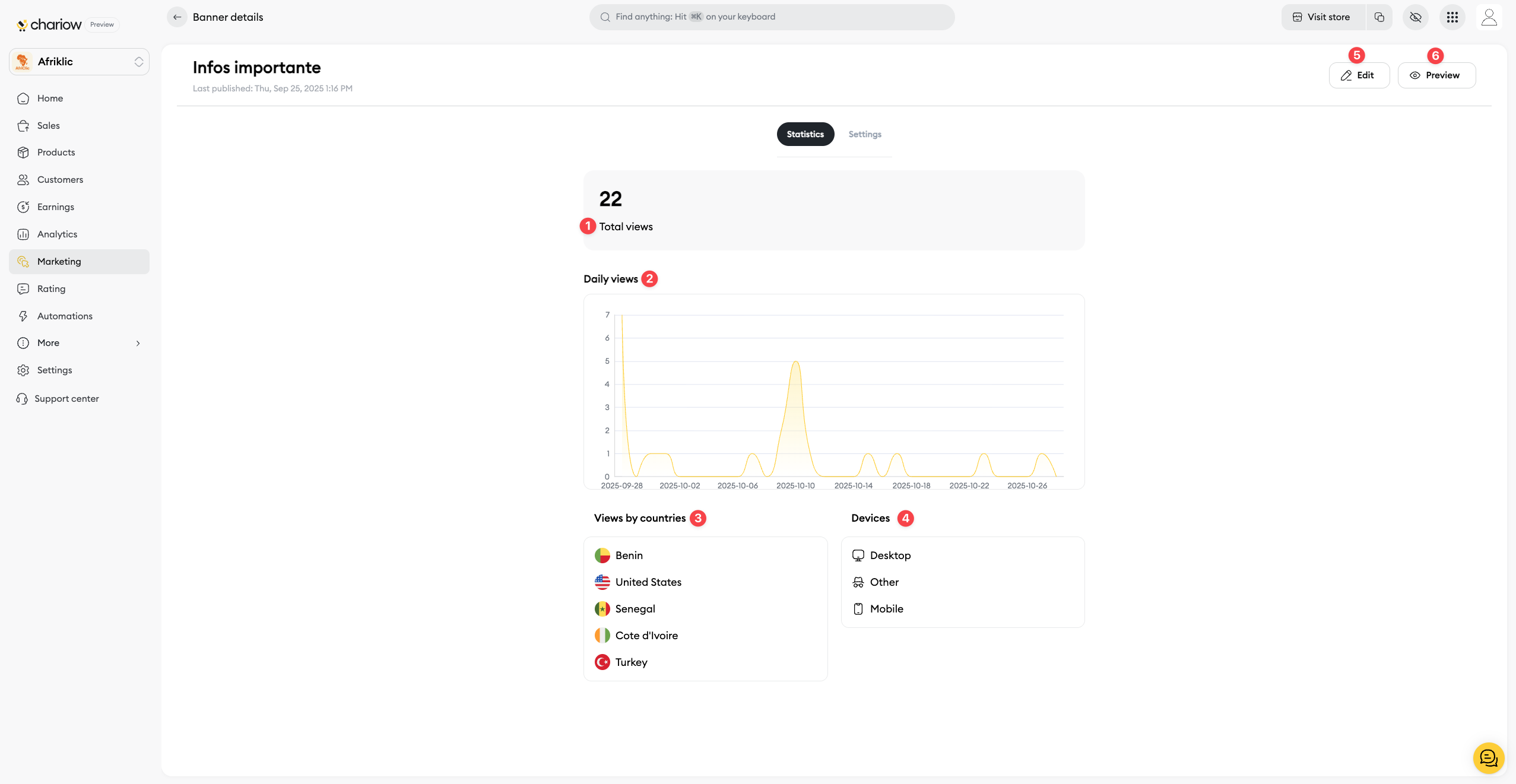
Total views (1): This number shows you how many times your banner has been seen since it was published. It's your key indicator to measure its reach.
Daily views (2): The daily views chart helps you spot the days when your banner generated the most impressions.
Views by country (3): This section shows you where your visitors are from. This can be helpful if you have an offer targeted by geographic area.
Devices (4): This data lets you see if your visitors are checking out your store from a computer or a mobile device.
On the Banners page, you'll find buttons at the top right to manage it in detail:
Edit (5): The Edit button lets you go back to the editor to change your banner's text, design, or action.
Preview (6): The Preview button lets you see how your banner will look directly on your shop, just like your visitors will see it.
Need help? Contact our support via chat or at [email protected]