The Campaigns section of your Chariow dashboard has a specific purpose: to allow you to measure the effectiveness of your promotional activities. By generating a tracking code associated with your URL, you can identify the origin of your customers and optimize your efforts.
A marketing campaign on Chariow isn't a campaign in itself, but a tracking code associated with your URL. This unique link is generated so you can identify the exact origin of customers who visit your store from your various social media activities. This allows you to know where your traffic is coming from and which strategies are working best.
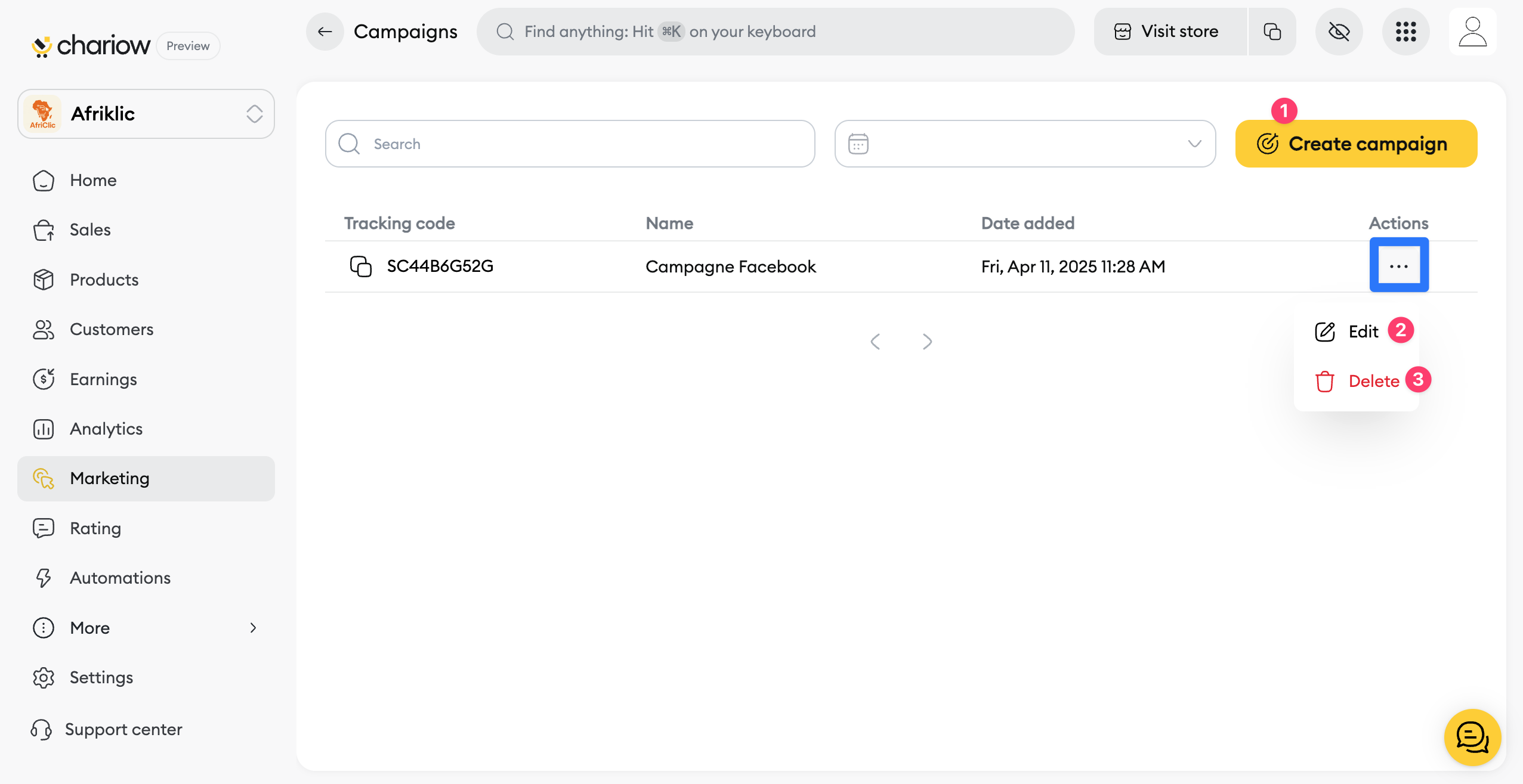
Access the "Marketing" Section: In the main menu of your dashboard, click on "Campaigns."
Create a New Campaign: Click on the "Create a Campaign" button (1), and a window will open.
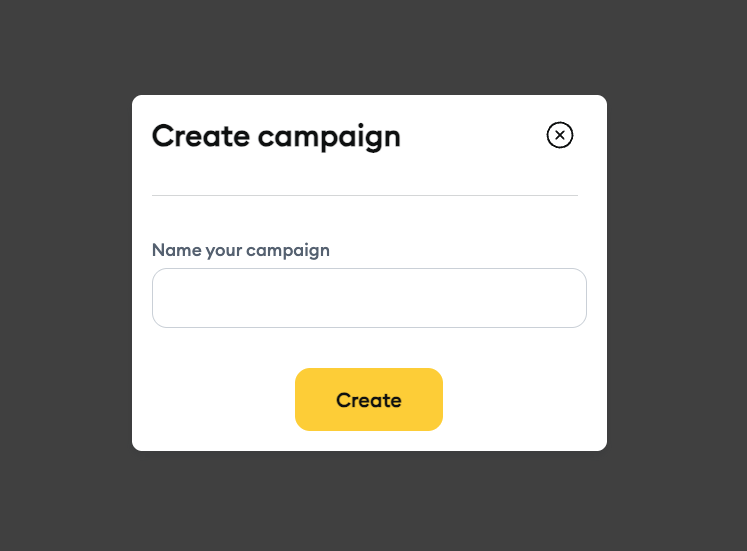
Name Your Campaign: Give your campaign a clear and descriptive name (e.g., "Product X Launch - Facebook").
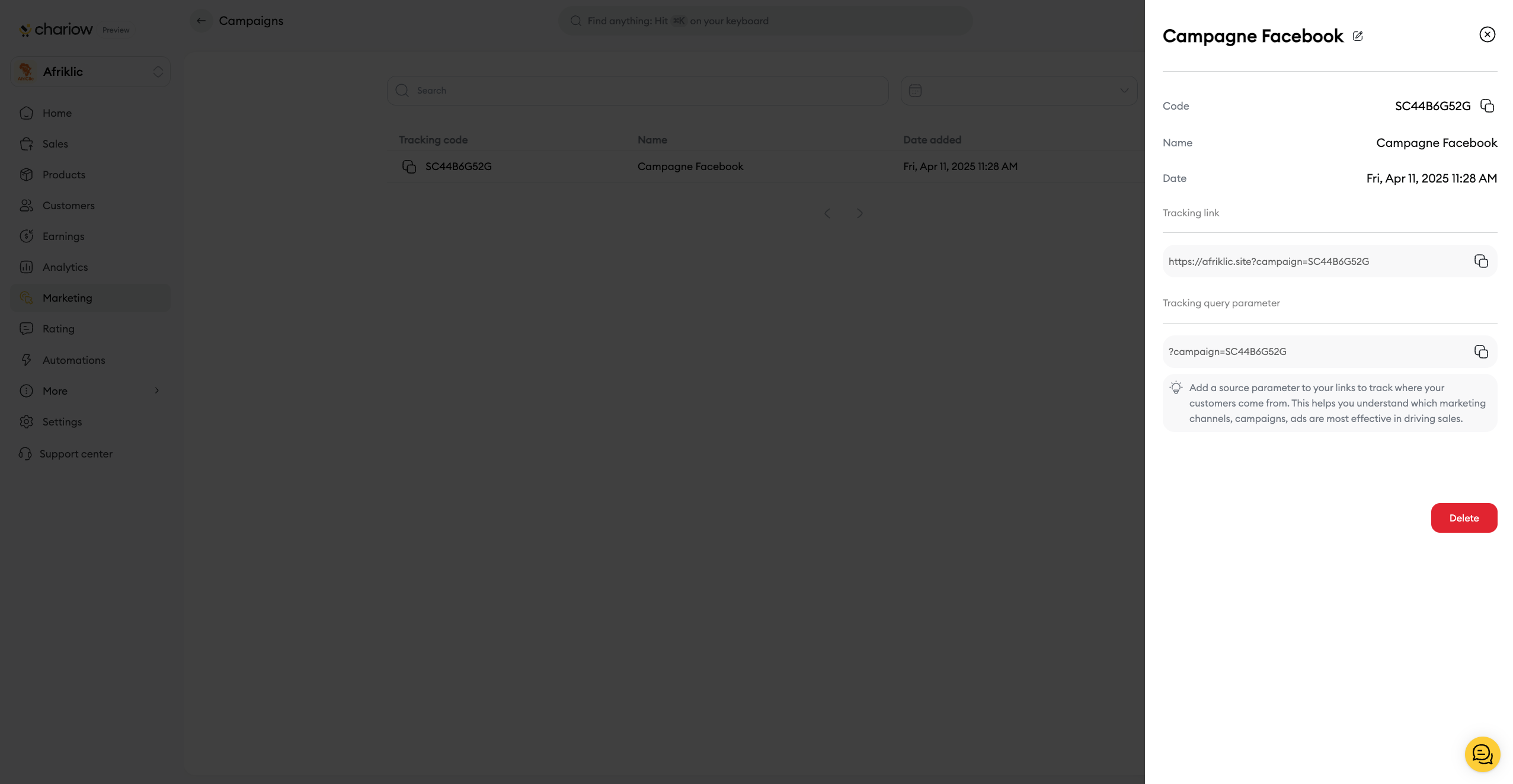
Create and Distribute: Once the campaign is configured, save it. You can then copy the Tracking Link to promote your product on the platforms of your choice.
To access your campaign details (code, link, parameters, etc.), simply click on the campaign row.

Identify Sales Source: By using a campaign URL, you know exactly whether a sale was generated from your Facebook page, an Instagram post, a newsletter, or any other source.
Measure Effectiveness: You can compare the performance of different actions (e.g., an organic Facebook post vs. a paid advertisement) to see which brings you the most customers.
Optimize Your Efforts: Based on the sales data from each campaign URL, you can focus your efforts and budget on the most profitable channels.
Once your campaign is launched, the Campaigns section gives you access to detailed statistics to evaluate its success. You can see:
The number of sales generated by the campaign.
The total revenue and net income it brought in.
The conversion rate, which tells you the percentage of visitors who took advantage of your offer.
Need help? Contact our support team via chat or at [email protected].