The "Sales" section is an essential tool to track and analyze your store's performance on Chariow. It gives you a complete view of all your transactions, allowing you to make informed decisions to grow your business.
The sales management interface is designed for smooth navigation and quick access to information:
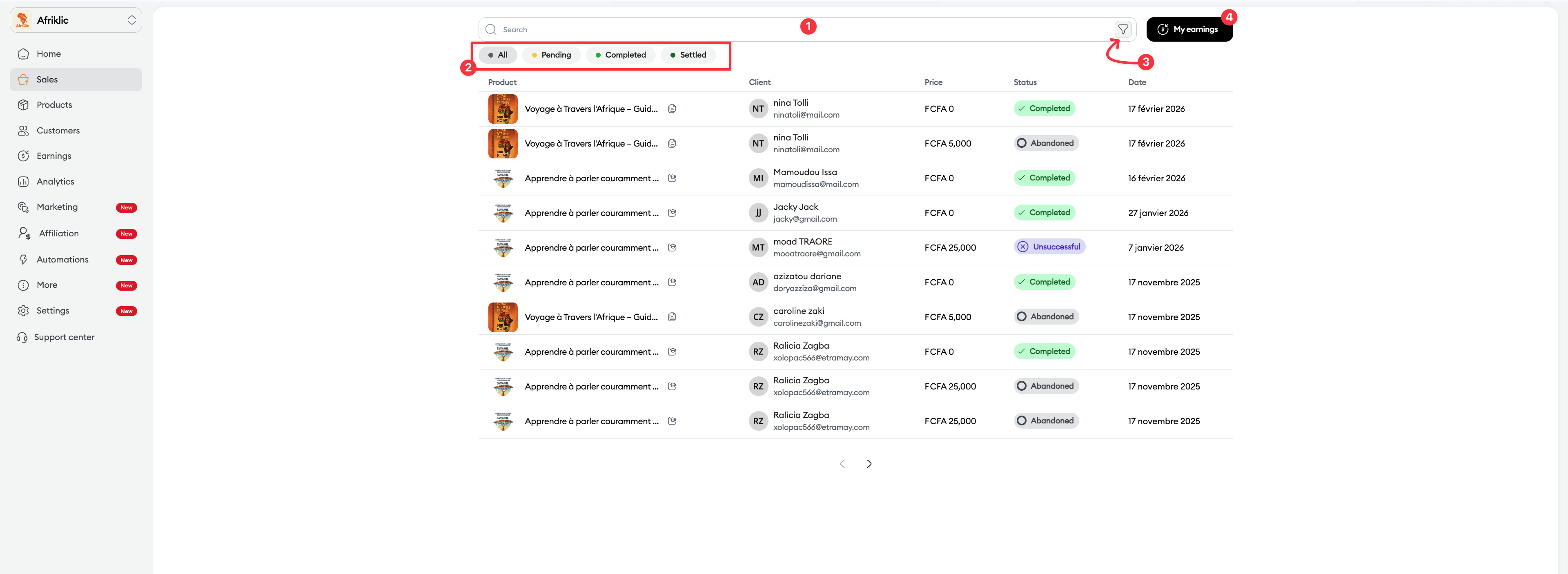
Search bar (1): Instantly locate a specific transaction by entering a product name, a customer name, or an order ID.
Quick status filters (2): Use the clickable tabs (All, Pending, Completed, Settled) to instantly isolate transactions based on their current status.
Advanced filters (3): Refine your search by period, product, acquisition source, country, promo code, or marketing campaign.
Each sale is associated with a specific status to help you with your tracking:
Pending payment : The process is started but the bank confirmation hasn’t been received yet.
Completed : The payment is validated, the funds are confirmed and the product is delivered to the customer.
Abandoned : The customer left the payment flow before the end.
Failed : The transaction was rejected (insufficient funds, technical error).
Settled : The funds are recorded in your Revenue section and ready to be transferred to your wallet.
A button lets you quickly access your My revenue(4) section to see your earnings and their transfer status to the wallet.
By clicking on a sales line, a side panel shows detailed information about the order:
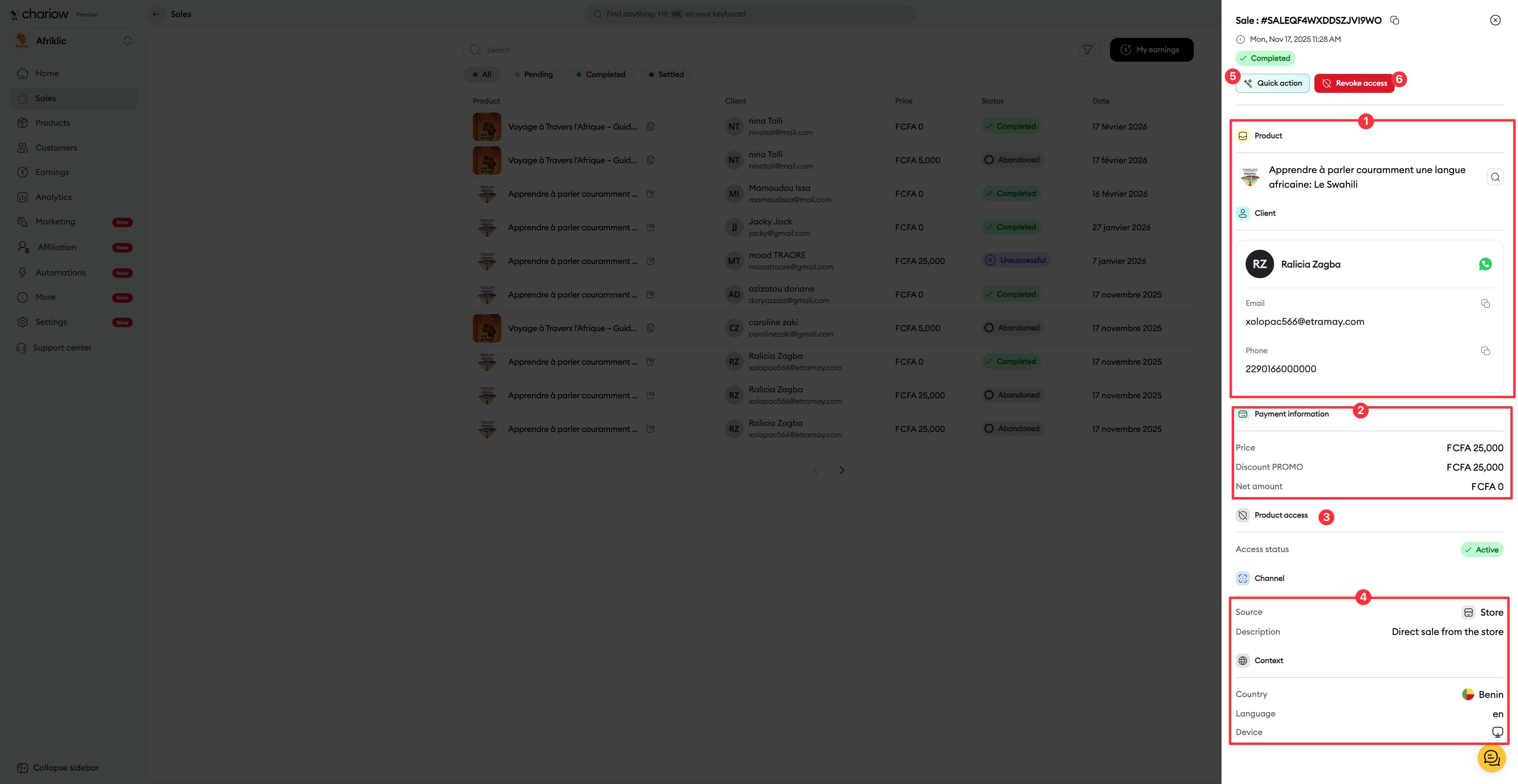
Summary & Customer(1) : Access the customer's contact details (email, phone) and contact them directly on WhatsApp.
Financial information(2) : View the gross price, the applied PROMO discount, and the net amount.
Sales context(4) : Identify the source (e.g. Store), the country, the language, and the device used.
The Quick action button at the top of the details panel lets you run instant marketing actions without leaving the page:
Send an email : Contact the customer directly at their email address.
Send a WhatsApp message : Open an instant chat with the provided phone number.
Customer engagement : Send a review request about the purchase in one click.
Depending on the third-party tools you’ve connected to your Chariow store, other options will appear dynamically.
Access status(3) : Indicates if the customer can access their product (Active).
Revoke access(6) : This button at the top lets you instantly remove usage rights to the digital product (ideal in case of a dispute or refund).
For more advanced actions, you can also export your sales database. To learn more, check out our article on:
👉 Export sales data from a Chariow store
Need help? Contact our support via chat or at [email protected]

