

A purchase ID is a unique identifier given to every transaction on Chariow. It’s super important for tracking, customer support, or checking a payment — especially if a sale fails.
Steps to find a purchase ID
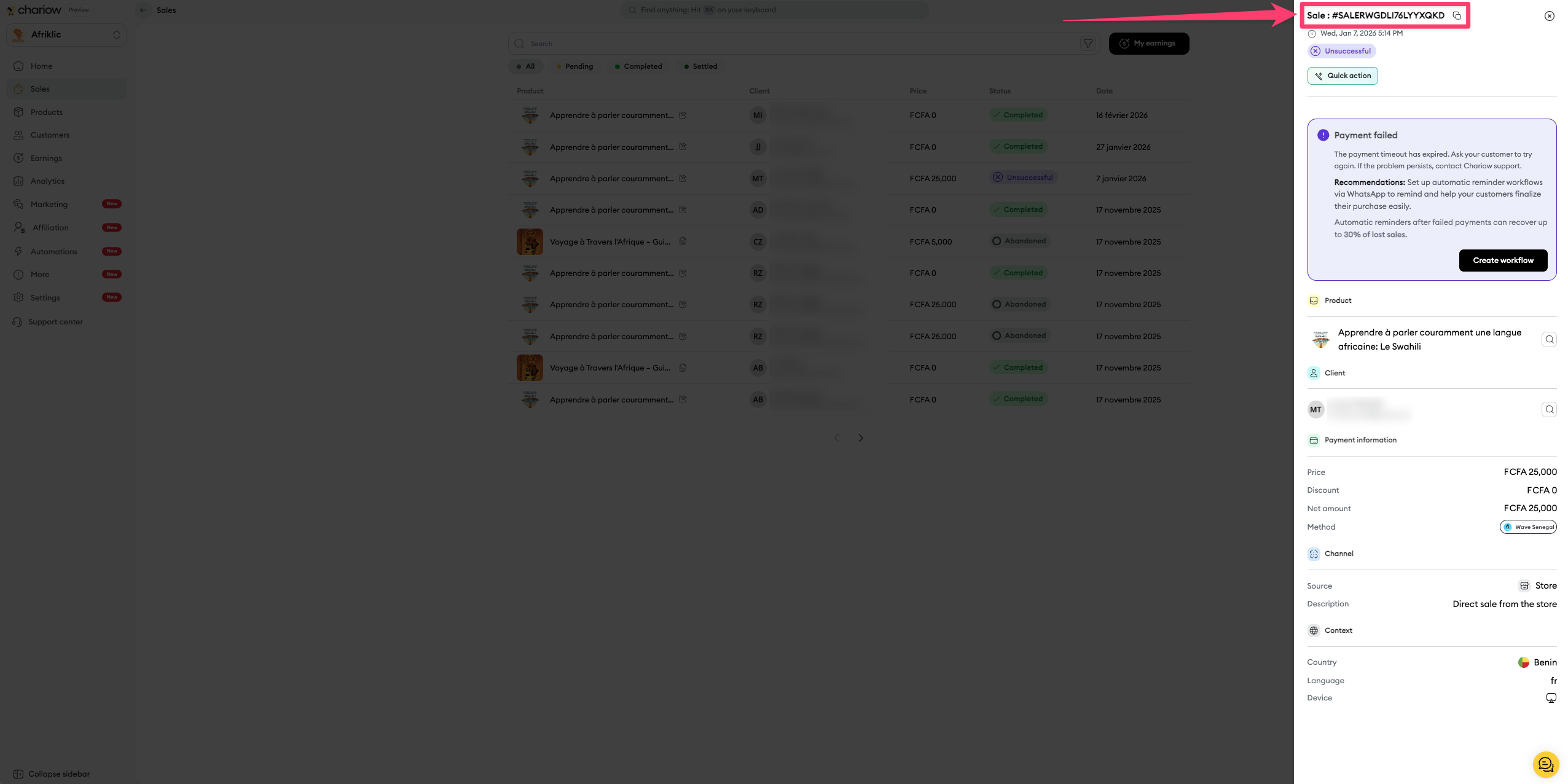
Go to sales history: In the main menu on your dashboard, click Sales.
Select the transaction : In the list of sales, click the row for the transaction where you want to get the ID.
Check the order details: A window will pop up on your right. The purchase ID is right at the top of that window, just under the title "Sale". It always starts with the prefix SALE followed by a set of numbers and letters.
Need help? Contact our support via chat or at [email protected]