Systeme IO is an all-in-one platform for entrepreneurs. It lets you create sales pages, sell courses and e-books, and send automated emails to your customers. Although Chariow allows you to host online courses natively, this integration is ideal if you prefer to keep the Systeme.io ecosystem while still taking advantage of Chariow’s sales power.
Before setting up Chariow, you need to generate a secure access key in your Systeme.io account.
Log in to your Systeme.io account.
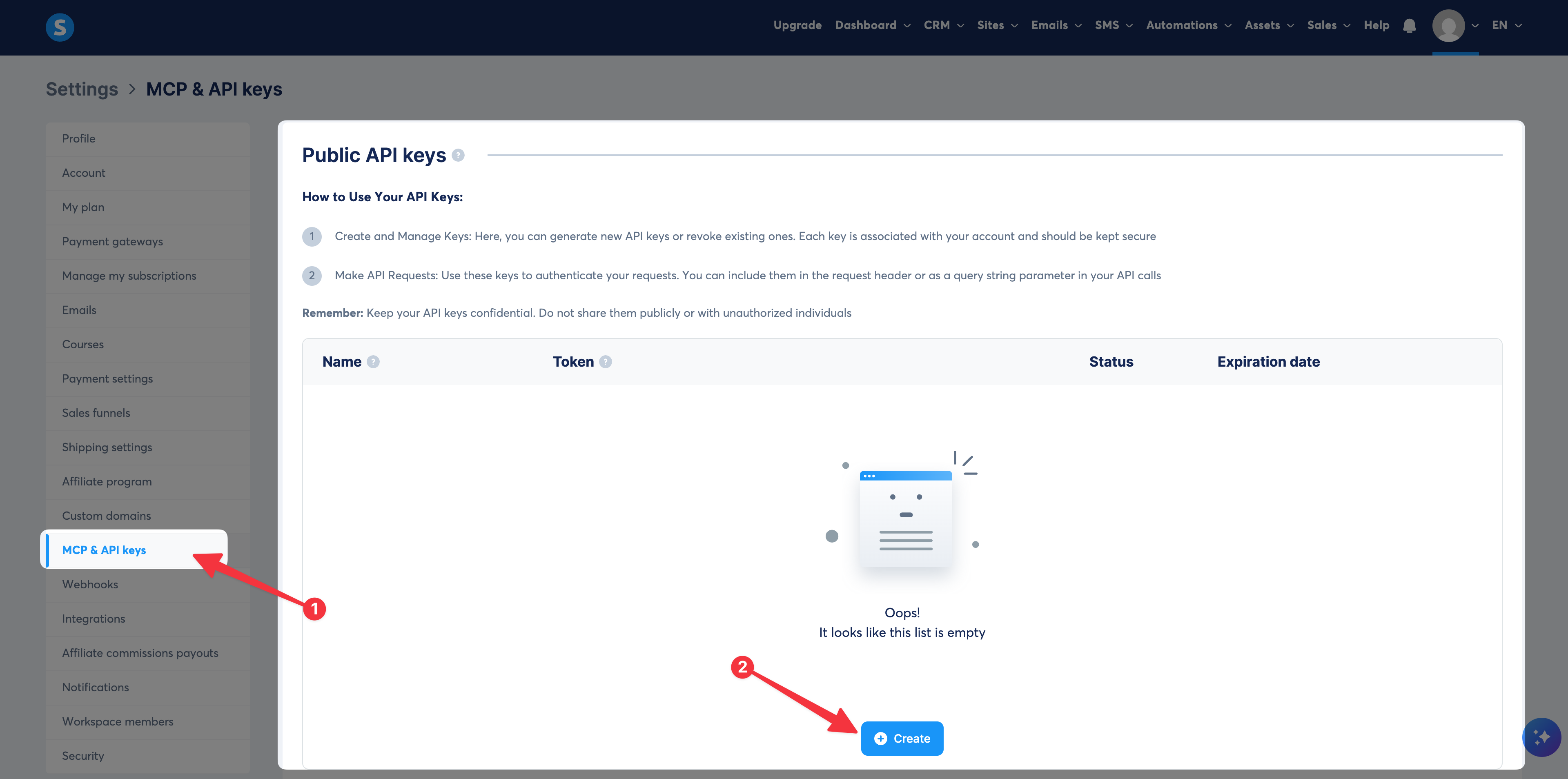
Click on your profile picture at the top right, then select Settings.
In the left sidebar menu, scroll down to the MCP and API keys tab.
Click the Create button.
In the window that pops up:
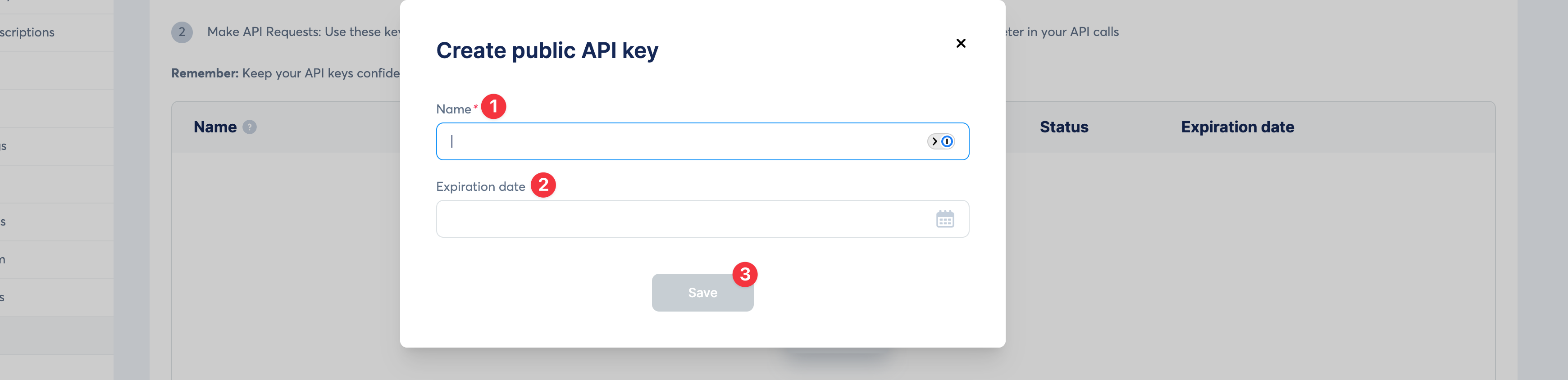
Give a Name to your key (e.g.: "Chariow API key").
Leave the Expiration date field empty for a permanent key or choose an end date.
Click Save.
Once the key is created, copy the token that appears.
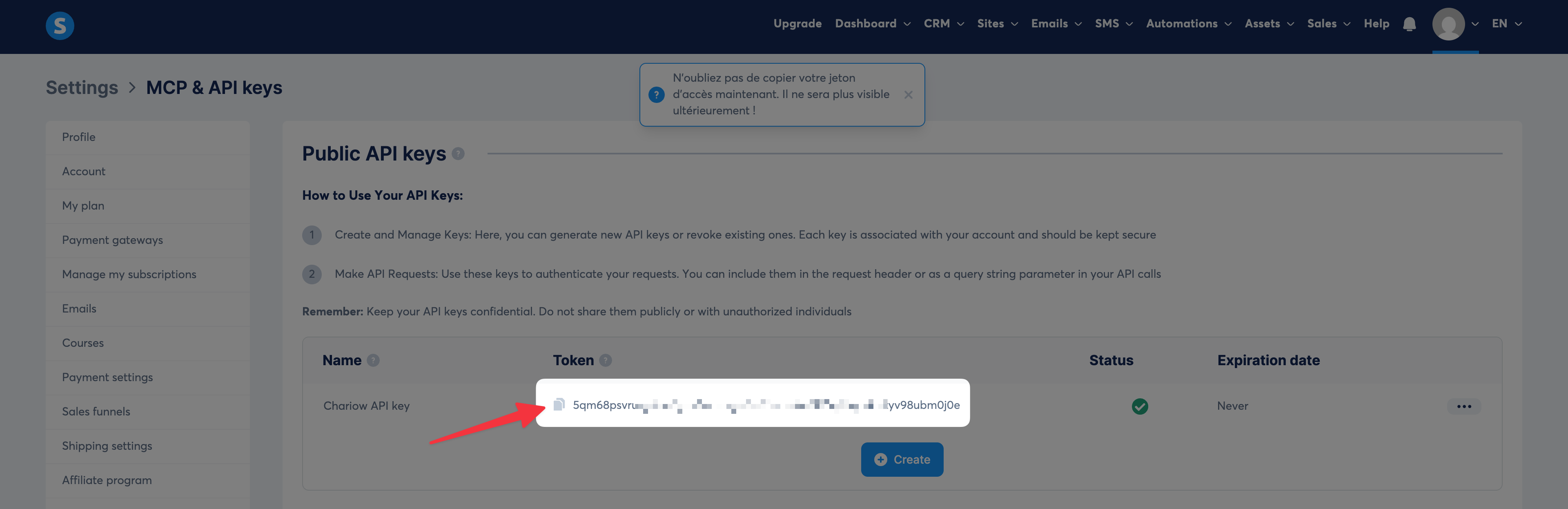

Once you have your API key, go back to your Chariow interface to finish linking it.
Go to the Automations menu > Integrations.
Click the Connect a tool button and select Systeme.io from the list.
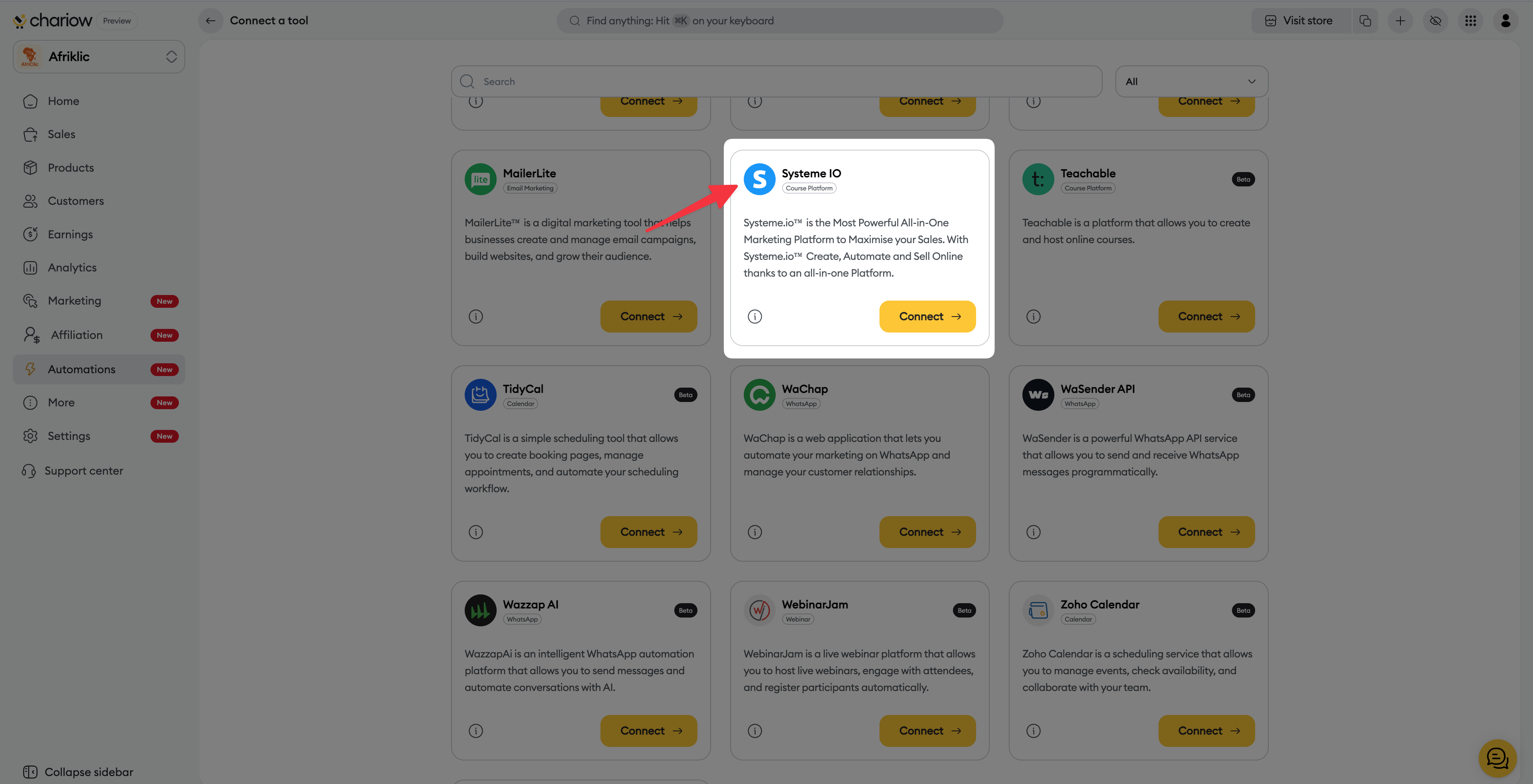
On the connection page, fill in the two required fields:
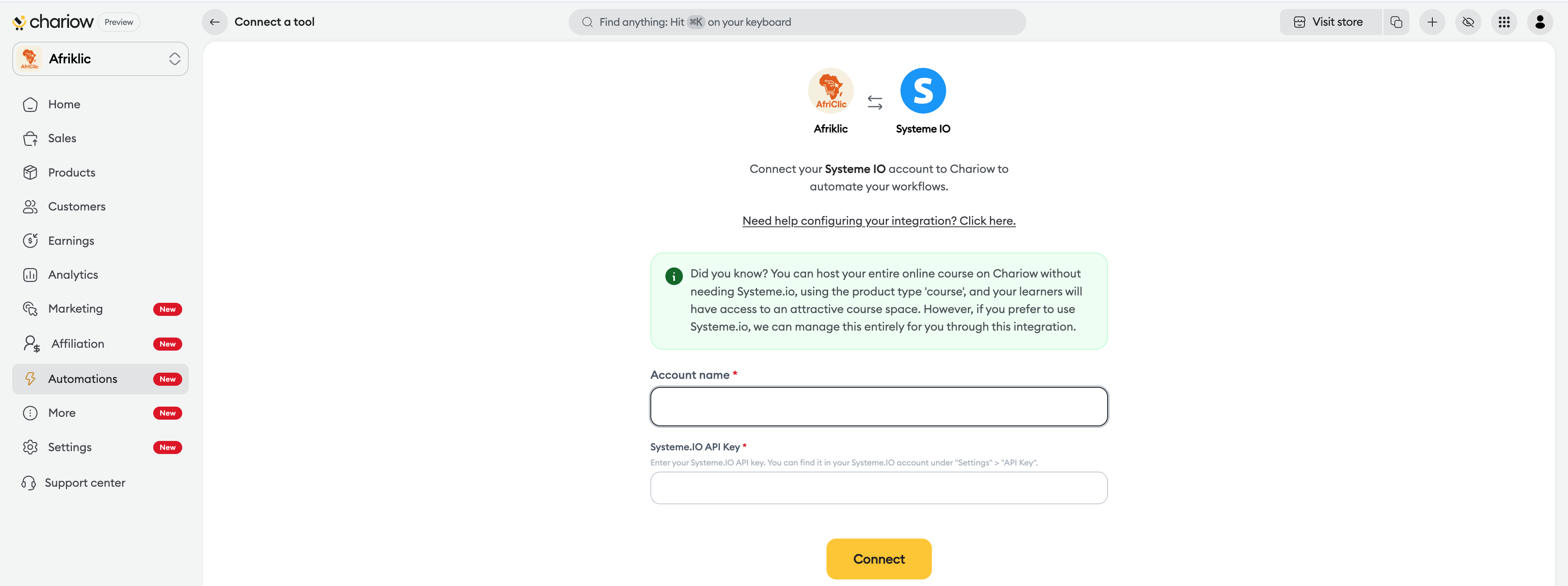
Account name: Give a name to identify this connection in Chariow (e.g. "My SIO account").
Systeme.IO API key: Paste here the token you copied in the previous step.
Click the Connect button.
Once the connection is set up, you can control your tool from the integrations dashboard:
Enable/Disable: Use the switch in the Status column to pause the integration without deleting your settings.
Actions (...): Click on the three dots at the end of the row to Edit the connection details or Delete access permanently.
Follow the video tutorial below to add Systeme IO to your store if you prefer a visual guide.
Need help? Contact our support via chat or at [email protected]

